

Engineering assurance for complex software
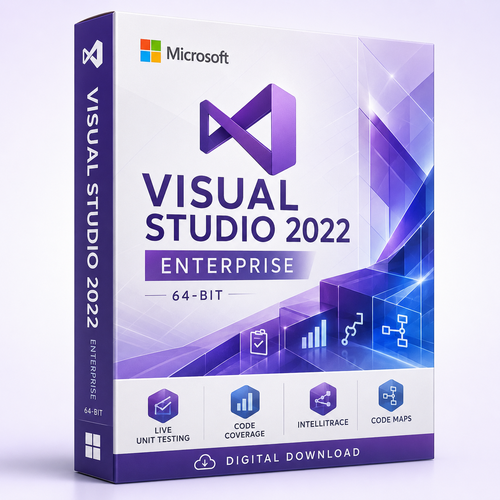
Microsoft Visual Studio 2022 Enterprise Edition
Build on Microsoft’s mature 64-bit Windows IDE, then add deeper evidence: live test feedback, code coverage, test isolation, historical diagnostics, editable code maps and architectural dependency controls.
Enterprise earns its place when a defect is expensive, a dependency violation can spread across teams, or reproducing one production failure consumes days. It includes the core capabilities of Professional and adds specialised tools that help quality-critical teams understand, test and govern large codebases with less guesswork.
The decision in one minute
Choose Enterprise when engineering risk has a real price
Enterprise is not simply Professional with a larger-company label. Its strongest value appears where teams need continuous test signals, measurable coverage, controlled dependencies, historical execution evidence or richer tools for difficult-to-isolate code.

Handle solution scale
Visual Studio 2022 was the first 64-bit Visual Studio IDE, allowing the environment to use more memory for large solutions, analysis and extensions.

Measure what tests exercise
Built-in Visual Studio 2022 code coverage reports the proportion of managed or native code exercised by supported tests and highlights tested source.

Look behind the current state
IntelliTrace records selected events and execution information so supported applications can be investigated through more than the debugger’s present moment.
Protect architectural intent
Model permitted dependencies and surface supported C# or Visual Basic violations in the Error List while code changes are being made.

Quality evidence inside the coding loop
Move from “tests passed” to a stronger engineering argument
Test Explorer is available across Visual Studio editions. Enterprise adds tools that answer harder questions: Which changed lines are covered? Which affected tests should run in the background? Can a dependency be replaced so an awkward unit is isolated? What input paths could expose a hidden edge case?
This is where Enterprise can shorten feedback without weakening discipline. Live Unit Testing can update supported .NET test and coverage signals as code changes. Code Coverage provides measurable execution evidence. Microsoft Fakes supplies stubs and shims for supported .NET scenarios, while IntelliTest can explore .NET Framework code to generate candidate test inputs.
Feature scope matters
- Live Unit Testing is Enterprise-only and supported for .NET projects, not every language or project type.
- In Visual Studio 2022, IntelliTest’s supported production scope is .NET Framework; .NET 6 support was preview-only.
- Microsoft Fakes is Enterprise-only and supported for .NET code.
- Snapshot Debugger depends on Application Insights configuration, supported workloads, permissions and external services; opening snapshots in Visual Studio requires Enterprise.
- GitHub Copilot access is account- and plan-based. A Visual Studio licence purchase does not by itself define Copilot limits or subscription benefits.
The Enterprise advantage
Specialised tools for quality, isolation, diagnosis and design
Each capability has a specific operating range. The value comes from matching the tool to the codebase, language, project type and risk profile—not from treating every feature name as universally applicable.
Test Explorer
Create, group, run and diagnose supported tests through the shared test platform, then combine that baseline with Enterprise-only quality tools.

Live Unit Testing
Automatically runs affected supported .NET tests in the background and displays current test and coverage status beside the code.
Built-in Code Coverage
Analyse supported managed and native test execution by assembly, class and method, with source colouring that helps expose untested paths.

IntelliTest
Explore supported .NET Framework code to generate test inputs and candidate unit tests. Treat generated results as reviewable engineering material, not automatic proof.
Microsoft Fakes
Replace difficult .NET dependencies with generated stubs or shims so code can be tested in isolation where conventional mocking is impractical.
IntelliTrace
Record selected events, snapshots or call information for supported applications. Full support is strongest for .NET Framework; other scenarios have important limits.

Editable Code Maps
Visualise solution structure and relationships, drill from assemblies to members and create or edit maps that Professional and Community can only open read-only.
Dependency Validation
Compare code dependencies with a dependency diagram during editing, local builds or configured pipelines to catch design drift earlier.
Edition comparison
Visual Studio 2022 Enterprise vs Professional vs Community
The core editor, debugger, workload system and Git experience overlap. Enterprise is justified by specialised quality, historical-debugging and architecture capabilities—not by vague claims that ordinary development or cloud work is impossible in the other editions.
| Decision factor | Enterprise | Professional | Community |
|---|---|---|---|
| Best fit | Complex, quality-critical or architecture-governed software | Paid commercial development without Enterprise-specific tooling | Individuals, learning, open source and other eligible scenarios |
| Commercial use | Under the supplied commercial licence terms | Under the supplied commercial licence terms | Restricted by current Community eligibility and licence terms |
| Core editor, debugger, Test Explorer and Git | Included | Included | Included, subject to licence eligibility |
| CodeLens source-control indicators | Included for supported workflows | Included for supported workflows | CodeLens exists, but source-control indicators are omitted |
| Live Unit Testing | Enterprise capability for supported .NET projects | Not included | Not included |
| Built-in Visual Studio 2022 Code Coverage | Included for supported managed and native code | Not included | Not included |
| IntelliTest | Supported for .NET Framework; .NET 6 was preview-only | Not included | Not included |
| Microsoft Fakes | Included for supported .NET testing | Not included | Not included |
| Create and edit Code Maps | Create, edit and explore | Open Enterprise-generated diagrams read-only | Open Enterprise-generated diagrams read-only |
| Live Dependency Validation | Included for supported C# and Visual Basic architecture rules | Not included | Not included |
| IntelliTrace | Included, with application-type limits | Not included | Not included |
| 2022 servicing flexibility | Current Channel and eligible servicing baselines under policy | Same policy flexibility | Latest Current Channel servicing release only |
| Purchase logic | Choose when avoided defects, faster diagnosis or governed architecture can repay the premium | Choose when core paid-development capability is enough | Choose only when the intended use satisfies current Community terms |
Feature availability can vary by workload, language, project type, update, installed component and associated service. Validate the intended stack against current Microsoft documentation before deployment.
Architecture and historical context
See the system, enforce its boundaries and revisit what happened
Large solutions rarely fail because a team cannot type code. They fail when dependencies become invisible, design rules drift, test debt hides risk or a runtime sequence cannot be reconstructed. Enterprise addresses those problems with complementary views.
- Code Maps expose structure and relationships across supported code.
- Dependency diagrams describe permitted architectural relationships.
- Live validation surfaces supported violations while code is edited.
- IntelliTrace records selected events and state for supported debugging scenarios.

Solution-aware editing
Navigate symbols, refactor with context and work across supported languages and workloads.

Hot Reload
Apply supported .NET or C++ changes while an application runs to shorten selected edit-debug cycles.
CodeLens context
Keep references and supported change or author indicators close to the code under investigation.

Integrated debugging
Use breakpoints, stepping, watches, visualisers and supported diagnostics before reaching for historical tools.

Performance evidence
Investigate supported CPU, memory, allocation, database, file I/O and runtime scenarios with the available profiling tools.

Git collaboration
Branch, commit, merge, resolve conflicts and work with supported pull-request flows in project context.
Generation decision
Visual Studio 2022 Enterprise vs Visual Studio 2026 Enterprise
Visual Studio 2022 can be the more rational purchase for an estate already qualified on 17.x, especially when fixed-lifecycle continuity or the Visual Studio 2022 IntelliTest implementation matters. Visual Studio 2026 is the path for .NET 10 and Microsoft’s newer IDE generation.
| Decision area | Visual Studio 2022 Enterprise | Visual Studio 2026 Enterprise |
|---|---|---|
| Best reason to choose | Existing solutions, extensions and controls already validated on the mature 17.x generation | New development requiring Microsoft’s latest IDE generation and platform integration |
| .NET target ceiling in the full IDE | .NET 9 with Visual Studio 17.12 or later | .NET 10 with Visual Studio 18.0 or later |
| Lifecycle model | Fixed Lifecycle: mainstream support to January 2027 and extended support to January 2032 | Modern Lifecycle; Microsoft currently publishes retirement on 9 November 2027 for the 2026 product generation |
| Supported baseline | Version 17.14 Current Channel, kept on its latest servicing update | Current supported Visual Studio 2026 servicing channel |
| IntelliTest position | Supported for .NET Framework in Enterprise; .NET 6 support was preview-only | Microsoft documents IntelliTest as deprecated in Visual Studio 2026 |
| Change profile | Lower migration pressure for repositories and controls already qualified on 17.x | More platform change and newer capabilities, requiring extension, toolchain and process validation |
| Side-by-side planning | Different major versions can generally coexist, but shared SDKs, extensions, toolchains and file associations still require a controlled pilot. | |
The practical rule
Choose 2022 when the application lifecycle, test strategy and validated toolchain are anchored to .NET 9 or earlier. Choose 2026 when .NET 10 or newer-generation IDE capabilities are explicit requirements.
A quality-critical release story
From architectural rule to defensible release candidate
Imagine a platform team maintaining a regulated transaction service with multiple application layers and years of .NET Framework code. Enterprise turns four separate risk questions into a connected workflow.
Understand
Generate or refine a Code Map to see how the affected services, libraries and dependencies relate before changing them.
Guard
Use a dependency diagram and live validation to expose a forbidden cross-layer reference while it is still a local change.
Prove
Run supported tests, inspect coverage and use Fakes or IntelliTest where their project-specific scope fits the risk.
Investigate and ship
Debug failures, consult IntelliTrace in supported scenarios, review the branch and release with clearer evidence.
Where the premium can repay itself
Evaluate Enterprise against cost of failure, not team size alone
A small team maintaining a high-risk system may gain more from Enterprise than a large team building low-risk internal utilities. The strongest business case is created by recurring engineering costs.
| Signal | What it costs today | Enterprise response |
|---|---|---|
| Escaped regression | Support incidents, remediation, customer impact and delayed releases | Live test feedback and built-in coverage can expose gaps earlier in supported projects |
| Architecture drift | Tight coupling, slower changes and migration risk | Code Maps and dependency validation make relationships and rule violations more visible |
| Hard-to-reproduce fault | Repeated reruns and incomplete accounts of what happened | IntelliTrace records selected history for supported applications and scenarios |
| Untestable dependency | Slow integration tests or fragile manual setup | Microsoft Fakes can isolate supported .NET code with stubs and shims |
| Legacy .NET Framework test debt | Unexplored branches and expensive hand-authored test inputs | IntelliTest can generate candidate inputs and tests for review in its supported scope |
Platform reach and adoption
Modernise deliberately while keeping the quality system visible
Visual Studio 2022 supports broad workload-based development, but the exact project, SDK, emulator, external service and target platform must still be validated. Enterprise features complement that reach; they do not erase workload boundaries.

Stage the modernisation
Inventory projects, frameworks, packages, extensions and CI agents; validate a representative branch; preserve a rollback path.

Cloud and containers
Build supported web apps, APIs, services and containerised workloads with the required components and separately provisioned services.

Many destinations
Install appropriate workloads for supported desktop, web, mobile, game, data, Python, Node.js, Linux and C++ scenarios.

Digital fulfilment
Receive purchase information electronically and follow the supplied instructions. Timing and activation depend on the exact offer.
Human assistance
Software Mart Australia advertises remote assistance for order delivery and activation questions.
System requirements
Plan the engineering workstation before deployment
Enterprise analysis, profiling, parallel tests, containers and large solutions can exceed a basic installation footprint. Use Microsoft’s baseline as a floor and plan around the actual workload.
| Area | Microsoft baseline or support position | Practical deployment guidance |
|---|---|---|
| Operating system | Supported 64-bit editions of Windows 11, or listed Windows Server 2025, 2022, 2019 or 2016 editions | Microsoft’s current requirements no longer list Windows 10 for the full Visual Studio 2022 IDE. Verify the exact Windows edition and servicing state. |
| Processor | x64 or ARM64; quad-core or better recommended | Additional cores help large builds, analysis, local services and parallel test execution. |
| Memory | 4 GB minimum | Microsoft recommends 16 GB for typical professional solutions. Enterprise-scale repositories, containers and emulators can justify more. |
| Storage | About 850 MB–210 GB depending on selected features; typical installs require 20–50 GB | Use an SSD and reserve capacity for SDKs, package caches, repositories, containers, test data and build outputs. |
| Display | 1366×768 minimum; 1920×1080 recommended | High-resolution or multi-monitor layouts materially improve code-map, diagnostics and review work. |
| Installation dependencies | Administrator rights for install/update, .NET Framework 4.8 runtime and WebView2 | Coordinate endpoint policies, proxies, update channels and offline/network layouts before rollout. |
Arm64 and virtual-environment caution
Arm64 support has workload limitations, including exclusions in parts of Azure, data, data-science, Python, mobile C++ and Office/SharePoint development. Microsoft also identifies unsupported full-IDE environments including 32-bit systems, Windows in S mode, Windows containers, nonpersistent virtual machines and pooled multiuser VDI. Validate the exact workload before purchase.
Servicing and lifecycle
A fixed lifecycle through January 2032
Visual Studio 2022 follows Microsoft’s ten-year Fixed Lifecycle. It started on 8 November 2021, mainstream support ends on 12 January 2027, and extended support ends on 13 January 2032. Extended support focuses on security updates rather than new platform features.
Version 17.14 is the final Current Channel baseline and is supported through January 2032 when installations remain on the latest 17.14 servicing release. There is no separate 17.14 LTSC channel. Support for 17.12 LTSC ended on 14 July 2026.

Enterprise rollout checklist
- Inventory workloads, SDKs, extensions and Enterprise components.
- Standardise on the latest supported 17.14 servicing release.
- Check Live Unit Testing, IntelliTest, Fakes and IntelliTrace project scope.
- Test representative repositories, code maps and CI agents.
- Document cloud, Copilot, package-feed and subscription entitlements separately.
Buy with the right expectation
Confirm the licence, not just the Enterprise edition name
Visual Studio Enterprise can be supplied through different Microsoft licensing programmes and offers. The words “Enterprise” and “genuine” do not by themselves define whether an offer is perpetual, subscription-based, transferable, assigned per user or device, or supplied with Microsoft subscriber benefits.
Before placing an order, ask Software Mart Australia to confirm in writing
- The exact Microsoft licence programme, product identifier and edition supplied.
- Whether the right is perpetual or time-limited, and whether future versions are included.
- Whether assignment is per user or per device and how reassignment or transfer works.
- The activation method, region restrictions, business-use rights and proof-of-licence documentation.
- Whether Visual Studio subscription benefits, Azure credit, Azure DevOps access, training, support incidents or GitHub Copilot are included. Do not assume they are.
The retailer page currently displays SKU VISSTU2022PE-EN-1 and UPC 659556151911. Because that UPC is also displayed on the Professional listing, verify the identifier before using it in feeds or structured data.
Frequently asked questions
Visual Studio 2022 Enterprise: 24 practical answers
1. Who is Visual Studio 2022 Enterprise for?
It suits teams and specialists maintaining complex, quality-critical or architecture-governed software where advanced testing, historical diagnosis or dependency controls can reduce meaningful engineering risk.
2. Does Enterprise include Professional features?
Yes. Enterprise includes the core Visual Studio development capabilities found in Professional and adds specialised testing, diagnostics and architecture tools.
3. What is the main difference from Professional?
Enterprise adds Live Unit Testing, built-in Visual Studio 2022 Code Coverage, IntelliTest, Microsoft Fakes, IntelliTrace, editable Code Maps and dependency-validation capabilities in their supported scenarios.
4. Is Enterprise useful only for very large companies?
No. Project risk and engineering cost matter more than headcount. A small team maintaining regulated or high-impact software can have a strong Enterprise business case.
5. What does Live Unit Testing do?
It automatically runs affected supported .NET tests in the background and displays current test and coverage status in the editor as code changes.
6. Does Visual Studio 2022 Enterprise include Code Coverage?
Yes. The built-in Visual Studio 2022 coverage experience can analyse supported managed and native code and report coverage by assembly, class and method.
7. What are IntelliTest’s limits in Visual Studio 2022?
Microsoft documents supported IntelliTest use in Visual Studio 2022 Enterprise for .NET Framework. .NET 6 support was limited to a preview implementation.
8. What is Microsoft Fakes?
Microsoft Fakes helps isolate supported .NET code by replacing dependencies with generated stubs or shims. It is available in Enterprise only.
9. Can Enterprise create and edit Code Maps?
Yes, after installing the Code Map and Live Dependency Validation components. Professional and Community can open Enterprise-generated maps but cannot edit them.
10. What is Live Dependency Validation?
It compares supported C# or Visual Basic code dependencies with dependency-diagram rules and reports violations in real time through the Error List.
11. Does IntelliTrace work with every application?
No. Full support is strongest for Visual C# and Visual Basic .NET Framework applications. C++, .NET Core, ASP.NET Core and other project types have limited or event-specific support.
12. Is Snapshot Debugger automatically included and ready?
No. Snapshot collection requires supported applications, Application Insights configuration, packages or extensions, permissions and service access. Visual Studio Enterprise can open supported downloaded snapshots.
13. Is GitHub Copilot included?
Do not assume a particular paid plan or allowance. Copilot access depends on the current account, plan, service terms, sign-in, connectivity and any organisation policy.
14. What is the newest .NET target supported by Visual Studio 2022?
Visual Studio 2022 version 17.12 or later supports targeting .NET 9. Keep the IDE on the latest supported 17.14 servicing release.
15. Can Visual Studio 2022 target .NET 10?
Not through the integrated full-IDE toolchain. Microsoft maps .NET 10 development to Visual Studio 2026 version 18.0 or later.
16. Can Enterprise build C++ applications?
Yes. Install the appropriate C++ workloads for supported Windows, native, game and cross-platform development. Individual Enterprise tools still have language-specific limits.
17. Can it build Azure and Docker solutions?
Yes, when the required workloads, SDKs, container tooling and external services are installed and separately licensed or provisioned.
18. Does the full IDE run on Windows 10?
Microsoft’s current Visual Studio 2022 full-IDE requirements list supported Windows 11 and Windows Server editions, not Windows 10.
19. Does it run on Arm64 Windows?
Yes on supported Windows 11 Arm64 systems, but several workloads and components are unavailable. Compare the intended toolchain with Microsoft’s current Arm64 limitations.
20. How much RAM and storage should I plan?
Microsoft lists 4 GB minimum RAM and recommends 16 GB for typical professional solutions. Installation can range from about 850 MB to 210 GB, with 20–50 GB typical before project data and caches.
21. What is the support lifecycle?
Mainstream support ends 12 January 2027 and extended support ends 13 January 2032. Remain on the latest serviced 17.14 release for support.
22. Is a Visual Studio Enterprise subscription included?
Not necessarily. Microsoft subscription benefits do not prove this retailer SKU includes a subscription, Azure credit, training, support incidents or upgrade rights. Confirm the exact offer.
23. Is the licence perpetual?
The edition name alone does not determine the licence model. Ask the seller to confirm the term, assignment, reassignment, transfer and upgrade rights in writing.
24. What should I retain after purchase?
Keep the invoice, licence terms, product identifier, activation instructions, seller correspondence and any Microsoft entitlement or account records together for audit and recovery.
Test deeper. Diagnose with history. Govern the architecture.
Give complex software the engineering assurance it deserves
Choose Visual Studio 2022 Enterprise when coverage evidence, continuous test feedback, test isolation, editable code maps, dependency guardrails and historical diagnostics can protect delivery quality.
Confirm the exact licence programme, activation method, inclusions, feature scope and system compatibility before purchase.
Verified reference links
Official Microsoft resources
Check current product, system, lifecycle and licensing information directly with Microsoft before deployment.
Microsoft documentation and lifecycle information may change. Review the current source for your environment and purchasing requirements.