
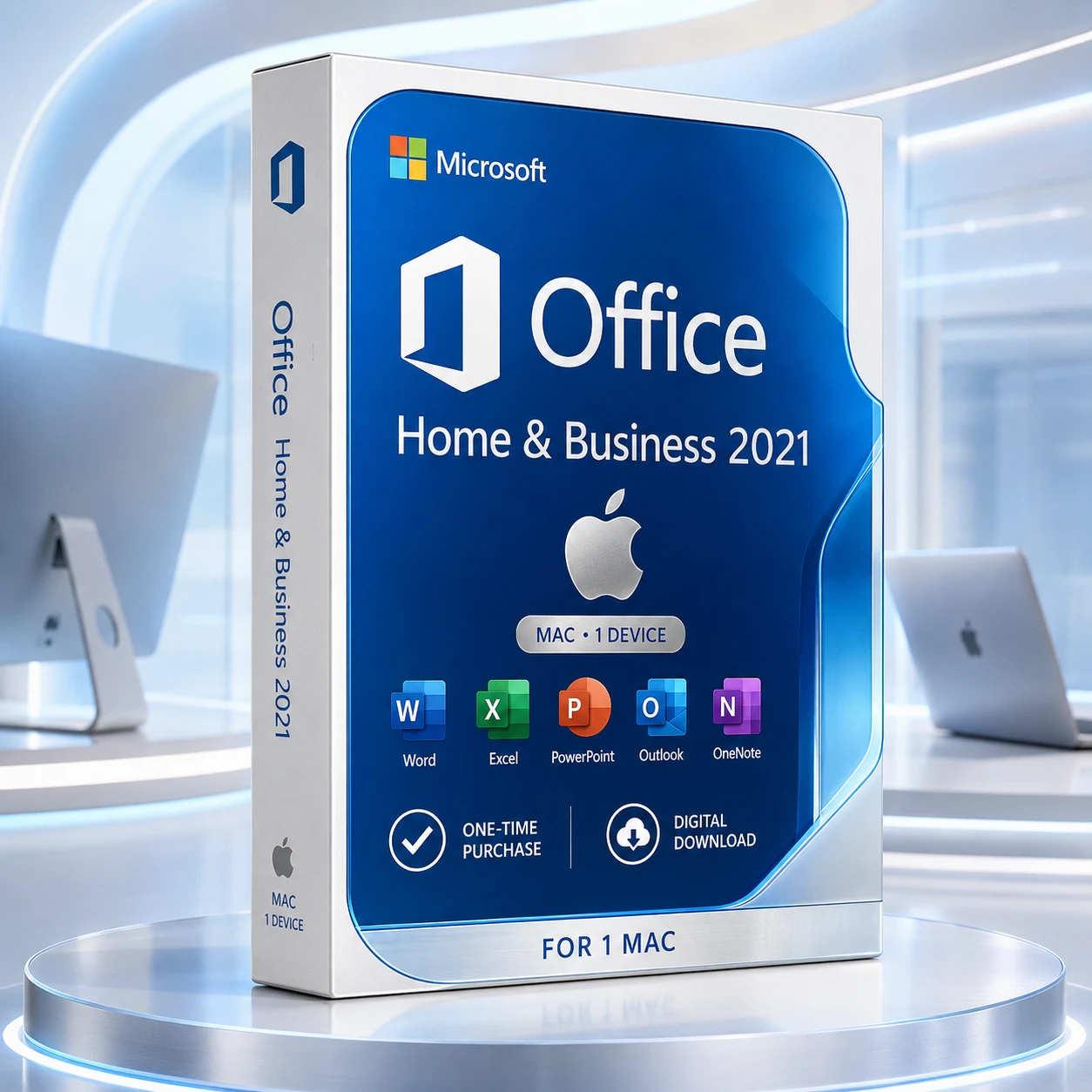


Apple Mac only · not for Windows
Office 2021 Home & Business for one Mac
A new retail licence for Word, Excel, PowerPoint, Outlook and OneNote on one compatible Apple Mac. Pay once for the 2021 release, redeem it through Microsoft and link it to your Microsoft account.
One active Mac at a time. Digital delivery is typically completed within 1–10 minutes after successful payment verification.

One-time desktop productivity
For home offices, freelancers and small businesses
Use the familiar desktop Office applications for documents, spreadsheets, presentations, email, calendars and notes. This is not a Microsoft 365 subscription and does not include future major Office releases.
Included applications
Five classic Office 2021 apps for Mac
The licence supplies the fixed Office 2021 desktop release. Microsoft 365 services, Copilot entitlement and future major-version upgrades are not included.
Word
Create letters, reports, proposals and long-form documents.
Excel
Build budgets, calculations, charts and analytical workbooks.
PowerPoint
Design and deliver polished business presentations.
Outlook
Manage compatible email accounts, calendars and contacts.
OneNote
Capture and organise notes, research and project information.
Not included
- No Windows licence—this product is for a compatible Apple Mac only.
- No Microsoft 365 subscription or bundled 1 TB OneDrive storage plan.
- No Copilot subscription entitlement.
- No free upgrade to Office 2024 or a later major release.
Compatibility first
Check the destination Mac before ordering
Office for Mac is supported on the three most recent major macOS versions. The supported set changes when Apple releases a new major version, so check Microsoft’s current requirements before purchase.
Processor
Compatible Intel or Apple silicon Mac.
Memory
4 GB RAM minimum.
Storage
10 GB available disk space.
Display
1280 × 800 resolution or higher.
Account
A Microsoft account is required for redemption and management.
Internet
Required for redemption, download, activation and updates.
Confirm Microsoft’s current requirements
Microsoft’s compatibility window changes over time. Do not purchase based only on the name of an older macOS release.
Clear licence rights
New retail key, linked to your Microsoft account
The key is redeemed through Microsoft’s setup service and associated with the Microsoft account used during redemption.
One active Mac
The licence covers one compatible Mac at a time. A second active Mac requires another licence.
Reinstall on the same Mac
Reinstall through the linked Microsoft account when needed.
Transfer to another Mac
Transfer is permitted after Office is removed from the previous Mac, subject to Microsoft’s retail licence terms.
Hardware replacement
Reactivation is supported after a storage-drive or logic-board replacement through the associated Microsoft account.
Worldwide use
The supplied retail key is valid worldwide.
Language choice
Use any language supported by Microsoft for this Office release.
Microsoft’s retail transfer conditions apply, including removal from the previous device and any applicable transfer-frequency limits.
Read Microsoft’s transfer guidanceChoose deliberately
Office 2021, Office 2024 or Microsoft 365?
Office 2021 is now a specialist purchase for customers who specifically need the 2021 release. Office 2024 is the stronger fixed-version choice when a longer supported lifecycle matters.
Office 2021 H&B
- One-time purchase
- One active Mac
- Fixed 2021 applications
- Support ends 13 October 2026
Office 2024 H&B
- One-time purchase
- One PC or Mac according to selection
- Newer fixed applications
- Supported into October 2029
Microsoft 365
- Recurring subscription
- Plan-dependent multi-device use
- Continuously updated applications
- Cloud services depend on the plan
Digital fulfilment
From payment verification to activation
The delivery email provides the product licence key plus download and installation instructions.
- 1
Payment verified
Your order is reviewed after successful payment.
- 2
Email delivered
The product key and download/installation instructions are typically sent within 1–10 minutes.
- 3
Redeem with Microsoft
Sign in to the intended Microsoft account, redeem the key and download Office.
- 4
Install and activate
Install on one compatible Mac and complete activation using the linked Microsoft account.
Installation support included
Help is available if setup does not go to plan
Support is available through remote assistance, live chat, email and phone. If activation cannot be completed after troubleshooting, Software Mart will provide a replacement key first. If replacement and activation still cannot be completed, a 100% refund is available under the store’s applicable policy.
Questions answered
Office 2021 Home & Business for Mac FAQs
Is this product for Apple Mac only?
Yes. This is a retail Office 2021 Home & Business licence for one compatible Apple Mac. It is not a Windows licence.
Is Office 2021 a subscription?
No. It is a one-time purchase for the fixed Office 2021 desktop release. Microsoft 365 and future major Office releases are separate.
Which applications are included?
Word, Excel, PowerPoint, Outlook and OneNote for Mac are included.
Can I install it on more than one Mac?
No. One licence covers one active compatible Mac. Each additional active Mac requires another licence.
Does it support Intel and Apple silicon Macs?
Yes, subject to Microsoft’s current macOS support window and system requirements.
Which macOS versions are supported?
Microsoft supports Office for Mac on the three most recent major macOS versions. The supported set changes when Apple releases a new major version.
Do I need a Microsoft account?
Yes. The key is redeemed through Microsoft and linked to the Microsoft account used during setup.
Can I reinstall or transfer the licence?
Yes. You can reinstall using the linked Microsoft account or transfer to another Mac after removing Office from the previous Mac, subject to Microsoft’s retail licence terms.
When does Microsoft support end?
Microsoft support for Office 2021 ends on 13 October 2026. After that date, there will be no security updates, bug fixes or Microsoft technical support.
Will Office stop working after support ends?
The applications may continue to function, but unsupported software can face increasing security, compatibility and connected-service risks.
How is the product delivered?
The licence key and download/installation instructions are emailed after successful payment verification, typically within 1–10 minutes.
What happens if activation fails?
Support will troubleshoot the issue first. If required, a replacement key is provided. If replacement and activation still cannot be completed, a 100% refund is available under the applicable policy.
Ready to choose?
Confirm compatibility and the support horizon before ordering
Choose Office 2021 when you specifically need the 2021 release. Choose Office 2024 when a newer fixed release and longer Microsoft support horizon are more important.