Digital licence for compatible Windows PCs
Office 2021 desktop productivity for one or multiple PCs
Get the familiar 2021 desktop applications for documents, spreadsheets, presentations, email, notes, databases, publishing and team collaboration—without a recurring Office subscription fee.
- Default selection covers 1 PC
- Multi-PC options available
- 32-bit and 64-bit installers
- Digital delivery after order verification
- Installation support included, subject to terms
Check before ordering: key type and supported Windows configuration can vary. Contact customer support to confirm the available key type, device option and compatibility.
What you receive
- A digital product key or licence entitlement for the selected number of PCs
- Download and installation guidance for the supplied key type
- Access to Software Mart support under the published support terms
- No physical box, card, USB drive or disc
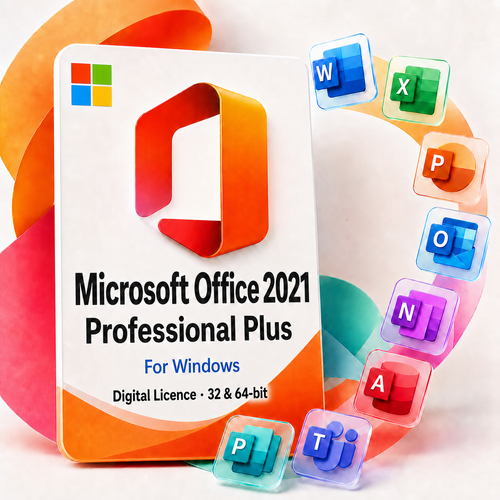
Apps included: Word, Excel, PowerPoint, Outlook, OneNote, Access, Publisher, and Teams.
The Teams desktop application is included in the delivered package. A Microsoft account and any separate Teams service entitlement required for particular online features are not represented as part of the Office licence.
Eight applications for everyday and professional work
Word
Create reports, letters, contracts, proposals and accessible documents.
Excel
Analyse budgets, lists and operational data with formulas, charts and modern functions.
PowerPoint
Build presentations for sales, training, education and project communication.
Outlook
Manage compatible email accounts, calendars, contacts and tasks from the desktop.
OneNote
Capture research, meeting notes, checklists and working ideas in organised notebooks.
Access
Create Windows desktop databases with tables, queries, forms and reports.
Publisher
Prepare brochures, labels, newsletters and other page-layout projects.
Teams
Use the supplied desktop client for supported chat, meetings and collaboration scenarios.

Who this product suits
A practical fit when you…
- Need the 2021 desktop versions of Access and Publisher
- Prefer a one-time purchase to a recurring Office subscription
- Have compatible Windows PCs that are unlikely to receive major hardware changes
- Understand and accept the 13 October 2026 Microsoft support deadline
- Can activate every selected device within 30 days of purchase
Choose another option when you…
- Need Microsoft security updates beyond 13 October 2026
- Expect to transfer the licence to a replacement computer
- Plan to replace the hard drive, motherboard or change BIOS settings
- Use a Mac, Chromebook, iPad or Android device
- Need ongoing feature releases, Microsoft 365 cloud services or Copilot
Licence conditions to understand before purchase
Select the required number of PCs
The default option covers one PC. Select a multi-PC option when licensing additional computers; the displayed price increases with the selection.
Confirm the current key type
Retail, MAK or OEM stock may be supplied. Contact support before ordering because activation, account binding and other terms can differ.
Activate within 30 days
The first activation must be completed within one month of purchasing the product key.
Keep the licence on its original device
After activation, the licence is locked to that PC and cannot be moved to a new machine. Replacing or changing the hard drive, motherboard or BIOS settings will make the licence no longer work.
Read the current licence and support terms before purchase.
Compatibility checklist
System and compatibility requirements
Review the essentials below before ordering or installing Office 2021.
Operating system
Confirm the exact supplied edition and key type. Windows 11 appears in Microsoft’s current desktop list; specific Windows 10 LTSC editions remain listed for Office LTSC 2021.
Internet
Required for digital fulfilment, download, activation and online updates.
Processor
1.1 GHz or faster, 2-core processor.
Memory
4 GB RAM.
Storage
4 GB available disk space, plus room for updates and working files.
Display
1280 × 768 minimum.
Graphics
DirectX 9 or later for graphics hardware acceleration.
Existing Office software
Check Office, Project, Visio, language packs, add-ins and architecture before installing.
Choose the right Office architecture
Match your Office architecture to your PC and any business-critical integrations.
All Office-family products installed on one PC must use the same architecture.
Compare the closest options
On smaller screens, scroll horizontally to view the full comparison.
| Decision | This Office 2021 listing | Office LTSC 2024 | Microsoft 365 |
|---|---|---|---|
| Payment model | One-time purchase | One-time commercial licence | Recurring subscription |
| Feature model | Fixed 2021 feature set | Fixed 2024 feature set | Ongoing updates while the subscription and configuration remain eligible |
| Publisher | Included | Not included | Plan and retirement timing dependent |
| Microsoft support lifecycle | Ends 13 October 2026 | Ends 9 October 2029 | Depends on active subscription and supported configuration |
| Best suited to | Existing 2021 workflows that require Publisher and accept the support deadline | Newer fixed-release business deployments | Cloud collaboration and continuous feature delivery |
Need a specific channel? Compare the separate Office LTSC Professional Plus 2021 listing and Office Professional Plus 2021 Retail listing.
From selection to activation
- Choose the PC count. Select one PC or the required multi-PC option and review the updated price.
- Complete checkout. Payment and order checks take place before digital fulfilment.
- Receive your order details. Software Mart sends the supplied key information, download guidance and installation instructions electronically.
- Prepare the PC. Check Windows, remove conflicting Office products where required, and choose the matching 32-bit or 64-bit architecture.
- Install and activate. Follow the supplied instructions and complete first activation within 30 days of purchase.
See the store’s delivery policy for current fulfilment information.
Why purchase from Software Mart Australia?
Australian registered business
Software Mart Australia operates under active ABN 43 657 323 491 and is GST registered.
Compatibility guidance
Contact the team before ordering to check Windows, device count and the currently available key type.
Digital fulfilment
Order information and installation guidance are sent electronically after payment and order verification.
Installation support
Support is included subject to the store’s current terms, scope and time limits.
Refunds and replacements are subject to eligibility and the published refund policy; they are not unconditional.
Frequently asked questions
Is Office 2021 Professional Plus a subscription?
No. This is a one-time purchase for perpetual use on each originally activated device. It does not include automatic rights to future Office releases.
How many PCs does the default option cover?
The default selection covers one PC. Higher-priced options are available when you need to license multiple PCs.
Which applications are included?
Apps included: Word, Excel, PowerPoint, Outlook, OneNote, Access, Publisher, and Teams. Skype for Business is not included.
Will it work on Windows 10?
Do not assume every Windows 10 edition remains supported. Microsoft’s current requirements vary by Office edition and no longer broadly list ordinary Windows 10 Home or Pro. Contact support with your exact Windows edition and version before ordering.
Can I install it on a Mac?
No. This listing is for compatible Windows PCs and is not a Mac licence.
Should I choose 32-bit or 64-bit?
Microsoft generally recommends 64-bit on PCs with at least 4 GB RAM. Choose 32-bit only when required by a legacy add-in, control, database or integration. Existing Office-family products on the PC must use the same architecture.
Can I move the licence to another computer?
No. After activation, the supplied device-lifetime licence is locked to the original PC and will not work on a new machine.
What happens if I change the hard drive, motherboard or BIOS?
Under this product’s store terms, replacing or changing the hard drive, motherboard or BIOS settings will make the licence no longer work. Contact support before making hardware changes.
When must I activate the key?
First activation must be completed within 30 days of purchase.
Which key type will I receive?
Available stock may be Retail, MAK or OEM. Contact customer support before ordering to confirm the current key type and the activation, account-binding and usage terms that apply.
How long will Microsoft support Office 2021?
Microsoft support ends on 13 October 2026. After that date Microsoft will not provide technical support, bug fixes or security updates for the 2021 release.
How is the order delivered?
It is delivered digitally after payment and order verification. No physical box, USB drive or disc is shipped.
Confirm compatibility, then choose your PC count
Before adding the product to your cart, confirm your Windows edition, required device count and the currently available Retail, MAK or OEM key type.