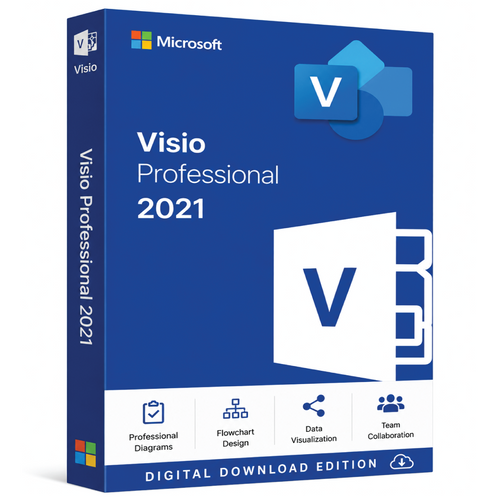
Genuine MS Visio 2021 Professional (for Windows 11 / Windows 10 / Windows Server 2019 )(One-Time Purchase)
Microsoft Visio 2021 Professional License – Buy Microsoft Visio 2021 Professional for Advanced Diagramming and Intelligent Business Visualization
Microsoft Visio 2021 Professional – The Complete Diagramming Solution for Modern Businesses
Great ideas deserve clear presentation. Whether you're designing an enterprise network, documenting business processes, planning facilities, or developing software architecture, visual communication plays a vital role in helping teams understand complex information. Microsoft Visio 2021 Professional is Microsoft's advanced diagramming platform, created to help professionals produce accurate, visually impressive diagrams with speed and precision.
If you're looking to buy Microsoft Visio 2021 Professional, you'll be choosing one of the world's leading business diagramming applications. A genuine Microsoft Visio 2021 Professional license provides a perpetual software license, allowing organizations to own the application outright with a one-time purchase. Built for technical professionals, business analysts, engineers, architects, consultants, and project managers, Visio 2021 Professional combines intelligent automation, rich diagram templates, advanced data visualization, and seamless Microsoft Office integration into a powerful desktop solution.
Why Buy Microsoft Visio 2021 Professional?
Today's organizations manage increasingly complex systems, processes, and infrastructure. Presenting that information in a visual format improves understanding, accelerates decision-making, and reduces costly misunderstandings. Microsoft Visio 2021 Professional is designed specifically for creating professional diagrams that communicate technical and business concepts clearly.
Unlike standard drawing applications, Visio Professional offers specialized templates, intelligent layout features, industry-standard symbols, and data connectivity that help users produce professional-quality documentation with minimal effort.
Purchasing a genuine Microsoft Visio 2021 Professional license ensures authentic Microsoft software, licensing compliance, long-term reliability, and compatibility with supported Microsoft technologies.
Create Professional Diagrams Faster
Microsoft Visio 2021 Professional includes hundreds of professionally designed templates that simplify diagram creation across a wide variety of industries.
Popular diagram types include:
-
Flowcharts
-
Business process diagrams
-
Organizational charts
-
Network topology diagrams
-
Rack diagrams
-
Microsoft Azure architecture diagrams
-
AWS architecture diagrams (using custom stencils where applicable)
-
Office layouts
-
Building floor plans
-
Electrical schematics
-
Engineering drawings
-
UML diagrams
-
BPMN process maps
-
Database models
-
Swimlane diagrams
-
Value stream maps
These templates allow users to begin projects immediately while maintaining consistent formatting and professional presentation.
Intelligent Diagramming Features
Microsoft Visio 2021 Professional includes automation tools that make diagram creation faster, easier, and more accurate.
Key features include:
-
Smart shape alignment
-
Automatic connectors
-
Dynamic grids
-
Auto spacing
-
Shape snapping
-
Live layout adjustments
-
Quick Shape insertion
-
Professional themes
-
Intelligent formatting
-
Reusable templates
These capabilities reduce manual editing and help ensure diagrams remain organized as projects evolve.
Advanced Shape Libraries for Every Industry
One of Visio Professional's greatest strengths is its extensive collection of built-in business and technical symbols.
Available shape libraries include:
-
Microsoft Azure icons
-
Network equipment
-
Server and storage symbols
-
Office furniture
-
Building components
-
Electrical engineering symbols
-
Industrial equipment
-
Database objects
-
Workflow elements
-
Security infrastructure
-
Cloud architecture symbols
-
Business process shapes
These industry-standard libraries make it easy to create professional documentation that aligns with technical and operational standards.
Connect Diagrams to Live Business Data
Microsoft Visio 2021 Professional supports dynamic data linking, allowing users to connect diagrams directly to business information.
Supported data sources include:
-
Microsoft Excel
-
Microsoft Access
-
Microsoft SQL Server
-
SharePoint lists
-
ODBC-compatible databases
-
Other supported business systems
Connected diagrams can automatically reflect updated information, reducing manual maintenance while improving reporting accuracy and operational visibility.
Collaborate More Efficiently
Effective documentation often involves multiple stakeholders. Microsoft Visio 2021 Professional supports collaborative workflows that improve productivity across teams.
Collaboration capabilities include:
-
Diagram sharing
-
Comments and annotations
-
PDF export
-
Image export
-
Version compatibility
-
SharePoint integration
-
OneDrive support
-
Microsoft Teams integration through supported workflows
-
Data import and export
-
Professional printing options
These features make it easier to review, update, and distribute business documentation across departments.
Seamless Integration with Microsoft Office
Microsoft Visio 2021 Professional works naturally with Microsoft's productivity ecosystem, allowing organizations to incorporate diagrams into everyday business documents.
Compatible Microsoft applications include:
-
Microsoft Word
-
Microsoft Excel
-
Microsoft PowerPoint
-
Microsoft Outlook
-
Microsoft Teams
-
Microsoft SharePoint
-
OneDrive
-
Microsoft 365 applications (where supported)
This integration improves workflow efficiency while helping maintain consistent documentation across the organization.
Designed for Business and Technical Professionals
Microsoft Visio 2021 Professional supports organizations across virtually every industry where visual documentation is essential.
Common applications include:
-
IT infrastructure documentation
-
Cloud architecture planning
-
Network design
-
Business process improvement
-
Software architecture
-
Manufacturing workflows
-
Engineering documentation
-
Facility planning
-
Security system design
-
Organizational planning
-
Process optimization
-
Compliance documentation
Its flexibility makes it suitable for businesses ranging from small organizations to large enterprises.
Microsoft Visio 2021 Professional Licensing
A genuine Microsoft Visio 2021 Professional license provides a perpetual software license that allows businesses and individuals to continue using the application without recurring subscription costs.
Licensing benefits include:
-
Genuine Microsoft software
-
One-time purchase
-
Commercial business use
-
Perpetual ownership
-
Long-term investment value
-
Reliable activation
-
Licensing compliance
-
Broad compatibility with supported Windows operating systems
For organizations seeking predictable software costs and long-term ownership, perpetual licensing continues to provide outstanding value.
Why Businesses Choose Microsoft Visio 2021 Professional
Organizations around the world continue to invest in Microsoft Visio 2021 Professional because it combines professional-grade diagramming with Microsoft's trusted desktop performance.
Key advantages include:
-
Advanced diagram creation
-
Extensive template library
-
Dynamic data visualization
-
Intelligent automation
-
Business process modeling
-
Network documentation
-
Cloud architecture diagrams
-
Engineering documentation
-
Microsoft Office integration
-
Reliable Microsoft performance
These capabilities enable organizations to improve documentation quality, simplify communication, and enhance collaboration across technical and business teams.
Ideal For
Microsoft Visio 2021 Professional is an excellent solution for:
-
IT professionals
-
Systems administrators
-
Network engineers
-
Cloud architects
-
Software developers
-
Business analysts
-
Project managers
-
Construction companies
-
Engineering firms
-
Manufacturing organizations
-
Government agencies
-
Educational institutions
-
Enterprise businesses
-
Professional consultants
Whether documenting technical infrastructure, mapping business processes, designing facilities, or planning organizational structures, Visio 2021 Professional provides the tools needed to produce polished, professional-quality diagrams.
Buy Microsoft Visio 2021 Professional License Today
If you're ready to buy Microsoft Visio 2021 Professional, choosing a genuine Microsoft Visio 2021 Professional license ensures you receive authentic Microsoft software with advanced diagramming capabilities, intelligent templates, live data connectivity, and seamless Microsoft Office integration. Whether you're creating business process maps, cloud architecture diagrams, engineering drawings, network documentation, organizational charts, or technical workflows, Visio 2021 Professional provides the precision, flexibility, and performance required to communicate ideas effectively.
Invest in Microsoft Visio 2021 Professional today and give your organization a powerful visualization platform built for productivity, collaboration, and long-term value. With its intelligent automation, extensive shape libraries, perpetual licensing model, and trusted Microsoft quality, Microsoft Visio 2021 Professional remains one of the industry's leading diagramming solutions for business, engineering, and IT professionals.
Microsoft Visio 2021 is a powerful diagramming and visualization tool designed to help users create professional flowcharts, organizational charts, network diagrams, floor plans, engineering designs, and more. Built as part of the Microsoft Office 2021 suite, it offers enhanced templates, improved performance, and seamless integration with Microsoft 365 services.
With Visio 2021, users can turn complex information into clear, easy-to-understand visuals. The application includes a modernized interface consistent with Office 2021, support for dark mode, and updated templates for Azure, AWS, and business process diagrams. It’s available in two editions — Standard 2021 and Professional 2021 — catering to both personal and enterprise needs.
The Professional edition expands functionality with real-time data linking, database modeling, UML and BPMN diagram support, and integration with Excel, Access, SQL Server, and SharePoint. It also supports co-authoring and collaboration, allowing multiple users to work together via OneDrive or SharePoint.
⚙️ Key Features
-
Create detailed flowcharts, org charts, and business process diagrams
-
Includes updated Azure and AWS cloud templates
-
Data linking with Excel and other data sources (Professional edition)
-
Enhanced AutoCAD support with faster import and scaling controls
-
Improved accessibility and shape handling
-
Seamless integration with Microsoft Teams, OneDrive, and SharePoint
-
One-time purchase license – no subscription required
-
Optimized for Windows 10 and Windows 11
Why Choose Visio 2021
-
Helps visualize complex data and workflows with clarity
-
Ideal for IT professionals, engineers, business analysts, and project managers
-
Works smoothly with other Microsoft Office apps
-
Offers lifetime ownership with a perpetual license
 Why do you buy from us?
- Expert advice on any Product-related matter without any extra cost.
- Expert advice on Product download, installation, and activation free of charge.
- Buy our server products without any hesitation, as we will give you the complete set of instructions needed until it is fully activated, or we will refund your money in full.
- 100% Full Refund or Replacement Guaranteed in case of any failure and without any drama, which gives you complete peace of mind.
- We are an Australian GST registered business (ABN: 43 657 323 491). Contact us at +61 3 9013 7712, +61 0480 330 414 or National Toll-Free: +61 1300 849 283 (operating for 12 years).
- 100% Genuine & Full Edition
- Instant delivery to your email inbox
- Remote installation support is provided (free of charge).
- Global Edition (Works Worldwide)
- Electronic Download Version
Microsoft Visio 2021 – Full Technical Details
General Information
| Category | Details |
|---|---|
| Product Name | Microsoft Visio 2021 |
| Editions Available | Standard 2021 & Professional 2021 |
| Release Date | October 5, 2021 |
| License Type | Perpetual (one-time purchase, no subscription) |
| License Model | Volume (VL) and Retail (FPP/OEM) |
| Supported Operating Systems | Windows 10 (version 1809 or later), Windows 11 |
| Architecture | 32-bit & 64-bit versions available |
| Installation Type | Click-to-Run (C2R) installation |
| Included in Office Suite? | Sold separately (not part of Microsoft Office) |
| Interface Language | Multilingual (supports over 40 languages) |
| User Interface | Fluent UI, dark mode & theme support (same as Office 2021) |
Core Diagramming Features
| Feature | Visio 2021 Standard | Visio 2021 Professional |
|---|---|---|
| Built-in Templates & Stencils | 70+ | 80+ (includes advanced engineering, IT, and process templates) |
| Flowcharts & Organization Charts | ✔ | ✔ |
| Basic Network Diagrams | ✔ | ✔ |
| Business Process Diagrams | ✔ | ✔ |
| Engineering Diagrams (Electrical, Mechanical) | ❌ | ✔ |
| IT Infrastructure / Rack Diagrams | ❌ | ✔ |
| Database Modeling (Reverse Engineering) | ❌ | ✔ |
| UML 2.5 Support (Unified Modeling Language) | ❌ | ✔ |
| BPMN 2.0 (Business Process Model and Notation) | ❌ | ✔ |
| Wireframe Diagrams (Web & Mobile UI) | ❌ | ✔ |
| Cross-Functional Flowcharts | ✔ | ✔ |
| Floor Plans / Office Layouts | ✔ | ✔ |
| AWS & Azure Cloud Architecture Templates | ❌ | ✔ |
| AutoCAD (DWG/DXF) Import/Export | ✔ Basic | ✔ Advanced (2019+ formats with scaling and layer control) |
Data Connectivity & Integration
| Feature | Standard 2021 | Professional 2021 |
|---|---|---|
| Data Linking (Excel, Access, SQL) | Limited (manual import) | ✔ Full support with data refresh |
| Real-Time Data Visualization | ❌ | ✔ Supported |
| Data Graphics (Icons, Colors, Bars) | ❌ | ✔ Supported |
| Shape Data Fields (Custom Properties) | ✔ | ✔ |
| Power BI Integration | ❌ | ✔ Partial (via data export) |
| Power Automate (Microsoft Flow) | ❌ | ✔ Supported |
| Microsoft 365 Integration (Teams, SharePoint, OneDrive) | Basic (storage) | ✔ Full co-authoring and data link |
| Excel Auto-Refresh | ❌ | ✔ Dynamic refresh supported |
| OLEDB/ODBC Database Link | ❌ | ✔ Yes |
| Diagram Validation Rules | ❌ | ✔ Built-in for BPMN & process diagrams |
⚙️ Editing, Customization & Automation
| Feature | Standard | Professional |
|---|---|---|
| ShapeSheet Customization | ✔ Basic | ✔ Advanced |
| Macro Support (VBA) | ✔ | ✔ |
| Custom Add-ins & Extensions | ✔ | ✔ |
| Office JavaScript API | ❌ | ✔ Supported |
| Auto Alignment & Spacing Improvements | ✔ | ✔ |
| Container & Callout Enhancements | ✔ | ✔ |
| Improved Shape Search | ✔ | ✔ |
| Enhanced Color & Theme Picker | ✔ | ✔ |
| Shape Effects (Shadow, Glow, Reflection) | ✔ | ✔ |
| New Shapes (2021 Update) | ✔ | ✔ (includes Azure, AWS, & Office 365 templates) |
Collaboration & Sharing
| Feature | Standard | Professional |
|---|---|---|
| Co-Authoring via SharePoint / OneDrive | View only | ✔ Edit & collaborate |
| Commenting & Annotations | ✔ | ✔ |
| Version History (via OneDrive) | ✔ | ✔ |
| Diagram Comparison Tool | ❌ | ✔ Included |
| Information Rights Management (IRM) | ✔ Basic | ✔ Advanced |
| Export Formats | PDF, XPS, SVG, PNG, JPG | PDF, XPS, SVG, PNG, JPG |
| AutoSave Support | ✔ (with OneDrive) | ✔ (with OneDrive/SharePoint) |
| Link Sharing (Read-only) | ✔ | ✔ |
Templates & Diagram Categories
| Category | Standard 2021 | Professional 2021 |
|---|---|---|
| Flowcharts | ✔ Basic, Cross-Functional | ✔ BPMN, IDEF0, Audit Diagrams |
| Organization Charts | ✔ Manual & Wizard | ✔ Advanced with data linking |
| Network Diagrams | ✔ Basic | ✔ Detailed (Cisco, IT, Cloud) |
| Software & Database | ❌ | ✔ UML, ERD, Database Modeling |
| Engineering & Process | ❌ | ✔ Mechanical, Process Plant |
| Building Plans | ✔ Basic | ✔ Advanced, HVAC, Electrical |
| Web & Mobile Wireframes | ❌ | ✔ Included |
| Cloud Diagrams (Azure, AWS) | ❌ | ✔ Included |
Performance & Interface Enhancements (vs. Visio 2019)
| Improvement Area | Description |
|---|---|
| Modernized Start Experience | Redesigned home page similar to Office 2021 |
| Improved Shape Handling | Smoother resizing, alignment, and rotation |
| Enhanced Data Visualizations | Dynamic data linking and refresh performance |
| Accessibility Improvements | Improved Narrator, contrast, and keyboard shortcuts |
| New Azure & AWS Templates | Updated shapes and icons for cloud architecture |
| Dark Mode Support | Supported through Office theme |
| Better Integration with OneDrive & SharePoint | Improved auto-save and versioning |
| Enhanced AutoCAD Support | Faster file import and better scaling controls |
System Requirements
| Component | Minimum Requirement |
|---|---|
| Processor | 1.6 GHz or faster, dual-core |
| Memory (RAM) | 4 GB (64-bit) / 2 GB (32-bit) |
| Hard Disk Space | 4 GB available space |
| Display | 1280 × 768 resolution or higher |
| Graphics | DirectX 10 compatible GPU |
| Operating System | Windows 10 (1809 or later), Windows 11 |
| .NET Version | .NET Framework 4.8 or higher |
| Internet Access | Required for activation and updates |
Key Points Summary
-
One-time purchase (no subscription needed)
-
Lifetime license – valid for one PC
-
Professional edition adds data linking, UML, BPMN, engineering templates, and automation tools
-
Co-authoring & collaboration via OneDrive/SharePoint (Professional only)
-
⚙️ Fully compatible with Office 2021 and Office LTSC versions
-
☁️ Supports Azure, AWS, and modern IT diagramming
Microsoft Visio 2021 – Full Technical Comparison
(Standard vs Professional Edition)
| Category | Visio 2021 Standard | Visio 2021 Professional |
|---|---|---|
| Release Date | October 5, 2021 | October 5, 2021 |
| License Type | Perpetual (one-time purchase) | Perpetual (one-time purchase) |
| License Model | Retail / Volume | Retail / Volume |
| Installation Type | Click-to-Run (C2R) | Click-to-Run (C2R) |
| Architecture Support | 32-bit / 64-bit | 32-bit / 64-bit |
| Supported OS | Windows 10 / Windows 11 | Windows 10 / Windows 11 |
| Interface Design | Fluent Office 2021 UI (Dark Mode Supported) | Fluent Office 2021 UI (Dark Mode Supported) |
| User Target | Personal, small business, educational users | IT professionals, engineers, business analysts, enterprises |
Diagramming & Templates
| Feature | Standard 2021 | Professional 2021 |
|---|---|---|
| Built-in Templates & Stencils | 70+ templates | 80+ templates (includes advanced IT, engineering, and database) |
| Flowcharts & Organization Charts | ✔ | ✔ |
| Business Process Diagrams | ✔ | ✔ |
| Cross-Functional Flowcharts | ✔ | ✔ |
| Basic Network Diagrams | ✔ | ✔ |
| Detailed Network Diagrams (Cisco, IT, Rack) | ❌ | ✔ |
| UML 2.5 Support | ❌ | ✔ |
| BPMN 2.0 (Business Process Model & Notation) | ❌ | ✔ |
| Database Modeling & Reverse Engineering | ❌ | ✔ |
| Wireframe Diagrams (Web/Mobile UI) | ❌ | ✔ |
| Engineering / Electrical Diagrams | ❌ | ✔ |
| Cloud Architecture Templates (Azure, AWS) | ❌ | ✔ |
| Floor Plans & Building Layouts | ✔ | ✔ |
| AutoCAD Support (DWG/DXF) | Basic import | Enhanced import (AutoCAD 2019+), scaling, layer control |
Data Linking & Integration
| Feature | Standard 2021 | Professional 2021 |
|---|---|---|
| Data Linking (Excel, Access, SQL) | Manual import only | ✔ Dynamic linking supported |
| Real-Time Data Refresh | ❌ | ✔ Supported |
| Data Graphics (Icons, Colors, Bars) | ❌ | ✔ Supported |
| Shape Data Fields (Custom Properties) | ✔ | ✔ |
| Diagram Validation Rules | ❌ | ✔ Built-in for BPMN/process diagrams |
| Power BI Integration | ❌ | ✔ Partial export supported |
| Power Automate / Microsoft Flow | ❌ | ✔ Supported |
| Excel Auto-Linking | Static import | Dynamic (auto-refresh) |
| SharePoint & OneDrive Integration | Basic (save/share) | ✔ Co-authoring & linked data support |
| Microsoft Teams Integration | View only | ✔ Edit & collaborate inside Teams |
⚙️ Editing, Customization & Automation
| Feature | Standard 2021 | Professional 2021 |
|---|---|---|
| ShapeSheet Customization | ✔ Basic | ✔ Advanced |
| Macro Support (VBA) | ✔ | ✔ |
| Custom Add-ins / Extensions | ✔ | ✔ |
| Office JavaScript API Support | ❌ | ✔ |
| Containers, Callouts & Themes | ✔ | ✔ (enhanced) |
| Improved Auto Alignment & Spacing | ✔ | ✔ |
| Enhanced Shape Search | ✔ | ✔ |
| New Modern Icons & Templates | ✔ | ✔ (plus new Azure/AWS sets) |
Collaboration & Sharing
| Feature | Standard 2021 | Professional 2021 |
|---|---|---|
| Co-Authoring via OneDrive/SharePoint | View-only | ✔ Real-time collaboration |
| Comments & Annotations | ✔ | ✔ |
| Version History (with OneDrive) | ✔ | ✔ |
| Diagram Comparison Tool | ❌ | ✔ Included |
| Information Rights Management (IRM) | ✔ Basic | ✔ Advanced |
| Export Formats | PDF, XPS, PNG, JPG, SVG | PDF, XPS, PNG, JPG, SVG |
| AutoSave Support | ✔ (with OneDrive) | ✔ (with OneDrive/SharePoint) |
New & Improved Features in Visio 2021
| Feature | Standard 2021 | Professional 2021 |
|---|---|---|
| Modernized Start Page (Office 2021 Style) | ✔ | ✔ |
| Updated Azure and AWS Shapes | ❌ | ✔ |
| Improved Accessibility & Narrator Support | ✔ | ✔ |
| Performance Improvements | ✔ Faster startup | ✔ Faster startup + enhanced data linking |
| Better AutoCAD Handling | ✔ | ✔ (optimized scaling & file size) |
| Dark Mode & Visual Refresh | ✔ | ✔ |
System Requirements
| Component | Requirement |
|---|---|
| Processor | 1.6 GHz or faster, 2-core |
| Memory (RAM) | 4 GB (64-bit) / 2 GB (32-bit) |
| Storage | 4 GB available disk space |
| Display | 1280 × 768 resolution or higher |
| Graphics | DirectX 10 compatible GPU |
| Operating System | Windows 10 (1809 or later), Windows 11 |
| .NET Framework | .NET 4.8 or later |
| Internet | Required for activation and updates |
⚡ Key Differences Summary
| Feature Area | Standard 2021 | Professional 2021 |
|---|---|---|
| Data Linking & Refresh | Manual only | ✔ Full automation |
| Diagram Validation | ❌ | ✔ |
| BPMN, UML, Database Modeling | ❌ | ✔ |
| Advanced IT & Engineering Templates | ❌ | ✔ |
| Cloud (Azure/AWS) Templates | ❌ | ✔ |
| Co-Authoring & Data Collaboration | View only | ✔ Full support |
| Power BI / Power Automate Integration | ❌ | ✔ |
| Diagram Comparison Tool | ❌ | ✔ |
| Target Audience | Individuals / small business | IT, engineers, enterprise professionals |
✅ In Summary:
-
Visio 2021 Standard is ideal for creating basic flowcharts, org charts, and general diagrams.
-
Visio 2021 Professional includes advanced features like data connectivity, BPMN/UML templates, cloud architecture shapes, and collaboration tools — making it suitable for IT, engineering, and business process professionals.
Microsoft Visio 2016 vs 2019 vs 2022 vs 2024 – Full Technical Comparison
| Category | Visio 2016 | Visio 2019 | Visio 2022 | Visio 2024 |
|---|---|---|---|---|
| Release Year | 2015 | 2018 | 2021 | 2023 (latest perpetual release) |
| Available Editions | Standard & Professional | Standard & Professional | Standard & Professional | Standard, Professional & Visio Plan 1/2 (Microsoft 365) |
| License Type | Perpetual (one-time purchase) | Perpetual (one-time purchase) | Perpetual (one-time purchase) | Perpetual & Subscription (Microsoft 365 Cloud) |
| Installation Type | MSI (on-premises) | Click-to-Run (C2R) | Click-to-Run (C2R) | Click-to-Run / Cloud-integrated |
| Architecture Support | 32-bit / 64-bit | 32-bit / 64-bit | 64-bit (preferred) | 64-bit (default) |
| User Interface | Classic Ribbon (Office 2016 UI) | Fluent Office 2019 UI | Modern Office 2021 UI | Fluent 2.0 Design – consistent with Office 2024 |
| Dark Mode | ❌ No | ⚪ Partial | ✔ Full support | ✔ Enhanced adaptive light/dark/auto |
| Performance | Standard rendering | Improved GPU rendering | Optimized vector performance | AI-assisted layout rendering & auto-adjust |
| Templates & Stencils | 70+ templates | 80+ templates | 90+ templates | 100+ templates including modern Cloud, AI, and hybrid diagrams |
| Supported Diagram Types | Flowcharts, org charts, network, floor plans | Adds UML 2.5, BPMN 2.0, wireframes | Adds ITIL, Azure, AWS, Cloud architecture | Adds hybrid cloud, AI process, Zero Trust & cybersecurity diagrams |
| UML / BPMN Standards | UML 2.4, BPMN 2.0 | UML 2.5, BPMN 2.0 | UML 2.5.1, BPMN 2.0 | UML 2.6, BPMN 2.1 |
| Engineering Templates | Basic mechanical, electrical | Enhanced templates | Full integration with CAD | AI-based drafting & shape recognition |
| AutoCAD Support (DWG/DXF) | Basic import (AutoCAD 2007–2013) | Supports AutoCAD 2016+ | Supports DWG/DXF 2019+ | Supports DWG/DXF 2023+ with live link updates |
| Data Linking | Basic (Excel, Access) | Advanced (Excel, SQL, SharePoint) | Real-time data linking + Power BI | Live cloud data sync via Power Platform |
| Data Graphics | Basic icons & color bars | Enhanced visuals | Smart data graphics & live indicators | AI-driven visual analytics (smart KPIs) |
| Live Data Refresh | ❌ No | ✔ Manual refresh | ✔ Auto-refresh | ✔ Real-time cloud sync |
| Validation Rules | ❌ No | ✔ Process validation | ✔ Workflow validation | ✔ AI validation & error detection |
| Co-authoring / Collaboration | ❌ No | ✔ Limited (via SharePoint) | ✔ Real-time collaboration | ✔ Real-time + Microsoft Teams integration |
| Integration with Microsoft Teams | ❌ No | ✔ View-only support | ✔ Edit & comment | ✔ Full interactive editing inside Teams |
| Integration with Power BI | ❌ No | ✔ Export visuals | ✔ Live linking | ✔ Two-way integration with Power BI dashboards |
| Integration with Power Automate / Flow | ❌ No | ❌ No | ✔ Supported | ✔ Full integration (automated workflows) |
| Integration with SharePoint / OneDrive | ✔ Basic file share | ✔ Better versioning | ✔ Deep integration | ✔ Live sync + version rollback |
| Integration with Excel | ✔ Manual import | ✔ Direct data link | ✔ Smart link & refresh | ✔ AI schema mapping & auto data detection |
| Cloud Connectivity | Limited (OneDrive only) | Improved | Deep cloud integration | Microsoft 365 connected, hybrid & online ready |
| Azure / AWS Templates | ❌ No | ✔ Manual import | ✔ Built-in stencils | ✔ Updated 2024 Azure/AWS hybrid stencils |
| AI & Automation | ❌ None | ❌ None | ⚪ Smart shape suggestions | ✔ AI layout optimization & Smart Connectors |
| Accessibility Tools | Basic | Improved Accessibility Checker | Full accessibility support | Enhanced accessibility (WCAG 2.2) |
| VBA / Macros | ✔ Supported | ✔ Supported | ✔ Supported | ✔ Supported (plus enhanced API controls) |
| Add-ins & Extensibility | COM & VBA | COM & VBA | COM + Office JS API | COM + Office Scripts + Power Platform Connectors |
| Security / Permissions | Local only | Improved document protection | Information Rights Management (IRM) | Azure AD & Conditional Access integration |
| AutoSave / Version History | ❌ No | ✔ Yes (OneDrive only) | ✔ Enhanced | ✔ Real-time autosave & rollback |
| Accessibility Compliance | Basic | Improved | Full Section 508 / WCAG 2.1 | WCAG 2.2 full compliance |
| File Formats Supported | VSD, VSDX, VSDM, VSSX, VSTX | Same + DWG, DXF (2016) | Same + SVG, PDF, CSV | Same + JSON, SVG+ (cloud export) |
| Backward Compatibility | Visio 2003–2013 | 2003–2016 | 2003–2019 | 2003–2022 |
| Operating Systems Supported | Windows 7 SP1 / 8 / 10 | Windows 10 / 11 | Windows 10 / 11 | Windows 10 / 11 / Server 2022 |
| .NET Framework Requirement | 3.5 or 4.5 | 4.6 | 4.7.2 | 4.8 / .NET 8 Ready |
| Processor Requirement | 1 GHz | 1.6 GHz | 1.6 GHz | 1.8 GHz (x64) |
| RAM Requirement | 2 GB (32-bit) / 4 GB (64-bit) | 4 GB | 4 GB | 4 GB (8 GB recommended) |
| Disk Space Requirement | 3 GB | 4 GB | 4 GB | 4–6 GB |
| Display Requirement | 1280 × 800 | 1366 × 768 | 1920 × 1080 | 1920 × 1080 (4K supported) |
| Activation Method | MAK / KMS | MAK / KMS | MAK / KMS | MAK / KMS / Microsoft 365 Subscription |
| Retail Pricing (Approx. USD) | Std: $300 / Pro: $530 | Std: $330 / Pro: $560 | Std: $360 / Pro: $600 | Std: $400 / Pro: $650 / Plan 2: $15 user/month |
| Best For | Basic offline users | SMBs needing improved templates | Cloud teams & professionals | Enterprises needing AI, cloud, and automation integration |
Key Improvements by Version
| Version | Major Improvements |
|---|---|
| Visio 2016 | Core diagramming, offline use, classic interface |
| Visio 2019 | Modern UI, improved templates, Power BI export, better AutoCAD support |
| Visio 2022 | Dark mode, Power Automate support, real-time collaboration, performance boost |
| Visio 2024 | AI-powered layouts, adaptive interface, advanced cloud data sync, deep Microsoft 365 and Teams integration |
Edition Comparison Summary
| Use Case | Recommended Version |
|---|---|
| Offline users needing simple diagrams | Visio 2016 |
| Improved templates & modern Office UI | Visio 2019 |
| Real-time collaboration, automation & Power BI linking | Visio 2022 |
| Enterprise users using Microsoft 365, AI, and cloud integration | Visio 2024 |
1 Review Hide Reviews Show Reviews
-
Visio Professional 2021
Significant upgrade from my previous 2013 version.