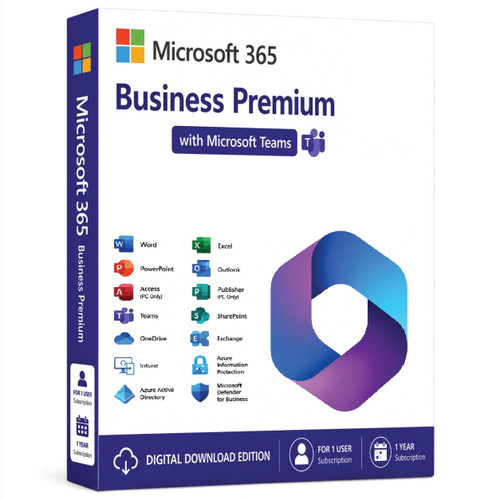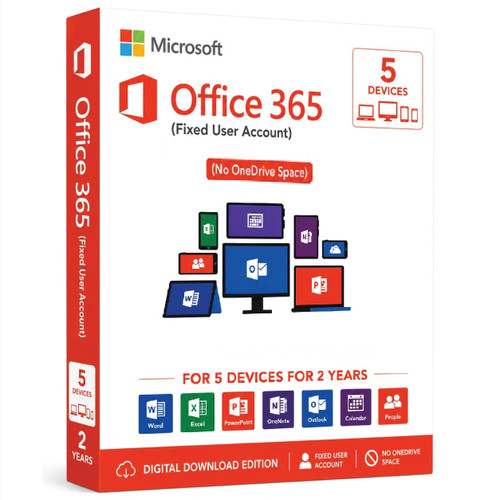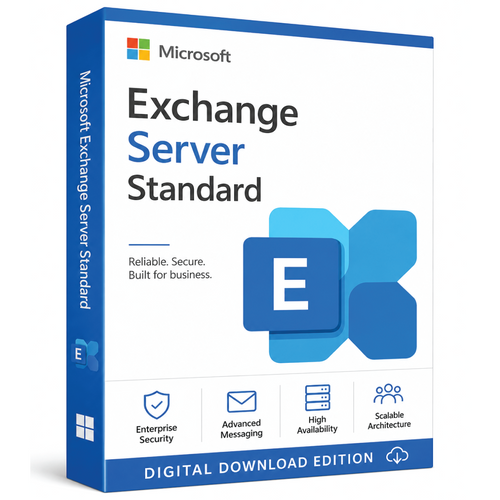


Microsoft 365 E3 for Enterprise 100 User (With Teams) - 1 Year
Microsoft 365 E3 for Enterprise is a comprehensive cloud-based productivity, security, device management, and collaboration suite designed for medium and large organizations. It combines Office applications, Windows Enterprise, Enterprise Mobility + Security (EMS), and Microsoft cloud services into a single per-user subscription. It is ideal for businesses that need enterprise-grade productivity, security, compliance, and centralized IT management.
Key Highlights
- Complete Productivity Suite
- Desktop, web, and mobile versions of:
- Word
- Excel
- PowerPoint
- Outlook
- OneNote
- Access (PC only)
- Publisher (PC only, where available)
- Always kept up to date with the latest features.
- Desktop, web, and mobile versions of:
- Business Communication & Collaboration
- Microsoft Teams (in regions where included or purchased separately)
- Exchange Online
- SharePoint Online
- OneDrive for Business
- Microsoft Forms
- Planner
- To Do
- Lists
- Loop
- Bookings (where available)
- Clipchamp and other collaboration tools.
- Enterprise Email
- Hosted Exchange Online
- 100 GB mailbox per user
- Shared calendars
- Contacts
- Anti-spam and anti-malware protection
- Custom business email domains.
- Cloud Storage
- 1 TB of OneDrive storage per user, expandable up to 5 TB or more for eligible organizations.
- Windows Enterprise
- Includes Windows Enterprise licensing benefits for eligible Windows Pro devices.
- Advanced deployment, management, and security features for business PCs.
- Device Management
- Microsoft Intune
- Endpoint management
- Mobile device management (MDM)
- Mobile application management (MAM)
- Centralized deployment and policy management.
- Identity & Security
- Microsoft Entra ID (formerly Azure AD) Premium P1
- Multi-Factor Authentication (MFA)
- Conditional Access
- Self-service password reset
- Identity protection
- Single Sign-On (SSO).
- Compliance & Information Protection
- Microsoft Purview data protection capabilities
- Data Loss Prevention (DLP)
- Email archiving
- Retention policies
- eDiscovery (Standard)
- Sensitivity labels
- Information governance.
Licensing
- Licensed per user.
- Each licensed user can install Microsoft 365 Apps on:
- Up to 5 PCs or Macs
- Up to 5 tablets
- Up to 5 smartphones.
Best Suited For
- Medium and large enterprises
- Organizations with hybrid or remote workforces
- Businesses requiring centralized device management
- Companies needing enterprise security and compliance
- Educational institutions and government organizations (where eligible)
Typical Use Cases
- Business productivity
- Corporate email
- Team collaboration
- Document management
- Secure remote work
- Device management
- Identity and access management
- Compliance and data protection
Comparison with Microsoft 365 E5
| Feature | Microsoft 365 E3 | Microsoft 365 E5 |
|---|---|---|
| Office Apps | ✔ | ✔ |
| Exchange Online | ✔ | ✔ |
| Teams | ✔ (market-dependent) | ✔ |
| OneDrive | ✔ | ✔ |
| Windows Enterprise | ✔ | ✔ |
| Microsoft Intune | ✔ | ✔ |
| Basic Security & Compliance | ✔ | ✔ |
| Advanced Threat Protection | Add-on or separate | ✔ Included |
| Microsoft Defender XDR Suite | ✖ | ✔ |
| Advanced Compliance & Analytics | Limited | ✔ |
Bottom Line
Microsoft 365 E3 for Enterprise is Microsoft's most popular enterprise productivity subscription, delivering a complete solution for Office applications, business email, cloud storage, collaboration, Windows Enterprise, identity management, endpoint management, and foundational security and compliance. It provides an excellent balance of features and cost, making it ideal for organizations that need enterprise capabilities without the advanced security and compliance features included in Microsoft 365 E5.
Microsoft 365 E3 – Full Enterprise Details
Microsoft 365 E3 is a mid-tier enterprise license combining Office productivity apps, intelligent cloud services, advanced security, device management, and enterprise compliance. It is positioned between Microsoft 365 E1 (entry-level) and Microsoft 365 E5 (premium).
✅ 1. What Microsoft 365 E3 Includes
Microsoft 365 E3 bundles the following 4 categories:
A. Office 365 E3 (Productivity Apps)
Full desktop Office apps (installable on up to 5 PCs/Macs + 5 tablets + 5 phones):
-
Microsoft Word
-
Excel
-
PowerPoint
-
Outlook
-
OneNote
-
Publisher (Windows only)
-
Access (Windows only)
Cloud apps:
-
Exchange Online (Email)
-
SharePoint Online (Team sites, intranet)
-
OneDrive for Business (1 TB default)
-
Microsoft Teams
-
Planner
-
To Do
-
Yammer / Viva Engage
-
Stream (on SharePoint)
-
Forms
-
Delve
B. Windows Enterprise (OS Upgrade Rights)
Microsoft 365 E3 includes:
Windows 11 Enterprise E3
Advanced OS features:
-
Windows Autopilot
-
BitLocker encryption
-
Windows Defender Antivirus
-
Microsoft Defender Firewall
-
Windows Sandbox
-
Windows Virtual Desktop (client access)
-
Direct Access
-
AppLocker
-
Credential Guard (limited)
-
Windows Information Protection (WIP)
⚠️ You must already have a Windows Pro license to upgrade.
C. Enterprise Mobility + Security (EMS) E3
Microsoft 365 E3 includes the full EMS E3 suite:
Azure Active Directory (Now Entra ID) Premium P1
-
Conditional Access (basic)
-
Passwordless authentication (FIDO2, Windows Hello, Authenticator)
-
Self-service password reset (SSPR)
-
MFA (basic)
-
Dynamic groups
-
Hybrid identity sync
Intune (Device + app management)
-
MDM (Mobile Device Management)
-
MAM (App protection)
-
Compliance policies / conditional access
-
Configuration profiles for Windows, iOS, Android, macOS
-
Windows Autopatch (basic update automation)
-
Software deployment
Azure Information Protection (AIP) P1
-
Sensitivity labels (manual)
-
Email and document encryption
-
Rights management (Restrict forwarding, copy/paste, watermarking)
Defender for Identity (AD monitoring)
-
Detect lateral movement
-
Suspicious authentication patterns
-
Defender 365 ecosystem integration
D. Enterprise-grade Compliance
From Microsoft Purview:
-
Data Loss Prevention (DLP)
-
For Exchange, SharePoint, OneDrive, Teams (basic)
-
-
Content search & eDiscovery (Standard)
-
Audit log (Standard)
-
Retention policies + labels
-
Basic legal hold (Core eDiscovery)
✅ 2. Microsoft 365 E3 – Security Features (Full Breakdown)
Endpoint Security
-
Microsoft Defender Antivirus
-
Attack Surface Reduction (limited)
-
BitLocker device encryption
-
Windows Information Protection
-
Local admin lockdown options
Identity & Access
-
Conditional Access (limited rules)
-
MFA (standard, not risk-based)
-
SSO across cloud + on-prem
-
Identity governance (basic)
Data Security
-
AIP P1 data labeling & encryption
-
DLP across all major workloads
-
Email encryption (OME)
-
Safe Attachments & Safe Links (limited features; full in E5)
✅ 3. Email & Collaboration Features
Exchange Online (Plan 2)
Included in E3:
-
100 GB mailbox
-
Unlimited archive + auto-expanding archive
-
eDiscovery
-
Litigation Hold
-
MAPI/Pop/IMAP/ActiveSync
SharePoint Online (Plan 2)
-
Unlimited site storage
-
Advanced search
-
eDiscovery
-
Enterprise content management
Teams Features
-
Video conferencing
-
Chat & collaboration
-
App integrations
-
Phone System only in E5 (not included in E3)
✅ 4. OneDrive for Business
-
1 TB per user (expandable to 5 TB on request)
-
Advanced file sharing controls
-
Data encryption (at-rest & in-transit)
-
Files On-Demand support in Windows & macOS
✅ 5. Licensing Rules
User Licensing Model
-
Per-user subscription
-
Each user gets:
-
5 PCs/Macs
-
5 tablets
-
5 phones
-
Typical Enterprise Use Cases
-
Hybrid companies using Azure AD + on-prem AD
-
Organizations needing strong security but not full E5 analytics
-
Enterprises with desktop deployment needs
-
Compliance-driven businesses (legal hold, retention)
✅ 6. What Microsoft 365 E3 Does Not Include (Compared to E5)
Microsoft 365 E3 does NOT include:
❌ Microsoft Defender for Endpoint (full EDR/XDR)
❌ Microsoft Defender for Office 365 Plan 2
❌ Advanced eDiscovery
❌ Insider risk management
❌ Microsoft Purview Endpoint DLP
❌ Teams Phone System
❌ Communication Compliance
❌ Cloud App Security (MCAS) — now Defender for Cloud Apps
❌ Advanced Threat Analytics (ATA) alternatives in E5 stack
❌ Audio Conferencing
✅ 7. Price (Approximate)
Prices vary by region. Typical enterprise cost:
Microsoft 365 E3: ~USD $36 per user/month
In some regions (e.g., Australia), pricing may differ.
✅ 8. Technical Deployment Architecture
Identity Setup
-
Azure AD / Entra ID
-
Optional Hybrid AD (with sync/SSO)
-
Conditional Access enforcement
Device Management
Using Intune:
-
Autopilot enrollment
-
Compliance policies
-
App deployment (Win32, MSI, Store apps)
-
Endpoint configuration
-
Apple MDM via Intune
Security Baseline
-
Microsoft 365 Security Baseline (Intune)
-
Windows Security Baseline
-
Office macro controls
-
Defender security policies
✅ 9. Detailed Components List (Full)
Microsoft 365 Apps for Enterprise
-
Full apps
-
Shared Computer Activation (RDS environments)
-
Enterprise templates
EMS E3
-
Entra ID P1
-
Intune
-
AIP P1
-
Defender for Identity
Windows Enterprise E3
-
Enterprise-grade OS features
Office 365 E3
-
Exchange Online Plan 2
-
SharePoint Online Plan 2
-
Teams
-
OneDrive Plan 2
⭐ Microsoft 365 E1 vs E3 vs E5 — Full Side-by-Side Comparison
1. High-Level Summary
| Feature Category | M365 E1 | M365 E3 | M365 E5 |
|---|---|---|---|
| Office desktop apps | ❌ Web only | ✅ Full desktop + mobile | ✅ Full desktop + advanced add-ons |
| Email mailbox | 50 GB | 100 GB + Unlimited Archive | 100 GB + Unlimited Archive |
| Security level | Basic | Advanced | Maximum (best-in-class XDR) |
| Device management | Basic MDM | Full Intune MDM/MAM | Full Intune + advanced security automation |
| Compliance | Basic | Standard | Premium + advanced analytics |
| OS license | ❌ | Windows Enterprise E3 | Windows Enterprise E5 |
| Best for | Light users | Most enterprises | High-security industries |
2. Detailed Feature Comparison Table
A. Office & Productivity Apps
| Capability | M365 E1 | M365 E3 | M365 E5 |
|---|---|---|---|
| Word, Excel, PowerPoint (Desktop) | ❌ Web-only | ✅ Full install | ✅ Full install |
| Access, Publisher | ❌ | ✅ | ✅ |
| Teams | Basic | Full | Full + Teams Phone |
| OneDrive Storage | 1 TB | 1 TB (expandable) | 1 TB (expandable) |
| Delve, Planner, To Do | Basic | Full | Full |
| Microsoft Stream | Limited | Full | Full |
| Shared Computer Activation | ❌ | ✅ | ✅ |
B. Email & Collaboration (Exchange, SharePoint, Teams)
| Feature | E1 | E3 | E5 |
|---|---|---|---|
| Exchange Online | Plan 1 | Plan 2 | Plan 2 |
| Mailbox Size | 50 GB | 100 GB | 100 GB |
| Archive Mailbox | ❌ | Unlimited | Unlimited |
| Litigation Hold | ❌ | ✔ | ✔ (Advanced) |
| Teams Phone System | ❌ | ❌ | ✔ |
| Audio Conferencing | ❌ | ❌ | ✔ |
C. Windows & Device Features
| Feature | E1 | E3 | E5 |
|---|---|---|---|
| Windows OS license | ❌ | Windows 11 Enterprise E3 | Windows 11 Enterprise E5 |
| Windows Autopilot | Basic | Full | Full |
| BitLocker Management | ❌ | ✔ | ✔ |
| Windows Virtual Desktop rights | ❌ | ✔ | ✔ |
| AppLocker | ❌ | ✔ | ✔ |
| Credential Guard | ❌ | ✔ (limited) | ✔ (full) |
| Application Control | ❌ | Basic | Advanced |
D. Security (Identity, Endpoint, Cloud)
| Security Component | E1 | E3 | E5 |
|---|---|---|---|
| Azure AD (Entra ID) | Free | Premium P1 | Premium P2 |
| MFA | ✔ Basic | ✔ Advanced | ✔ Identity Protection |
| Conditional Access | ❌ | ✔ | ✔ Risk-based |
| Intune MDM/MAM | ❌ | ✔ Full | ✔ Full |
| AIP (Sensitivity Labels) | Basic | P1 (Manual) | P2 (Auto-labeling) |
| Defender for Identity | ❌ | ✔ Basic | ✔ Full |
| Defender for Endpoint | ❌ | ❌ | ✔ Full EDR/XDR |
| Defender for Office 365 | ❌ | ❌ | ✔ Plan 2 |
| Cloud App Security | ❌ | ❌ | ✔ (Defender for Cloud Apps) |
| Attack Surface Reduction | ❌ | Basic | Advanced |
E. Compliance & Information Governance (Purview)
| Compliance Feature | E1 | E3 | E5 |
|---|---|---|---|
| Retention Policies | Basic | ✔ | ✔ |
| eDiscovery | Basic | Standard | Advanced eDiscovery |
| Audit Log | Basic (90 days) | Standard (1 year) | Advanced (10 years) |
| DLP (Data Loss Prevention) | Basic | ✔ Standard | ✔ Advanced + Endpoint DLP |
| Insider Risk Management | ❌ | ❌ | ✔ |
| Communication Compliance | ❌ | ❌ | ✔ |
| Customer Key Encryption | ❌ | Optional add-on | ✔ |
F. Licensing & Device Rights
| Capability | E1 | E3 | E5 |
|---|---|---|---|
| Install on 5 PC/Mac + 5 tablets + 5 phones | ❌ | ✔ | ✔ |
| VDI/RDS Rights | ❌ | ✔ | ✔ |
| Shared Computer Activation | ❌ | ✔ | ✔ |
| Windows Enterprise upgrade | ❌ | ✔ | ✔ |
3. Pricing (Approximate)
| SKU | Approx. Price (USD/user/month) |
|---|---|
| M365 E1 | ~$10 |
| M365 E3 | ~$36 |
| M365 E5 | ~$57 |
Pricing varies by country (Australia/Europe higher).
4. Which One Should You Choose?
M365 E1 – Best for
-
Frontline workers
-
Light email & Teams usage
-
No desktop office apps
-
Basic security
M365 E3 – Best for MOST enterprises
-
Full Office desktop apps
-
Strong security (Intune, AIP P1, Conditional Access)
-
Windows Enterprise
-
Compliance features
-
Best value for medium-to-large companies
M365 E5 – Best for
-
High-security industries
-
Finance, government, defense, healthcare
-
Organizations requiring:
-
Zero-trust with risk-based policies
-
Advanced threat protection
-
EDR/XDR
-
Insider risk
-
Teams Phone System
-
⭐ Microsoft 365 E3 vs Microsoft 365 Business Premium
Full Technical Comparison (Enterprise-Grade)
1. High-Level Summary
| Feature Category | M365 Business Premium | M365 E3 |
|---|---|---|
| User limit | Up to 300 users | Unlimited users |
| Office desktop apps | ✔ | ✔ |
| OS license | ❌ No Windows Enterprise | ✔ Windows 11 Enterprise |
| Device Management | Full Intune | Full Intune |
| Identity security | Azure AD P1 | Azure AD P1 |
| Data security | Defender for Office 365 P1 + AIP | AIP P1 only (no Defender for Office 365) |
| Endpoint security | Defender for Business (EDR/XDR) | Only Windows Defender AV (basic) |
| 50 GB | 100 GB + Unlimited Archive | |
| Compliance | Basic–Medium | Medium–Advanced |
| Best for | SMEs (security-rich) | Mid-large enterprises |
2. Productivity Apps (Office Apps)
| Capability | Business Premium | E3 |
|---|---|---|
| Word, Excel, PowerPoint | ✔ Full install | ✔ Full install |
| Access, Publisher | ✔ (Windows only) | ✔ |
| Teams | ✔ | ✔ |
| OneDrive | ✔ 1 TB | ✔ 1 TB (expandable to 5 TB) |
| Install on 5 devices per user | ✔ | ✔ |
? Both licenses provide identical Office application capabilities.
3. Email & Collaboration (Exchange + SharePoint + Teams)
| Feature | Business Premium | E3 |
|---|---|---|
| Primary mailbox | 50 GB | 100 GB |
| Online archive | ✔ 50 GB | ✔ Unlimited Auto-Expanding Archive |
| Litigation hold | ✔ Basic | ✔ Full Exchange Plan 2 |
| SharePoint features | Standard | Full Plan 2 |
| Teams capabilities | Standard | Standard (Phone System not included) |
? E3 leads for mailbox size + full Exchange Online Plan 2.
4. Security Features
This is the biggest difference.
A. Identity & Access Security
| Security Feature | Business Premium | E3 |
|---|---|---|
| Entra ID (Azure AD) | P1 | P1 |
| Conditional Access | ✔ | ✔ |
| MFA | ✔ | ✔ |
| Passwordless support | ✔ | ✔ |
? Identity security is the same (both have P1).
B. Endpoint Security
| Endpoint Protection | Business Premium | E3 |
|---|---|---|
| Defender for Business (EDR/XDR) | ✔ Included | ❌ Not included |
| Endpoint detection & response | ✔ EDR | ❌ |
| Automated threat remediation | ✔ | ❌ |
| Device risk scoring | ✔ | ❌ |
| Integration with Microsoft 365 Defender | ✔ | ❌ |
? Business Premium includes enterprise-grade endpoint security equivalent to Defender for Endpoint P2 Lite.
? E3 does NOT include EDR.
C. Data & Email Security
| Security Feature | Business Premium | E3 |
|---|---|---|
| Defender for Office 365 Plan 1 | ✔ Included | ❌ Not included |
| Safe Links | ✔ | ❌ |
| Safe Attachments | ✔ | ❌ |
| Anti-phishing AI | ✔ | ❌ |
? Business Premium includes advanced email protection. E3 does not.
D. Data Classification & Encryption
| Feature | Business Premium | E3 |
|---|---|---|
| Sensitivity Labels | ✔ AIP P1 | ✔ AIP P1 |
| DLP | ✔ Standard | ✔ Standard |
| Email encryption | ✔ | ✔ |
? Data protection features are mostly identical.
5. Device Management (Intune + Windows)
| Feature | Business Premium | E3 |
|---|---|---|
| Intune MDM/MAM | ✔ Full | ✔ Full |
| Autopilot | ✔ | ✔ |
| Windows LOB app deployment | ✔ | ✔ |
| macOS/iOS/Android MDM | ✔ | ✔ |
| Intune security baselines | ✔ | ✔ |
? Device management is almost identical.
6. Windows OS Licensing
| Feature | Business Premium | E3 |
|---|---|---|
| Windows 10/11 Pro required? | ✔ Yes | ✔ Yes |
| Upgrade to Windows Enterprise | ❌ No | ✔ Windows 11 Enterprise |
| AppLocker | ❌ | ✔ |
| Credential Guard | ❌ | ✔ |
| Windows Defender Firewall with advanced policies | ❌ | ✔ |
| DirectAccess | ❌ | ✔ |
? E3 includes Windows Enterprise, Business Premium does NOT.
If you need enterprise OS features, E3 is mandatory.
7. Compliance Features (Microsoft Purview)
| Compliance Feature | Business Premium | E3 |
|---|---|---|
| eDiscovery Standard | ✔ | ✔ |
| Retention policies | ✔ | ✔ |
| Audit log | Standard | Standard |
| Information Governance | ✔ | ✔ |
| Auto-labeling | ❌ | ❌ |
| Insider Risk | ❌ | ❌ |
? Compliance is nearly identical between Business Premium and E3.
8. Pricing (Approx.)
| Plan | Approx USD Price / user / month |
|---|---|
| Business Premium | ~$22 |
| Microsoft 365 E3 | ~$36 |
Pricing varies by region.
⭐ 9. Which One Should You Choose?
Choose M365 Business Premium If:
✔ You have under 300 users
✔ You want maximum security at the best price
✔ You need Defender for Business (EDR)
✔ You want Defender for Office 365 P1
✔ You want enterprise-level protection without paying E5 pricing
➡️ Best security-to-price ratio of any Microsoft SKU.
Choose M365 E3 If:
✔ You are an enterprise with more than 300 users
✔ You need Windows 11 Enterprise
✔ You need full Exchange Plan 2 (100GB mailbox + unlimited archive)
✔ You want deeper SharePoint Online Plan 2
✔ You plan to upgrade to E5 later
➡️ Best for large, regulated, or centralized IT organizations.