Windows desktop publishing · perpetual one-time licence
Create precisely arranged publications with Publisher 2019
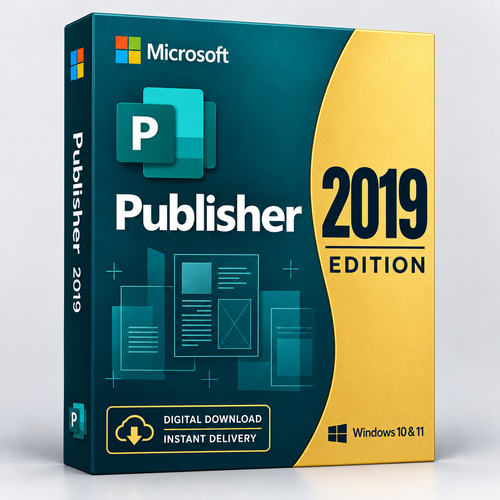
Create brochures, newsletters, labels, cards and other print-focused layouts with the standalone Microsoft Publisher 2019 desktop app. Choose an ESD retail licence for 1, 2 or 5 Windows PCs. Your product key, Microsoft deployment files, download link and instructions are normally emailed within 1–10 minutes after payment verification.
Product facts
Desktop publishing for established Publisher 2019 workflows
Microsoft Publisher 2019 is a Windows desktop-publishing application for arranging text, pictures and design elements with more page-layout control than a standard word processor. Use it to prepare brochures, flyers, newsletters, business cards, labels, calendars and other print-focused publications.
This purchase includes Publisher 2019 only. It does not include Word, Excel, PowerPoint, Outlook, Access, Microsoft 365 services or upgrades to later Publisher releases.
Flexible page layouts
Place and style text, pictures, borders and design elements with precise control.
Templates for common projects
Start brochures, flyers, cards, labels, calendars and newsletters from built-in templates.
Personalised publications
Use mail merge with supported contact lists and data sources for personalised output.
Print and fixed-format output
Prepare publications for printing or export non-editable formats such as PDF and XPS.
What you receive
After payment verification, Software Mart normally sends the following to the email address used at checkout within 1–10 minutes:
- One product key for the selected 1-, 2- or 5-PC activation allowance.
- Microsoft download and deployment files.
- A link to download the required files.
- Step-by-step installation and activation instructions.
- Free 24/7 installation assistance by optional remote support, live chat and telephone.
Check the inbox, promotions and spam/junk folders for the order email. If it has not arrived, use the order-email thread, live chat or telephone to contact Software Mart. Read the digital delivery policy before ordering.
Is Publisher 2019 the right choice?
A suitable choice when you
- Specifically need the 2019 release for an established workflow.
- Understand and accept the risks of unsupported software.
- Want a one-time licence rather than a subscription.
- Need Publisher alone for up to five licensed Windows PCs.
Do not purchase it if you
- Use Mac, Linux, Chromebook, iPad, iPhone or Android.
- Require current Microsoft security updates or technical support.
- Need the complete Microsoft Office suite.
- Expect automatic upgrades to future versions.
- Need a long-term platform beyond Publisher’s October 2026 retirement.
Unsure? Ask about compatibility before buying or compare Microsoft Publisher 2021. Publisher 2021 is newer, but its Microsoft support also ends in October 2026.
Licence scope
This is a perpetual ESD retail licence for the Publisher 2019 version. It is a one-time purchase rather than a recurring subscription. The product is licensed, not sold, and does not include rights to future major releases.
Choose the 1-, 2- or 5-PC option before adding the product to the cart. One multi-activation key is supplied for the selected activation count. Do not activate the key on more PCs than the purchased allowance.
Contact Software Mart before purchase if you need remote-desktop, server, shared-computer or other specialised deployment rights. Those scenarios are not represented by the standard PC-count selector. See the Microsoft Publisher 2019 retail licence terms.
Microsoft-listed system requirements
Publisher 2019 itself is no longer supported. These Microsoft-listed Office 2019 commercial-standalone requirements are provided to help assess installation compatibility.
| Component | Requirement |
|---|---|
| Operating system | Windows 11 or Windows 10; not macOS |
| Processor | 1.6 GHz or faster, 2-core |
| Memory | 4 GB RAM for 64-bit; 2 GB RAM for 32-bit |
| Storage | 4 GB available disk space |
| Display | 1280 × 768 resolution |
| Graphics | Some accelerated features require DirectX 9 or later and an appropriate WDDM driver |
| Additional software | Some features may require .NET 3.5 or 4.6 and later |
| Internet | Needed to receive and download deployment files; follow the supplied activation instructions |
Source: Microsoft Office 2019 system requirements. Meeting minimum requirements does not restore Microsoft support.
Delivery, installation and activation
- 1
Complete checkout
Use an email address you can access and choose the correct PC count.
- 2
Receive the order email
After payment verification, the key, Microsoft deployment files, download link and instructions are normally sent within 1–10 minutes.
- 3
Install Publisher
Follow the instructions to deploy the English 32-bit or 64-bit edition with Microsoft’s Office Deployment Tool.
- 4
Activate inside Publisher
Enter the supplied key in Publisher. This stock is not redeemed at office.com/setup.
- 5
Get help if needed
Free 24/7 installation assistance is available. Remote access is optional and should occur only with your permission.
English is supplied by default. A Microsoft Office language pack may be installed separately if another interface or proofing language is needed.
Plan for Publisher’s lifecycle
Microsoft Publisher 2019 reached the end of extended support on 14 October 2025. A perpetual licence may continue to be installed and used, but continued operation can be affected by future Windows, hardware, activation-service or security changes.
Microsoft is also retiring the Publisher product family in October 2026. Microsoft recommends preparing important Publisher files for that transition and identifies Word and PowerPoint as starting points for many common Publisher scenarios. Read Microsoft’s Publisher retirement guidance.
| Choice | Purchase model | Microsoft lifecycle | Best fit |
|---|---|---|---|
| Publisher 2019 | Perpetual one-time licence | Support ended 14 October 2025 | A specific, informed requirement for version 2019 |
| Publisher 2021 | Perpetual one-time licence | Support ends in October 2026 | The newer classic Publisher release for the remaining supported period |
| Microsoft 365 Publisher | Subscription while available | Publisher is removed after October 2026 | Existing subscribers needing Publisher only during remaining availability |
| Word, PowerPoint or another workflow | Varies | Depends on the chosen product | Planning beyond Publisher’s retirement |
Why purchase from Software Mart Australia?
- Digital fulfilment normally within 1–10 minutes after payment verification.
- Product key, Microsoft deployment files, download link and instructions sent together by email.
- Free 24/7 installation assistance through optional remote support, live chat and telephone.
- 32-bit and 64-bit deployment options.
- Replacement or a 100% refund when the expected installation cannot be provided, subject to the published troubleshooting and refund process.
- Pre-purchase help for compatibility and licence questions.
Review the software refund policy before purchase. It includes notification, activation and troubleshooting requirements and treats incorrect purchases, unmet system requirements and change-of-mind requests differently.
Frequently asked questions
Is Microsoft Publisher 2019 still supported?
No. Microsoft support ended on 14 October 2025. Publisher 2019 no longer receives Microsoft security updates, bug fixes or technical support. Software Mart’s installation assistance is separate seller support.
Does Publisher 2019 work on Mac?
No. Microsoft Publisher is a Windows PC application. Do not purchase it for Apple macOS.
Is this a subscription?
No. It is a perpetual, one-time ESD retail licence for Publisher 2019. It does not include automatic upgrades to future versions.
How many PCs can I activate?
Select the 1-, 2- or 5-PC option before purchase. You receive one multi-activation key for the selected activation allowance.
What arrives by email?
The order email contains the product key, Microsoft download/deployment files, a download link and installation/activation instructions. Delivery is normally within 1–10 minutes after payment verification.
Is a Microsoft account or office.com/setup redemption required?
No office.com/setup redemption is used for this stock. Install with Microsoft’s Office Deployment Tool and activate by entering the supplied key inside Publisher.
Can I install 32-bit or 64-bit Publisher?
Yes. Both architectures are available. Use 64-bit on a compatible system unless an older add-in, driver or workflow specifically requires 32-bit.
Which language is supplied?
English is supplied by default. Additional Microsoft Office language packs may be installed separately.
What if I need installation help?
Free installation assistance is available 24/7 through optional remote support, live chat and telephone. Remote access should be started only with your permission.
What if the product does not work?
Software Mart offers replacement or a 100% refund when the expected installation cannot be provided. The published refund policy requires troubleshooting access where appropriate, notification within 30 days and activation within one month. Incorrect purchases, unmet system requirements and change-of-mind requests are treated differently.
Should I choose Publisher 2019 or Publisher 2021?
Choose Publisher 2019 only when you specifically need that release. Publisher 2021 is newer, but its support also ends in October 2026. If long-term support matters, plan a move to Word, PowerPoint or another publishing application.
Can I keep using a perpetual Publisher copy after October 2026?
Microsoft says perpetual Publisher versions can still be installed and used after support ends, but they will be unsupported. Export or convert important publications so access does not depend on one unsupported application.
Check compatibility before choosing your licence
Review the Windows requirements and lifecycle notice, then select the correct 1-, 2- or 5-PC option in the purchase panel. If you are unsure whether Publisher 2019 is suitable, ask before ordering.