

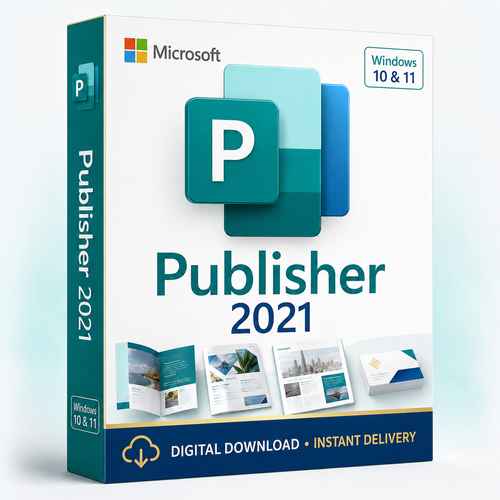
Microsoft Publisher 2021 is supplied as an ESD retail, perpetual one-time Windows desktop-publishing licence for creating and editing brochures, flyers, labels, newsletters and .pub files. Choose a licence pack for 1, 2 or 5 compatible PCs, follow the Microsoft-account redemption or key-only activation instructions supplied with your order, and receive your order digitally after payment verification.
Important: Publisher support ends in October 2026
Microsoft says Publisher can be used with its current functionality until 1 October 2026, and support for perpetual Publisher ends on 13 October 2026. A perpetual installation may remain usable after that date, but it will be unsupported and will not receive Microsoft fixes or updates. Convert important .pub files before retirement.
Check before you buy
Microsoft Publisher 2021 quick facts
Match the pack to your PCs
Choose your licence pack
Select the live 1-, 2- or 5-PC option above. Software Mart currently supplies one key with an activation allowance matching the selected pack.
1 PC
One key with activation for one compatible Windows PC.
2 PCs
One key with activation for up to two compatible Windows PCs.
5 PCs
One key with activation for up to five compatible Windows PCs.
Transfer-rights notice: Software Mart currently advises that an activation cannot be moved to a replacement PC after use. However, Microsoft’s published Publisher 2021 retail terms permit transfer of standalone retail software to another device, normally no more than once every 90 days and sooner after hardware failure. Obtain written confirmation before purchase if transfer, hardware replacement or reinstall rights matter to you.
Your order
What you receive
- A Microsoft Publisher 2021 activation key for the selected PC allowance
- The applicable Microsoft-account redemption or key-only activation instructions
- Digital delivery to the email address used at checkout
- Access to Software Mart support by email, phone and chat, with remote assistance when appropriate
This purchase includes Publisher only. It does not add Word, Excel, PowerPoint, Outlook, Windows or Microsoft 365 services.
Desktop publishing
Create precise, print-ready layouts
Control every element
Arrange text boxes, images, shapes and page elements with more layout control than a standard word-processing document.
Build reusable publications
Create brochures, flyers, newsletters, labels, business cards, calendars and other repeatable branded materials.
Personalise in bulk
Use mail merge for names, addresses and other recipient data when producing labels, mailings or personalised publications.
Share a fixed layout
Export completed publications to PDF or XPS for review, archiving or professional printing workflows.
Good fit
Who Publisher 2021 is for
- Existing Publisher users who need to open and edit legacy
.pubfiles - Small businesses creating in-house flyers, menus, labels and brochures
- Community groups, schools and home users producing print layouts
- Teams with a short-term migration plan before October 2026
Not a good fit
Who should not buy it
- Mac, Chromebook, iPad, Android or browser-only users
- Anyone who needs a Microsoft-supported publishing platform after October 2026
- Windows Server, Remote Desktop Services, terminal-server or shared-hosting deployments
- Buyers who need immediate certainty about transfer, reinstall or frequent hardware reassignment before written confirmation
- Anyone expecting Word, Excel, Outlook, PowerPoint or cloud services in the purchase
Compatibility
Check your PC before ordering
Windows 10
Microsoft’s current Office 2021 requirements list Windows 11. Do not purchase on the assumption that ordinary Windows 10 is a currently supported environment.
Microsoft 365 or another Office version
Software Mart advises that this product can coexist with Microsoft 365, Office 2021 and Office 2024. Microsoft also says many subscription and non-subscription Office combinations cannot run together. Installation technology, version and 32/64-bit architecture must therefore be checked before purchase.
View Microsoft’s current Office 2021 system requirements and Office coexistence guidance.
From checkout to Publisher
Digital delivery and activation
-
Choose the PC pack
Select 1, 2 or 5 PCs and complete checkout using an email address you can access.
-
Order verification
Software Mart verifies payment. Most approved orders are emailed within 1–10 minutes under the current delivery policy, although some orders can take longer.
-
Follow the supplied activation path
Use the Microsoft-account redemption or key-only activation instructions included with your order. If account redemption applies, sign in with the Microsoft account you intend to keep.
-
Install and activate
Install the correct 32- or 64-bit version, then activate each eligible PC within the purchased allowance.
Plan before retirement
Protect your Publisher files
Identify your files
Find important .pub files and decide which need to remain editable.
Microsoft action deadline
Microsoft recommends converting important Publisher files before this date.
Perpetual support ends
Publisher 2021 becomes unsupported and no longer receives fixes or updates.
.pubWorking Publisher fileKeep the original .pub file and export a PDF for reliable viewing. Microsoft also suggests Word or PowerPoint for many common Publisher projects, but converted Word layouts may differ from the original.
Choose deliberately
Publisher 2021 or a current alternative?
| Option | Best when | Important trade-off |
|---|---|---|
| Publisher 2021 | You must work with existing .pub files or a familiar Publisher workflow now. |
Microsoft support ends in October 2026. |
| Word or PowerPoint | You are creating common flyers, brochures, labels, cards or signs and can adopt a current workflow. | Layout tools and file format differ from Publisher. |
| A verified Office suite | You also need Word, Excel, PowerPoint or Outlook. | Confirm included apps, licence channel and support lifecycle on the exact suite page. |
Purchase protection
Returns, refunds and Australian Consumer Law
Review the refund policy before redeeming or activating a digital licence. Nothing in Software Mart’s store policy excludes rights that cannot be excluded under the Australian Consumer Law. Depending on the circumstances, consumer guarantees may provide a repair, replacement, refund or other remedy when a product or service fails to meet those guarantees.
Software Mart Australia
Clear delivery and human support channels
Digital fulfilment
Instructions and the supplied activation entitlement are sent by email after payment verification.
Pre-purchase checks
Ask about compatibility, Microsoft 365 coexistence or device rights before committing to the order.
Multiple support channels
Contact the team by email, phone or chat, with remote assistance available when appropriate.
Buyer questions
Microsoft Publisher 2021 FAQs
Is this a subscription?
No. It is supplied as an ESD retail, perpetual one-time purchase for the selected PC allowance. “Perpetual” means the licence does not have a subscription renewal date; it does not promise ongoing Microsoft support, future compatibility or upgrades. Publisher 2021 support ends in October 2026.
What applications are included?
Microsoft Publisher 2021 only. Word, Excel, PowerPoint, Outlook, Windows and Microsoft 365 services are not included.
How do the 1-, 2- and 5-PC packs work?
You receive one key with an activation allowance matching the selected pack. Software Mart advises that each used allowance becomes tied to that PC and cannot be moved to a replacement PC.
Can I transfer the licence to a new computer?
Software Mart currently describes each used activation as tied to that PC. Microsoft’s published retail terms, however, permit transfer of standalone retail software to another device, normally once every 90 days and sooner after hardware failure. Because these statements conflict, obtain written confirmation for the exact supplied entitlement before buying if transfer or reinstall rights are essential.
Does it work on Mac or Chromebook?
No. Publisher 2021 is a Windows desktop application. This listing is not suitable for macOS, ChromeOS, iPad, Android or browser-only use.
Can I install it on Windows Server or use it through RDS?
No. Microsoft’s retail Publisher 2021 terms prohibit using the software as server software, installing it on a server for remote access or making it available for simultaneous network use.
Will it coexist with Microsoft 365, Office 2021 or Office 2024?
Software Mart advises that it can coexist with Microsoft 365, Office 2021 and Office 2024. However, Microsoft says subscription and non-subscription Office versions usually cannot run together and some Click-to-Run combinations are incompatible. Ask Software Mart to check your exact installed products, architecture and installation technology before ordering.
Is activation tied to a Microsoft account?
Software Mart advises that fulfilment may use either Microsoft-account redemption or key-only activation. Follow the method supplied with your order. If Microsoft-account redemption applies, use an account you control and intend to retain.
What happens after October 2026?
Microsoft says a perpetual version may still be installed and used after support ends, but it will be unsupported and will not receive fixes or updates. Existing users should convert important files before retirement.
How should I preserve my Publisher files?
Keep each original .pub file and export a PDF to preserve the finished layout. If future editing is required, rebuild important content in a supported tool such as Word or PowerPoint before retirement.
How quickly is the order delivered?
The current delivery policy says most approved digital orders arrive by email within 1–10 minutes, although verification or other circumstances can make some orders take longer.
What support is included?
Software Mart offers email, phone, chat and remote assistance when appropriate for delivery, redemption and reasonable installation/activation troubleshooting. No fixed support duration or response-time guarantee is stated for this listing.
What if there is a problem with the licence?
Contact Software Mart with the order details and error message. Store policies do not exclude remedies available under the Australian Consumer Law.
Final check
Buy only if the short support runway fits your plan
Choose the 1-, 2- or 5-PC option above if you need Publisher now, your PCs meet the requirements and you have a plan for October 2026. If transfer rights, Microsoft 365 coexistence or long-term support matter, contact Software Mart before ordering.
Ask for a compatibility check