License the hardware once. Scale the Windows Server fabric.
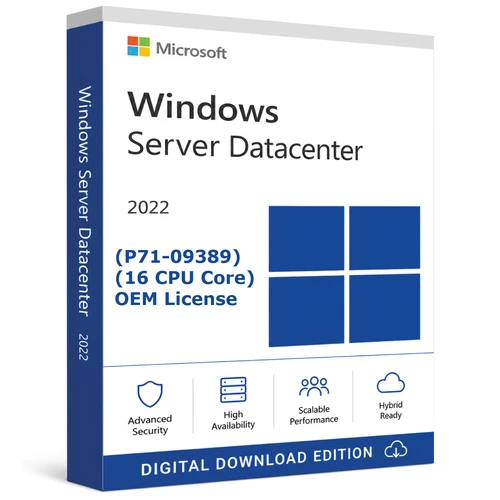
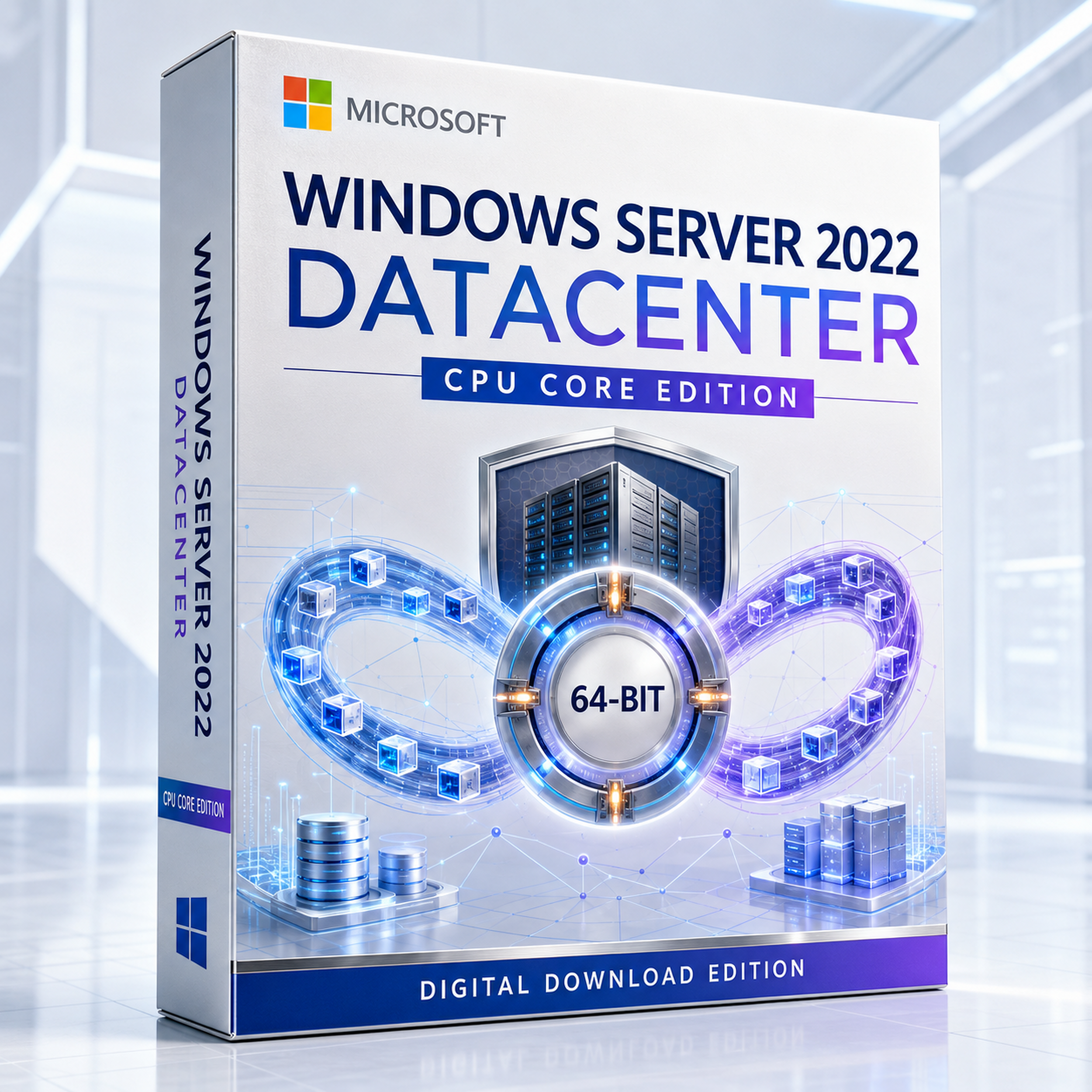
Microsoft Windows Server 2022 Datacenter CPU Core Edition
The LTSC platform for highly virtualised hosts and software-defined infrastructure—combining unlimited Windows Server OSE rights on the fully licensed server with Hyper-V, Storage Spaces Direct, Network Controller, guarded workloads and unlimited Storage Replica.
Start with physical-core coverage, then validate CALs, cluster nodes, failover design, guest licensing and the exact acquisition channel before deployment.
Read before choosing a quantity
“CPU Core” is a licence measure—not Server Core
Three related terms control different parts of the deployment. Keeping them separate prevents under-licensing and avoids buying an interface choice by mistake.

CPU-core licensing
Measures how many server licences must be assigned to the hardware. Count physical cores—not threads or logical processors.
Server Core installation
A minimal interface option managed through PowerShell, SConfig and remote tools. It does not reduce core or CAL requirements.

Client Access Licences
Normally license users or devices accessing Windows Server services. Core licences and CALs solve complementary layers.
The small packs are building blocks
A 2-core, 4-core or 8-core choice normally supplements a licensing total; it does not license a new server by itself. Microsoft requires all physical cores to be covered, with minimums of eight core licences per physical processor and sixteen per server.

One complete hardware boundary
Count the server before counting the virtual machines
- Inventory every physical processor in the server.
- Count physical cores in each processor.
- Apply the eight-core minimum per physical processor.
- Apply the sixteen-core minimum per server.
- Acquire enough Datacenter core licences to cover the resulting total.
- Repeat the exercise for every physical host that can run the workload.
| Physical host | Installed physical cores | Minimum licensed total | Why |
|---|---|---|---|
| 1 processor × 8 cores | 8 | 16 core licences | The sixteen-core server minimum controls. |
| 1 processor × 24 cores | 24 | 24 core licences | Every installed physical core is covered. |
| 2 processors × 6 cores | 12 | 16 core licences | Each processor is treated as at least eight cores. |
| 2 processors × 32 cores | 64 | 64 core licences | All 64 physical cores require coverage. |
Virtualisation right: after the physical server is fully licensed with Datacenter, the licence permits the server software in any number of OSEs on that licensed server. This does not automatically license third-party applications, SQL Server, desktop operating systems, CAL access or cloud services.
Use the selector as a calculator
Assemble the core total—do not treat it as six editions
The retailer currently presents 2, 4, 8, 16, 32 and 64-core options. Match the combination to the server inventory and preserve the calculation with the purchase records.

New host baseline
Begin at sixteen core licences even when the server contains fewer physical cores.
OSE density
Datacenter removes Standard’s need to add server-wide licensing layers for each extra pair of OSEs.

Every possible host
Model each node that can run a VM. Cluster mobility does not make an unlicensed physical host compliant.

Preserve evidence
Keep invoices, identifiers, hardware inventories, core calculations and activation records together.
The consolidation edition
Datacenter changes the economics of dense virtualisation
Its advantage grows with the number of Windows Server guests per physical host and with the need for software-defined storage, networking and guarded workloads.

Hyper-V platform
Operate supported Windows and Linux VMs, virtual switches, checkpoints and cluster-aware management workflows.

AVMA host capability
Activate supported Windows Server guests automatically when they run on an appropriately activated Datacenter host.

Container flexibility
Datacenter permits unlimited Windows Server containers with or without Hyper-V isolation on the licensed server.
Cluster-ready roles
Build supported high-availability designs for Hyper-V, file services and other cluster-aware workloads.
Unlimited does not mean unmetered infrastructure
Datacenter’s OSE right removes a Windows Server guest-count ceiling on the licensed host. Hardware capacity, application licensing, CALs, supportability, backup, storage, networking and operational risk still determine the practical limit.

Beyond VM density
Build a software-defined fabric from coordinated roles
Datacenter adds the platform capabilities used for hyperconverged storage, centralised virtual-network control and guarded Hyper-V workloads. These features require supported architecture, validated hardware and deliberate operations—they are not enabled simply by entering a product key.
Design before purchase: verify Microsoft support matrices, cluster validation, network topology, storage media, firmware, backup integration and workload certification.
Software-defined infrastructure
Datacenter capabilities that change architecture

Storage Spaces Direct
Pool local drives across validated cluster nodes to create resilient software-defined storage for supported hyperconverged and converged designs.

Unlimited Storage Replica
Datacenter removes Standard’s one-partnership, one-resource-group and single-2-TB-volume lock.

Network Controller
Centralise supported software-defined network configuration and policy across virtualised infrastructure.
Shielded workloads
Use guarded-fabric capabilities to protect supported generation 2 Hyper-V VMs from unauthorised host-level access.
Host Guardian support
Datacenter hosts support guarded Hyper-V fabric scenarios. Host Guardian Service itself is also listed across editions.
Activation at scale
AVMA can simplify supported guest activation, but activation evidence never replaces valid licensing evidence.
Foundation roles
The same platform can host identity, files, networks and applications

Identity and policy
Deploy AD DS, Group Policy and related identity services in supported topologies.

DNS and DHCP
Provide central name resolution, dynamic addressing and policy-controlled network services.

File and storage roles
Use SMB, DFS, quotas, Data Deduplication, ReFS and Storage Migration Service where supported.

Automation first
Make provisioning, configuration and evidence repeatable through PowerShell and controlled workflows.

Windows Admin Center
Manage supported servers, clusters, storage, networking and VMs through a modern browser-based tool.
Hybrid pathways
Connect supported servers through Azure Arc and selected Azure services. Subscriptions, consumption charges and service configuration remain separate.
Security from boot to data path
Combine compatible hardware with modern transport protection

Secured-core server
Bring hardware root of trust, firmware protection, VBS, HVCI, DRTM and DMA safeguards together on compatible systems.

Trusted startup
Use TPM 2.0, Secure Boot and supported firmware as part of a measured and protected boot chain.
TLS 1.3 protocol layer
Enabled by default at the protocol layer; applications and services must also support and correctly configure it.

SMB AES-256
Negotiate AES-256-GCM or AES-256-CCM with compatible peers and policy while retaining down-level cipher support.

SMB compression
Compress supported transfers in flight without requiring applications to package files manually first.
Guarded host boundary
Protect supported VM secrets and boot state through a deliberately designed guarded-fabric trust model.
Edition decision
Windows Server 2022 Standard vs Datacenter
Shared roles make the editions look similar at first. Virtualisation rights and software-defined infrastructure are the decisive differences.
| Decision factor | Standard | Datacenter |
|---|---|---|
| Physical-core minimum | All physical cores; 8 per processor and 16 per server minimum | Same physical-core minimum |
| Windows Server OSE rights | Two per complete server-wide licensing layer | Any number on the fully licensed server |
| Hyper-V-isolated containers | Two per complete layer | Unlimited |
| Storage Replica | One partnership/resource group; one volume up to 2 TB | Unlimited |
| Storage Spaces Direct | Not included | Included |
| Network Controller | Not included | Included |
| Host Guardian Hyper-V support | Not included | Included |
| Automatic VM Activation host | Not a Standard-host capability | Included for supported guests |
| Typical fit | Physical roles and light virtualisation | Dense virtualisation, HCI and software-defined infrastructure |
Do not merge the names
Datacenter is not Datacenter: Azure Edition
The Azure Edition variant has distinct deployment restrictions and 2022-generation capabilities. Do not attribute its feature set to this ordinary Datacenter offer.
| Capability | Datacenter | Datacenter: Azure Edition |
|---|---|---|
| Unlimited Windows Server OSEs | Yes, on the fully licensed server | Yes, subject to Azure Edition use rights |
| Storage Spaces Direct | Included | Included |
| SMB over QUIC in Windows Server 2022 | Not included | Included in supported scenarios |
| Hotpatching in Windows Server 2022 | Not included | Documented for Azure Edition Core |
| Deployment boundary | Subject to the acquired channel and rights | Restricted by Product Terms to Microsoft Azure and Azure Stack scenarios |
Accuracy boundary: QUIC protocol components elsewhere in the platform do not make SMB over QUIC a Windows Server 2022 Datacenter feature. Likewise, ordinary Datacenter does not inherit Azure Edition hotpatch rights.
Generation decision
Windows Server 2022 Datacenter vs Windows Server 2025 Datacenter
Choose 2022 for a validated application and infrastructure baseline. Consider 2025 for new deployments that can use the newer platform and longer support horizon.
| Decision area | Windows Server 2022 Datacenter | Windows Server 2025 Datacenter |
|---|---|---|
| Lifecycle start | 18 August 2021 | 1 November 2024 |
| Mainstream support ends | 13 October 2026 | 13 November 2029 |
| Extended support ends | 14 October 2031 | 14 November 2034 |
| Strongest purchase reason | Known compatibility, established operational baseline and validated 2022 tooling | Longer lifecycle and newer security, virtualisation, storage and platform capabilities |
| Decision requirement | Validate applications, drivers, firmware, backup, clustering, management tools, guest support and licensing before committing. | |
Access licensing
Unlimited OSEs do not mean unlimited users
Datacenter core licences establish the server and virtualisation rights. Access still has its own licensing layer.
1. Server core licences
Cover the physical processing capacity and establish Datacenter OSE rights on that host.
2. Base Windows Server CALs
Normally required for users or devices accessing server software, subject to applicable Product Terms exceptions.

3. Additive RDS CALs
Required for users or devices connecting to an RDS Session Host for applications or desktops, in addition to base CALs.
Do not infer an included CAL bundle
The current CPU-core offer does not clearly identify included Windows Server CAL or RDS CAL quantities. Obtain written confirmation before checkout.
Installation choice
Choose Server Core or Desktop Experience before setup
The edition and core calculation stay the same. Microsoft does not support converting between these installation options later; changing requires a clean installation.
Server Core
Smaller footprint and reduced attack surface, administered locally through command tools or remotely through supported management interfaces.

Desktop Experience
Includes the familiar graphical shell and broader local application compatibility, with more installed components and a larger footprint.
Capacity planning
Minimum hardware is an installation floor—not a datacentre design
| Component | Microsoft baseline | Datacenter planning guidance |
|---|---|---|
| Processor | Compatible 1.4 GHz x64 with required instruction and virtualisation capabilities | Validate CPU generation, SLAT, NUMA, firmware, live-migration compatibility and vendor support. |
| Memory | Microsoft’s consolidated page lists release-specific baselines; allocate at least 2 GB and more for Desktop Experience | Size host reserve plus every VM, cache, cluster, security and recovery workload. |
| System storage | 32 GB absolute minimum | Provide substantially more for updates, paging, dumps, logs, roles and rollback. |
| Network | PCIe Ethernet capable of at least 1 Gbps | Design redundant fabrics for management, VM, storage, live migration, backup and east-west traffic. |
| Secured-core hardware | IOMMU, Kernel DMA Protection, DRTM, TPM 2.0, Secure Boot and VBS support | Use validated hardware and verify every required feature is enabled. |
| S2D and clustering | Feature-specific validated hardware and topology | Run cluster validation and confirm adapters, drives, firmware, switching and fault-domain design. |
Where Datacenter earns its place
Buy for an architecture—not for a label
Dense Hyper-V clusters
Consolidate many Windows Server OSEs and avoid stacking Standard licensing layers as density increases.
Hyperconverged infrastructure
Combine validated cluster nodes, Storage Spaces Direct and software-defined networking for resilient private infrastructure.
Guarded tenant workloads
Use shielded VM and Host Guardian capabilities where the threat model includes host-fabric administrators.
Replication at scale
Remove Standard’s Storage Replica lock when the architecture needs more partnerships, groups or volumes.
Service-provider-style operations
Centralise virtual-network policy and automate repeatable host, cluster and guest lifecycle workflows.
Validated legacy estates
Retain a proven Windows Server 2022 baseline where application vendors or operational controls are not yet ready for 2025.
Fixed Lifecycle
Mainstream support ends soon
Mainstream support ends on 13 October 2026. Extended support continues through 14 October 2031 and centres on security updates rather than normal design changes, feature requests and non-security updates.
For a new infrastructure purchase, document why Windows Server 2022 is the right compatibility baseline and set a migration checkpoint before application, hardware or security-tool support becomes the constraint.
Lifecycle record
- Start: 18 August 2021
- Mainstream end: 13 October 2026
- Extended end: 14 October 2031
- Windows Server 2022 containers follow the same lifecycle.
Order workflow
Move from cluster design to defensible entitlement
Inventory
Record every host, processor, physical core, mobility path, user, device, RDS user and intended workload.
Calculate
Apply per-processor and per-server floors to each physical host that can run Windows Server OSEs.
Confirm
Verify licence channel, CALs, activation, transfer rights, media, language, region and support in writing.
Validate
Test the cluster, applications, backup and recovery before production migration—and preserve all evidence.
Software Mart Australia
Digital fulfilment with advertised remote assistance
The retailer advertises instant email delivery, electronic download and free remote installation support. Confirm the precise delivery window, activation method, licence documentation, refund conditions and support boundaries for the chosen core quantity before purchase.

Prepare before delivery
Have the account, deployment window, backup, network plan and core inventory ready before the order arrives.
Define the support scope
Clarify whether assistance covers only download, installation and activation or also clustering, migration and troubleshooting.
Licence verification
Confirm the entitlement—not only the Datacenter name
Request written confirmation of these points
- The precise Microsoft product identifier, licence channel and proof of entitlement.
- Whether the selected quantity is a complete base licence or an add-on core pack.
- Perpetual or subscription term, assignment, reassignment, transfer and downgrade rights.
- Activation method, download media, language, region restrictions and replacement process.
- Included Windows Server CALs, RDS CALs, Software Assurance, Azure benefits or support incidents.
- Rights for physical servers, clusters, hosted environments, disaster recovery and individual virtual OSE licensing.
Identifier caution: the retailer displays UPC 695087062814, but the exact product identity could not be independently verified. Omit it from feeds and structured data until the seller confirms it against the supplied Microsoft pack and channel.
Frequently asked questions
Windows Server 2022 Datacenter CPU Core: 30 practical answers
1. What does CPU Core Edition mean?
The licence quantity is measured against physical processor cores. It is not a separate technical edition and does not force a Server Core installation.
2. What is the minimum core quantity?
License every physical core, subject to at least eight core licences per physical processor and sixteen per server.
3. Do I count logical processors?
No. Under the physical-core model, count physical cores in every physical processor and then apply Microsoft’s minimums.
4. Is a 2-core option enough for a new host?
No. A 2-core pack is normally a building block. A server still has a sixteen-core minimum and an eight-core minimum per processor.
5. What does unlimited virtualisation mean?
Once the physical server is fully licensed with Datacenter, Windows Server software may run in any number of OSEs on that licensed server.
6. Does unlimited virtualisation cover SQL Server?
No. SQL Server and other applications have separate licensing. Datacenter OSE rights apply to Windows Server software.
7. Must every cluster node be licensed?
Model every physical host that can run the workloads. VM mobility does not make an otherwise unlicensed destination host compliant.
8. When is Datacenter better than Standard?
When dense virtualisation or Datacenter-only infrastructure features outweigh the cost of repeatedly licensing Standard for extra OSE pairs.
9. Is Hyper-V included?
Yes, subject to compatible hardware, correct role configuration and applicable licence rights.
10. What is AVMA?
Automatic Virtual Machine Activation can activate supported Windows Server guests running on an appropriately activated Datacenter host.
11. Are Windows containers unlimited?
Datacenter permits unlimited Windows Server containers both with and without Hyper-V isolation on the licensed server.
12. Is Storage Spaces Direct included?
Yes. It requires a supported and validated cluster, storage, networking and firmware design.
13. Is Storage Replica unlimited?
Datacenter is listed without Standard’s one-partnership, one-resource-group and single-2-TB-volume lock.
14. Is Network Controller included?
Yes. It supports centralised software-defined network configuration and policy in appropriate architectures.
15. What is a shielded VM?
A supported generation 2 Hyper-V VM protected through guarded-fabric controls against unauthorised host-level access.
16. Does it include Windows Server CALs?
Do not assume so. Base User or Device CALs are normally separate and any included quantity should be confirmed in writing.
17. Are RDS CALs additional?
Yes. RDS Session Host users or devices require corresponding RDS CALs in addition to base Windows Server CALs.
18. Is Server Core required?
No. Datacenter offers Server Core and Server with Desktop Experience installation choices.
19. Can I switch installation options later?
No supported in-place conversion exists. Changing between Server Core and Desktop Experience requires a clean installation.
20. Does Datacenter include Active Directory?
Yes. AD DS, Group Policy, DNS, DHCP and related infrastructure roles are available.
21. Does it support TLS 1.3?
Yes. TLS 1.3 is enabled in the protocol layer by default, but applications and services must also support it.
22. Does it support SMB AES-256?
Yes, using AES-256-GCM or AES-256-CCM with compatible peers and appropriate policy.
23. Does ordinary Datacenter include SMB over QUIC?
No. In Windows Server 2022, Microsoft lists SMB over QUIC for Datacenter: Azure Edition rather than ordinary Datacenter.
24. Does ordinary Datacenter include hotpatching?
No. Microsoft documents Windows Server 2022 hotpatching for Datacenter: Azure Edition Core.
25. Is Azure Arc included?
The platform supports Azure Arc connection, but cloud subscriptions, paid services, configuration and consumption remain separate.
26. Can it host Remote Desktop Services?
Yes in supported designs, but every applicable user or device needs base Windows Server access rights and the corresponding additive RDS CAL.
27. What is the Windows Server 2022 lifecycle?
Mainstream support ends 13 October 2026 and extended support ends 14 October 2031.
28. Should a new deployment choose Server 2025?
Compare application certification, hardware, migration risk and lifecycle. Server 2025 has the longer published support horizon.
29. Is individual virtual OSE licensing available?
Microsoft’s Product Terms limit that model to qualifying subscription licences or licences with active Software Assurance; verify the actual channel.
30. What records should I retain?
Keep invoices, product identifiers, terms, hardware and cluster inventories, core and CAL calculations, activation evidence and seller confirmations.
Cover every host. Clarify every access layer. Scale with evidence.
Build a Datacenter purchase around the actual fabric
Inventory the physical cores, map VM mobility, size CALs, validate the software-defined architecture and confirm the acquisition channel before checkout.
Verified reference links
Official Microsoft resources
Check current product, system, lifecycle and licensing information directly with Microsoft before deployment.
Microsoft documentation and lifecycle information may change. Review the current source for your environment and purchasing requirements.