Retail RDS access licensing for named users
Licence one named user to access RDS from any supported device
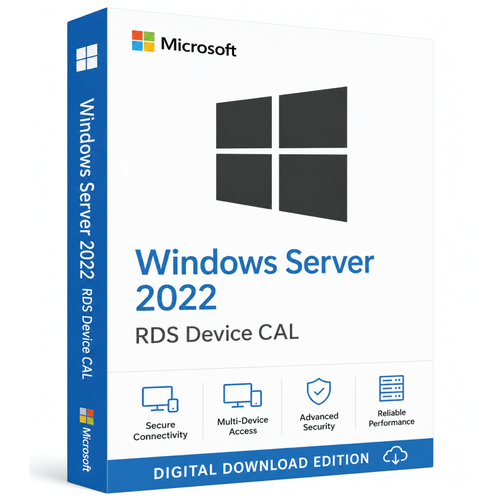
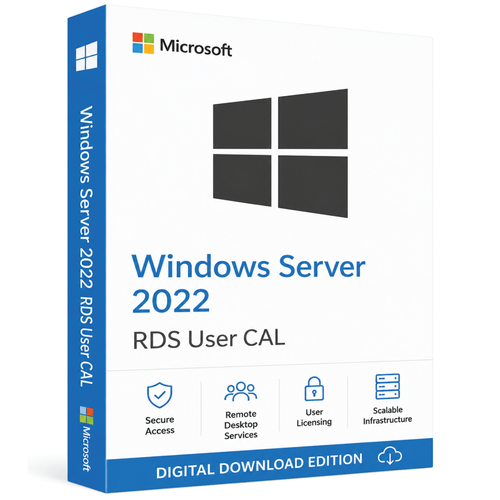
Choose the Windows Server 2022 Remote Desktop Services User CAL quantity required for your named users. Each selected User CAL is assigned to one named user and permits that user to access a properly licensed Windows Server RDS environment from any supported device.
This is a digital Retail CAL key—not Windows Server software. Before ordering, confirm your Session Host version, domain configuration and base Windows Server CAL requirements.
- Retail key
- Perpetual entitlement
- Worldwide validity
- Delivery in 1–10 minutes
- Remote, chat and email support
Prevent a wrong-licence order
Confirm these four points before buying
-
Session Host
You are licensing a Windows Server 2022, 2019 or 2016 RDS Session Host. A 2022 RDS CAL does not license a Windows Server 2025 Session Host.
-
Domain environment
Per User RDS licensing is for a domain/Active Directory environment. For a workgroup deployment, use Per Device RDS CALs.
-
Named users
Purchase one User CAL for every person who will access RDS. This is not a pool of concurrent-user licences.
-
Required licences
You also need a properly licensed Windows Server and appropriate base Windows Server CALs. This product supplies the additional RDS access entitlement only.
Unsure about any point? Request RDS licensing guidance before ordering.
Quantity and price
Choose the required User CAL quantity
Use the product options above. Select the User CAL quantity your organisation needs. The live price and product SKU are determined by that selection.
Each User CAL is assigned to one named user. The separate cart quantity control multiplies the selected product option.
Know the boundary
What you receive—and what is not included
Included
- Retail product licensing key for the selected User CAL option.
- Digital delivery to the email address supplied with the order.
- Normal fulfilment within 1–10 minutes after successful payment.
- Remote, chat and email assistance from Software Mart.
- Perpetual entitlement for the purchased version.
Not included
- Windows Server Standard or Datacenter software/licence.
- Base Windows Server User or Device CALs.
- Windows, Microsoft Office or other application licences.
- A client application, server installer or physical media.
- Software Assurance, future versions or extended Microsoft support.
- Reuse or transfer of the Retail key after activation.
Licence-model decision
Why choose a User CAL?
A User CAL follows the licensed person rather than one endpoint. It is usually the more practical option when employees move between an office PC, home computer, laptop, tablet or another supported client.
Remote and hybrid teams
Licence the person who moves between work locations and supported devices.
Managed identities
Designed for named users in an Active Directory/domain deployment.
More devices than users
Useful when the same employees regularly access RDS from several endpoints.
Compare access models
User CAL or Device CAL?
| Question | User CAL | Device CAL |
|---|---|---|
| What is licensed? | One named user | One specific device |
| Who can connect? | The licensed user from supported devices | Any user from the licensed device |
| Best fit | Mobile, remote or hybrid staff | Shared PCs, kiosks, labs and shift work |
| Workgroup deployment | Not appropriate for Per User mode | Required option for workgroup RDS licensing |
| Tracking | Associated with users in Active Directory | Issued and tracked per device by the licence server |
Choose Device CALs when multiple people share a smaller number of fixed computers. Choose User CALs when the same people regularly use several devices.
Version check
RDS Session Host compatibility
Do not confuse the Session Host version with the RDS licence-server version. Microsoft permits a 2022 RDS CAL pack to be installed on a licence server running Windows Server 2022 or 2025, but not on a Windows Server 2016 or 2019 licence server.
Digital fulfilment
From purchase to Remote Desktop Licensing Manager
- 1
Confirm the deployment
Check the named-user count, Session Host version, domain membership and Per User licensing mode.
- 2
Choose and purchase the CAL quantity
Select the required User CAL option and complete the order.
- 3
Receive the Retail key
The product licensing key is normally emailed within 1–10 minutes after successful payment.
- 4
Prepare the licence server
Install the Remote Desktop Licensing role and activate the RDS licence server if this has not already been completed.
- 5
Install the CAL pack
Open Remote Desktop Licensing Manager, choose Install Licenses, select the applicable purchase program and enter the supplied key information.
- 6
Configure and verify
Configure the Session Host to use the correct licence server and Per User mode, then verify the deployment.
One-time key activation: the supplied Retail key is intended for one activation on one RDS licence server. After successful activation, it cannot be reused or transferred to another licence server. User CAL assignment rights are a separate matter governed by the applicable Microsoft terms.
Plan beyond the purchase
Windows Server 2022 lifecycle
Microsoft schedules mainstream support to end on 14 October 2026 and extended support to end on 15 October 2031.
A perpetual licence entitlement does not make the product permanently supported. It permits continued use of the purchased version under the applicable terms, while updates, connected services and technical support follow Microsoft’s lifecycle.
Client-device clarity
Mac and non-Windows client access
This is not software for installation on a Mac. It is an access entitlement installed on the Windows Server RDS licence server. A Mac may be used as an RDS client when the organisation’s Windows Server RDS environment and client application support it.
Licensing for applications delivered through RDS—such as Microsoft Office—remains separate and may apply to each accessing device or user under that application’s terms.
Software Mart Australia
A clearer route to the correct CAL
Software Mart support does not replace Microsoft licence terms or Microsoft product support. For complex environments, confirm the proposed deployment with a qualified Microsoft licensing specialist.
Buyer questions
Frequently asked questions
Is this Windows Server software?
No. An RDS User CAL is an access right. It does not install or activate Windows Server Standard or Datacenter.
Do I also need a normal Windows Server CAL?
Yes. Microsoft classifies the Windows Server CAL as the base access licence and the RDS CAL as an additional licence for Remote Desktop Services functionality.
Does one User CAL cover several devices?
Yes. One CAL is assigned to one named user, who may access the licensed RDS environment from supported devices. It does not license several people.
Can I use this with Windows Server 2016, 2019, 2022 or 2025?
It is compatible with Windows Server 2016, 2019 and 2022 Session Hosts. It does not license a Windows Server 2025 Session Host.
Can I use Per User licensing in a workgroup?
No. Microsoft’s RDS guidance requires Per Device licensing for a workgroup deployment.
Will I receive a download?
No server software download is included. The product licensing key is delivered by email and installed through Remote Desktop Licensing Manager.
Is the licence perpetual?
Yes, for the purchased version. Microsoft schedules extended support for Windows Server 2022 to end on 15 October 2031.
Can I reuse the Retail key on another licence server?
No. The supplied key is for one activation on one RDS licence server and cannot be reused or transferred after successful activation.
Can a Mac user connect?
Potentially, yes. The CAL is not Mac software, but a Mac can be an RDS client when the deployment and client application support it.
How quickly will the key arrive, and what help is included?
Normal digital delivery is 1–10 minutes after successful payment. Remote assistance, chat and email support are included.
Ready when the deployment checks out
Check once, then choose the required User CAL quantity
Confirm the Session Host version, domain configuration, named-user count and base CAL coverage. Then select the appropriate User CAL option above.
Official references
- Microsoft Base and Additive CAL licensing guidance
- Microsoft RDS CAL model and version compatibility
- Microsoft RDS Session Host licensing configuration
- Microsoft instructions for installing RDS CALs
- Microsoft Windows Server 2022 lifecycle
- Microsoft RDS and desktop application licensing guidance
Microsoft licensing terms and documentation control if they conflict with explanatory page content. Product availability, pricing and retailer support are supplied by Software Mart Australia.