
Choose the right Windows Server 2025 RDS CAL
License people or shared devices to access a Windows Server Remote Desktop Services environment. Compare the two licensing models, check the prerequisites and select the quantity that matches your deployment.
- User or Device CAL options
- Quantities from 1 to 50
- Electronic delivery
- Australian support
User CAL or Device CAL?
Choose the model that reflects who—or what—will access Remote Desktop Services. These are assignment models, not concurrent-session licences.

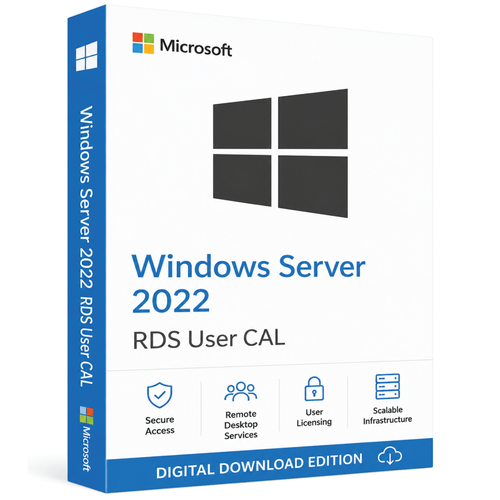
Per User RDS CAL
Assign one CAL to each licensed user. That person can connect from different devices, subject to the applicable licence terms.
- Hybrid and mobile staff
- Users moving between office, home and laptop devices
- Domain-joined RDS deployments

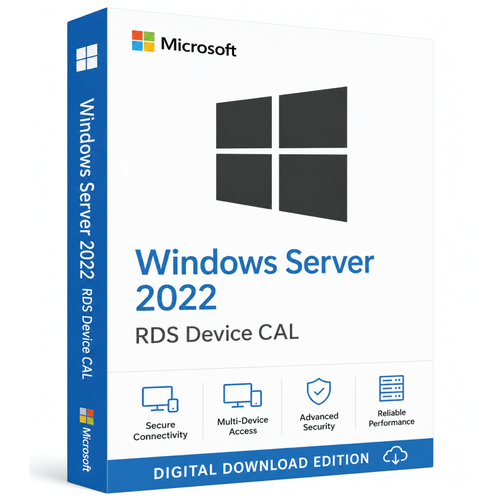
Per Device RDS CAL
Assign one CAL to each licensed device. Different people can use that device to connect to the RDS environment.
- Shift-based teams and shared terminals
- Warehouses, labs, counters and hot desks
- Required for workgroup RDS deployments
If people regularly use multiple devices, compare Per User licensing. If many people share a smaller pool of devices, compare Per Device licensing. For a workgroup deployment, choose Per Device.

Check your environment before ordering
A quick licensing check prevents the most common wrong-version and wrong-model purchases.
Prerequisites checklist
- A correctly licensed Windows Server deployment
- The required base Windows Server CALs for your licensing model
- An activated RD Licensing server running Windows Server 2025
- The RDS licence mode configured to match User or Device CALs
- Enough CALs for the users or devices that require access
- Separate rights for applications delivered through RDS, where required
| Environment | Compatible? | What to know |
|---|---|---|
| Windows Server 2025 session host | Yes | Use a Windows Server 2025 RD Licensing server. |
| Windows Server 2022, 2019 or 2016 session host | Yes | Microsoft lists these as supported session-host versions for 2025 RDS CALs. |
| Windows Server 2022 RD Licensing server | No | It cannot host or activate Windows Server 2025 RDS CALs. |
| Workgroup deployment with Per User mode | No | Microsoft requires Per Device licensing for workgroup deployments. |
Know exactly what this listing is for
This listing is for
- The Windows Server 2025 RDS CAL model selected above
- The quantity stated in the selected option
- Electronic order fulfilment
- Access to Software Mart Australia support channels
Not included by an RDS CAL
- Windows Server operating-system software
- A Windows Server core licence
- A base Windows Server User or Device CAL
- RDS deployment, configuration or application licences
The exact licence program, supplier identifier and fulfilment artefacts must match the product facts and order documentation supplied for the selected option. If those details are material to your compliance records, confirm them before purchasing.
Licence controlled access to shared desktops and applications
Centralised workspaces
Support access to full session-based desktops or applications published through RemoteApp.
Flexible assignment
Choose a User model for mobile staff or a Device model for shared workstations.
Managed licensing
Install and manage RDS CAL packs through the Windows Server RD Licensing role.
Clearer records
Align purchased entitlements with the users or devices counted in your environment.
What happens after purchase?
Your administrator installs RDS CALs on an activated RD Licensing server. The exact screens and information requested depend on the licence program supplied.
- 1
Confirm the order
Check that the order shows the intended User or Device model and the correct quantity.
- 2
Activate RD Licensing
Use RD Licensing Manager on a Windows Server 2025 licence server.
- 3
Install the CAL pack
Select the applicable Microsoft licence program and enter the information supplied with the order.
- 4
Configure the session hosts
Point each RD Session Host to the licence server and set the matching licensing mode.
Digital delivery, refunds and consumer rights
Digital product
This Windows Server 2025 RDS CAL licence pack is supplied electronically. No physical box, disc or return shipment is involved.
Changed your mind or selected the wrong pack?
Change-of-mind refunds are generally not available after digital licensing materials have been delivered, disclosed, redeemed or activated. If you believe you selected the wrong CAL type or quantity, contact Software Mart Australia as soon as possible and before fulfilment begins. We will review requests individually, but approval is not guaranteed.
Faulty, incorrectly supplied or not as described
Where the Australian Consumer Law applies, please contact us if the product supplied is faulty, materially different from its description or otherwise fails to meet an applicable consumer guarantee. Depending on the nature of the problem, the available remedy may include rectification, replacement or refund.
Nothing in this section or our Refund Policy excludes, restricts or modifies any consumer guarantee, right or remedy that cannot lawfully be excluded under the Australian Consumer Law.
We may request your order number, relevant error messages and reasonable information about your licensing environment so we can assess the issue. Any remote-support session will only occur with your permission.
The store’s standard 30-day support or change-of-mind conditions do not limit rights that may continue under the Australian Consumer Law.
Read our Refund Policy · Delivery Policy · Contact Software Mart Australia
RDS CAL vs base CAL vs server licence
| Licence | What it covers | Does it replace another licence? |
|---|---|---|
| Windows Server licence | Licenses the server software and physical cores under the applicable edition and terms. | No. Access licences may still be required. |
| Base Windows Server CAL | Licenses user or device access to Windows Server services under the traditional model. | No. It does not grant RDS access rights. |
| Windows Server RDS CAL | Adds the right for a licensed user or device to access Remote Desktop Services. | No. It is additive to the underlying Windows Server licensing requirements. |
Who should—and should not—choose this product?
A good fit for
- Organisations publishing Windows Server desktops or RemoteApp programs
- Remote and hybrid teams accessing a Windows Server session host
- Sites with shared terminals, counters or shift-based workstations
- Administrators upgrading RDS access licensing for Server 2025
Check another option if
- You need the Windows Server operating system or core licences
- You only need base Windows Server CALs
- You plan to use Per User mode in a workgroup deployment
- Your RD Licensing server will remain on Windows Server 2022 or earlier
Need a licensing sense-check?
Share your session-host version, licence-server version, domain or workgroup setup, user count and device count. The support team can help you identify the questions to resolve before you order.
What support is included?
Order-specific support is available for licensing, delivery or activation issues reported within 30 days of purchase. Please activate the supplied licensing materials within this period where reasonably possible.
Included support
- Confirming the CAL model and quantity shown on your order
- Clarifying the electronic-delivery materials supplied
- Reasonable troubleshooting of errors directly related to installing the supplied RDS CAL pack through RD Licensing Manager
- Helping identify information to check, including the session-host version, licence-server version, licensing mode and domain or workgroup configuration
Not included
This purchase does not include deployment or administration of Windows Server or Remote Desktop Services, network or Active Directory troubleshooting, application licensing, migrations, ongoing managed IT services or remediation of unrelated system problems. Additional professional services require a separate written agreement or quotation.
Contact and response
Contact support by replying to your order email, using live chat, submitting the contact form or calling Software Mart Australia. Live chat is available 24/7. Support is provided on a reasonable-efforts basis; no guaranteed initial-response or resolution time applies unless separately confirmed in writing.
A remote-support session may be requested to verify relevant installation steps or error messages and will occur only with your permission.
Your consumer rights
These support conditions do not exclude, restrict or modify any consumer guarantee, right or remedy that cannot lawfully be excluded under the Australian Consumer Law.
Windows Server 2025 RDS CAL FAQs
What is a Windows Server 2025 RDS CAL?
It is an additional Client Access Licence for a user or device that accesses Remote Desktop Services on a Windows Server session host. It does not include the server operating system or replace the underlying Windows Server licensing requirements.
Should I choose a User CAL or a Device CAL?
Choose Per User when each licensed person uses multiple devices. Choose Per Device when multiple people share a smaller number of workstations. Workgroup deployments must use Per Device licensing.
Are RDS CALs counted by concurrent sessions?
No. Microsoft’s RDS CAL models are assigned per user or per device. Count the users or devices that require access under the model you choose, rather than only the number connected at one moment.
Do I also need a base Windows Server CAL?
In the traditional Windows Server licensing model, yes: the RDS CAL is additive to the appropriate base Windows Server CAL. Confirm the requirements for your specific licensing program and deployment.
Can a Windows Server 2025 RDS CAL access an older session host?
Microsoft lists Windows Server 2025, 2022, 2019 and 2016 session hosts as compatible with Windows Server 2025 RDS CALs.
Can a Windows Server 2022 RDS CAL access a 2025 session host?
No. An older RDS CAL cannot access a newer Windows Server session-host version. Use Windows Server 2025 RDS CALs for a Windows Server 2025 session host.
Can I install 2025 RDS CALs on a Windows Server 2022 licence server?
No. Microsoft requires the RD Licensing server to run Windows Server 2025 or later to host Windows Server 2025 RDS CALs.
Does this product configure Remote Desktop Services for me?
No. An RDS CAL supplies access rights; your administrator or service provider must deploy the RDS roles, activate RD Licensing, install the CAL pack and configure the licensing mode.
How is the order delivered?
Software Mart’s delivery policy states that products are delivered electronically by email. Timing can vary, and some orders may require additional time. Check your inbox and spam or junk folders, then contact support if the email does not arrive.
What is the Windows Server 2025 support lifecycle?
Microsoft lists mainstream support for Windows Server 2025 through 13 November 2029 and extended support through 14 November 2034. These are operating-system lifecycle dates, not a statement about the commercial licence channel of this listing.
Authoritative licensing references
Technical and licensing statements above were checked against Microsoft documentation. Your agreement and Microsoft Product Terms remain authoritative for your organisation.