
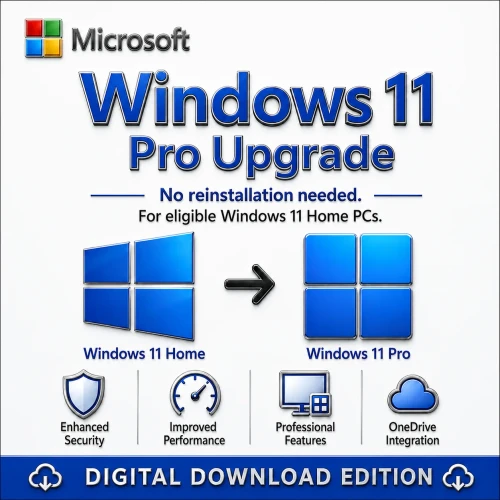
Windows 11 Home to Pro Upgrade Licence – Digital Key

(No reviews yet) Write a Review
AU$85.00

Adding to cart… The item has been added
SKU:
WIN11UP1PC
Condition:
New
Availability:
Digital delivery after payment verification. Australian support available.
Windows 11 Pro upgrade journey for eligible Windows 11 Home PCs with professional security
Windows 11 Pro edition upgrade for eligible Windows 11 Home PCs.

Windows 11 Pro edition upgrade

Professional features, without the guesswork.

Designed for PCs running an activated copy of Windows 11 Home. The supported edition-upgrade path keeps your files and installed apps while unlocking Windows 11 Pro features.

Digital delivery after verification Australian activation support See 838 store reviews

At a glance

A clear, supported route to Windows 11 Pro

Choose the licence quantity above, receive your digital key after payment verification and follow the included activation guide.

From AU$85 • Australian support • 1–100 PC options

Windows 11 Pro edition upgrade for eligible Windows 11 Home PCs with security feature icons

Check before buying

Choose the right path for your current PC

Windows 11 Home, activated This is the intended purchase path. Select the number of PCs above and apply the supplied Pro key in Activation settings.
Windows 10 Home, activated First confirm Windows 11 hardware eligibility. The clearest route is to move to Windows 11 Home, then complete the paid Home-to-Pro edition upgrade.
Windows 10 Pro, activated You may not need this product. An eligible Windows 10 Pro PC normally upgrades to Windows 11 Pro in the same edition.
Windows 7, 8/8.1 or unsupported hardware Do not purchase this as a direct in-place upgrade. Contact support first to confirm the correct clean-install and licensing route.

Official references: Microsoft Home-to-Pro guidance and Windows 11 requirements.

What you receive

Everything needed to complete the edition upgrade

Digital activation keyOne activation entitlement per PC selected.
Email deliverySent after payment and order verification.
Activation guideClear steps for changing the installed Windows edition.
Australian supportHelp with eligibility and activation issues.

Why Pro

The features that matter for work and security

BitLocker Drive EncryptionProtect data on supported devices.
Remote Desktop hostConnect to your PC remotely.
Hyper-V virtualisationRun virtual machines for work and testing.
Windows SandboxOpen untrusted apps in an isolated environment.
Group PolicyApply advanced device and user settings.
Domain and Entra joinConnect to business identity and management.

Licence facts

Know what you are buying

Format: Digital activation key

Eligible base: Activated Windows 11 Home

Devices: The selected PC quantity

Transferability: Do not assume transfer rights. Confirm the supplied licence terms with support before buying if hardware transferability matters.

Minimum requirements

Windows 11-ready hardware

Processor: 1 GHz+, 2 or more cores, compatible 64-bit CPU or SoC

Memory: 4 GB RAM

Storage: 64 GB or more

Firmware: UEFI, Secure Boot capable

Security: TPM 2.0

Graphics: DirectX 12 compatible with WDDM 2.0

Activation

Upgrade in four clear steps

Step 1Open Settings → System → Activation.
Step 2Select Change product key.
Step 3Enter the supplied 25-character Pro key.
Step 4Follow the prompt and restart the PC.

Back up important files before any operating-system change.

Frequently asked questions

Answers before checkout

Will I need to reinstall Windows?

For an activated Windows 11 Home PC, the supported Home-to-Pro edition upgrade normally keeps files and installed apps. A backup is still recommended.

Can I use this directly from Windows 7 or 8.1?

This product is not advertised as a supported direct in-place path from Windows 7 or 8.1. Contact support before purchasing to confirm the required clean-install and licence route.

Do Windows 10 Pro users need this?

Often not. A compatible, activated Windows 10 Pro device generally moves to Windows 11 Pro in the same edition. Confirm eligibility in Windows Update.

Has Windows 10 support ended?

Microsoft ended standard Windows 10 support on 14 October 2025. The PC still runs, but it no longer receives normal free security fixes unless covered by an applicable extended-support programme.

What if activation does not work?

Check that the installed edition and activation state match the eligibility requirements, then contact Australian support. Refund eligibility is governed by the store's refund policy.

Activation assistance is included. Eligibility and transfer rights depend on the supplied licence and your existing Windows edition. Contact support before purchase if you are unsure.