MS

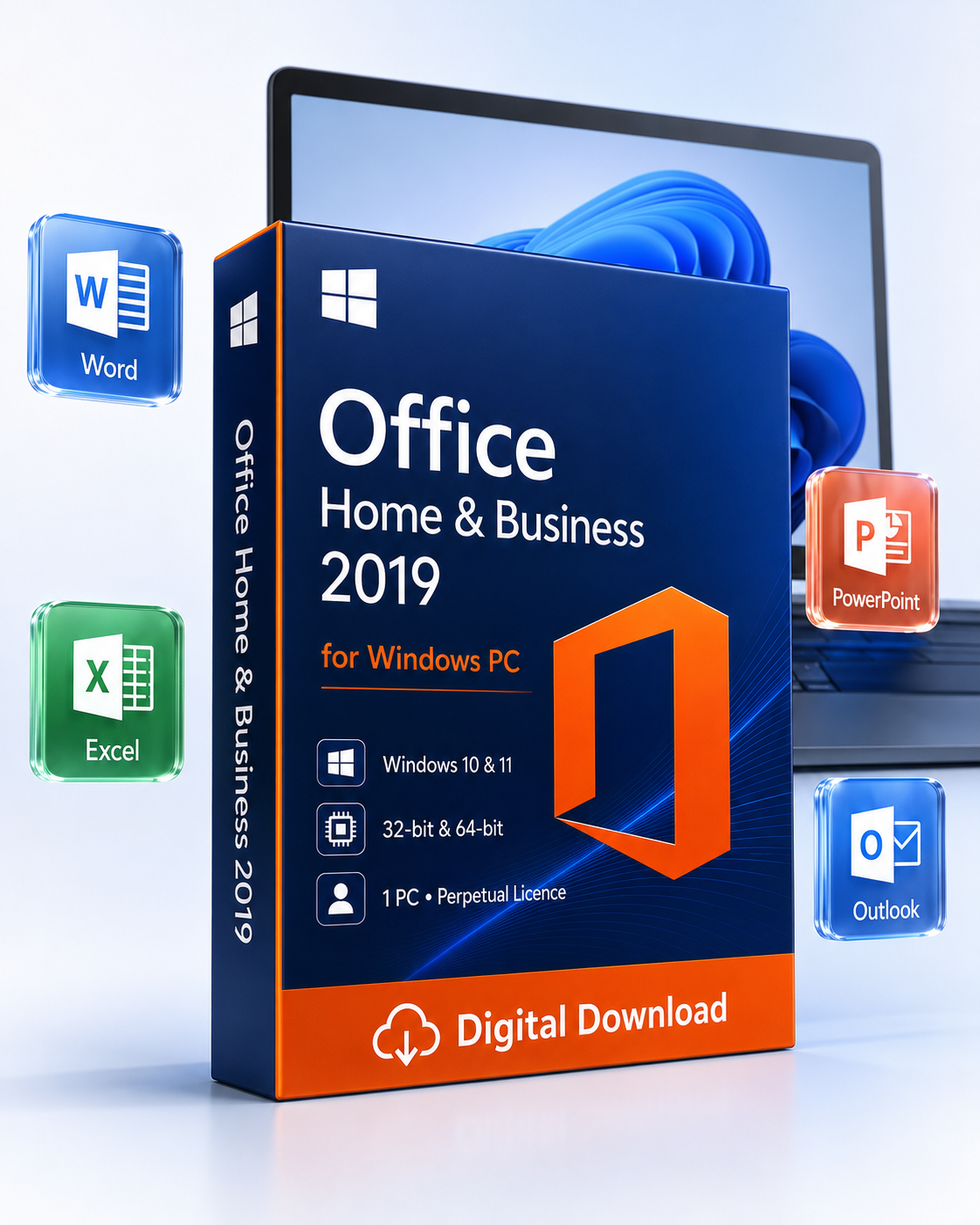
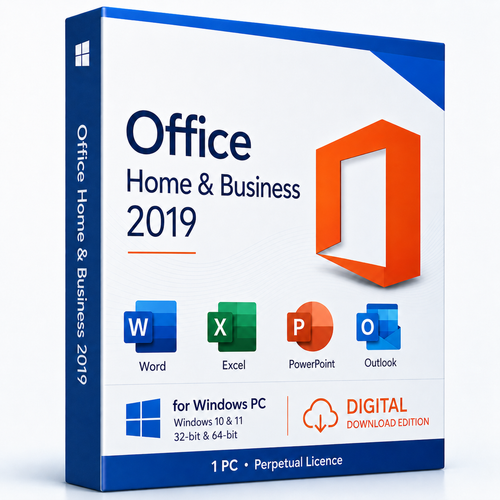
Genuine Microsoft Office 2019 Home & Business (for Windows 10 or 11) - Key for 1 PC

(No reviews yet) Write a Review
AU$120.00

Adding to cart… The item has been added
SKU:
OFFICE2019HBWIN1PC
UPC:
076750397219
Condition:
New


Important: Microsoft support for Office 2019 ended on 14 October 2025. However, you can still register with your Microsoft account, install, and keep using it as a retail standalone copy for lifetime. Windows 10 or 11 is required for the product. Confirm your Windows edition and device compatibility before ordering.
▦ Windows PC edition · digital delivery

Microsoft Office Home & Business 2019 for Windows

Classic desktop productivity for customers who need Word, Excel, PowerPoint and Outlook on one compatible Windows 10 or Windows 11 PC—without a Microsoft 365 subscription.

✓ One-time purchase✓ Licence for 1 PC✓ 32-bit or 64-bit✓ Home & business edition
⚠ Legacy software—compatibility first

Office 2019 no longer receives Microsoft security updates or technical support. Check your Windows version, existing Office installation and account requirements before purchase.

Digital product · No physical box or disc · Internet and Microsoft account normally required for redemption and activation

Microsoft Office Home and Business 2019 for Windows 10 and 11 PC digital download
Fast digital fulfilmentLicence information and instructions sent electronically after order checks.
Secure checkoutProtected ordering through Software Mart Australia’s BigCommerce store.
Free remote supportProfessional setup help is available by arrangement.
Authenticity focusGenuine-product sourcing through trusted channels, backed by local support.
A complete professional toolkit

Four classic applications for productive work

Create documents, analyse information, present ideas and manage professional communication using familiar Office desktop applications.

Word 2019

Create polished reports, proposals, contracts, letters, labels and résumés. Use Focus Mode, Learning Tools, translation, accessibility checking, LaTeX equations, SVG graphics and improved review features.

Excel 2019

Organise budgets, inventories and forecasts with formulas, charts and PivotTables. Work with TEXTJOIN, CONCAT, IFS, funnel charts, 2D maps, improved Power Query and data-analysis tools.

PowerPoint 2019

Build polished sales, training and project presentations with Morph transitions, Zoom navigation, SVG and 3D content, improved inking and high-quality video export.

Outlook 2019

Manage compatible email, calendars, contacts and tasks in one desktop application. Focused Inbox, @mentions, updated contact cards and scheduling tools keep work organised.

Not included: Access, Publisher, Project, Visio or Teams. OneNote availability is separate from this four-app product entitlement.

Licensing at a glance

Understand the product before checkout

Perpetual 2019 release

One-time purchase for the supplied Office 2019 licence—not a recurring Microsoft 365 subscription.

One Windows PC

Licensed for one compatible PC, subject to the Microsoft terms supplied with the product.

32

32-bit or 64-bit

Select the installation architecture that matches your system and existing Office components.

Digital activation

A Microsoft account and internet connection are normally required for redemption and activation.

What “perpetual” means: the right to use the purchased Office 2019 release under its licence terms. It does not mean perpetual Microsoft support, guaranteed compatibility with future Windows releases, or free upgrades to Office 2021/2024.
System & activation requirements

Check every item before you buy

Confirm your actual Windows edition, processor architecture and existing Office installation—not only the brand name printed on your PC.

Operating system

Compatible Windows 10 or Windows 11 PC. Not for Windows 7, Windows 8/8.1, macOS, Chromebook, Android or iPad.

Processor

1.6 GHz or faster dual-core x86/x64 processor. A modern Core i3/Ryzen 3-class processor or better is recommended.

Memory

4 GB RAM for 64-bit Windows or 2 GB for 32-bit Windows; 8 GB or more is preferable for multitasking.

Storage

At least 4 GB available disk space. Allow 10 GB or more for installation, updates and working files.

Display

1280 × 768 minimum resolution; Full HD provides a more comfortable desktop workspace.

Graphics

DirectX 9 or later with a compatible WDDM driver for graphics hardware acceleration.

Internet & account

Internet and a Microsoft account are normally required to redeem, download and activate the product.

Input & permissions

Keyboard and mouse or compatible pointing device, plus administrator permission to install software.

Confirm before ordering

Open Settings → System → About and note the Windows edition, system type and processor. Remove conflicting Office installations only after reviewing the supplied instructions or speaking with support.

More than the essentials

Useful Office 2019 capabilities

Familiar desktop workflow

Work with established Ribbon commands and standard DOCX, XLSX, PPTX, PDF, CSV, PST and other common formats.

Click-to-Run installation

Microsoft’s Click-to-Run technology supports guided download, installation, repair and update management.

Offline productivity

After activation, core desktop document work can continue offline; connected services still require internet access.

Business-use edition

Home & Business adds Outlook to the core productivity suite and is designed for home and small-business workflows.

Office file compatibility

Open and save familiar modern Office formats for collaboration with customers, suppliers and colleagues.

Accessibility tools

Use improved checking, reading and learning features to create clearer content for a broader audience.

Choose the right version

Office for Windows comparison

Later versions are generally the safer option for a current Windows PC. Availability, included apps and licensing depend on the exact product listing.

Feature 16Office 2016 19Office 2019 21Office 2021 24Office 2024 365Microsoft 365
Payment model Perpetual release Perpetual release Perpetual release Perpetual release Recurring subscription
Home & Business core apps Word, Excel, PowerPoint, Outlook Word, Excel, PowerPoint, Outlook Word, Excel, PowerPoint, Outlook Word, Excel, PowerPoint, Outlook, OneNote* Apps vary by plan
Microsoft support Ended 14 Oct 2025 Ended 14 Oct 2025 Ends 13 Oct 2026 Lifecycle through Oct 2029 While subscription and system remain eligible
Feature upgrades No new-version upgrades No new-version upgrades No new-version upgrades No new-version upgrades Continuous feature updates
Cloud services Limited/optional Limited/optional Improved collaboration More modern integration Plan-based cloud storage and services
Best suited to Legacy workflows Known-compatible PCs needing the 2019 release Customers balancing age and features Customers prioritising a supported perpetual release Customers wanting ongoing features and cloud services

*Application availability varies by edition. Lifecycle dates and system compatibility can change; verify Microsoft’s current documentation and the exact Software Mart listing before purchase.

Simple digital fulfilment

From checkout to productive work

Complete secure checkout

Place the order through Software Mart Australia’s protected BigCommerce checkout.

Order verification

Payment and product details are checked to help reduce fraud and fulfilment errors.

Receive digital instructions

Licence information, the download route and guided activation steps are sent electronically.

Install with support

Follow the instructions or arrange free remote assistance when an extra hand is needed.

Why Software Mart Australia

Professional help behind every digital order

Legacy software requires clear information and responsive assistance. Software Mart Australia combines practical guidance with secure digital fulfilment for customers in Australia and around the world.

  • Australian business with accessible contact options
  • Global digital service where licensing permits
  • Trusted-channel sourcing with authenticity focus
  • Plain-English guidance for download and activation
  • Free remote assistance available by arrangement
  • Compatibility-first advice before purchase
  • Secure BigCommerce checkout for protected ordering
  • Order documentation for eligible transactions
Help before & after purchase

Frequently asked questions

Is this a Microsoft 365 subscription?

No. This is a one-time purchase for the supplied Office 2019 release on one compatible Windows PC. It does not include recurring Microsoft 365 benefits.

Which applications are included?

Word 2019, Excel 2019, PowerPoint 2019 and Outlook 2019. Access, Publisher, Project, Visio and Teams are not included.

Does it work on Windows 10 and Windows 11?

The listing is intended for compatible Windows 10 or Windows 11 PCs. Office 2019 and Windows 10 are out of support, and Windows 11 compatibility can depend on the device and version. Confirm before ordering.

Does it work on Windows 7 or 8.1?

No. Office 2019 is not intended for Windows 7, Windows 8 or Windows 8.1.

Can I install it on a Mac?

No. This is the Windows PC edition. Choose an Office for Mac product for macOS.

Is the licence perpetual?

It is presented as a perpetual licence for the purchased 2019 release. “Perpetual” does not mean perpetual Microsoft support, future-version upgrades or guaranteed future Windows compatibility.

How many computers can use the licence?

The listing is for one compatible Windows PC. Additional devices require separate licensing unless the exact supplied terms state otherwise.

Can I choose 32-bit or 64-bit Office?

Yes, where both installers are available for the supplied product. The correct choice depends on Windows, existing Office components, add-ins and workflow requirements.

Should I choose 32-bit or 64-bit?

64-bit is common on modern PCs and supports larger data sets. Some legacy add-ins require 32-bit. Do not mix Office architectures; ask support if unsure.

Is a Microsoft account required?

A Microsoft account is normally required for retail-key redemption, activation and later reinstall access. Use an account you control and keep its credentials safe.

How is the product delivered?

Licence information, download guidance and activation instructions are delivered electronically after payment and order checks. No physical box or disc is shipped.

How quickly will I receive it?

Digital fulfilment begins after successful payment and order verification. Processing can take longer when an order requires security or payment review.

Is installation support included?

Yes. Professional installation guidance is included, and complimentary remote assistance is available by arrangement when needed.

Is Office 2019 still supported by Microsoft?

No. Microsoft support for Office 2019 ended on 14 October 2025. It no longer receives Microsoft security updates, bug fixes or Microsoft technical support.

Can I use Office offline?

Core desktop work can generally be completed offline after successful installation and activation. Activation, downloads, connected services and some account functions require internet access.

Can I transfer the licence to another PC?

Transfer and reactivation rights depend on the exact licence supplied and Microsoft’s terms. Ask Software Mart to confirm before replacing or reformatting a computer.

Does it include future Office versions?

No. It does not automatically upgrade to Office 2021, Office 2024 or Microsoft 365.

What if activation fails?

Contact Software Mart before making additional system changes. The support team can review the licence details, installed Office versions and activation steps, then offer remote help where appropriate.

Can Office 2019 coexist with another Office version?

Multiple Click-to-Run Office versions or mixed 32/64-bit components can conflict. Confirm the installation plan before removing or installing software.

Is commercial use permitted?

Home & Business is designed for home and small-business productivity. Your use remains subject to the Microsoft licence terms supplied with the product.

Ready to check your PC?

Choose confidently—with compatibility help included

Send the team your Windows edition, system type and existing Office details before ordering. We can help you assess whether Office 2019 or a newer supported release is the better fit.

Review system requirements

Related Products

An exceptionally experience