

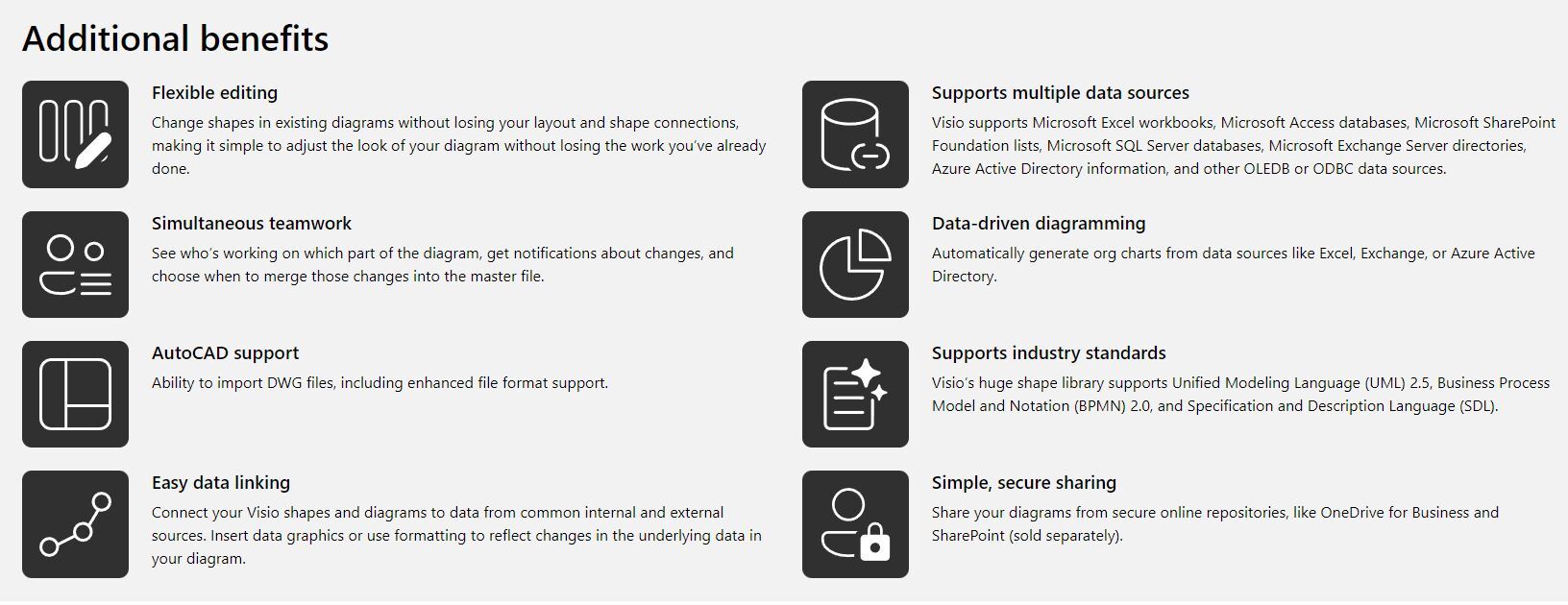
Genuine Microsoft Visio 2024 Professional (32/64 bit) (AI-Driven) (Windows 10/11 or later edition)(One-Time Purchase)Microsoft Visio 2024 Professional License – Buy Microsoft Visio 2024 Professional for Next-Generation Diagramming, Process Design, and Business VisualizationMicrosoft Visio 2024 Professional – Transform Complex Ideas into Intelligent Visual SolutionsEvery successful business depends on the ability to communicate complex information clearly. Whether you're documenting cloud infrastructure, designing enterprise workflows, planning office spaces, or mapping customer journeys, visual communication makes information easier to understand and faster to act upon. Microsoft Visio 2024 Professional is Microsoft's latest professional diagramming solution, created to help organizations transform ideas, systems, and processes into polished, data-rich diagrams that improve collaboration and decision-making. If you're planning to buy Microsoft Visio 2024 Professional, you're investing in Microsoft's most advanced perpetual desktop edition of Visio. A genuine Microsoft Visio 2024 Professional license provides a one-time purchase with long-term ownership, making it an excellent solution for businesses that prefer perpetual licensing over subscription-based software. Designed for IT professionals, engineers, architects, project managers, consultants, educators, and enterprise teams, Visio 2024 Professional combines intelligent automation, professional templates, modern collaboration, and seamless Microsoft integration into one powerful visualization platform. Why Buy Microsoft Visio 2024 Professional?Modern organizations generate enormous amounts of information, but information only creates value when people understand it. Microsoft Visio 2024 Professional enables businesses to replace complicated documents with clear visual diagrams that simplify communication, improve productivity, and support faster decision-making. Unlike general graphic design applications, Microsoft Visio 2024 Professional is purpose-built for structured business documentation and technical visualization. Its intelligent layout engine, industry-specific templates, advanced formatting capabilities, and live data support help users produce professional diagrams quickly while maintaining exceptional consistency. Purchasing a genuine Microsoft Visio 2024 Professional license ensures authentic Microsoft software, licensing compliance, dependable performance, and compatibility with supported Windows environments. Create Professional Diagrams for Every Business NeedMicrosoft Visio 2024 Professional includes an extensive collection of professionally designed templates that help users begin projects immediately. Popular diagram categories include:
Whether documenting a startup's internal workflow or designing an enterprise-wide infrastructure, Visio 2024 Professional provides the flexibility to create diagrams that communicate with precision. Smarter Diagram AutomationMicrosoft Visio 2024 Professional introduces intelligent productivity features that reduce repetitive work and allow professionals to focus on solving business challenges rather than manually arranging diagrams. Automation features include:
These intelligent capabilities reduce formatting time while ensuring every diagram maintains a polished, professional appearance. Transform Diagrams into Interactive Business AssetsOne of the most valuable capabilities of Microsoft Visio 2024 Professional is its ability to connect diagrams to external business data, creating visual representations that reflect operational information. Supported data sources include:
Instead of static illustrations, organizations can create diagrams that are easier to update and maintain, improving reporting accuracy and reducing manual effort. Professional Features Designed for Enterprise UsersMicrosoft Visio 2024 Professional delivers capabilities designed for organizations that require advanced documentation and process analysis. Professional-exclusive highlights include:
These advanced capabilities make Visio Professional an ideal solution for organizations focused on operational excellence, digital transformation, and technical documentation. Extensive Shape Libraries for Every IndustryVisio 2024 Professional includes thousands of professionally designed shapes covering virtually every business and technical discipline. Available libraries include:
These comprehensive libraries help maintain consistency while significantly reducing design time. Enhanced Collaboration for Modern WorkplacesToday's teams often work across multiple locations and time zones. Microsoft Visio 2024 Professional supports modern collaboration by making diagrams easier to review, share, and distribute. Collaboration features include:
These tools simplify communication between technical teams, executives, clients, and project stakeholders. Seamless Microsoft Ecosystem IntegrationMicrosoft Visio 2024 Professional integrates naturally with Microsoft's productivity platform, making it easier to incorporate diagrams into business documents and presentations. Compatible applications include:
This integration improves workflow efficiency while helping businesses create consistent documentation across departments. Built for Today's IndustriesMicrosoft Visio 2024 Professional supports organizations operating in nearly every sector. Ideal for:
Whether designing cloud architecture or documenting operational procedures, Visio adapts to your business needs. Performance That Supports ProductivityMicrosoft Visio 2024 Professional is optimized to provide a fast, responsive, and dependable user experience. Performance highlights include:
These enhancements help professionals create sophisticated diagrams without sacrificing speed or usability. Microsoft Visio 2024 Professional LicensingA genuine Microsoft Visio 2024 Professional license provides a perpetual license, allowing businesses and professionals to own the software permanently without recurring subscription fees. Licensing benefits include:
Perpetual licensing provides predictable software costs and long-term value for organizations that prefer owning their software. Why Professionals Continue to Buy Microsoft Visio 2024 ProfessionalBusinesses continue to buy Microsoft Visio 2024 Professional because it combines enterprise-level functionality with Microsoft's trusted reliability. Key advantages include:
Whether documenting infrastructure, improving business processes, creating compliance documentation, or designing technical systems, Visio Professional delivers the tools needed to produce accurate, high-quality diagrams. Buy Microsoft Visio 2024 Professional License TodayIf you're ready to buy Microsoft Visio 2024 Professional, choosing a genuine Microsoft Visio 2024 Professional license ensures you receive authentic Microsoft software backed by industry-leading diagramming capabilities, intelligent automation, advanced visualization tools, and seamless integration with Microsoft Office applications. From business process optimization and cloud architecture planning to engineering documentation and enterprise workflow management, Microsoft Visio 2024 Professional empowers organizations to communicate more effectively through professional visual documentation. With perpetual licensing, intelligent productivity features, thousands of professional templates, and Microsoft's trusted quality, Visio 2024 Professional is an outstanding choice for businesses seeking a future-ready diagramming solution that supports innovation, efficiency, and long-term success. |
||||||||||||||||||||||||||||||||||||||||||||||||||||||||||||||||||||||||||||||||||||||||||||||||||||||||||||||||||||||||||||||||||||||||||||||||||||||||||||||||||||||||||||||||||||||||||||||||||||||||||||||||||||||||||||||||||||||||||||||||||||||||||||||||||||||||||||||||||||||||||||||||||||||||||||||||||||||||||||||||||||||||||||||||||||||||||||||||||||||||||||||||||||||||||||||||||||||||||||||||||||||||||||||||||||||||||||||||||||||||||||||||||||||||||||
|
Microsoft Visio 2024 brings several new features and improvements to help you create and share professional diagrams more efficiently. Here are some highlights: |
||||||||||||||||||||||||||||||||||||||||||||||||||||||||||||||||||||||||||||||||||||||||||||||||||||||||||||||||||||||||||||||||||||||||||||||||||||||||||||||||||||||||||||||||||||||||||||||||||||||||||||||||||||||||||||||||||||||||||||||||||||||||||||||||||||||||||||||||||||||||||||||||||||||||||||||||||||||||||||||||||||||||||||||||||||||||||||||||||||||||||||||||||||||||||||||||||||||||||||||||||||||||||||||||||||||||||||||||||||||||||||||||||||||||||||
These new features make Visio 2024 a powerful tool for creating and sharing diagrams that simplify complex information |
||||||||||||||||||||||||||||||||||||||||||||||||||||||||||||||||||||||||||||||||||||||||||||||||||||||||||||||||||||||||||||||||||||||||||||||||||||||||||||||||||||||||||||||||||||||||||||||||||||||||||||||||||||||||||||||||||||||||||||||||||||||||||||||||||||||||||||||||||||||||||||||||||||||||||||||||||||||||||||||||||||||||||||||||||||||||||||||||||||||||||||||||||||||||||||||||||||||||||||||||||||||||||||||||||||||||||||||||||||||||||||||||||||||||||||
 |
||||||||||||||||||||||||||||||||||||||||||||||||||||||||||||||||||||||||||||||||||||||||||||||||||||||||||||||||||||||||||||||||||||||||||||||||||||||||||||||||||||||||||||||||||||||||||||||||||||||||||||||||||||||||||||||||||||||||||||||||||||||||||||||||||||||||||||||||||||||||||||||||||||||||||||||||||||||||||||||||||||||||||||||||||||||||||||||||||||||||||||||||||||||||||||||||||||||||||||||||||||||||||||||||||||||||||||||||||||||||||||||||||||||||||||
|
||||||||||||||||||||||||||||||||||||||||||||||||||||||||||||||||||||||||||||||||||||||||||||||||||||||||||||||||||||||||||||||||||||||||||||||||||||||||||||||||||||||||||||||||||||||||||||||||||||||||||||||||||||||||||||||||||||||||||||||||||||||||||||||||||||||||||||||||||||||||||||||||||||||||||||||||||||||||||||||||||||||||||||||||||||||||||||||||||||||||||||||||||||||||||||||||||||||||||||||||||||||||||||||||||||||||||||||||||||||||||||||||||||||||||||
|
Microsoft Visio 2024 — Professional vs Standard (Full Technical Comparison)
Feature Breakdown by Function
Summary of Key Differences
Recommendation
Microsoft Visio (Professional / Standard) — Full Technical Comparison
Summary of Key Improvements
Recommended Use
|
||||||||||||||||||||||||||||||||||||||||||||||||||||||||||||||||||||||||||||||||||||||||||||||||||||||||||||||||||||||||||||||||||||||||||||||||||||||||||||||||||||||||||||||||||||||||||||||||||||||||||||||||||||||||||||||||||||||||||||||||||||||||||||||||||||||||||||||||||||||||||||||||||||||||||||||||||||||||||||||||||||||||||||||||||||||||||||||||||||||||||||||||||||||||||||||||||||||||||||||||||||||||||||||||||||||||||||||||||||||||||||||||||||||||||||
|
||||||||||||||||||||||||||||||||||||||||||||||||||||||||||||||||||||||||||||||||||||||||||||||||||||||||||||||||||||||||||||||||||||||||||||||||||||||||||||||||||||||||||||||||||||||||||||||||||||||||||||||||||||||||||||||||||||||||||||||||||||||||||||||||||||||||||||||||||||||||||||||||||||||||||||||||||||||||||||||||||||||||||||||||||||||||||||||||||||||||||||||||||||||||||||||||||||||||||||||||||||||||||||||||||||||||||||||||||||||||||||||||||||||||||||
|
Microsoft Visio 2024 Professional offers a range of powerful features designed to enhance your diagramming experience. Here are some key features:
These features make Visio 2024 Professional a powerful tool for creating and sharing professional diagrams |
||||||||||||||||||||||||||||||||||||||||||||||||||||||||||||||||||||||||||||||||||||||||||||||||||||||||||||||||||||||||||||||||||||||||||||||||||||||||||||||||||||||||||||||||||||||||||||||||||||||||||||||||||||||||||||||||||||||||||||||||||||||||||||||||||||||||||||||||||||||||||||||||||||||||||||||||||||||||||||||||||||||||||||||||||||||||||||||||||||||||||||||||||||||||||||||||||||||||||||||||||||||||||||||||||||||||||||||||||||||||||||||||||||||||||||
|
||||||||||||||||||||||||||||||||||||||||||||||||||||||||||||||||||||||||||||||||||||||||||||||||||||||||||||||||||||||||||||||||||||||||||||||||||||||||||||||||||||||||||||||||||||||||||||||||||||||||||||||||||||||||||||||||||||||||||||||||||||||||||||||||||||||||||||||||||||||||||||||||||||||||||||||||||||||||||||||||||||||||||||||||||||||||||||||||||||||||||||||||||||||||||||||||||||||||||||||||||||||||||||||||||||||||||||||||||||||||||||||||||||||||||||
Comparison between Microsoft Visio 2024 Professional and Microsoft Visio 2024 Standard: |
||||||||||||||||||||||||||||||||||||||||||||||||||||||||||||||||||||||||||||||||||||||||||||||||||||||||||||||||||||||||||||||||||||||||||||||||||||||||||||||||||||||||||||||||||||||||||||||||||||||||||||||||||||||||||||||||||||||||||||||||||||||||||||||||||||||||||||||||||||||||||||||||||||||||||||||||||||||||||||||||||||||||||||||||||||||||||||||||||||||||||||||||||||||||||||||||||||||||||||||||||||||||||||||||||||||||||||||||||||||||||||||||||||||||||||
|
Here's a comparison between Microsoft Visio 2024 Professional and Microsoft Visio 2024 Standard: |
||||||||||||||||||||||||||||||||||||||||||||||||||||||||||||||||||||||||||||||||||||||||||||||||||||||||||||||||||||||||||||||||||||||||||||||||||||||||||||||||||||||||||||||||||||||||||||||||||||||||||||||||||||||||||||||||||||||||||||||||||||||||||||||||||||||||||||||||||||||||||||||||||||||||||||||||||||||||||||||||||||||||||||||||||||||||||||||||||||||||||||||||||||||||||||||||||||||||||||||||||||||||||||||||||||||||||||||||||||||||||||||||||||||||||||
 |
||||||||||||||||||||||||||||||||||||||||||||||||||||||||||||||||||||||||||||||||||||||||||||||||||||||||||||||||||||||||||||||||||||||||||||||||||||||||||||||||||||||||||||||||||||||||||||||||||||||||||||||||||||||||||||||||||||||||||||||||||||||||||||||||||||||||||||||||||||||||||||||||||||||||||||||||||||||||||||||||||||||||||||||||||||||||||||||||||||||||||||||||||||||||||||||||||||||||||||||||||||||||||||||||||||||||||||||||||||||||||||||||||||||||||||
|
Visio 2024 Professional offers more advanced features and capabilities, making it suitable for professional and complex diagramming needs, while Visio 2024 Standard is geared towards simpler, general-purpose diagramming tasks. |
||||||||||||||||||||||||||||||||||||||||||||||||||||||||||||||||||||||||||||||||||||||||||||||||||||||||||||||||||||||||||||||||||||||||||||||||||||||||||||||||||||||||||||||||||||||||||||||||||||||||||||||||||||||||||||||||||||||||||||||||||||||||||||||||||||||||||||||||||||||||||||||||||||||||||||||||||||||||||||||||||||||||||||||||||||||||||||||||||||||||||||||||||||||||||||||||||||||||||||||||||||||||||||||||||||||||||||||||||||||||||||||||||||||||||||
Compare Viso 2024 pro, Viso 2021 Pro, Viso 2019 Pro and Viso 2016 Pro |
||||||||||||||||||||||||||||||||||||||||||||||||||||||||||||||||||||||||||||||||||||||||||||||||||||||||||||||||||||||||||||||||||||||||||||||||||||||||||||||||||||||||||||||||||||||||||||||||||||||||||||||||||||||||||||||||||||||||||||||||||||||||||||||||||||||||||||||||||||||||||||||||||||||||||||||||||||||||||||||||||||||||||||||||||||||||||||||||||||||||||||||||||||||||||||||||||||||||||||||||||||||||||||||||||||||||||||||||||||||||||||||||||||||||||||
 |
||||||||||||||||||||||||||||||||||||||||||||||||||||||||||||||||||||||||||||||||||||||||||||||||||||||||||||||||||||||||||||||||||||||||||||||||||||||||||||||||||||||||||||||||||||||||||||||||||||||||||||||||||||||||||||||||||||||||||||||||||||||||||||||||||||||||||||||||||||||||||||||||||||||||||||||||||||||||||||||||||||||||||||||||||||||||||||||||||||||||||||||||||||||||||||||||||||||||||||||||||||||||||||||||||||||||||||||||||||||||||||||||||||||||||||
 |
||||||||||||||||||||||||||||||||||||||||||||||||||||||||||||||||||||||||||||||||||||||||||||||||||||||||||||||||||||||||||||||||||||||||||||||||||||||||||||||||||||||||||||||||||||||||||||||||||||||||||||||||||||||||||||||||||||||||||||||||||||||||||||||||||||||||||||||||||||||||||||||||||||||||||||||||||||||||||||||||||||||||||||||||||||||||||||||||||||||||||||||||||||||||||||||||||||||||||||||||||||||||||||||||||||||||||||||||||||||||||||||||||||||||||||
 |
||||||||||||||||||||||||||||||||||||||||||||||||||||||||||||||||||||||||||||||||||||||||||||||||||||||||||||||||||||||||||||||||||||||||||||||||||||||||||||||||||||||||||||||||||||||||||||||||||||||||||||||||||||||||||||||||||||||||||||||||||||||||||||||||||||||||||||||||||||||||||||||||||||||||||||||||||||||||||||||||||||||||||||||||||||||||||||||||||||||||||||||||||||||||||||||||||||||||||||||||||||||||||||||||||||||||||||||||||||||||||||||||||||||||||||
|
Visio 2024 Professional offers the most advanced features and capabilities, making it the best choice for professional and complex diagramming needs. Visio 2021, 2019, and 2016 Professional versions provide progressively fewer features and capabilities as you go back in time. |
||||||||||||||||||||||||||||||||||||||||||||||||||||||||||||||||||||||||||||||||||||||||||||||||||||||||||||||||||||||||||||||||||||||||||||||||||||||||||||||||||||||||||||||||||||||||||||||||||||||||||||||||||||||||||||||||||||||||||||||||||||||||||||||||||||||||||||||||||||||||||||||||||||||||||||||||||||||||||||||||||||||||||||||||||||||||||||||||||||||||||||||||||||||||||||||||||||||||||||||||||||||||||||||||||||||||||||||||||||||||||||||||||||||||||||
 |
||||||||||||||||||||||||||||||||||||||||||||||||||||||||||||||||||||||||||||||||||||||||||||||||||||||||||||||||||||||||||||||||||||||||||||||||||||||||||||||||||||||||||||||||||||||||||||||||||||||||||||||||||||||||||||||||||||||||||||||||||||||||||||||||||||||||||||||||||||||||||||||||||||||||||||||||||||||||||||||||||||||||||||||||||||||||||||||||||||||||||||||||||||||||||||||||||||||||||||||||||||||||||||||||||||||||||||||||||||||||||||||||||||||||||||
 |
||||||||||||||||||||||||||||||||||||||||||||||||||||||||||||||||||||||||||||||||||||||||||||||||||||||||||||||||||||||||||||||||||||||||||||||||||||||||||||||||||||||||||||||||||||||||||||||||||||||||||||||||||||||||||||||||||||||||||||||||||||||||||||||||||||||||||||||||||||||||||||||||||||||||||||||||||||||||||||||||||||||||||||||||||||||||||||||||||||||||||||||||||||||||||||||||||||||||||||||||||||||||||||||||||||||||||||||||||||||||||||||||||||||||||||

MS
Genuine Microsoft Visio 2024 Professional (32/64 bit) (AI-Driven) (Windows 10/11 or later edition)
(No reviews yet)
Write a Review
Write a Review
MS
Genuine Microsoft Visio 2024 Professional (32/64 bit) (AI-Driven) (Windows 10/11 or later edition)
£62.50
- SKU:
- MSVISIO2024P1PC
- UPC:
- 889842661042


 Visio 2024 Professional Key Features:


Related Products
An exceptionally experience

MS
Genuine Microsoft Visio 2024 Standard (32/64 bit) (AI-Driven) (Windows 10/11 or later edition)
Genuine Microsoft Visio 2024 Standard (32/64 bit) (AI-Driven) (Windows 10/11 or later edition)(One-Time Purchase)
Microsoft Visio 2024 Standard License – Buy Microsoft Visio 2024 Standard for...
£50.00


MS
Genuine Microsoft Project 2024 Professional (32/64 bit) (AI-Driven) (Windows 10/11 or later edition)
Genuine Microsoft Project 2024 Professional (32/64 bit) (AI-Driven) (Windows 10/11 or later edition)(One-Time Purchase)
Microsoft Project 2024 Professional License – Buy Microsoft Project 2024...
£57.50


MS
Genuine Microsoft Project 2024 Standard (32/64 bit) (AI-Driven) (Windows 10/11 or later edition)
Genuine Microsoft Project 2024 Standard (32/64 bit) (AI-Driven) (Windows 10/11 or later edition)(One-Time Purchase)
Microsoft Project 2024 Standard License – Buy Microsoft Project 2024 Standard...
£50.00


MS
Genuine MS Office 2024 Professional Plus (AI-Powered) (32/64 bit) (for Windows 10 / 11 or later edition)
Genuine MS Office 2024 Professional Plus (AI-Powered) (32/64 bit) (for Windows 10 / 11 or later edition)(One-Time Purchase)
Microsoft Office 2024 Professional Plus – The Complete Productivity...
£37.95


MS
Genuine MS Office 2024 Standard (AI-Powered) (32/64 bit) (for Windows 10 / 11 or later edition)
Genuine MS Office 2024 Standard (AI-Powered) (32/64 bit) (for Windows 10 / 11 or later edition)(One-Time Purchase)
Microsoft Office 2024 Standard – Powerful Productivity Made...
£25.00