MS

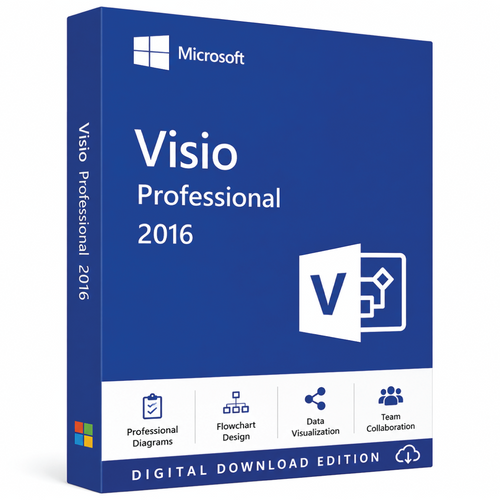
Genuine MS Visio 2016 Professional (for Windows 7 / 8.1 / 10 & 11)

(No reviews yet) Write a Review
CA$90.00

Adding to cart… The item has been added
SKU:
MSVISIO161PC
UPC:
885370991246
Condition:
New

Microsoft Visio Professional 2016 for 1,2 or 5 PC  (For Windows Only) (One-Time Purchase)

Microsoft Visio 2016 Professional License – Buy Microsoft Visio 2016 Professional for Advanced Diagramming and Business Visualization

Microsoft Visio 2016 Professional – Transform Ideas into Professional Diagrams

Clear communication is essential in every business, and complex information becomes much easier to understand when presented visually. Microsoft Visio 2016 Professional is a powerful diagramming and visualization solution that enables businesses, engineers, IT professionals, architects, project managers, educators, and consultants to create professional-quality diagrams with precision and ease. From detailed network maps and business process models to engineering schematics and organizational charts, Visio 2016 Professional helps transform ideas into clear, accurate, and visually engaging documents.

If you're planning to buy Microsoft Visio 2016 Professional, you'll receive one of Microsoft's most comprehensive diagram creation tools, trusted by organizations worldwide. A genuine Microsoft Visio 2016 Professional license provides a perpetual license, allowing you to own the software through a one-time purchase while benefiting from professional features designed for technical and business users alike.

Why Buy Microsoft Visio 2016 Professional?

Every organization depends on visual communication. Whether documenting IT infrastructure, designing workflows, planning office layouts, or presenting engineering concepts, Microsoft Visio 2016 Professional makes it easy to convert complex information into professional diagrams that are easy to understand and share.

Unlike standard drawing software, Visio Professional is built specifically for business visualization. Its intelligent templates, precision drawing tools, dynamic connectors, and extensive shape libraries significantly reduce the time required to produce professional documentation.

Purchasing a genuine Microsoft Visio 2016 Professional license ensures you receive authentic Microsoft software, long-term usability, licensing compliance, and compatibility with supported Microsoft Office applications.

Create Professional Diagrams with Ease

Microsoft Visio 2016 Professional includes hundreds of ready-to-use templates and thousands of intelligent shapes, enabling users to create diagrams quickly without starting from scratch.

Popular diagram types include:

  • Flowcharts

  • Business process diagrams

  • Organizational charts

  • Network diagrams

  • Rack diagrams

  • Floor plans

  • Office layouts

  • Electrical schematics

  • Engineering drawings

  • UML diagrams

  • BPMN diagrams

  • Mind maps

  • Swimlane diagrams

  • Database models

  • Process documentation

Whether creating a simple workflow or a sophisticated enterprise architecture diagram, Visio provides the tools needed to produce professional results.

Intelligent Diagramming Features

Microsoft Visio 2016 Professional simplifies diagram creation through automation and intelligent design features that improve both speed and accuracy.

Advanced capabilities include:

  • Automatic shape alignment

  • Smart connectors

  • Dynamic grids

  • Auto spacing

  • Shape snapping

  • Live layout adjustments

  • Quick Shape insertion

  • Theme customization

  • Professional formatting tools

  • Reusable diagram templates

These features allow users to spend less time adjusting layouts and more time communicating ideas effectively.

Extensive Shape Libraries

One of the biggest advantages of Microsoft Visio 2016 Professional is its comprehensive collection of industry-standard shapes.

Shape libraries include:

  • Microsoft Azure icons

  • Network equipment

  • Cisco-compatible network symbols

  • Office furniture

  • Building layouts

  • Electrical components

  • Industrial equipment

  • Servers and storage

  • Process engineering symbols

  • Database objects

  • Workflow elements

  • Security system components

These professionally designed shapes help organizations create consistent documentation that aligns with industry standards.

Collaborate More Effectively

Business documentation is often created by multiple contributors. Microsoft Visio 2016 Professional makes collaboration easier by supporting shared workflows and integration with Microsoft productivity tools.

Collaboration features include:

  • Diagram sharing

  • Co-authoring support through supported environments

  • Comments and annotations

  • Version compatibility

  • PDF export

  • Image export

  • Data import and export

  • Microsoft SharePoint integration

  • OneDrive support

These capabilities simplify teamwork while improving document accuracy and consistency.

Connect Diagrams to Live Business Data

One of the distinguishing features of Microsoft Visio 2016 Professional is its ability to connect diagrams to external data sources, helping users keep visual information current.

Supported data connections include:

  • Microsoft Excel

  • Microsoft Access

  • Microsoft SQL Server

  • SharePoint lists

  • ODBC data sources

  • Other compatible business databases

By linking diagrams to business data, organizations can reduce manual updates and improve the accuracy of operational documentation.

Microsoft Office Integration

Microsoft Visio 2016 Professional works seamlessly with the Microsoft productivity ecosystem, making it easy to incorporate diagrams into everyday business documents.

Compatible Microsoft applications include:

  • Microsoft Word

  • Microsoft Excel

  • Microsoft PowerPoint

  • Microsoft Outlook

  • Microsoft SharePoint

  • OneDrive

This integration allows users to create reports, presentations, proposals, and technical documentation with professional visual content.

Professional Tools for Technical Teams

Microsoft Visio 2016 Professional includes advanced features designed specifically for technical and engineering professionals.

Ideal for:

  • IT infrastructure documentation

  • Network topology mapping

  • Software architecture diagrams

  • Business process modeling

  • Manufacturing workflows

  • Data center planning

  • Electrical engineering documentation

  • Facility management

  • Security system planning

  • Cloud infrastructure visualization

Its versatility makes it an indispensable tool across multiple industries.

Microsoft Visio 2016 Professional Licensing

A genuine Microsoft Visio 2016 Professional license provides a perpetual license, allowing businesses and individuals to use the software indefinitely without recurring subscription fees.

Licensing advantages include:

  • Genuine Microsoft software

  • One-time purchase

  • Commercial use rights

  • Perpetual ownership

  • Long-term value

  • Reliable activation

  • Licensing compliance

  • Broad compatibility with supported Windows operating systems

Organizations that prefer software ownership over subscription licensing continue to choose Visio Professional for its predictable long-term value.

Why Businesses Continue to Choose Microsoft Visio 2016 Professional

Microsoft Visio 2016 Professional remains a preferred diagramming solution because it combines professional capabilities with exceptional ease of use.

Key benefits include:

  • Professional diagram creation

  • Extensive template library

  • Intelligent formatting

  • Dynamic data visualization

  • Advanced process modeling

  • Network documentation

  • Engineering diagram support

  • Microsoft Office integration

  • Reliable desktop performance

  • Trusted Microsoft technology

Whether documenting business operations or designing complex technical systems, Visio Professional provides the flexibility needed to create accurate, visually compelling diagrams.

Ideal For

Microsoft Visio 2016 Professional is ideal for:

  • IT professionals

  • Network administrators

  • Systems engineers

  • Software architects

  • Business analysts

  • Project managers

  • Construction firms

  • Engineering companies

  • Manufacturing organizations

  • Educational institutions

  • Government agencies

  • Professional consultants

  • Enterprise organizations

Its comprehensive feature set supports professionals who require accurate technical documentation and high-quality business visualization.

Buy Microsoft Visio 2016 Professional License Today

If you're ready to buy Microsoft Visio 2016 Professional, choosing a genuine Microsoft Visio 2016 Professional license gives you access to Microsoft's industry-leading diagramming software with intelligent templates, advanced visualization tools, dynamic data connectivity, and seamless Microsoft Office integration. Whether you're creating business process diagrams, network documentation, engineering schematics, organizational charts, or technical workflows, Visio 2016 Professional provides the tools needed to produce polished, professional results.

Invest in Microsoft Visio 2016 Professional today and equip your business with a trusted diagramming solution that improves communication, simplifies documentation, and enhances collaboration. With its powerful design capabilities, flexible licensing, and proven Microsoft reliability, Microsoft Visio 2016 Professional remains an outstanding choice for professionals seeking advanced business and technical diagramming software.

Microsoft Visio 2016 is a diagramming and vector graphics application developed by Microsoft. It helps users visualize complex information, create professional diagrams, and connect data from real-time sources such as Excel or SQL Server.
Released alongside Office 2016, it’s available in two editions:

  • Visio Standard 2016

  • Visio Professional 2016

Visio makes it easy and intuitive to create flowcharts, network diagrams, org charts, floor plans, engineering designs, and more using modern shapes and templates, with the familiar Office experience.

 Why do you buy from us?

  • Expert advice on any Product-related matter without any extra cost.
  • Expert advice on Product download, installation, and activation free of charge.
  • Buy our server products without any hesitation, as we will give you the complete set of instructions needed until it is fully activated, or we will refund your money in full.   
  • 100% Full Refund or Replacement Guaranteed in case of any failure and without any drama, which gives you complete peace of mind.
  • We are an Australian GST registered business (ABN: 43 657 323 491). Contact us at +61 3 9013 7712, +61 0480 330 414 or National Toll-Free: +61 1300 849 283 (operating for 12 years).
  • 100% Genuine & Full Edition
  • Instant delivery to your email inbox
  • Remote installation support is provided (free of charge).
  • Global Edition (Works Worldwide)
  • Electronic Download Version

Core Purpose

Visio 2016 is designed to help individuals and teams:

  • Create flowcharts, organization charts, network diagrams, floor plans, and process maps.

  • Visualize business processes using BPMN 2.0 and UML standards.

  • Link diagrams to live data for dynamic, data-driven visuals.


⚙️ Technical Specifications

Category Details
Product Name Microsoft Visio 2016
Developer Microsoft Corporation
Release Year 2015 (as part of Office 2016 suite)
Editions Available Visio Standard 2016, Visio Professional 2016
License Type Perpetual (one-time purchase, single PC)
Architecture 32-bit and 64-bit versions
Supported Platforms Windows 7 SP1, Windows 8.1, Windows 10, Windows 11 (compatibility mode)
Integration with Office Full integration with Office 2016/2019/2021 (Word, Excel, PowerPoint, Access)
Installation Type On-premises (MSI installer)
File Formats Supported VSD, VSDX, VSDM, VSSX, VSTX, VDX, SVG, PDF, DWG/DXF
Backward Compatibility Opens Visio 2003–2013 files
Cloud Integration Supported with OneDrive and SharePoint (Professional edition)

Key Features (Common to Both Editions)

Feature Category Description
Diagram Types Flowcharts, org charts, network diagrams, engineering schematics, floor plans, data flow diagrams, IT architecture, and process diagrams
Shape Library Thousands of pre-built shapes and stencils
AutoConnect & AutoAlign Automatically connect and align shapes
Themes & Effects Built-in professional themes, color palettes, and effects
Data Linking (Basic) Import and link data from Excel, Access, or SQL (basic features)
Templates Over 70 ready-to-use templates
Collaboration Commenting, annotations, and change tracking (via SharePoint or OneDrive)
Printing & Exporting Export to PDF, SVG, XPS, JPG, PNG
Zoom & Pan Interface Enhanced navigation and zoom control
Touch Support Supports pen and touch input on compatible devices
VBA Support Automation with Visual Basic for Applications
Data Graphics Visual indicators (colors, icons, and bar graphics) to represent data in diagrams

Integration Capabilities

Integrated Application Supported Features
Excel Import data for charts, org structures, and flow connections
Access / SQL Server Data linking for dashboards (Professional only)
SharePoint Diagram sharing, versioning, and collaboration
OneDrive Cloud storage and version synchronization
Power BI Export data visuals for dashboard analytics (Professional only)
Teams / Skype for Business Co-authoring and communication inside diagrams (Professional only)

System Requirements

Component Requirement
Processor 1 GHz or faster x86/x64 processor with SSE2
Memory (RAM) 2 GB (32-bit) or 4 GB (64-bit)
Hard Disk Space 3 GB available
Display 1280 x 800 resolution or higher
Operating System Windows 7 SP1, Windows 8, 8.1, 10, or later
.NET Framework Version 3.5 or 4.5 or later
Internet Required for activation and updates

Licensing and Activation

  • License Type: Perpetual (one-time purchase for one PC)

  • Activation: MAK or KMS volume licensing supported

  • Part of Office Family: Works alongside Office 2016 or later without conflicts

  • Edition Identifiers:

    • Visio Standard 2016: SKU “D86-05549”

    • Visio Professional 2016: SKU “D87-07490”


Use Cases

Scenario Recommended Edition
Creating basic flowcharts, org charts, or floor plans Visio Standard 2016
Designing UML/BPMN diagrams, IT network maps, or engineering schematics Visio Professional 2016
Linking diagrams to live data and collaborating with teams Visio Professional 2016
Individual or small business use Visio Standard 2016
Enterprise, technical, or collaborative environments Visio Professional 2016

Key Benefits of Visio 2016

  • Intuitive interface aligned with the Office 2016 design.

  • Vast library of stencils for professional visuals.

  • Supports automation through VBA.

  • Advanced Professional edition adds real-time collaboration and data integration.

  • Maintains backward compatibility with older Visio files.

Microsoft Visio 2016 – Full Technical Comparison (Standard vs Professional)

Category Visio 2016 Standard Visio 2016 Professional
Product Type Diagramming & vector graphics tool for individual users Advanced diagramming & data visualization tool for professionals and teams
License Type Perpetual (one-time purchase) Perpetual (one-time purchase)
Installation On-premises (MSI setup) On-premises (MSI setup)
Architecture 32-bit / 64-bit 32-bit / 64-bit
Supported OS Windows 7 SP1 / 8 / 8.1 / 10 / 11 Windows 7 SP1 / 8 / 8.1 / 10 / 11
Integration with Microsoft Office Full integration (Word, Excel, PowerPoint) Full integration (Word, Excel, PowerPoint, Access, Outlook, Project, SharePoint)
Target Users Individual users and small businesses Enterprise users, IT professionals, engineers, and teams
Release Year 2015 2015
Included Templates Basic flowcharts, org charts, maps, floor plans All Standard templates + BPMN 2.0, UML, engineering, network, and database diagrams
Shape Library Basic shapes and stencils Extended shapes and stencils for advanced diagram types
Diagram Types Supported Flowcharts, org charts, floor plans, basic network diagrams All Standard types + UML, BPMN, wireframes, IT infrastructure, process modeling, and engineering diagrams
AutoConnect / AutoAlign ✔ Yes ✔ Yes
Themes and Styles ✔ Yes ✔ Yes (additional theme customization)
Multiple Pages & Layers ✔ Yes ✔ Yes
Data Linking (Dynamic Diagrams) ❌ No ✔ Yes (link to Excel, Access, SQL Server, and SharePoint Lists)
Data Graphics (Visual Indicators) ❌ No ✔ Yes (icons, color coding, and data bars)
Live Data Refresh ❌ No ✔ Yes (real-time data updates)
Validation Rules ❌ No ✔ Yes (validate diagrams against business logic and process rules)
Sub-Process Creation ❌ No ✔ Yes (create drill-down subprocesses)
Shape Data / Custom Fields ✔ Basic ✔ Advanced (enterprise-grade metadata)
Collaboration Tools Limited – local comments ✔ Real-time collaboration via SharePoint or OneDrive
Co-authoring (Simultaneous Editing) ❌ No ✔ Yes (requires SharePoint / OneDrive)
Integration with SharePoint ❌ No ✔ Yes (store, share, and co-author diagrams)
Integration with OneDrive ✔ Basic cloud save ✔ Full integration and version tracking
Integration with Skype for Business / Teams ❌ No ✔ Yes
Integration with Power BI ❌ No ✔ Yes – export visuals for dashboards
Org Chart Creation ✔ Manual ✔ Automated from Active Directory or Excel
UML / BPMN / ERD Support ❌ No ✔ Yes – supports BPMN 2.0, UML 2.5, ERD diagrams
Engineering Diagrams ❌ No ✔ Yes (mechanical, electrical, and civil engineering templates)
IT & Network Diagrams Basic ✔ Advanced (Cisco, AWS, Azure stencils)
Floor Plans & Office Layouts ✔ Yes ✔ Yes
Workflow Diagrams ✔ Basic ✔ Advanced with process validation
Wireframe / UI Design Tools ❌ No ✔ Yes (desktop and web wireframes)
Database Modeling ❌ No ✔ Yes (reverse-engineer databases)
Custom Templates & Stencils ✔ Yes ✔ Yes (enterprise-level custom templates)
Macros (VBA Support) ✔ Yes ✔ Yes
Accessibility Tools ✔ Yes ✔ Yes
Printing & Export Options PDF, XPS, SVG, JPG, PNG PDF, XPS, SVG, JPG, PNG, DWG/DXF
Import DWG/DXF (AutoCAD) ✔ Basic support ✔ Enhanced (improved scaling, layer mapping)
File Formats Supported VSD, VSDX, VSDM, VSSX, VSTX VSD, VSDX, VSDM, VSSX, VSTX, DWG, DXF
Backward Compatibility Supports Visio 2003–2013 formats Supports Visio 2003–2013 formats
Cloud Storage Support OneDrive OneDrive, SharePoint
Automation / Extensibility Basic VBA Full VBA + COM add-ins + API integration
Security Local PC-level Enterprise-level (SharePoint / Server permissions)
System Requirements 1 GHz processor, 2 GB RAM (32-bit) / 4 GB RAM (64-bit), 3 GB disk, 1280×800 display Same as Standard
License Activation MAK or KMS MAK or KMS
Estimated Retail Price (USD) $320 – $400 $550 – $650
Best For Individuals and small businesses Teams, IT departments, engineers, and organizations needing data-driven diagrams
 

Microsoft Visio 2016 vs 2019 vs 2022 vs 2024 – Full Technical Comparison

Category Visio 2016 Visio 2019 Visio 2022 Visio 2024
Release Year 2015 2018 2021 2023 (latest perpetual release)
Available Editions Standard & Professional Standard & Professional Standard & Professional Standard, Professional & Visio Plan 1/2 (Microsoft 365)
License Type Perpetual (one-time purchase) Perpetual (one-time purchase) Perpetual (one-time purchase) Perpetual & Subscription (Microsoft 365 Cloud)
Installation Type MSI (on-premises) Click-to-Run (C2R) Click-to-Run (C2R) Click-to-Run / Cloud-integrated
Architecture Support 32-bit / 64-bit 32-bit / 64-bit 64-bit (preferred) 64-bit (default)
User Interface Classic Ribbon (Office 2016 UI) Fluent Office 2019 UI Modern Office 2021 UI Fluent 2.0 Design – consistent with Office 2024
Dark Mode ❌ No ⚪ Partial ✔ Full support ✔ Enhanced adaptive light/dark/auto
Performance Standard rendering Improved GPU rendering Optimized vector performance AI-assisted layout rendering & auto-adjust
Templates & Stencils 70+ templates 80+ templates 90+ templates 100+ templates including modern Cloud, AI, and hybrid diagrams
Supported Diagram Types Flowcharts, org charts, network, floor plans Adds UML 2.5, BPMN 2.0, wireframes Adds ITIL, Azure, AWS, Cloud architecture Adds hybrid cloud, AI process, Zero Trust & cybersecurity diagrams
UML / BPMN Standards UML 2.4, BPMN 2.0 UML 2.5, BPMN 2.0 UML 2.5.1, BPMN 2.0 UML 2.6, BPMN 2.1
Engineering Templates Basic mechanical, electrical Enhanced templates Full integration with CAD AI-based drafting & shape recognition
AutoCAD Support (DWG/DXF) Basic import (AutoCAD 2007–2013) Supports AutoCAD 2016+ Supports DWG/DXF 2019+ Supports DWG/DXF 2023+ with live link updates
Data Linking Basic (Excel, Access) Advanced (Excel, SQL, SharePoint) Real-time data linking + Power BI Live cloud data sync via Power Platform
Data Graphics Basic icons & color bars Enhanced visuals Smart data graphics & live indicators AI-driven visual analytics (smart KPIs)
Live Data Refresh ❌ No ✔ Manual refresh ✔ Auto-refresh ✔ Real-time cloud sync
Validation Rules ❌ No ✔ Process validation ✔ Workflow validation ✔ AI validation & error detection
Co-authoring / Collaboration ❌ No ✔ Limited (via SharePoint) ✔ Real-time collaboration ✔ Real-time + Microsoft Teams integration
Integration with Microsoft Teams ❌ No ✔ View-only support ✔ Edit & comment ✔ Full interactive editing inside Teams
Integration with Power BI ❌ No ✔ Export visuals ✔ Live linking ✔ Two-way integration with Power BI dashboards
Integration with Power Automate / Flow ❌ No ❌ No ✔ Supported ✔ Full integration (automated workflows)
Integration with SharePoint / OneDrive ✔ Basic file share ✔ Better versioning ✔ Deep integration ✔ Live sync + version rollback
Integration with Excel ✔ Manual import ✔ Direct data link ✔ Smart link & refresh ✔ AI schema mapping & auto data detection
Cloud Connectivity Limited (OneDrive only) Improved Deep cloud integration Microsoft 365 connected, hybrid & online ready
Azure / AWS Templates ❌ No ✔ Manual import ✔ Built-in stencils ✔ Updated 2024 Azure/AWS hybrid stencils
AI & Automation ❌ None ❌ None ⚪ Smart shape suggestions ✔ AI layout optimization & Smart Connectors
Accessibility Tools Basic Improved Accessibility Checker Full accessibility support Enhanced accessibility (WCAG 2.2)
VBA / Macros ✔ Supported ✔ Supported ✔ Supported ✔ Supported (plus enhanced API controls)
Add-ins & Extensibility COM & VBA COM & VBA COM + Office JS API COM + Office Scripts + Power Platform Connectors
Security / Permissions Local only Improved document protection Information Rights Management (IRM) Azure AD & Conditional Access integration
AutoSave / Version History ❌ No ✔ Yes (OneDrive only) ✔ Enhanced ✔ Real-time autosave & rollback
Accessibility Compliance Basic Improved Full Section 508 / WCAG 2.1 WCAG 2.2 full compliance
File Formats Supported VSD, VSDX, VSDM, VSSX, VSTX Same + DWG, DXF (2016) Same + SVG, PDF, CSV Same + JSON, SVG+ (cloud export)
Backward Compatibility Visio 2003–2013 2003–2016 2003–2019 2003–2022
Operating Systems Supported Windows 7 SP1 / 8 / 10 Windows 10 / 11 Windows 10 / 11 Windows 10 / 11 / Server 2022
.NET Framework Requirement 3.5 or 4.5 4.6 4.7.2 4.8 / .NET 8 Ready
Processor Requirement 1 GHz 1.6 GHz 1.6 GHz 1.8 GHz (x64)
RAM Requirement 2 GB (32-bit) / 4 GB (64-bit) 4 GB 4 GB 4 GB (8 GB recommended)
Disk Space Requirement 3 GB 4 GB 4 GB 4–6 GB
Display Requirement 1280 × 800 1366 × 768 1920 × 1080 1920 × 1080 (4K supported)
Activation Method MAK / KMS MAK / KMS MAK / KMS MAK / KMS / Microsoft 365 Subscription
Retail Pricing (Approx. USD) Std: $300 / Pro: $530 Std: $330 / Pro: $560 Std: $360 / Pro: $600 Std: $400 / Pro: $650 / Plan 2: $15 user/month
Best For Basic offline users SMBs needing improved templates Cloud teams & professionals Enterprises needing AI, cloud, and automation integration

Key Improvements by Version

Version Major Improvements
Visio 2016 Core diagramming, offline use, classic interface
Visio 2019 Modern UI, improved templates, Power BI export, better AutoCAD support
Visio 2022 Dark mode, Power Automate support, real-time collaboration, performance boost
Visio 2024 AI-powered layouts, adaptive interface, advanced cloud data sync, deep Microsoft 365 and Teams integration

Edition Comparison Summary

Use Case Recommended Version
Offline users needing simple diagrams Visio 2016
Improved templates & modern Office UI Visio 2019
Real-time collaboration, automation & Power BI linking Visio 2022
Enterprise users using Microsoft 365, AI, and cloud integration Visio 2024

Related Products

An exceptionally experience