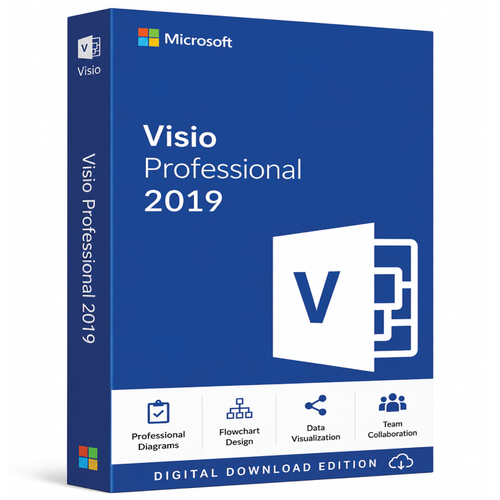
Visio Professional 2019 · Retail · Windows desktop
Professional diagramming for established Windows environments
Build process maps, organisation charts, network diagrams, UML models, database diagrams, website wireframes and floor plans with Microsoft Visio Professional 2019. Choose one retail key for 1, 2 or 5 Windows PCs, receive the key and Microsoft retail download link by email, and get installation support if needed.
Know exactly what you are buying
Quick product facts
Turn complexity into a shared visual model
What can you create with Visio Professional 2019?
Start from a relevant template, place intelligent shapes and connectors, then add the detail that makes the diagram useful to decision-makers.
Business and process
- Basic and cross-functional flowcharts
- Organisation charts and responsibility maps
- Process workflows and BPMN 2.0 diagrams
IT and networks
- Network topology and infrastructure diagrams
- Server, rack and service relationship maps
- Technical support documentation
Software and data
- UML component, communication and deployment diagrams
- Built-in database model diagrams
- Supported data-linked diagrams
Facilities and engineering
- Floor plans and office layouts
- Electrical, process and facility diagrams
- Supported AutoCAD files from 2017 or earlier
Visio 2019 professional toolkit
Move from a blank page to a structured diagram faster
Visio Professional 2019 adds starter diagrams and specialist templates for work that needs to communicate more than appearance.
- Start with pre-built diagrams, templates, stencils and reusable shapes.
- Create built-in database model diagrams and website wireframes.
- Use UML component, communication and deployment diagram templates.
- Import or link supported information from Excel, Access, SQL Server, SharePoint lists, OLE DB and ODBC sources.
- Work with supported AutoCAD files from AutoCAD 2017 or earlier.
Capabilities vary by template, connected service and environment. Confirm any specialist standard, add-in, data source or collaboration dependency before purchasing.
Compatibility first
Check every target PC before ordering
Microsoft’s Office 2019 requirements list the following baseline for Visio Professional 2019.
| Component | Microsoft requirement |
|---|---|
| Processor | 1.6 GHz or faster, 2-core processor |
| Memory | 4 GB RAM; 2 GB RAM for 32-bit |
| Storage | 4 GB available disk space |
| Display | 1280 × 768 |
| Graphics | DirectX 9 or later with WDDM 2.0 or later for Windows 10 |
| Operating systems currently listed by Microsoft | Windows 11; Windows 10 and listed LTSC editions; Windows Server 2019, 2022 and 2025. Visio 2019 itself is out of support. |
| .NET | Some features may require .NET 3.5 or .NET 4.6 and later |
Lifecycle decision
Visio 2019 is an out-of-support release
Microsoft support ended on 14 October 2025. The application may continue to run on a compatible installation, but Microsoft no longer provides ongoing updates, bug fixes or product support for this release.
A deliberate version choice
Who should—and should not—buy this edition?
Choose Visio Professional 2019 if you…
- Need this exact release for an established workflow, template, add-in or file environment.
- Need Professional features such as specialist diagrams, database models or supported data linking.
- Accept a version-bound, non-transferable licence for the selected original PCs.
- Have checked every target PC and its existing Office installation.
Choose another option if you…
- Require a Microsoft-supported Visio release and ongoing updates.
- Expect to replace the licensed computer, hard drive or motherboard.
- Need transfer, RDS, pooled-desktop, shared-server or volume-deployment rights.
- Need browser-first collaboration or use a non-Windows primary device.
Licence scope
The entitlement stays with the original PCs
One selected key
One new retail key covers only the selected 1-, 2- or 5-PC entitlement.
Original hardware
Reinstallation is permitted on the same device when its HDD and motherboard have not changed.
No transfer
The licence cannot be moved to another PC or owner and does not include a future major release.
- A separate Microsoft account is not required for each licensed PC; follow the supplied account and installation steps.
- This offer does not grant macOS, RDS, pooled-desktop, shared-server or volume-licensing rights.
- Ask before ordering if you need a specific interface language or intend to use the product outside Australia.
Digital fulfilment
From order to first diagram
- 1
Check compatibility
Confirm Windows, storage, Office architecture and the target PC count.
- 2
Choose the PC option
Select the 1-, 2- or 5-PC entitlement shown in the purchase panel.
- 3
Complete payment
Your order is prepared and, where required, verified for digital fulfilment.
- 4
Check your email
The key, Microsoft retail download link and instructions are typically delivered within 1–10 minutes. Some orders may take longer.
- 5
Download and install
Follow the supplied Microsoft download and installation workflow on the original PCs.
- 6
Ask for help
Installation support is included if you need assistance with the supplied process.
Choose by need, not release year alone
Professional, Standard, a newer perpetual edition or a subscription?
| Your requirement | Option to consider |
|---|---|
| General flowcharts, organisation charts and basic layouts | Visio Standard |
| Advanced technical, process, software, database or data-linked diagrams in an established 2019 environment | Visio Professional 2019 |
| A supported one-time-purchase release | Visio Professional 2024 |
| Browser access, ongoing features and subscription licensing | Visio Plan 1 or Visio Plan 2 |
Compare Microsoft Visio editionsAsk a compatibility question
Software Mart Australia
Clear digital fulfilment and installation help
- Selectable 1-, 2- or 5-PC entitlement
- Email delivery typically within 1–10 minutes
- Licence key included
- Microsoft retail download link and instructions
- Installation support included
Purchases remain subject to the delivery policy and refund policy. Nothing in those policies excludes rights that cannot be excluded under the Australian Consumer Law.
Buyer questions
Microsoft Visio Professional 2019 FAQs
Is Microsoft Visio Professional 2019 still supported?
No. Microsoft support ended on 14 October 2025. Choose it only for a specific 2019 requirement and with the lifecycle limitation understood.
Is this a subscription?
No. It is a one-time retail purchase for this version and the selected PC quantity. It does not include future major Visio releases.
How many licence keys will I receive?
One multi-device retail key is supplied. It covers the 1-, 2- or 5-PC entitlement selected at checkout.
Do I need a separate Microsoft account for every PC?
No separate account is required for each PC. Follow the account and installation instructions included with the order.
Can I transfer the licence to another computer?
No. The licence is tied to the originally activated device or devices and cannot be transferred.
Can I reinstall it?
You may reinstall on the same original device when its HDD and motherboard have not changed. A replacement HDD, motherboard or PC is not covered by the existing entitlement.
What arrives by email?
You receive the retail licence key, a Microsoft retail download link and installation instructions. Delivery is typically within 1–10 minutes after payment and order verification.
Is installation support included?
Yes. Installation support is included. Contact Software Mart Australia if you need help following the supplied process.
Does it work on Apple Mac?
No. This product is for compatible Windows PCs and does not include a native macOS application.
Will it install beside my existing Microsoft Office software?
Not every combination is supported. Check the Office version, bitness, installation technology and update channel before ordering. Ask for a compatibility check if unsure.
What if the product does not work as described?
Contact Software Mart Australia promptly so the issue can be assessed and installation support can be provided. The published refund policy applies in addition to rights that cannot be excluded under Australian Consumer Law.
Compatibility checked?
Choose Visio 2019 only when it fits the environment you already have
Select the required PC quantity after checking compatibility and accepting the ended Microsoft support lifecycle. Your retail key, Microsoft download link and instructions will be delivered by email, with installation support available.