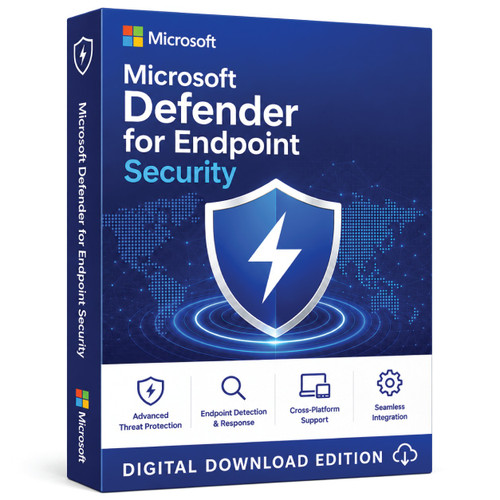
Microsoft endpoint security • Plan 2 • 12-month subscription
Advanced detection and response for managed business endpoints
Microsoft Defender for Endpoint Plan 2 helps security and IT teams prevent attacks, detect suspicious behaviour, investigate incidents and respond across supported Windows, macOS, Linux, Android and iOS devices.
- Endpoint detection and response
- Automatic attack disruption
- Exposure management
- Digital delivery

Why Plan 2
Protection before, during and after an attack
Plan 2 includes the foundational controls in Plan 1 and adds advanced investigation, response and exposure-management capabilities for organisations that need more than preventative antivirus.
Strengthen prevention
Use next-generation protection, attack-surface-reduction controls, device control, network protection, firewall and web controls to reduce common entry points.
Detect and investigate
Endpoint detection and response provides incident evidence and device context so authorised teams can investigate suspicious activity across managed endpoints.
Accelerate response
Automated investigation and response can examine alerts and support remediation, while automatic attack disruption can help contain supported in-progress attacks.
Prioritise exposure
Exposure and vulnerability insights help teams identify security weaknesses and focus remediation. Some premium Defender Vulnerability Management features require an additional licence.
Good fit
Choose Plan 2 when your organisation…
- Needs endpoint detection and response, not only preventative antivirus
- Has IT or security administrators who can configure policies and investigate alerts
- Wants visibility across supported Windows, macOS, Linux, Android and iOS endpoints
- Needs automated investigation, response and attack-disruption capabilities
- Can onboard devices into a managed Microsoft security environment
Consider another option
This may not be the right purchase if you…
- Want a consumer antivirus application for an unmanaged personal or family device
- Need only basic prevention and do not require EDR or security investigations
- Need to protect servers but have not purchased eligible server licensing
- Cannot administer a Microsoft tenant or deploy supported endpoint policies
- Have not confirmed how the selected store option maps to licensed users
Edition comparison
Defender for Endpoint Plan 1 vs Plan 2
| Capability | Plan 1 | Plan 2 |
|---|---|---|
| Centralised endpoint security management | Included | Included |
| Next-generation protection and attack-surface reduction | Included | Included |
| Device, network, firewall and web controls | Included | Included |
| Endpoint detection and response | Not included | Included |
| Automatic attack disruption | Not included | Included |
| Exposure management and core vulnerability insights | Not included | Included |
| Cyberthreat analytics and deep analysis | Not included | Included |
This is a purchase-orientation summary, not a contractual feature list. Microsoft can change plan capabilities; review the current official comparison before ordering.
Deployment readiness
Compatibility and system requirements
Before you buy
- Confirm that every operating-system version is listed in Microsoft’s current requirements.
- Confirm the Microsoft tenant, licence segment and provisioning method for this offer.
- Plan who will administer the Defender portal, security policies and device onboarding.
- Purchase separate eligible licensing for Windows Server or Linux server workloads.
Technical foundations
- Internet connectivity is required, directly or through a supported proxy configuration.
- Microsoft requires IPv4 connectivity or an appropriate IPv6-to-IPv4 transition mechanism.
- The Defender portal requires a supported HTML5-capable browser.
- Windows hardware requirements start at two CPU cores and 1 GB RAM; the operating system and other platforms can require more.
Digital fulfilment
What to expect after ordering
Defender for Endpoint is a managed cloud security subscription. Do not assume it activates like a retail Windows or Office product key.
- 1
Confirm suitability
Ask Software Mart to confirm the user entitlement, tenant eligibility and provisioning method attached to your selected option.
- 2
Place the order
Complete checkout using the confirmed option. Digital delivery follows payment verification.
- 3
Receive fulfilment instructions
Follow the supplied tenant, redemption or subscription-provisioning instructions. The exact workflow depends on the verified offer.
- 4
Assign and configure
An authorised administrator assigns eligible users, configures the Defender portal and prepares supported deployment policies.
- 5
Onboard and validate
Onboard supported client devices, confirm that they report to the portal and test alert and policy visibility.
Software Mart Australia
Purchase with clearer local guidance
Buyer questions
Frequently asked questions
Is Defender for Endpoint Plan 2 licensed per user or per device?
Microsoft states that Plan 2 licences are per user. Each licensed user can have up to five concurrent onboarded client devices. Because this store’s options are currently labelled by device count, obtain written confirmation of the user entitlement for the option you intend to purchase.
Does this licence cover Windows or Linux servers?
No. Microsoft states that Defender for Endpoint Plan 1 and Plan 2 user licences do not include server licensing. Servers require a separate eligible Defender for Servers, Defender for Endpoint Server or other qualifying server licence.
Which client platforms are supported?
Microsoft supports Defender for Endpoint across Windows, macOS, Linux, Android and iOS. Supported versions and feature availability differ by platform, so check the current Microsoft requirements before deployment.
Is this a consumer antivirus product?
No. Defender for Endpoint Plan 2 is an organisational endpoint-security platform designed for managed environments. Individuals seeking protection for unmanaged personal or family devices should use a consumer-focused product.
Do I need Microsoft 365 E5?
Not necessarily. Microsoft lists Plan 2 as available through qualifying suites such as Microsoft 365 E5 and E5 Security and as a standalone offering. Software Mart must confirm which exact offer and tenant eligibility apply to this listing.
Does Plan 2 include every Defender Vulnerability Management feature?
Plan 2 includes core exposure and vulnerability-management capabilities. Microsoft offers additional premium Defender Vulnerability Management capabilities as a separate add-on, so confirm any specific feature before purchase.
How is the subscription delivered and activated?
Delivery is digital after payment verification. The exact tenant-provisioning or redemption workflow has not been stated publicly on this listing, so confirm it with Software Mart before payment. Do not assume a conventional retail product key is supplied.
Does the subscription renew automatically?
The page describes a one-year term but does not publicly confirm automatic renewal. Check the written order terms and renewal date before purchasing.
Ready to proceed?
Confirm the entitlement, then order with confidence
Tell Software Mart how many users and client devices you need to protect, the platforms you manage and whether your organisation already has a Microsoft tenant.
Authoritative product sources
- Microsoft Defender for Endpoint overview
- Microsoft minimum requirements and server-licensing guidance
- Microsoft per-user licence usage guidance
- Microsoft Plan 1 and Plan 2 comparison
- Microsoft Defender for Endpoint lifecycle
Microsoft, Microsoft Defender and related product names are trademarks of Microsoft. References are for product identification and buyer verification and do not by themselves imply affiliation or endorsement.