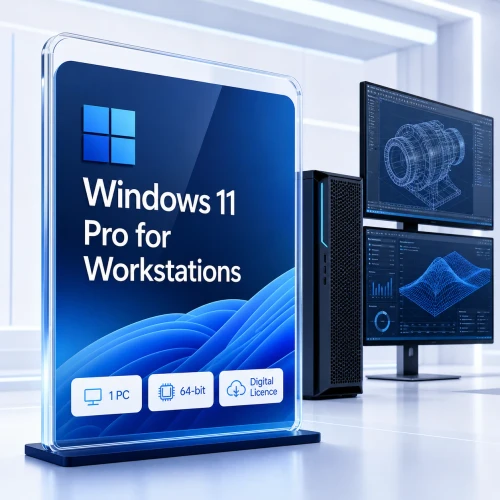
Windows 10 Pro N for Workstations — built for demanding hardware
A one-time N-edition digital licence for one compatible workstation, designed for professionals who need expanded processor and memory support, resilient storage capabilities and high-throughput file access.
Workstation capability, with Microsoft media components excluded
Windows 10 Pro N for Workstations includes the workstation-focused operating-system capabilities, but the N variant excludes Windows Media Player and certain media-related technologies and preinstalled media apps.
Applications that depend on codecs, media frameworks, camera, voice, conferencing or playback components may require Microsoft’s optional Media Feature Pack, and some affected features can still require additional configuration. Confirm application compatibility before purchase.
More headroom for advanced professional systems
Windows 10 Pro N for Workstations extends the Windows 10 Pro platform for high-performance configurations used in engineering, architecture, scientific analysis, media production and other data-intensive environments, while retaining the N-edition media exclusions.
Expanded hardware support
Supports systems with up to four physical CPUs and up to 6 TB of memory, subject to compatible hardware, firmware and drivers.
ReFS capability
Resilient File System features are designed for data integrity, availability and large-scale storage scenarios when deployed on supported configurations.
SMB Direct client
RDMA-capable networking can deliver high throughput, low latency and reduced CPU use when the complete network and storage path supports SMB Direct.
Performance features that depend on the right infrastructure
Workstation capabilities are not a substitute for compatible hardware. Persistent memory requires supported devices and applications. SMB Direct depends on RDMA-capable adapters and a compatible remote SMB environment. ReFS suitability varies by storage design and workload.
This page therefore separates operating-system capability from guaranteed hardware performance—helping technical buyers plan deployments accurately.
Technical references: Microsoft Learn: SMB Direct · Microsoft Learn: ReFS overview


For established Windows 10 workstation requirements
This edition is best considered when a validated application, device, peripheral or organisational image still requires Windows 10 and the workstation-specific capabilities are genuinely needed.
- Engineering and CAD workstations tied to validated Windows 10 software
- Media-production systems with established drivers and plug-ins
- Laboratory, industrial or specialist equipment with a documented Windows 10 dependency
- Temporary migration scenarios with an approved security and support plan
Not the right choice? New deployments should normally evaluate Windows 11 Pro for Workstations first.
Confirm the workstation, workload and support plan
Microsoft’s baseline Windows 10 requirements are only a starting point. Professional workstations should meet the substantially higher requirements of the intended applications, datasets, storage and peripherals.
| Area | Microsoft baseline | Professional recommendation before purchase |
|---|---|---|
| Processor | 1 GHz or faster processor or SoC | Confirm CPU architecture, core count, firmware and application vendor support. |
| Memory | 2 GB for 64-bit Windows 10 | Size RAM for the professional workload; large-memory support does not mean every system supports 6 TB. |
| Storage | 32 GB or larger drive | Allow space for updates, recovery, applications, project data and an independent backup. |
| Graphics | DirectX 9 or later with WDDM 1.0 | Use a GPU and certified driver supported by the CAD, simulation or creative application. |
| Drivers | Device-dependent | Check workstation, storage, network, printer, scanner and specialist-device support for Windows 10 22H2. |
| Security | Windows 10 support has ended | Document the migration date, isolation controls and any eligible Extended Security Updates arrangement. |
See Microsoft’s Windows 10 system requirements. Feature availability and performance depend on hardware and configuration.
Windows Pro versus Pro N for Workstations
| Capability | Windows 10 Pro | Windows 10 Pro N for Workstations | Windows 11 Pro for Workstations |
|---|---|---|---|
| Typical audience | Business PCs and professional users | High-performance and specialised workstations | Current-generation professional workstations |
| Physical CPUs | Up to 2 | Up to 4 | Up to 4 |
| Maximum memory | Lower edition limit | Up to 6 TB | Workstation-class capacity, subject to current edition limits |
| SMB Direct client | Version/configuration dependent | Designed to support RDMA-capable workflows | Supported on compatible infrastructure |
| Microsoft lifecycle | Support ended 14 Oct 2025 | Support ended 14 Oct 2025 | Currently supported; lifecycle depends on installed release |
What happens after ordering
Order verification
Your payment and order details are checked to protect both the customer and the licence supply process.
Digital delivery
The licence information and installation guidance are delivered electronically after verification.
Install and activate
Back up important data, confirm compatibility, follow the supplied instructions and contact Australian support if assistance is required.
Windows 10 Pro N for Workstations FAQ
Will Windows 10 stop working because support has ended?
No. Microsoft states that Windows 10 PCs can continue to operate, but free security updates, feature updates and Microsoft technical assistance are no longer provided after 14 October 2025.
What does the “N” edition mean?
N editions exclude Windows Media Player and certain media-related technologies and preinstalled media apps. Microsoft provides the optional Media Feature Pack to restore many excluded components, but application compatibility should be checked before purchase.
Is this the same as Windows 10 Pro?
No. Pro N for Workstations is aimed at higher-end professional systems and includes workstation-focused capabilities such as expanded physical CPU and memory support, ReFS capability and SMB Direct client support on compatible infrastructure. It also has the N-edition media exclusions.
Does SMB Direct make local storage faster?
Not by itself. SMB Direct uses RDMA-capable networking to improve supported remote SMB file-access workloads. Compatible adapters, servers, switches, drivers and configuration are required.
Can every workstation use four CPUs and 6 TB of RAM?
No. These are edition limits, not minimum specifications or a performance guarantee. The motherboard, processors, firmware, memory platform, drivers and application must support the intended configuration.
Should I choose Windows 11 Pro for Workstations instead?
For a new deployment, usually yes—provided the hardware, applications and peripherals are compatible. Choose Windows 10 only for a documented legacy requirement and with a suitable security and migration plan.
When will the digital licence be delivered?
Delivery occurs electronically after payment verification. If timing is critical, contact Software Mart Australia before ordering.
What should I check before installation?
Confirm the exact edition, architecture, licence terms, hardware and driver support, application compatibility, backup plan and Windows 10 post-support security strategy.
Need help confirming compatibility?
Tell our team about the workstation model, processor platform, required application and reason Windows 10 is still needed. We can help you identify the most appropriate available edition before purchase.