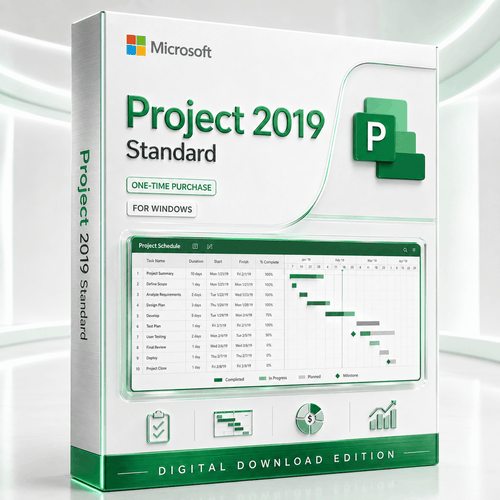
Microsoft Project 2019 Standard for Windows
Transform scope into a credible delivery plan. Build Gantt schedules, connect dependencies, allocate resources, establish baselines, track costs and communicate progress with a proven standalone desktop edition.


Important: supported use and perpetual use are different
Project 2019 Standard does not expire merely because support ended. However, unsupported software may create security, compatibility, insurance or compliance concerns. New deployments should be approved by the buyer's IT team, especially in regulated or internet-connected environments.




Control the project before the project controls you
Project 2019 Standard is designed for the planner who owns the schedule. It turns activities into a connected model of duration, sequence, capacity and cost, helping you see the effect of change before it reaches the team or customer.

Build a structured schedule
Create summary tasks, subtasks, milestones and calendars. Choose manual or automatic scheduling and display the plan in familiar Gantt views.

Model dependency logic
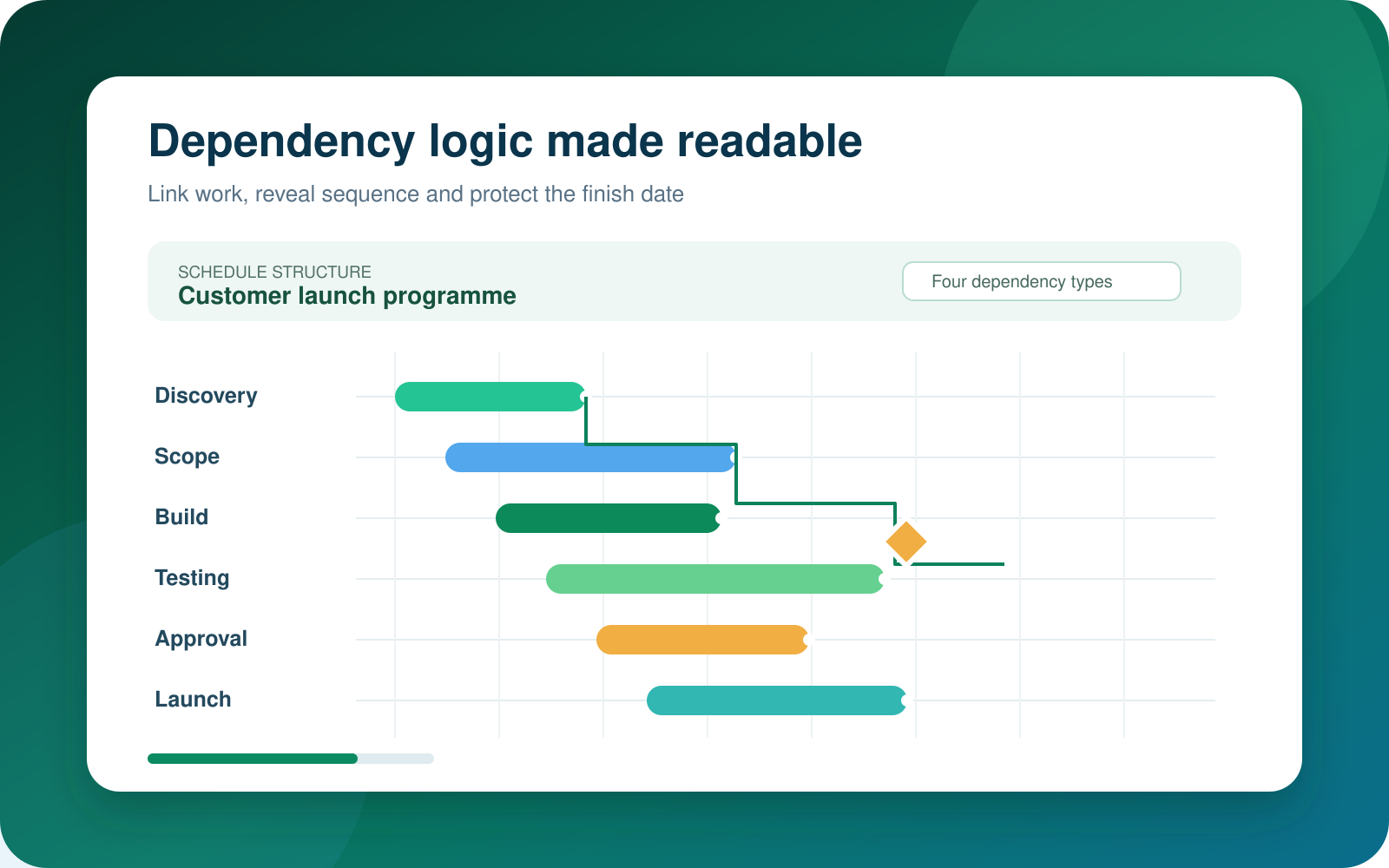
Link work with finish-to-start, start-to-start, finish-to-finish or start-to-finish relationships, then use lead and lag where the plan demands it.

Translate detail into a timeline
Place selected tasks and milestones on a presentation-ready timeline so stakeholders can understand the delivery story without reading every row.

Protect the approved position
Save baselines and compare current dates, work and cost against the original commitment. Project desktop can retain up to 11 baselines in one plan.

Plan resources and workload
Assign people, equipment and materials, define calendars and rates, then investigate overallocations before they become delivery problems.

Track the commercial plan
Apply standard and overtime rates, fixed costs and cost resources, then compare planned, baseline and actual values as delivery progresses.

Report from live plan data
Create and customise project overview, cost, work, resource and burndown reports that change as the underlying schedule is updated.
Make cause and effect visible
A schedule becomes valuable when it explains why dates move. Link tasks correctly and Project recalculates successors when a predecessor changes. That makes the plan a practical simulation tool rather than a static calendar.
- Organise scope into a clear work breakdown structure.
- Use milestones for approvals, gates, releases and contractual events.
- Apply the dependency type that reflects how the work actually behaves.
- Highlight predecessor and successor task paths in crowded Gantt charts.
- Display the critical path to focus attention on the activities controlling the finish date.
- Review external links carefully when one plan depends on another file.
A strong desktop scheduler without an enterprise platform
Project 2019 Standard is the focused choice for an individual project manager, consultant, coordinator or small team whose schedule is maintained by one planner. It provides substantial planning, resource, cost and reporting capability inside the desktop application.
It should not be marketed as Project Online, Project Server, Microsoft Planner, a Teams collaboration service or a shared portfolio platform. Those are different products or service layers. Files can be distributed and reports can be exported, but Standard is not a real-time multi-user co-authoring system.
- Ideal when one person owns the master MPP schedule.
- Useful for projects that require professional logic and reporting without enterprise PPM infrastructure.
- Lower-complexity deployment than a Project Server environment.
- Familiar Ribbon interface for established Microsoft desktop workflows.
Do not confuse Standard with Professional
Professional is the edition intended for connection to compatible Project Server and Project Online environments. Standard does not include enterprise resource pools, server-based permissions, timesheets, portfolio analysis or shared Project Web App workflows.
Buying rule: choose Standard for sophisticated standalone scheduling. Choose Professional only when its server-connected capabilities are genuinely required and separately available.
Tell the delivery story from the same plan
Project managers lose credibility when the detailed plan and executive report disagree. Project 2019 Standard lets the schedule remain the source for progress views, timelines and graphical reports.
- Record actual start, actual finish, percentage complete, work and remaining values.
- Compare the current plan with one or more saved baselines.
- Create Project Overview, Cost Overview and resource-focused reports.
- Use burndown reporting to compare planned, completed and remaining work.
- Export suitable views and reports to PDF or XPS for fixed-layout sharing.
- Copy timeline views into presentations or documents for status meetings.
Plan, commit, measure and forecast
The software is most valuable when the management process behind it is consistent.
Structure
Define scope, tasks, calendars, milestones and acceptance points.
Calculate
Link dependencies, assign resources, check capacity and estimate costs.
Baseline
Capture the approved plan so later change can be measured objectively.
Control
Update actuals, inspect variance, forecast the finish and communicate action.
Choose the edition that matches the operating model
Both editions handle demanding desktop schedules. The key difference is whether the desktop client must participate in a separately licensed enterprise Project environment.
| Capability | Project 2019 Standard | Project 2019 Professional |
|---|---|---|
| Gantt charts, tasks, milestones and dependencies | Included | Included |
| Manual and automatic scheduling | Included | Included |
| Task paths and critical path analysis | Included | Included |
| Resources, rates, costs and baselines | Included for the standalone plan | Included, with enterprise options when connected |
| Built-in graphical and burndown reports | Included | Included |
| Connection to compatible Project Server or Project Online | Not included | Professional client capability |
| Enterprise resource pool and server workflows | Not included | Available only with compatible, separately licensed infrastructure |
| Timesheets, portfolio analysis and Project Web App | Not included | Dependent on separately deployed services and licensing |
| Best fit | Single-planner desktop project management | Server-connected enterprise project management |
Made for schedule-driven work
The edition fits projects that need more structure than a shared task list but do not need an enterprise PPM platform.
Construction and fit-out
Sequence procurement, trades, inspections, approvals and handover milestones.
IT implementation
Coordinate discovery, configuration, migration, testing, training and release.
Consulting engagements
Plan deliverables, workshops, dependencies, budgets and client approvals.
Product launches
Connect research, creative, manufacturing, channel readiness and campaign activity.
Operations and maintenance
Model shutdowns, equipment work, resource calendars and return-to-service gates.
Legacy project estates
Maintain established 2019 templates, reports, macros and MPP workflows in a verified environment.
Check the exact PC and Office environment
Project 2019 is out of support, but Microsoft still publishes archived commercial 2019 requirements. Treat them as installation guidance, not a promise of continuing security support.
| Decision factor | What the buyer should know |
|---|---|
| Windows operating systems | Microsoft's archived commercial Office 2019 requirements list Windows 11, Windows 10, Windows 10 LTSC 2021, Windows 10 LTSC 2019, Windows Server 2025, Windows Server 2022 and Windows Server 2019. Operating-system support status is separate and should also be checked. |
| 32-bit or 64-bit | Project normally needs to match the architecture of Office applications already installed on the PC. Mixed Office bitness is not a safe assumption. |
| Installation technology | The Office 2019 generation uses Click-to-Run rather than the older MSI approach for volume-licensed products. Existing Microsoft 365 or Office installations can affect coexistence and deployment choices. |
| Existing Microsoft 365 | Check version, channel, product IDs and bitness before purchase. Project 2019 does not turn Microsoft 365 into an enterprise Project Server environment. |
| MPP compatibility | Project 2019 works with standard MPP project-plan files and can also import or export formats such as XML, Excel, CSV and text for selected data workflows. Later-version features may not round-trip into older releases. |
| Graphics and .NET | Graphics acceleration requires DirectX 9 or later. Some features may also require .NET 3.5 or .NET 4.6 and later. |
| Internet access | Download, licence assignment, activation and online resources may require internet access. The core desktop schedule can be used locally after deployment, subject to the applicable licence and activation method. |
Security and compliance decision
Microsoft no longer provides security updates or technical support for Project 2019. Businesses subject to cyber insurance, regulated-data rules, essential-eight controls or formal security baselines should obtain IT approval. A supported Project release is normally the stronger choice for a new production deployment.
A perpetual licence grants ongoing use of the licensed edition; it does not extend Microsoft support or include future versions.
Understand what is included
Included with the selected option
- A Microsoft Project 2019 Standard licence for the selected number of PCs.
- Digital order and fulfilment information.
- The Windows desktop Project Standard application, subject to compatibility.
- Perpetual use rights for the purchased edition under the applicable licence terms.
- Software Mart Australia assistance as described on the product page.
Not automatically included
- Microsoft 365, Office, Windows or a new operating-system licence.
- Project Professional, Project Server, Project Online or Planner subscriptions.
- Real-time co-authoring, enterprise timesheets or portfolio analysis.
- Future Project versions, security updates or Microsoft support.
- Guaranteed coexistence with every Office or Microsoft 365 installation.
Prepare first, then deploy carefully
Identify
Record Windows edition, system architecture and every installed Office product.
Confirm
Match 32-bit or 64-bit architecture and check Click-to-Run coexistence.
Install
Follow the supplied fulfilment instructions and preserve the order details.
Validate
Activate, open a sample MPP file, review print output and test essential workflows.
Choose 2019 for a verified reason
A lower purchase price does not automatically make unsupported software the lower-risk decision.
| Decision factor | Project 2019 Standard | Newer supported direction |
|---|---|---|
| Primary reason to choose | Legacy compatibility, established 2019 templates or a controlled requirement for this exact edition. | New production deployment, current security servicing and longer operational runway. |
| Licence preference | One-time perpetual desktop licence. | A supported perpetual release or an appropriate Microsoft subscription. |
| Security posture | Out of support since 14 October 2025. | Preferred for internet-connected, regulated or security-conscious systems. |
| Collaboration | Standalone desktop plan with file and report sharing. | Consider current Microsoft work-management services when live collaboration matters. |
| Best buyer | An informed buyer with a tested technical or workflow requirement. | Most organisations planning a fresh deployment. |
Clear product positioning protects the buyer
Legacy software needs more than persuasive copy. It needs honest edition boundaries, visible lifecycle information and a compatibility check before the order is placed. Software Mart Australia helps buyers choose the licence quantity and understand the delivery and installation journey.
Microsoft Project 2019 Standard FAQs
Is Project 2019 Standard a one-time purchase?
Yes. It is offered as a perpetual licence for the selected number of PCs rather than a recurring Project subscription. Perpetual use does not include upgrades or extend Microsoft's support lifecycle.
Is Microsoft Project 2019 still supported?
No. Microsoft lists 14 October 2025 as the end of extended support for Project 2019 Standard and Professional.
Can Project 2019 Standard run on Windows 11?
Microsoft's archived commercial Office 2019 requirements list Windows 11. However, Project 2019 itself is now out of support, so compatibility does not mean the product receives security fixes or Microsoft technical support.
Does it work on Windows 10?
Windows 10 is listed in Microsoft's commercial 2019 requirements, along with certain LTSC editions. The support status of the exact Windows release must be checked separately.
Can it be installed on Windows Server?
Microsoft's archived commercial requirements list Windows Server 2019, Windows Server 2022 and Windows Server 2025. Confirm the exact licensing, session-hosting scenario and Office environment before ordering.
What is the difference between Standard and Professional?
Both provide extensive desktop scheduling. Professional is the client intended for connection to compatible Project Server or Project Online services. Standard is for standalone project planning and does not include enterprise-server connectivity.
Does Standard include Gantt charts?
Yes. You can organise tasks, define durations, add milestones, link dependencies, display progress and inspect the critical path in Gantt views.
Can Project 2019 Standard manage resources?
Yes. You can add work, material and cost resources, assign them to tasks, define calendars and rates, and review usage or overallocation inside the project plan.
Can it track budgets and project costs?
Yes. Project supports rates, fixed costs, cost resources, baselines and actual values. Accurate results depend on disciplined setup and progress updates.
How many baselines can one plan store?
Microsoft Project desktop can store up to 11 baselines in a single project, allowing several snapshots of the approved position over time.
What dependency types are supported?
Project supports finish-to-start, start-to-start, finish-to-finish and start-to-finish relationships. Lead and lag can refine the timing between linked tasks.
What are task paths?
Task paths highlight predecessors, driving predecessors, successors and driven successors for a selected task, helping the planner understand schedule impact.
Does Project 2019 Standard include graphical reports?
Yes. Project Standard 2019 can create and customise graphical reports using current project data, including Project Overview, cost, work, resource and burndown views.
Can Project save a report as PDF?
Project can publish suitable views and reports as PDF or XPS. PDF is a fixed-layout sharing format and cannot be reopened as an editable Project schedule.
Does Standard support Microsoft Teams co-authoring?
No. Do not buy Standard expecting real-time Teams co-authoring or a shared Project Online workspace. It is a desktop planning application whose files and reports can be distributed through ordinary channels.
Does it include Project Server or Project Online?
No. Project Server, Project Online, SharePoint infrastructure and associated licences or subscriptions are separate. Standard is not the server-connected edition.
Can it be installed alongside Microsoft 365?
Possibly, but coexistence depends on product IDs, Click-to-Run configuration, update channel and 32-bit or 64-bit architecture. Request a compatibility check first.
Should I choose 32-bit or 64-bit?
The architecture should normally match Office applications already installed on the PC. Compatibility with add-ins and existing Office software should drive the decision.
Does it work on a Mac?
No native macOS edition of Project 2019 Standard is included. A suitable Windows environment is required.
Can several users share a one-PC licence?
The selected product option identifies the number of licensed PCs and is not an unlimited organisation-wide entitlement. Review the applicable licence terms and choose the PC quantity that matches deployment.
Is internet access required?
Internet access may be required for delivery, licence assignment, download and activation. Many schedule-editing functions can operate locally after installation.
What should I check before ordering?
Confirm the Windows version, Office products already installed, Click-to-Run configuration, 32-bit or 64-bit architecture, required PC count and organisational policy on unsupported software.
Research behind the page
The page separates current product capability from lifecycle and platform assumptions. Key Microsoft references include:
Standard or Professional?
Choose the Project 2019 edition that fits
Choose Standard when
You need core desktop project planning, scheduling and reporting without Professional-specific resource and server-connected workflows.
Compare Professional when
You need advanced resource assignment, Team Planner or compatible Project Server connectivity for your deployment.
Related Project options
Ready to turn the next commitment into a credible plan?
Choose Project 2019 Standard when a verified standalone desktop requirement calls for this exact edition. If the Windows or Office environment is uncertain, check compatibility before ordering.
Microsoft, Project, Windows and related names are trademarks of Microsoft Corporation. Capabilities can depend on edition, licence, update level, infrastructure and configuration. This page does not replace the applicable Microsoft licence terms. Verify technical, security and licensing requirements before deployment.