Project management software
Microsoft Project Professional 2024
Plan complex projects. Balance resources. Deliver with confidence.









Compatibility first
Check your PC and existing Office installation before buying
Project Professional 2024 is a Windows desktop application. Confirm your Windows version, 32-bit or 64-bit architecture, existing Microsoft 365 or Office installation channel, administrator access and the exact activation method supplied with the licence.

Product summary
Microsoft Project Professional 2024 at a glance
Clear purchasing information reduces uncertainty. Use this summary to confirm the edition, platform and delivery model before adding the product to your cart.
Product overview
Professional control for serious project work
Microsoft Project Professional 2024 brings planning, scheduling, resource allocation, cost visibility and reporting into one familiar desktop workspace. It is designed for professionals who need more depth than a simple task list and prefer a one-time purchase for the licensed version.
Build a work breakdown structure, connect dependencies, assign people and rates, establish a baseline, record progress and communicate the resulting plan with clear visual reports.
A plan becomes useful when it exposes the decisions behind the dates.
Project Professional helps connect scope, time, people and cost so that trade-offs are visible before they become delivery problems.
Business benefits
Take control from planning to delivery
Move beyond disconnected spreadsheets with a structured plan that shows what needs to happen, who is responsible and how change affects the outcome.
Build realistic schedules
Turn scope into structured tasks, milestones, calendars and dependency-driven dates.

See the critical path
Understand the work that directly affects delivery and focus attention where delay matters most.
Balance workloads
Review assignments and availability before overallocations turn into missed commitments.

Keep costs visible
Combine rates, fixed costs, baselines and actuals to make budget conversations more concrete.

Report with confidence
Transform detailed plan data into clear timelines, dashboards and status-ready reports.

Scale the workflow
Connect the Professional desktop application to supported Project Server environments when required.
Key capabilities
Microsoft Project Professional 2024 features
A mature project plan needs more than a to-do list. These connected tools help you model the work, test decisions, monitor execution and report the outcome from a single desktop application.
Templates and structured starts
Begin with a pre-built template or a clean plan, then shape phases, summary tasks, milestones and deliverables around the way your organisation works.
Gantt charts and task paths
See task relationships directly in the schedule. Task-path highlighting helps expose predecessors and successors when a date changes.
Automated scheduling
Use calendars, durations, dependencies, constraints and lead or lag time to calculate a workable sequence instead of updating every date manually.
Critical-path visibility
Focus on activities that determine the finish date and evaluate where available slack can absorb change.
Resource management
Assign people, equipment and materials; review availability; identify overallocations; and compare the effect of alternative assignments.
Cost and rate control
Model fixed costs, resource rates and time-phased work, then compare baseline, current, actual and remaining values.
Built-in reports
Use visual reports such as Burndown and Resource Overview to explain progress, workload and performance to stakeholders.
Multiple timelines
Create high-level timeline views that present key phases and milestones without exposing every line in the working schedule.
Baselines and variance
Capture an approved plan and compare it with current or actual performance to identify movement in dates, work and cost.
Server connectivity
Connect to supported Project Server Subscription Edition environments for organisational workflows and centralised resource scenarios.
Timesheet support
Capture project and non-project time in connected environments for tracking, payroll or invoicing processes.
Custom views and fields
Filter, group and organise information for different audiences while preserving the underlying project model.
Planning and scheduling
Create an achievable schedule—not just an attractive timeline
Break the project into manageable phases, then connect the logic behind the dates. Project can calculate the effect of dependencies, calendars, constraints and task duration while still allowing controlled manual decisions where they are appropriate.
- Structure the work. Use summary tasks, subtasks, milestones and custom calendars to reflect the actual delivery model.
- Expose dependency risk. Link tasks and use task-path visibility to understand the chain affected by a change.
- Model before committing. Test dates and assignments, then review the critical path before communicating a promise.
- Track against approval. Save a baseline so stakeholders can distinguish progress from re-planning.

Resource and workload management
Put the right capacity behind the plan
A schedule is only credible when the required people, equipment and materials are available. Assign resources, set availability and cost rates, then inspect workloads before the team becomes overcommitted.
Build the team
Connect responsibility and effort to each task.
See capacity
Review assignment levels and identify overallocations.
Apply rates
Model standard, overtime and time-phased cost changes.
Compare scenarios
Test alternative assignments before changing the plan.
Budgeting and cost control
Connect schedule decisions with financial impact
Project can bring rates, fixed costs, assignments and progress into the same planning model, helping you explain why the forecast changed—not merely that it changed.
Plan the cost
Set resource rates, cost-per-use values and fixed task costs to create a time-phased estimate.
Capture the baseline
Preserve the approved work, schedule and cost position before execution begins.
Measure variance
Compare baseline, current, actual and remaining values as the project progresses.
Forecast change
See how revised durations, rates and assignments affect the expected result.
Microsoft Project supports project cost planning and tracking; it is not a replacement for accounting, payroll, procurement or ERP software.
Reporting and communication
Explain status with more than a percentage
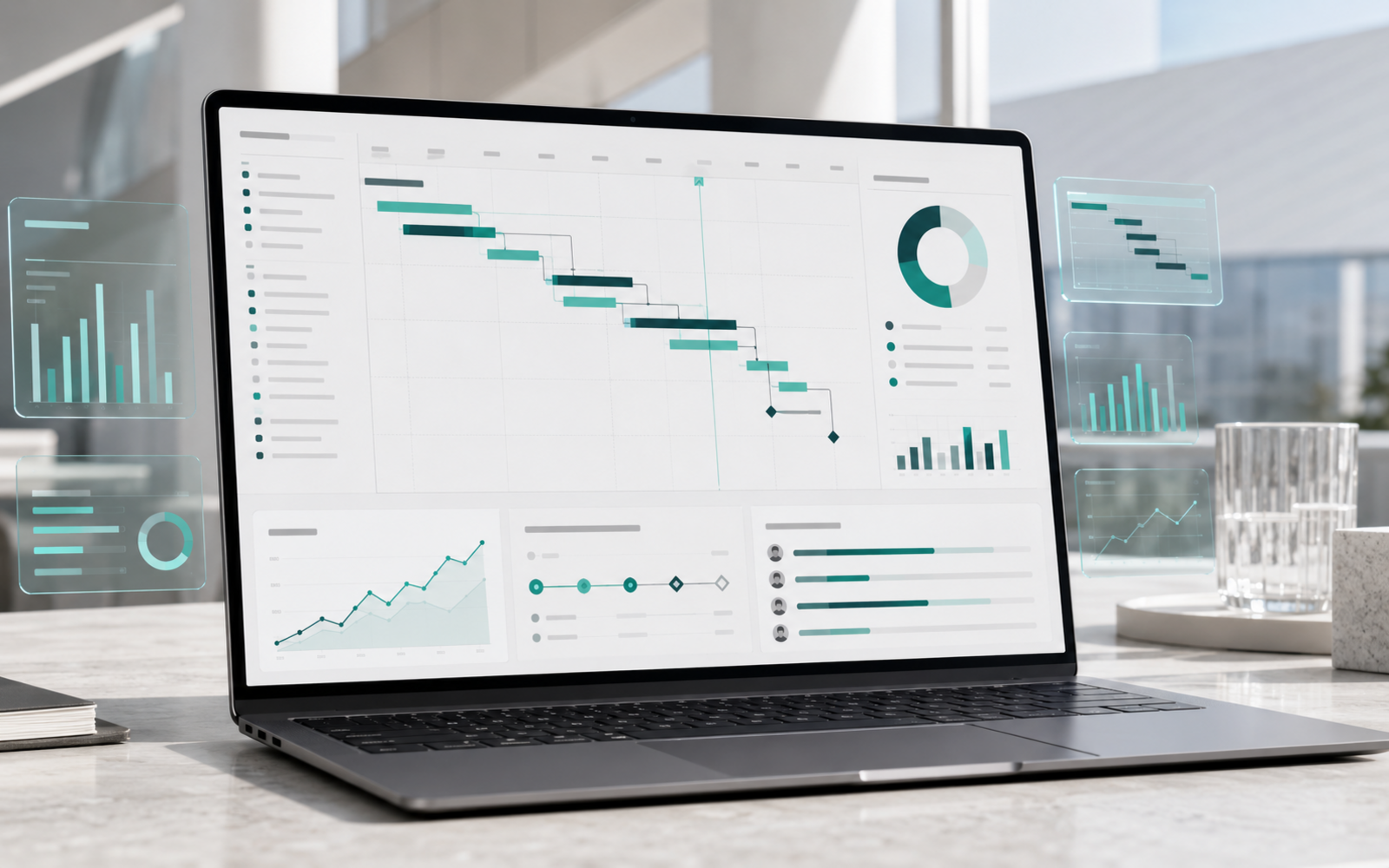
Built-in reports and timeline views help turn detailed schedule information into a clearer stakeholder conversation. Highlight progress, workload, cost and key milestones while retaining the underlying plan for analysis.
Export and sharing options depend on the required format and connected applications. Use simplified views for executives and keep the detailed working schedule for project control.
Timesheets and server workflows
Extend desktop planning into connected organisational processes
Project Professional supports timesheets and connection to supported Project Server environments. This can help organisations centralise resource information, capture project and non-project work and connect detailed schedules with broader governance.
- Submit time for tracking, payroll or invoicing workflows.
- Work with centralised resources and organisational standards.
- Publish or retrieve plans through the supported server environment.
- Keep server administration, licensing and infrastructure separate from the desktop licence.
Not included with the desktop licence

Practical workflow
From project idea to controlled delivery
A repeatable method helps teams get more value from the software. Use these eight stages as a practical starting point.
Define scope
Translate outcomes and deliverables into a clear project structure.
Build the schedule
Add tasks, durations, milestones, calendars and dependencies.
Assign resources
Attach people, equipment, materials, rates and responsibility.
Test the plan
Review critical work, workload conflicts, costs and alternative scenarios.
Set a baseline
Capture the approved plan before execution begins.
Update progress
Record actual dates, work, cost and percentage complete.
Manage variance
Reforecast intelligently when scope, timing or capacity changes.
Report outcomes
Present timelines, status and performance to decision makers.
Industry applications
One planning engine, many project environments
The value is not tied to one methodology or sector. Project Professional can support any environment where dates, dependencies, capacity, costs and accountability need to be brought together.

Construction & engineering
Coordinate design, procurement, site activity, subcontractors, milestones and cost-sensitive dependencies.
IT & software delivery
Plan infrastructure rollouts, migrations, testing, releases and interdependent technical workstreams.
Manufacturing
Structure product development, production readiness, supplier lead times and launch milestones.
Consulting
Manage client deliverables, billable resources, deadlines and status reporting across complex engagements.
Marketing
Coordinate campaigns, content, creative approvals, media activity, launches and stakeholder reviews.
Government
Support governed schedules, formal baselines, resource accountability and programme reporting.
Education & research
Plan research stages, funding milestones, teaching initiatives and multi-party deliverables.
Operations
Schedule facility changes, maintenance programmes, process improvements and business transitions.
Edition comparison
Project Professional 2024 vs Project Standard 2024
Both editions provide serious desktop planning. Professional is the stronger choice when resource depth, timesheets or server connection are part of the requirement.
| Capability | Project Professional 2024 | Project Standard 2024 |
|---|---|---|
| One-time desktop purchase | Included | Included |
| Templates, scheduling and Gantt charts | Included | Included |
| Task dependencies and multiple timelines | Included | Included |
| Baselines and built-in reports | Included | Included |
| Comprehensive resource management | Included | More limited |
| Timesheets | Included | Not a core Standard capability |
| Project Server Subscription Edition connection | Supported | Not positioned for this |
| Best suited to | Complex, resource-intensive or connected work | Individual desktop planning |
Choose Professional if
You manage complex capacity or connected workflows
Professional is the clearer fit for advanced resource management, timesheets and supported Project Server connectivity.
Choose Standard if
You need strong desktop scheduling without the advanced layer
Standard may be sufficient for individual planners who do not require the Professional-only organisational capabilities.
Purchase-model comparison
Perpetual desktop licence vs subscription plan
The right choice depends on ownership preference, installation needs, cloud teamwork and whether continuous feature updates matter to your organisation.
Project Professional 2024
- Perpetual licence for the purchased version
- Professional Windows desktop application
- No recurring renewal required
- Feature set remains tied to the 2024 release
- 1 PC for Microsoft’s retail offer
Planner and Project Plan 3
- Active subscription required
- Continuing service and feature updates
- Different cloud and collaboration proposition
- Desktop-client rights depend on the plan
- Potentially suitable for multi-device needs
Upgrade comparison
Project 2024 vs Project 2021, 2019 and 2016
The core planning language remains familiar, but lifecycle, environment support and long-term suitability become increasingly important as an older release approaches or passes support milestones.
Current perpetual generation
Support lifecycle listed through 9 October 2029, with modern compatibility and the current desktop purchase option.
Familiar but retiring
Project 2021 reaches retirement on 13 October 2026. Consider 2024 when buying for a longer supported runway.
Older environment
Evaluate operating-system, Office-channel and support constraints before retaining this generation.
Legacy deployment
Move only after checking add-ins, macros, file exchange, templates and organisational dependencies.
Older project files
Microsoft states that plans from earlier Project versions can be used in Project 2024. When sharing with Project 2007 users, save in the older compatible format to reduce file-exchange issues.
Product-family clarification
Project desktop, Microsoft Planner and Project Online are not the same product
Microsoft’s project-management names have changed. Clarifying the difference helps customers avoid buying a desktop licence when they actually need a cloud collaboration service—or assuming an online retirement affects the desktop application.
Project Professional 2024
The perpetual Windows desktop application covered on this page. Its lifecycle is listed through 9 October 2029.
Project for the web transitioned
Microsoft retired Project for the web and moved those capabilities into Microsoft Planner.
Project Online retires
This retirement affects Project Online—not Project desktop, Project Server or Microsoft Planner.
Current product-family information: Microsoft Project Online retirement guidance.
System requirements
Confirm the environment before you order
Requirements can vary by licence channel, update state and connected features. Treat this as a buying checklist and verify Microsoft’s current detailed requirements for the exact product supplied.
Operating system
A supported Windows PC environment. Project Professional 2024 is not a native macOS, Chromebook, iPad or Android application.
Processor
A modern compatible processor meeting Microsoft’s Office 2024 requirements.
Memory
Sufficient RAM for Office 2024; larger, consolidated plans benefit from additional memory.
Storage
Available local storage for installation, updates, templates and project files.
Display
A supported display resolution with comfortable workspace for Gantt and report views.
Architecture
Choose 32-bit or 64-bit to align with the existing Office installation and required add-ins.
Internet access
May be required for purchase, redemption, download, activation and updates.
Account and rights
A Microsoft account may be required for retail redemption; local administrator rights may be required to install.
Do not buy based on the product year alone
Confirm Windows version, Office installation technology, 32-bit or 64-bit architecture, language, licence channel, installation rights and any server requirements.
Office and Microsoft 365 compatibility
Make the installation channels work together
Microsoft confirms Project Professional 2024 is compatible with Office 2024 and Office LTSC. Coexistence with a particular Microsoft 365 installation depends on technical alignment.
Office 2024
Microsoft lists compatibility with Office 2024 and Office LTSC. Match architecture, language and supported environment.
Microsoft 365 Apps
Check Click-to-Run channel, product channel and update architecture. Do not assume all combinations install side by side.
32-bit vs 64-bit
Project normally needs to use the same architecture as the installed Office applications. Review add-in requirements before changing bitness.
Licence explanation
Understand exactly what you are licensing
“Perpetual” describes the duration of the licence for the purchased release. It does not mean every future version, every device, unlimited transfer rights or permanent support.

Use “perpetual licence for Microsoft Project Professional 2024” instead of an undefined “lifetime licence” claim.
One-time purchase
No subscription renewal is required to keep using the licensed 2024 version.
Device count
Microsoft’s retail offer is for one PC; your order must follow the exact SKU supplied.
Activation method
Retail products commonly redeem to a Microsoft account; organisational channels may differ.
Transfer rights
These depend on licence terms and cannot be assumed from the word “perpetual.”
Commercial use
Use must remain within the applicable Microsoft licence terms.
Future upgrades
A Project 2024 purchase does not automatically include the next major perpetual release.
Order contents
What you receive after purchase
Transparent fulfilment information helps customers know what will arrive, what support is available and which products are not part of the order.
Licence information
The product and activation details appropriate to the purchased licence type.
Download guidance
Instructions for obtaining the correct Microsoft Project installation files.
Installation steps
A practical guide covering redemption, download, architecture selection and activation.
Order confirmation
Purchase confirmation and invoice information in accordance with the order process.
Technical assistance
Help with eligible installation and activation questions, including remote support where included.
Clear exclusions
No automatic inclusion of Windows, Office, Microsoft 365, Teams, Project Server or future Project releases.
Download and activation
Install Microsoft Project Professional 2024 step by step
The exact path depends on the licence supplied. Microsoft’s standard retail process uses a Microsoft account, while volume or organisational products may follow a different deployment method.

Receive the order
Wait for payment and order verification, then open the digital fulfilment instructions.
Confirm compatibility
Re-check Windows, Office channel, language and 32-bit or 64-bit architecture.
Redeem or register
For a retail product, sign in to the correct Microsoft account and redeem as instructed.
Download Project
Choose the correct language and architecture from the associated product or deployment source.
Install the application
Close conflicting Office applications, run the installer and allow required system changes.
Activate and verify
Open Project, complete activation and confirm the edition shown in the product information screen.
Open existing plans
Back up important MPP files, templates, macros and customisations before migration.
Installation troubleshooting
Resolve common setup problems methodically
Most installation issues become easier to diagnose when the edition, account, architecture and channel are checked before repeatedly reinstalling.
Project conflicts with Office+
Confirm whether both products use compatible installation technology, channel, language and bitness.
Project is missing from the account+
Make sure you signed in with the account used during redemption and that the correct product was linked.
The key appears redeemed+
A retail key is normally redeemed once and then managed through its linked Microsoft account.
Wrong 32-bit or 64-bit version+
Remove the incompatible installation and select the version that aligns with the existing Office apps.
An older Project version remains+
Back up settings and files, then remove a conflicting edition if the supported installation requires it.
Activation after hardware change+
Check the transfer rights of the exact licence before moving it to a replacement computer.
Need installation assistance?
Contact Software Mart Australia with your order number and non-sensitive error details. Never send passwords or full payment information.
Support lifecycle
Plan around a defined support horizon
Microsoft lists Project 2024 Professional and Standard under the Modern Lifecycle Policy, with a retirement date of 9 October 2029.
Support retirement normally means no further Microsoft servicing or assisted support for that release. It is not presented as an automatic deactivation date for an already activated perpetual installation.
Keep Windows, Project and connected components updated while they remain supported, and budget for review before the retirement date.
Verify the Project 2024 lifecycle at MicrosoftSoftware Mart Australia
Buy with clear information and practical support
Confidence comes from knowing what you are buying, how it will be delivered and where to turn if the installation needs attention.
Clear product details
Edition, platform, licence model and compatibility information presented before checkout.
Fast digital fulfilment
Digital order information supplied after payment and order verification.
Secure checkout
Encrypted transaction handling through the store’s supported payment process.
Professional assistance
Installation guidance and eligible technical support, including remote help where included.
Transparent policies
Delivery, cancellation, return and replacement conditions available before purchase.
Global customer service
Support for international customers subject to region, language and licence conditions.
Customer reassurance
Know the process before payment
A high-trust software purchase should make the important conditions visible rather than hiding them in small print.
Checkout security
Use only the store’s supported encrypted payment methods.
Order verification
Digital fulfilment may follow fraud-prevention and payment checks.
Privacy protection
Order and support information should be handled under the published privacy policy.
Delivery terms
Show the expected fulfilment window and any manual verification conditions.
Activation assistance
Explain what help is available and which problems require Microsoft or an administrator.
Refund conditions
Digital-product cancellation and refund rules should be visible before the key or licence is supplied.
Authentic reviews
Display only genuine reviews and accurate aggregate ratings that customers can inspect.
Business contact
Provide a reachable support path and clear business identity.
Frequently asked questions
Microsoft Project Professional 2024 FAQs
Answers to common questions about licensing, compatibility, installation, features, delivery and the changing Microsoft Project product family.
What is Microsoft Project Professional 2024?+
It is Microsoft’s advanced desktop project-management application for Windows. It combines detailed scheduling, Gantt charts, resource and cost management, baselines, reports, timesheets and supported Project Server connectivity.
Is Project Professional 2024 a subscription?+
Microsoft describes Project Professional 2024 as a one-time purchase with a perpetual licence for the purchased version. It is different from subscription offerings such as Planner and Project Plan 3.
Does the licence expire?+
A perpetual licence does not require an ongoing subscription to keep using the licensed version. The right to use it remains subject to the licence terms, compatible hardware and successful activation.
How many computers can I install it on?+
Microsoft’s retail Project Professional 2024 listing is licensed for one PC. Device count, transfer rights and activation method must match the exact SKU supplied by the seller.
Does Project Professional 2024 work on a Mac?+
There is no native Project Professional 2024 desktop application for macOS. A Mac user would need a suitable Windows environment or a different project-management solution.
Does it work on Windows 11?+
Project Professional 2024 is designed for supported Windows PCs. Confirm the current Microsoft requirements and your existing Office installation before purchasing.
Can I use it with Microsoft 365?+
Compatibility depends on installation technology, update channel, language and 32-bit or 64-bit architecture. Check these details before ordering rather than assuming any two installations can coexist.
Is it compatible with Office 2024?+
Microsoft states that Project Professional 2024 supports the Long-Term Servicing Channel and is compatible with Office LTSC and Office 2024.
Can it open older MPP project files?+
Microsoft says plans created in earlier Project versions can be used in Project 2024. When sharing with very old versions, an older file format may be required.
Does it include Microsoft 365 or Office?+
No. Project Professional is a standalone project-management application. Microsoft 365, Office suites, Windows, Teams and server products are separate unless your offer explicitly states otherwise.
Does it include Project Server?+
No. The desktop application can connect to supported Project Server environments, but the server product and its infrastructure are separate.
Does it include Gantt charts?+
Yes. Gantt views are central to desktop Project and can display schedules, task links, progress and task-path relationships.
Can it identify the critical path?+
Yes. Project can identify the sequence of tasks that controls the project finish date, helping managers focus on work with little or no scheduling flexibility.
Can it track costs and budgets?+
It can calculate and track project costs using fixed costs, resource rates, assignments, baselines and actual values. It does not replace accounting or payroll software.
Does it support resource management?+
Yes. The Professional edition includes comprehensive resource-management capabilities for assignments, workloads, availability and connected organisational scenarios.
Does it include timesheets?+
Microsoft lists timesheets as a Professional feature. Their use is associated with connected project-management environments and should be evaluated against your organisation’s setup.
Can several people edit the same desktop file at once?+
Do not assume document-style real-time co-authoring. Collaboration depends on the connected platform and workflow. Select Planner or a server-based solution if simultaneous team collaboration is essential.
How is the product delivered?+
The page should state the exact fulfilment method. Software Mart Australia can provide digital order information, download guidance and activation instructions after payment and order verification.
Do I need a Microsoft account?+
Microsoft’s standard retail redemption process links the product to a Microsoft account. Some volume or organisational licence channels use different activation and installation methods.
Can you help with installation?+
Software Mart Australia can provide installation guidance and, where included in the offer, free remote assistance. The scope and appointment conditions should be confirmed before support begins.
What happens if activation fails?+
First verify the product edition, key, account, Windows version and installation channel. If the details match the purchase, contact the seller with the order information and non-sensitive error message.
How long will Microsoft support Project 2024?+
Microsoft lists 9 October 2029 as the retirement date for Project 2024 Professional and Standard under the Modern Lifecycle Policy.
Will Project 2024 stop working after October 2029?+
End of support normally means Microsoft stops providing support and updates; it does not itself act as a scheduled deactivation date for a valid perpetual installation.
Does Project Online retirement affect Project desktop?+
No. Microsoft has said Project Online retires on 30 September 2026, while the Project desktop application is not affected by that retirement.
What happened to Project for the web?+
Microsoft retired Project for the web in 2025 and transitioned those capabilities into Microsoft Planner. This is separate from the Project Professional 2024 desktop application.
Should I choose Professional or Standard?+
Choose Professional when advanced resource management, timesheets or Project Server connectivity are important. Standard may suit an individual planner who does not need those Professional capabilities.
Should I choose Project 2024 or Planner and Project Plan 3?+
Choose Project Professional 2024 for a perpetual desktop licence and detailed local planning. Consider a subscription plan when continuing feature updates, multiple-PC installation rights or cloud teamwork are central requirements.
Can I reinstall after replacing my computer?+
Reinstallation and transfer rights depend on the exact licence type. Confirm those rights before removing the software from the original device or changing hardware.
Professional, Standard or Retail?
Choose the Project 2024 licence that fits
Choose this Professional edition when
Your requirement calls for Project Professional 2024 and you have confirmed the Windows, device-count and installation requirements shown on this page.
Compare another option when
Core Project Standard features are sufficient, or a one-PC retail listing better matches the licence and deployment route you need.
Related Project options
Ready when your PC is
Manage complex projects with greater control
Choose Microsoft Project Professional 2024 for detailed Windows desktop planning, advanced resource management, timesheets, reports and a perpetual licence for the purchased version.