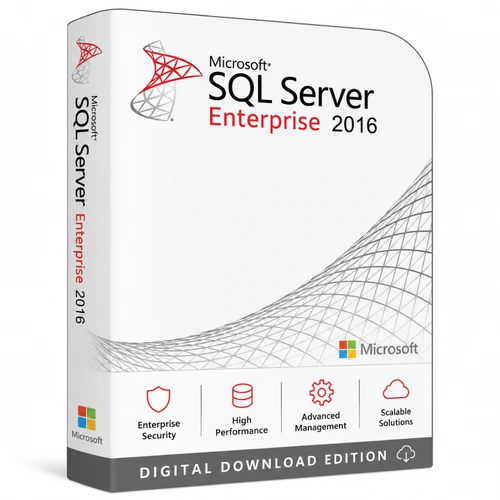
Retail per-core licence 2–16 core options Digital delivery
SQL Server 2016 Enterprise for demanding Windows database workloads
Choose the number of licensed cores your deployment requires and receive an emailed product key and download link after payment confirmation. This Enterprise edition is designed for organisations that need advanced availability, security, analytics and performance features on a compatible Windows Server environment.
Choose correctly
Core licensing requirements
SQL Server 2016 Enterprise is licensed per core. The number selected on this page is the number of core licences supplied—not the number of servers, processors, users or devices.
The 2-core option is normally an add-on pack
Microsoft requires a minimum of four core licences for each physical processor or each licensed virtual machine. A 2-core pack alone will therefore generally not satisfy the minimum for a new deployment. It can be combined with another pack when two additional core licences are required.
Physical server
License every physical core in every processor used by SQL Server, subject to a minimum of four core licences per physical processor.
Virtual machine
License every virtual core allocated to the virtual machine, subject to a minimum of four core licences for each licensed virtual machine.
Before ordering
Confirm the deployment model and required core count with your IT or licensing adviser. The customer remains responsible for purchasing enough licences for the intended environment.
| Licensed cores | Total price | Practical use |
|---|---|---|
| 2 cores | AU$672 | Add-on or combination pack |
| 4 cores | AU$700 | Meets the four-core minimum for one eligible processor or VM |
| 6 cores | AU$800 | Licences six required cores |
| 8 cores | AU$900 | Licences eight required cores |
| 10 cores | AU$1,000 | Licences ten required cores |
| 12 cores | AU$1,400 | Licences twelve required cores |
| 16 cores | AU$2,000 | Licences sixteen required cores |
Select the required core pack above before adding the product to your cart. Increasing the cart quantity purchases additional copies of the selected pack.
Clear fulfilment
What your purchase includes
Selected core entitlement
One SQL Server 2016 Enterprise Retail per-core licence for the number of cores selected on this product page.
Digital delivery
An emailed product key and download link after payment confirmation.
Practical assistance
Download instructions, installation guidance, remote installation assistance and activation troubleshooting.
Enterprise capabilities
Built for important data services
Enterprise edition provides the broadest SQL Server 2016 feature set. Actual capacity and performance depend on the operating system, hardware, configuration and workload.
Availability and recovery
Always On availability groups support up to eight secondary replicas, including up to two synchronous secondary replicas. Enterprise also supports larger failover cluster configurations than Standard edition.
Data protection
Use features including Always Encrypted, Transparent Data Encryption, row-level security, dynamic data masking and comprehensive database auditing.
Performance and scale
Enterprise supports operating-system maximum compute and memory, together with in-memory OLTP, advanced columnstore capabilities, table partitioning and data compression.
Operational control
Resource Governor, online index operations and online page and file restore help administrators manage critical workloads with less disruption.
Edition comparison
SQL Server 2016 Enterprise or Standard?
Enterprise is the stronger fit when advanced availability, scale and operational features are required. Confirm every workload requirement against Microsoft documentation before purchase.
| Capability | Enterprise | Standard |
|---|---|---|
| Compute capacity | Operating-system maximum | Lower edition limits apply |
| Buffer pool extension / memory scale | Operating-system maximum | Lower edition limits apply |
| Always On availability groups | Up to 8 secondary replicas | Basic availability groups only |
| Resource Governor | Included | Not included |
| Online index operations | Included | Not included |
| Transparent Data Encryption | Included | Not included in SQL Server 2016 Standard |
Need a smaller feature set? Review Microsoft SQL Server 2016 Standard.
Purchase fit
Who this licence is for
- Organisations running compatible 64-bit Windows Server infrastructure
- Mission-critical databases needing advanced availability or security controls
- Large or demanding transactional, reporting or analytics workloads
- Buyers who have calculated the required physical or virtual core count
Choose a different product if you need:
- A Linux or macOS installation
- Support for Windows Server 2022, Windows Server 2025 or Windows 11
- A current SQL Server release for a new long-term deployment
- A simpler edition without Enterprise-only capabilities
Compare SQL Server 2022 Enterprise or SQL Server 2025 Enterprise.
Compatibility check
System and platform requirements
Check the precise SQL Server feature and component requirements before installation. The following is a practical summary of Microsoft’s SQL Server 2016 requirements.
Compatible server operating systems
Microsoft’s current compatibility information lists Windows Server 2012, Windows Server 2012 R2, Windows Server 2016 and Windows Server 2019 for SQL Server 2016.
Not listed as supported
Windows Server 2022, Windows Server 2025 and Windows 11 are not supported for SQL Server 2016 in Microsoft’s current matrix. SQL Server 2016 is also not a Linux or macOS release.
Lifecycle notice
Extended support ended on 14 July 2026
Microsoft lists SQL Server 2016 as past extended support. Microsoft also lists separate Extended Security Update periods. Organisations considering this version should assess security, compatibility and support requirements before purchase; a newer SQL Server release may be more suitable for a new deployment.
From checkout to setup
Digital delivery and assistance
- 1
Select your core pack
Choose the licensed core count required for your deployment.
- 2
Complete payment
Submit your order using an available checkout payment method.
- 3
Check your email
After payment confirmation, Software Mart Australia emails your product key and download link.
- 4
Install with guidance
Follow the supplied instructions. Contact Software Mart Australia for installation or activation assistance if needed.
Delivery times and remedy rights are governed by our Delivery Policy, Refund Policy and Terms of Service, including rights that cannot be excluded under the Australian Consumer Law.
Questions answered
SQL Server 2016 Enterprise FAQ
What will I receive?
You will receive an emailed SQL Server 2016 Enterprise product key and download link for the selected licensed core count after payment confirmation.
How many core licences do I need?
For a physical deployment, license every physical core in each processor, with at least four core licences per physical processor. For a virtual deployment, license every virtual core allocated to the VM, with at least four core licences per VM. Confirm the final count with your IT or licensing adviser.
Can I use the 2-core option by itself?
Generally no for a new deployment, because Microsoft applies a four-core minimum per physical processor or licensed VM. The 2-core option is normally used to add two cores to another pack.
Do I also need SQL Server CALs?
No SQL Server CALs are required under the per-core licensing model. You must still license the correct number of cores and meet any separate operating-system licensing requirements.
Can I install SQL Server 2016 on Linux?
No. Microsoft introduced SQL Server on Linux with SQL Server 2017. SQL Server 2016 is for compatible Windows environments.
Is SQL Server 2016 still supported by Microsoft?
Extended support ended on 14 July 2026. Microsoft lists separate Extended Security Update periods. Assess your organisation’s support and security requirements before ordering.
Can I combine multiple packs?
Yes. Packs can be combined to reach a required licensed core count. Make sure the total satisfies Microsoft’s rules for the specific physical or virtual deployment.
What help is available after purchase?
Software Mart Australia provides download instructions, installation guidance, remote installation assistance and activation troubleshooting. For the fastest resolution, contact us before following third-party installation or activation advice.
Need to validate your choice?
Confirm the core count before you order
Tell us whether the deployment is physical or virtual, the number of processors or virtual cores, and the Windows Server version. We can help you identify questions to resolve before purchase.
Official Microsoft references
- SQL Server 2016 Licensing Guide
- SQL Server 2016 hardware and software requirements
- SQL Server 2016 editions and supported features
- SQL Server 2016 lifecycle
Microsoft, Windows, Windows Server and SQL Server are trademarks of the Microsoft group of companies. Software Mart Australia is an independent retailer. Product names are used for identification and compatibility information.