ENTERPRISE ENGINEERING FOR QUALITY-CRITICAL SOFTWARE
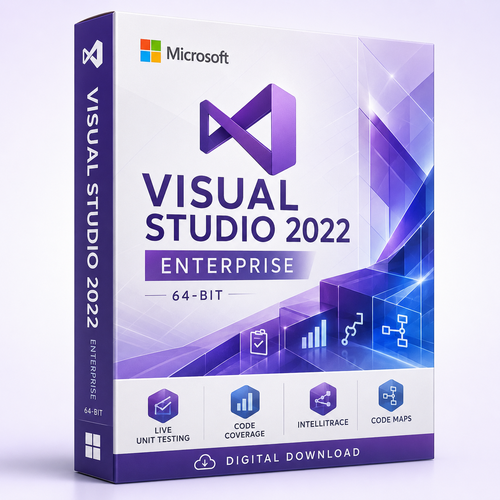
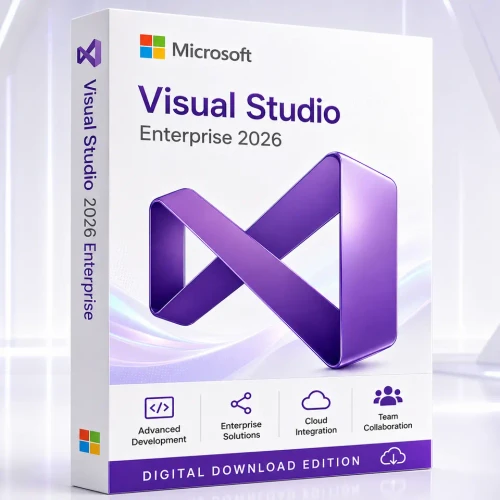
Microsoft Visual Studio 2026 Enterprise
Give architects, developers and quality leaders a deeper view of complex systems—with Enterprise architecture validation, advanced diagnostics, continuous test feedback and modern AI-assisted workflows.

THE DECISION IN ONE MINUTE
Choose Enterprise when engineering risk has a measurable cost
Professional is a capable commercial IDE. Enterprise earns its place when architectural drift, difficult defects, insufficient test isolation or slow diagnosis create material delivery risk. It is designed for organisations that need to understand the system around the code—not only edit the current file.
Govern architecture
Visualise dependencies, create Code Maps and use architecture validation to keep implementation aligned with approved boundaries.
Shorten quality feedback
Use Live Unit Testing, code coverage and Microsoft Fakes where supported to expose regressions closer to the change.
Investigate difficult defects
Combine the debugger, IntelliTrace and performance diagnostics to replace guesswork with execution evidence.
Build release confidence
Connect code review, testing, diagnostics and architecture insight across complex or regulated delivery environments.
Strongest fit
- Large or unfamiliar solutions with tightly coupled dependencies
- Financial, healthcare, government and operationally sensitive systems
- Teams measured on release quality, test evidence and recovery time
- Modernisation programmes that must preserve existing behaviour
Consider Professional instead when
- You need a strong commercial IDE without Enterprise-only architecture and testing tools
- Your projects have lower dependency complexity and simpler quality governance
- The advanced diagnostics would not materially reduce delivery or support cost
PROCUREMENT WITHOUT AMBIGUITY
Know exactly what the order represents
Named-user quantity
Select one, two or five licensed users. A licensed user may install Visual Studio on multiple devices for their own development and testing use, subject to the supplied Microsoft terms.
Written entitlement confirmation
The licence channel, term, perpetual-use position, included services and activation path are confirmed before digital fulfilment.
Human activation support
Receive download and activation guidance plus remote assistance from Software Mart Australia when installation help is required.
EDITION COMPARISON
Visual Studio 2026 Enterprise vs Professional vs Community
The core editor, debugger, Git experience and workload model are strong across editions. Enterprise is differentiated by architecture governance, advanced testing and diagnostic capabilities intended for demanding commercial environments.
| Decision factor | Enterprise | Professional | Community |
|---|---|---|---|
| Best fit | Complex, quality-critical or regulated engineering | Professional commercial development | Individuals, learning, open source and eligible organisations |
| Architecture validation | Included | Not the Enterprise feature set | Not the Enterprise feature set |
| Create and edit Code Maps | Included | Read-only for Enterprise-created diagrams | Read-only for Enterprise-created diagrams |
| Live Unit Testing | Enterprise capability | Not included | Not included |
| Microsoft Fakes | Enterprise capability for supported .NET scenarios | Not included | Not included |
| IntelliTrace | Included | Not included | Not included |
| IntelliTest in VS 2026 | Deprecated in Visual Studio 2026; do not base a new purchase decision on it | ||
| Copilot Agent workflows | Available where version, plan and sign-in requirements are met | Available where requirements are met | Availability depends on current eligibility and plan |
| Commercial enterprise use | Designed for enterprise use | Commercial use under the applicable licence | Restricted by Community licence terms |
AI INSIDE THE ENGINEERING LOOP
Move from suggestions to reviewable agent workflows
Visual Studio 2026 integrates GitHub Copilot more deeply into planning, debugging, testing, profiling, Git review and modernisation. Eligible users can ask an agent to explore relevant code, propose an implementation plan, apply bounded changes, run tools and react to build or test results while the developer retains review control.
- Plan agent: explores a codebase read-only and drafts a reviewable implementation plan.
- Debugger agent: works with call stacks, variables and diagnostic context.
- Profiler agent: connects recommendations to measured bottlenecks.
- Test agent: creates tests aligned with the project’s framework and conventions.
- Modernise agent: helps assess and execute supported .NET and C++ upgrades.

QUALITY AND ARCHITECTURE
See the system, not only the current file
A mature codebase rarely fails because a developer cannot type code. It fails when dependencies cross intended boundaries, test isolation becomes expensive, performance regressions hide in normal-looking changes or a defect cannot be reconstructed with a simple breakpoint.
- Live Unit Testing runs affected tests in the background and presents test and coverage feedback near the code.
- Microsoft Fakes isolates supported .NET code with stubs and shims when dependencies make a unit difficult to test.
- Code Maps and dependency graphs help teams understand unfamiliar solutions and communicate system structure.
- Architecture validation identifies dependency-rule violations before they become accepted structure.
- Profiling and diagnostics turn performance work into evidence rather than intuition.

A REALISTIC ENTERPRISE STORY
From inherited codebase to confident release
Imagine a team inheriting a business-critical solution with years of history. The immediate challenge is not writing the next feature; it is learning which components depend on one another, which tests can be trusted, where performance is lost and how to modernise without interrupting operations.
Map the system
Visualise dependencies and identify high-risk coupling before changing behaviour.
Set boundaries
Record architectural rules and surface violations while implementation is still reviewable.
Build evidence
Use continuous tests, coverage, isolation and diagnostics to target the work that reduces risk.
Modernise deliberately
Use human judgement, plans and bounded agent assistance to execute controlled upgrades.
DEPLOYMENT PLANNING
Visual Studio 2026 system requirements
Microsoft’s minimum can install the product; professional solutions benefit from stronger hardware. Storage varies substantially with selected workloads, SDKs and components.
| Component | Microsoft baseline | Practical professional guidance |
|---|---|---|
| Operating system | Supported 64-bit Windows 11 editions; Windows Server 2025, 2022 or 2019 editions listed by Microsoft | Use a fully updated, supported Windows 11 release for the broadest workstation experience |
| Processor | AMD64/x64 or supported ARM64; quad-core or better recommended | Modern 8- to 16-core CPU for large builds, analysis and concurrent tools |
| Memory | 4 GB minimum | 16 GB for typical professional solutions; 32–64 GB for large solutions, containers and heavy analysis |
| Storage | Approximately 2.5 GB to 210 GB depending on installed features; typical installs require roughly 20–50 GB | Fast SSD with generous space for workloads, SDKs, repositories, caches and containers |
| Display | Minimum 1366 × 768 | 1920 × 1080 or higher; multiple displays help complex debugging and review |
| ARM64 | Supported on eligible Windows 11 Arm editions, with workload limitations | Check the exact workload list before choosing an Arm64 workstation |
PROCUREMENT AND DEPLOYMENT FAQ
Microsoft Visual Studio 2026 Enterprise questions
Is this licence per user or per PC?
Microsoft licenses Visual Studio per named user rather than per machine. Select the number of people who will use the software. Each licensed user can generally install Visual Studio on multiple devices for their own development and testing, subject to the supplied terms.
Is Visual Studio 2026 Enterprise a perpetual standalone licence?
Microsoft normally offers Enterprise through Visual Studio subscription channels; Professional is the edition Microsoft advertises as a standalone IDE purchase. Some subscription channels can grant perpetual-use rights to specified software, but those rights are not identical to an unrestricted standalone Enterprise licence. Software Mart confirms the supplied programme and perpetual-use position before fulfilment.
Does this order include GitHub Copilot?
Not automatically. Copilot features require an eligible GitHub Copilot plan, sign-in and connectivity. Treat Copilot, Azure credits, Test Plans, training and other subscription benefits as excluded unless the written order confirmation explicitly includes them.
What makes Enterprise different from Professional?
Enterprise adds advanced architecture, testing and diagnostic capabilities such as architecture validation, creation and editing of Code Maps, Live Unit Testing, Microsoft Fakes for supported .NET scenarios and IntelliTrace.
Is IntelliTest a reason to buy Enterprise in Visual Studio 2026?
No. Microsoft marks IntelliTest as deprecated in Visual Studio 2026. Enterprise decisions should instead focus on currently supported architecture, testing, diagnostics and quality workflows.
Can Visual Studio 2026 run on Windows 10?
Microsoft’s current Visual Studio 2026 product-family requirements list supported Windows 11 and Windows Server editions for the IDE. Verify the latest Microsoft requirements before deployment, particularly for exceptional or extended-support Windows configurations.
Does it run on Windows 11 Arm?
Visual Studio supports eligible Windows 11 Arm64 editions, but several workloads and components have limitations. Confirm your required Azure, data, Python, C++, mobile or Office development workloads against Microsoft’s current ARM64 list.
How is the product delivered?
This listing is designed for electronic delivery after payment and licence verification. The order communication confirms the supplied licensing programme, entitlement, download or assignment process and activation steps.
What support does Software Mart Australia provide?
Remote installation and activation assistance is included. Microsoft product support, update channels and subscriber services depend on the supplied licence programme and are confirmed separately.
How long is Visual Studio 2026 supported?
Microsoft lists Visual Studio 2026 under the Modern Lifecycle policy with retirement in November 2027. Component lifecycles, including .NET and MSVC tooling, can differ from the IDE lifecycle.
BUILD WITH DEEPER CONFIDENCE
Equip the people responsible for architecture, quality and release confidence
Select the number of named users, then receive written licence-entitlement confirmation before digital fulfilment.
Product names and trademarks belong to their respective owners. Features, pricing, release channels, service entitlements and system requirements can change. Verify the current Microsoft documentation and the exact supplied licence before deployment.