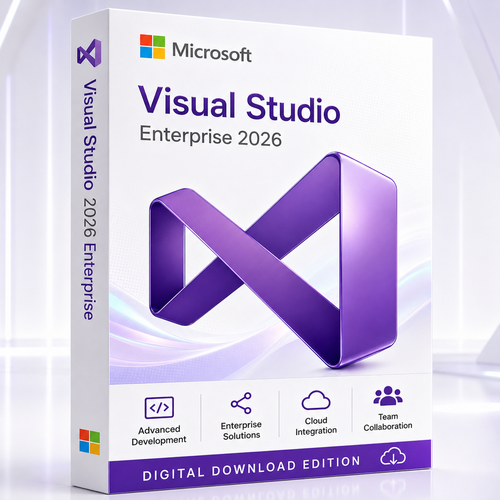
Enterprise intelligence for serious engineering
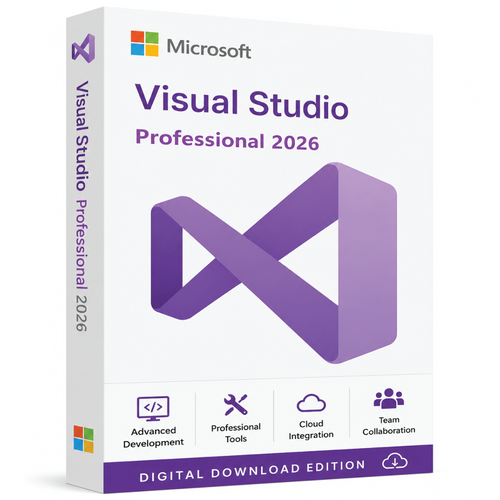
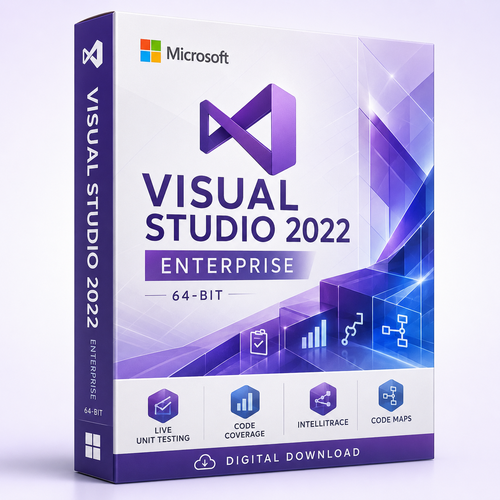
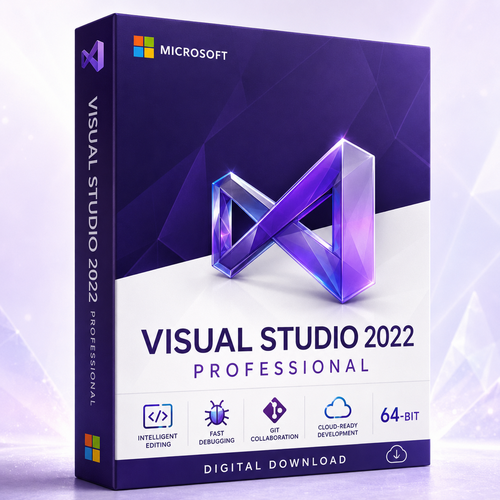
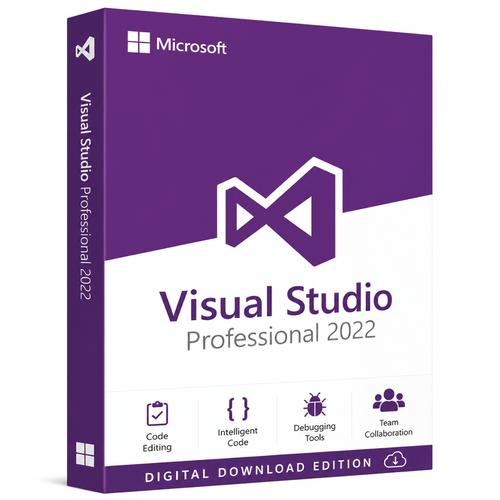
Microsoft Visual Studio 2026 Enterprise Edition
Design, modernise, test, debug and optimise demanding software inside Microsoft’s most comprehensive Visual Studio IDE for enterprise teams.
Built for organisations that need more than a code editor, Visual Studio 2026 Enterprise combines modern development workflows with advanced architecture, testing, diagnostics and code-quality capabilities. It is a high-value choice for teams responsible for complex applications, regulated systems, large codebases and release confidence at scale.
The decision in one minute
Choose Enterprise when software quality is a business requirement
Visual Studio Professional is an excellent commercial IDE. Enterprise earns its place when the cost of defects, slow diagnosis, architectural drift or weak test coverage is greater than the cost of stronger engineering tools. Its differentiators are designed to help teams understand complex systems, validate important design rules, isolate difficult dependencies, inspect historical execution and move quality feedback earlier into development.

Govern architecture
Map dependencies, visualise solution structure and use architecture validation to help keep implementation aligned with intended design.

Shift quality left
Use Live Unit Testing, code coverage, IntelliTest and Microsoft Fakes where supported to shorten the distance between a code change and meaningful feedback.

Investigate difficult defects
Combine the debugger with Enterprise diagnostics such as IntelliTrace and Code Map integration to reduce guesswork in complex execution paths.

AI inside the engineering loop
Move from suggestion to agentic development
Visual Studio 2026 places GitHub Copilot workflows deeper inside the IDE. Beyond code completion and chat, eligible users can describe a higher-level task, allow Agent mode to inspect relevant project context, propose or apply edits, run tools and react to build or test results. Developers retain review controls and can accept or undo changes at progressively finer levels.
Current Visual Studio 2026 releases also document specialised agents for debugging, profiling, testing and application modernisation. A planning experience can explore a codebase, draft a reviewable implementation plan and then hand approved work to Agent mode. Custom agents, agent skills and MCP connections can adapt the workflow to team conventions and approved internal knowledge sources.
Important AI entitlement note
GitHub Copilot features require a supported GitHub Copilot plan, sign-in and connectivity. A Visual Studio Enterprise licence does not automatically mean that every Copilot plan, cloud service or preview feature is included. Confirm the exact licence contents before ordering.
A deeper engineering bench
One IDE across the software lifecycle
Visual Studio 2026 Enterprise supports the daily work of developers while giving senior engineers, quality leads and architects stronger instruments for understanding system behaviour.

Agent-assisted execution
Use Ask, Plan and Agent workflows where available, with codebase context, reviewable diffs and specialised development agents.

Performance profiling
Investigate CPU, memory and application behaviour with the Performance and Diagnostics Hub and Enterprise-level diagnostic depth.

Code quality at scale
Use static analysis, code metrics, clone detection and coverage insight to prioritise the work that improves reliability and maintainability.

Git and pull requests
Clone, branch, commit, merge and review changes in the IDE. Current releases also expand embedded pull-request review for GitHub and Azure DevOps workflows.

Cloud and distributed systems
Build web applications, APIs, services and containerised solutions with workload-based tooling for .NET, Azure, Docker and connected platforms.

Modernise with context
Assess older solutions, move toward current .NET or MSVC toolchains and use multi-targeting when a controlled transition is required.
Edition comparison
Visual Studio 2026 Enterprise vs Professional vs Community
The core coding experience is strong across editions. Enterprise is differentiated by advanced architecture, testing and diagnostics capabilities intended for demanding commercial environments.
| Decision factor | Enterprise | Professional | Community |
|---|---|---|---|
| Best fit | Large, complex, quality-critical or regulated software engineering | Professional development without the full Enterprise toolset | Individuals, learning, open source and eligible small-team scenarios |
| Commercial enterprise use | Designed for enterprise use | Commercial use under applicable licence terms | Restricted by Community licence terms; verify eligibility |
| Advanced editor, debugger, Git and workloads | Included | Included | Included, subject to licence terms |
| Create and edit dependency graphs and Code Maps | Enterprise capability | Read-only for diagrams created by Enterprise | Read-only for diagrams created by Enterprise |
| Live Dependency Validation and architecture validation | Enterprise capability | Not the Enterprise feature set | Not the Enterprise feature set |
| IntelliTrace and Code Map debugger integration | Enterprise capability | Not the Enterprise feature set | Not the Enterprise feature set |
| Live Unit Testing | Enterprise capability | Not the Enterprise feature set | Not the Enterprise feature set |
| IntelliTest, Microsoft Fakes and advanced coverage | Enterprise capability where supported | Not the Enterprise feature set | Not the Enterprise feature set |
| Performance and Diagnostics Hub | Included, with Enterprise-specific depth such as tier interaction profiling | Core diagnostics | Core diagnostics |
| Purchase logic | Choose when defect cost, architecture risk and diagnosis time justify deeper tooling | Choose for capable professional development at lower complexity | Choose only when your usage meets Community terms |
Feature availability can vary by project language, workload, Visual Studio update and associated service entitlement. Always check the current Microsoft comparison and licensing terms for your exact deployment.
Quality and architecture
See the system, not just the file
A mature codebase rarely fails because a developer cannot type code. It fails when interactions become hard to reason about, dependencies cross intended boundaries, performance regressions hide in normal-looking changes, or tests cannot isolate external behaviour.
Visual Studio 2026 Enterprise is designed for that wider engineering view:
- Live Unit Testing can run affected tests in the background and show test and coverage feedback close to the code being edited.
- Microsoft Fakes can isolate supported .NET code with stubs and shims when dependencies make a unit difficult to test.
- IntelliTest can explore supported managed code to generate useful test inputs and expose edge conditions.
- Code Maps and dependency graphs help developers understand unfamiliar solutions and communicate relationships.
- Architecture validation helps identify dependency violations before they become accepted system structure.
- Profiling and diagnostics turn performance work into evidence rather than intuition.

Modern development platform
Build across Microsoft’s professional development stack
Install only the workloads your team needs, then modify the installation as projects change. Visual Studio 2026 supports modern .NET development and provides workload options across desktop, web, cloud, data, C++, Python, Node.js, mobile and other supported scenarios.
.NET 10 and C# 14
Work with the .NET 10 SDK and C# 14 language features using current Visual Studio 2026 releases, plus established project types for web, services, desktop and cloud.
C++ and MSVC
Develop native Windows and cross-platform C++ solutions, select supported MSVC toolsets and use multi-targeting to control older project transitions.
Web, APIs and cloud
Create ASP.NET Core applications, APIs, distributed services and container workflows with integrated build, debug, publish and Azure-oriented tools.
Desktop applications
Build Windows software with supported .NET and native frameworks, using designers, diagnostics and packaging tools appropriate to the workload.
Python, data and Node.js
Add supported data science, Python and JavaScript/TypeScript tooling where the selected architecture and workload allow it.
Extensions and team standards
Tailor the IDE through extensions, settings, repository instructions and approved agent integrations that reflect how your organisation builds software.
A realistic enterprise story
From inherited codebase to confident release
Imagine a team inheriting a business-critical solution with years of history. The immediate challenge is not writing a new feature; it is learning which components depend on one another, which tests can be trusted, where performance is lost and how to modernise without interrupting operations.
With Enterprise, the team can visualise dependencies, record architecture rules, inspect code metrics and target high-risk areas. Live Unit Testing keeps relevant feedback near active changes. Microsoft Fakes helps isolate selected .NET dependencies. IntelliTrace and diagnostic tools provide more context when a defect cannot be reproduced through a simple breakpoint. Profilers establish where optimisation matters. Git and pull-request tooling keep change review connected to the code.
AI-assisted workflows can then accelerate bounded tasks: explain unfamiliar areas, draft a modernisation plan, create tests, investigate a debugger state or suggest a performance improvement. The developer still reviews the evidence and the change. That combination—human engineering judgement supported by better context—is the practical value of Visual Studio 2026 Enterprise.
Where Enterprise delivers the clearest value
- Large solutions with unfamiliar or tightly coupled dependencies
- Financial, healthcare, government or operationally sensitive systems
- Teams measured on release quality, test evidence and recovery time
- Modernisation programs that must preserve existing behaviour
- Applications with costly performance regressions or difficult defects
- Engineering organisations that want architecture rules enforced in development
Plan the workstation
Visual Studio 2026 system requirements
Microsoft’s minimum is suitable for installation; professional solutions benefit from considerably stronger hardware. Storage depends heavily on selected workloads and components.
| Component | Microsoft minimum or supported baseline | Practical professional guidance |
|---|---|---|
| Operating system | Supported 64-bit editions of Windows 11; supported Windows Server 2025, 2022 or 2019 editions | Use a fully updated, supported Windows 11 release for the broadest workstation experience |
| Processor | AMD64/x64 or supported ARM64; quad-core or better recommended | Modern 8- to 16-core CPU for large builds, analysis and concurrent tools |
| Memory | 4 GB minimum | 16 GB for typical professional solutions; 32–64 GB for large solutions, emulators, containers and heavy analysis |
| Storage | Approximately 2.5 GB to 210 GB depending on installed features; typical installs need roughly 20–50 GB free | Fast SSD with generous free capacity for workloads, SDKs, repositories, caches and containers |
| Display | Minimum 1366 × 768 | 1920 × 1080 or higher; multiple displays can improve complex debugging and review workflows |
| ARM64 caveat | Visual Studio supports Windows 11 on Arm, but several workloads and components have limitations | Check the exact workload list before selecting an Arm64 workstation |
Windows 10 is not listed as a supported operating system for the Visual Studio 2026 IDE in Microsoft’s current system-requirements page. Windows LTSC, 32-bit Windows, Windows containers for the full IDE, pooled multi-user desktops and several virtualised scenarios are also unsupported. Build Tools have different deployment allowances.

Annual releases and a two-year support model
Visual Studio 2026 follows Microsoft’s Modern Lifecycle. Each annual release receives one year of feature, platform, quality and security updates, followed by a further year of security updates through the supported Long-Term Servicing Channel. Microsoft currently lists Visual Studio 2026 support from 11 November 2025 to 9 November 2027.
Unlike Visual Studio 2022 and earlier major releases, annual Visual Studio releases beginning with 2026 are planned as in-place updates to the prior annual release. Organisations should therefore treat update channels, LTSC selection, extension compatibility and workload testing as part of deployment governance.
Upgrade and coexistence planning
- Visual Studio 2026 can work with many existing projects, but project and toolset compatibility must be assessed.
- C++ projects created with Visual Studio 2010 or later can be opened, with upgrade or matching older build tools required depending on the project.
- Keep a source-control branch and build baseline before project-format or toolset changes.
- Validate extensions, SDKs, test adapters, workloads and CI agents before broad rollout.
- Visual Studio 2022 can remain useful during a controlled transition; do not remove it until required projects and extensions are confirmed.
Why buy from Software Mart Australia
A specialist software purchase with human support
Enterprise development software deserves more than an automated receipt. Software Mart Australia combines digital fulfilment with practical assistance so customers can purchase with clearer expectations.

Digital delivery
Receive the product information electronically after payment and order verification, without waiting for physical media.

Remote support included
Ask for practical assistance with download, installation and activation when help is required for the purchased product.
Clearer purchasing confidence
Buy from an Australian software specialist with secure online checkout and support available when licence or deployment details need clarification.
⚠ Confirm these licence details before ordering
Visual Studio is sold through different licence and subscription programs. The words “Enterprise” and “licence” alone do not define every entitlement. For a clean deployment and audit trail, confirm:
- the exact licence program and whether the offer is perpetual, subscription-based or another licence type;
- the number of licensed users and any install, device, reassignment or remote-use rights;
- whether Visual Studio subscription benefits, Azure credits, training or other services are included;
- whether GitHub Copilot or GitHub Enterprise is included—do not assume either is bundled;
- the activation and delivery method, supported region and account requirements;
- whether future annual Visual Studio versions are included or require a separate entitlement.
Software Mart Australia can clarify the supplied offer before purchase.
Frequently asked questions
Microsoft Visual Studio 2026 Enterprise FAQs
What is Microsoft Visual Studio 2026 Enterprise?
It is Microsoft’s most comprehensive Visual Studio IDE edition for organisations with demanding software quality, architecture, testing, debugging and diagnostic needs.
Who should buy Visual Studio 2026 Enterprise?
It is best suited to professional teams managing large solutions, regulated or business-critical applications, complex dependencies, difficult defects, modernisation programs or high release-quality expectations.
Is Visual Studio 2026 Enterprise only a code editor?
No. It combines an editor with compilers, project systems, debugging, testing, profiling, architecture, Git, deployment and workload-specific tools in one integrated environment.
What makes Enterprise different from Professional?
Enterprise adds deeper capabilities such as architecture validation, editable dependency graphs and Code Maps, IntelliTrace, Code Map debugger integration, Live Unit Testing, IntelliTest, Microsoft Fakes and Enterprise diagnostic depth where supported.
Does Visual Studio 2026 include GitHub Copilot?
Visual Studio integrates with GitHub Copilot, but access to Copilot features generally requires an eligible Copilot plan, account sign-in and connectivity. Confirm whether any Copilot entitlement is included with the product being sold.
What can Copilot Agent mode do?
Agent mode can interpret higher-level tasks, inspect project context, edit files, invoke approved tools, react to build or test outcomes and iterate. Developers can review changes and keep or undo edits.
What specialised AI agents are available?
Microsoft documents built-in or curated workflows for areas including debugging, profiling, testing, Git review, planning and .NET or C++ modernisation. Availability can vary by release, channel and entitlement.
Does it support .NET 10 and C# 14?
Yes. Microsoft documents C# 14 support on .NET 10 and states that Visual Studio 2026 includes the .NET 10 SDK in current releases.
Can it build C++ applications?
Yes. Visual Studio 2026 supports modern C++ and MSVC workloads, including desktop and supported cross-platform scenarios. Install the workload and toolsets required by the project.
Can it work with older C++ projects?
Microsoft states that Visual Studio 2026 can work with C++ projects created with Visual Studio 2010 or later. Depending on project age, you may need an upgrade, a matching older toolset or side-by-side Visual Studio installation.
What is Live Unit Testing?
For supported projects, it automatically runs affected tests in the background and presents test and code-coverage feedback while code is being edited.
What is Microsoft Fakes?
It is an Enterprise-only unit-test isolation capability for supported .NET code. Stubs and shims can replace selected dependencies to make difficult code easier to test in isolation.
What is IntelliTrace?
IntelliTrace supports historical debugging scenarios by recording selected events and execution information, helping developers investigate what happened before the current debugger state.
Does it include code coverage?
Enterprise includes advanced testing and code-coverage capabilities. Exact coverage support and presentation depend on the project type, test framework and installed components.
Can it help enforce architecture?
Yes. Enterprise architecture tools can model dependencies and validate layer rules so unintended references can be identified during development.
Does it work with GitHub and Azure DevOps?
Visual Studio provides integrated Git workflows and supports connected development with GitHub and Azure DevOps. Service accounts and separate service entitlements may be required.
Can I install it on Windows 10?
Microsoft’s current Visual Studio 2026 system-requirements page lists supported Windows 11 and Windows Server editions for the full IDE, not Windows 10. Use a supported 64-bit operating system.
Does it run on Windows 11 Arm?
Visual Studio 2026 supports supported Windows 11 Arm64 editions, but several workloads and components are unavailable or limited on Arm64. Check the exact workload before purchase.
How much RAM should I have?
Microsoft lists 4 GB as the minimum, recommends 16 GB for typical professional solutions and says the IDE works best with 64 GB for demanding workloads.
How much storage is required?
The range depends on selected features. Microsoft lists roughly 2.5 GB to 210 GB, with typical installations requiring about 20–50 GB of free space. An SSD is recommended.
How long is Visual Studio 2026 supported?
Microsoft applies a two-year Modern Lifecycle to each annual release. Its lifecycle listing currently shows Visual Studio 2026 support ending on 9 November 2027.
Will Visual Studio 2027 install side by side with 2026?
Microsoft plans annual releases after 2026 as in-place updates to the prior annual release, unlike the older major-version model. Organisations should plan channel and LTSC strategy accordingly.
Is this a perpetual licence?
That depends on the exact SKU and licence program supplied by the seller. Confirm the licence type, user rights, transfer terms, subscription benefits and future-version rights before ordering.
How is the product delivered?
This Software Mart Australia offer is designed for electronic delivery after payment and order verification. Refer to the listing and order communication for the exact download, activation and support process.
Build with deeper confidence
Buy Microsoft Visual Studio 2026 Enterprise Edition
Equip your team with advanced development, architecture, testing and diagnostic tools for complex software engineering—with digital delivery and professional support from Software Mart Australia.
Purchase Visual Studio 2026 EnterpriseProduct names and trademarks belong to their respective owners. Features, release channels, service entitlements and system requirements can change. Verify the current Microsoft documentation and the exact supplied licence before deployment.