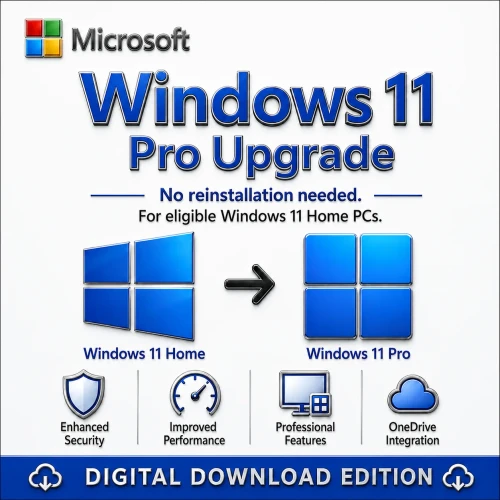
Genuine Microsoft Windows 11 Professional 32/64 Bit Full Version (One-Time Purchase)
Microsoft Windows 11 is Microsoft's latest desktop operating system, designed to deliver a faster, more secure, and more productive computing experience for both personal and professional users. Featuring a modern, streamlined interface with a centered Start menu, enhanced multitasking tools, and built-in AI-powered experiences, Windows 11 helps users work, create, learn, and play more efficiently. Optimized for the latest hardware, it offers improved performance, stronger security, and seamless integration with Microsoft services, making it an ideal platform for today's hybrid work and digital lifestyles.
Key features include Copilot in Windows for AI-assisted productivity, Snap Layouts and Snap Groups for efficient multitasking, Virtual Desktops, Microsoft Teams integration, Widgets, DirectStorage for faster game loading, Auto HDR for enhanced gaming visuals, Windows Hello passwordless sign-in, BitLocker encryption, Secure Boot, TPM 2.0 support, Microsoft Defender Antivirus, Smart App Control, Windows Subsystem for Linux (WSL), Windows Subsystem for Android (where supported), Touch, Pen, and Voice input enhancements, and seamless integration with Microsoft 365, OneDrive, and Microsoft Azure services. Windows 11 also receives regular feature and security updates to help protect devices against evolving cyber threats.
Ideal for home users, students, professionals, businesses, gamers, developers, and educational institutions, Microsoft Windows 11 delivers a secure, high-performance, and AI-ready operating system that supports modern applications, advanced productivity, enterprise management, and immersive gaming experiences. Its combination of enhanced security, intelligent features, and cloud connectivity makes Windows 11 the preferred operating system for today's PCs and future-ready computing.
Microsoft Windows 11, released on October 5, 2021, is the latest major version of the Windows operating system. It brings a redesigned interface, improved performance, enhanced security, and features focused on productivity and modern computing needs.
Windows 11:
1. Modern User Interface
-
Sleek, centered Start Menu and Taskbar for a clean and balanced look.
-
Rounded corners, improved animations, and enhanced window management for smoother user experience.
-
Redesigned File Explorer and Settings for easier navigation.
⚡ 2. Improved Performance and Efficiency
-
Faster wake from sleep, quicker Windows Hello login, and optimized memory management.
-
Better background task handling—Windows 11 prioritizes active apps for smoother multitasking.
-
Enhanced SSD performance and reduced system resource usage compared to older versions.
3. Stronger Security Architecture
-
TPM 2.0 and Secure Boot requirements protect against firmware and ransomware attacks.
-
Virtualization-based Security (VBS) and Hypervisor-Protected Code Integrity (HVCI) for enterprise-grade protection.
-
Continuous security updates and Microsoft Defender improvements.
4. Snap Layouts & Snap Groups
-
Easily organize multiple windows into custom layouts.
-
Snap Groups remember app arrangements for efficient multitasking.
-
Ideal for productivity users, designers, developers, and multitaskers.
5. Enhanced Support for Modern Hardware
-
Designed for Intel 12th/13th/14th Gen and AMD Ryzen 5000/7000 processors.
-
Improved hybrid architecture support (Performance and Efficiency cores).
-
Better graphics performance and DirectStorage for faster game and app load times.
6. Next-Gen Gaming Features
-
DirectX 12 Ultimate and Auto HDR for improved visuals.
-
DirectStorage technology loads game assets faster (like Xbox Series X).
-
Integrated Xbox Game Pass app for seamless PC gaming experience.
7. Better Microsoft Teams Integration
8. Improved Productivity Tools
-
Virtual Desktops: Separate setups for work, personal, or gaming use.
-
Focus Sessions and Clock App integration with Spotify help manage time effectively.
-
Improved multitasking and notifications control.
9. Android App Support (via Amazon Appstore)
10. Long-Term Support and Updates
-
Windows 10 support ends October 14, 2025, meaning fewer security updates afterward.
-
Windows 11 ensures continued support, feature updates, and compatibility with new apps and devices.
11. Sustainability and Power Efficiency
12. Touch, Pen, and Voice Input Improvements
-
Better gesture recognition for touchscreens.
-
Improved digital pen support (haptic feedback).
-
Enhanced voice typing with automatic punctuation and voice commands.
✅ In short:
Upgrading to Windows 11 provides stronger security, smoother performance, better multitasking, enhanced visuals, and long-term support — making it the ideal OS for both personal and business use.
Windows 11 is the latest operating system from Microsoft, designed to offer a modern and streamlined user experience. Here are some key details about Windows 11:

Why do you buy from us?
- Expert advice on any Product-related matter without any extra cost.
- Expert advice on Product download, installation, and activation free of charge.
- Buy our server products without any hesitation, as we will give you the complete set of instructions needed until it is fully activated, or we will refund your money in full.
- 100% Full Refund or Replacement Guaranteed in case of any failure and without any drama, which gives you complete peace of mind.
- We are an Australian GST registered business (ABN: 43 657 323 491). Contact us at +61 3 9013 7712, +61 0480 330 414 or National Toll-Free: +61 1300 849 283 (operating for 12 years).
- 100% Genuine & Full Edition
- Instant delivery to your email inbox
- Remote installation support is provided (free of charge).
- Global Edition (Works Worldwide)
- Electronic Download Version
Windows 11 Editions — Full Technical Comparison
| Feature Category |
Windows 11 Home |
Windows 11 Pro |
Windows 11 Enterprise |
| Target Users |
Home users, consumers |
Power users, small businesses, IT pros |
Large enterprises, advanced IT environments |
| License Type |
OEM / Retail |
OEM / Retail / Volume |
Volume Licensing / Microsoft 365 E3/E5 |
| Max CPU Sockets |
1 |
2 |
2 |
| Max RAM Supported (x64) |
128 GB |
2 TB |
6 TB |
| Max CPUs/Cores |
64 cores |
128 cores |
128 cores |
| Architecture |
64-bit only |
64-bit only |
64-bit only |
| Hyper-V Virtualization |
❌ Not available |
✅ Available |
✅ Available (advanced features) |
| Windows Sandbox |
❌ |
✅ |
✅ |
| Windows Subsystem for Linux (WSL) |
✅ (basic) |
✅ (full) |
✅ (full + enterprise policy control) |
| BitLocker Drive Encryption |
❌ |
✅ |
✅ (with advanced management) |
| Device Encryption (basic) |
✅ (on supported devices) |
✅ |
✅ |
| Group Policy Editor (gpedit.msc) |
❌ |
✅ |
✅ (with enterprise templates) |
| Remote Desktop Host |
❌ (can connect to others) |
✅ (can host connections) |
✅ |
| Remote Desktop Client |
✅ |
✅ |
✅ |
| Assigned Access / Kiosk Mode |
❌ |
✅ |
✅ (multi-app kiosk supported) |
| Domain Join (Active Directory) |
❌ |
✅ |
✅ |
| Azure Active Directory Join |
✅ (limited to personal use) |
✅ |
✅ (with advanced AAD controls) |
| Windows Hello for Business |
✅ |
✅ |
✅ (enhanced management) |
| Dynamic Provisioning / Windows Autopilot |
❌ |
✅ (basic) |
✅ (full integration with Intune) |
| Mobile Device Management (MDM) |
Limited |
✅ (Intune supported) |
✅ (advanced policies) |
| Windows Update for Business |
❌ |
✅ |
✅ (full control via WSUS/SCCM) |
| Microsoft Store for Business |
❌ |
✅ |
✅ |
| Enterprise State Roaming |
❌ |
✅ (with Azure AD) |
✅ |
| Enterprise Mode IE / Legacy App Support |
❌ |
✅ |
✅ |
| Credential Guard & Device Guard |
❌ |
✅ |
✅ (mandatory for E5 tier) |
| AppLocker (application whitelisting) |
❌ |
❌ |
✅ |
| Windows Defender Credential Guard |
❌ |
✅ |
✅ |
| Windows Defender Application Guard (WDAG) |
❌ |
✅ |
✅ |
| Local Group Policy Management |
❌ |
✅ |
✅ |
| Microsoft Endpoint Manager / Intune Integration |
❌ |
✅ (partial) |
✅ (full) |
| Microsoft Defender Antivirus |
✅ |
✅ |
✅ (Enterprise-grade configuration) |
| Tamper Protection |
✅ |
✅ |
✅ |
| Virtualization-based Security (VBS) |
✅ (limited) |
✅ |
✅ (with advanced control) |
| Secure Boot & TPM 2.0 Requirement |
✅ |
✅ |
✅ |
| Windows Information Protection (WIP) |
❌ |
✅ |
✅ |
| Direct Access (VPN replacement) |
❌ |
❌ |
✅ |
| BranchCache |
❌ |
❌ |
✅ |
| App-V (Application Virtualization) |
❌ |
❌ |
✅ |
| UE-V (User Experience Virtualization) |
❌ |
❌ |
✅ |
| Microsoft 365 Integration |
Basic (personal) |
Business integration |
Full Enterprise integration (E3/E5) |
| Microsoft Edge for Business Mode |
✅ |
✅ |
✅ |
| Support for ReFS (Resilient File System) |
❌ |
✅ (limited) |
✅ (full) |
| Hotpatching (no reboot patching) |
❌ |
❌ |
✅ (Windows 11 Enterprise LTSC + E5) |
| LTSC Version Availability |
❌ |
❌ |
✅ (Long-Term Servicing Channel) |
| Windows To Go |
❌ |
❌ |
✅ (deprecated but supported for legacy) |
| Cortana / AI Integration |
✅ |
✅ |
✅ |
| Copilot in Windows |
✅ (consumer mode) |
✅ (business mode) |
✅ (enterprise managed mode) |
| Support Lifecycle |
Standard consumer support |
Business support cycle |
Enterprise support (with LTSC options up to 10 years) |
| Windows Hello, Voice, and Touch Support |
✅ |
✅ |
✅ |
| Network Stack Features (SMB, NFS) |
Basic |
Advanced (SMB compression, encryption) |
Full (SMB Direct, NFS v3/v4.1) |
| Licensing Mode |
Retail / OEM |
Retail / OEM / Volume |
Volume Licensing / Microsoft 365 |
| Example Use Case |
Home PCs, gaming, personal laptops |
Small business, IT pros, developers |
Corporate networks, managed enterprise devices |
Security Summary:
| Security Feature |
Home |
Pro |
Enterprise |
| TPM 2.0 & Secure Boot |
✅ |
✅ |
✅ |
| BitLocker Encryption |
❌ |
✅ |
✅ |
| Windows Information Protection (WIP) |
❌ |
✅ |
✅ |
| Device Guard / Credential Guard |
❌ |
✅ |
✅ |
| AppLocker |
❌ |
❌ |
✅ |
| Application Guard |
❌ |
✅ |
✅ |
| Direct Access (VPN alternative) |
❌ |
❌ |
✅ |
| Advanced Threat Protection (Microsoft Defender for Endpoint) |
❌ |
✅ (add-on) |
✅ (included in E5) |
Management and Deployment:
| Management Feature |
Home |
Pro |
Enterprise |
| Group Policy |
❌ |
✅ |
✅ |
| Windows Autopilot |
❌ |
✅ |
✅ |
| MDM (Intune) |
❌ |
✅ |
✅ |
| Active Directory Join |
❌ |
✅ |
✅ |
| Azure AD Join |
Limited |
✅ |
✅ |
| WSUS / SCCM |
❌ |
✅ |
✅ |
| Dynamic Provisioning |
❌ |
✅ |
✅ |
| Enterprise Data Protection |
❌ |
✅ |
✅ |
| Windows Update for Business |
❌ |
✅ |
✅ |
Performance & Features Overview:
| Category |
Home |
Pro |
Enterprise |
| Gaming (DirectX 12 Ultimate, AutoHDR) |
✅ |
✅ |
✅ |
| Remote Desktop Host |
❌ |
✅ |
✅ |
| Virtualization (Hyper-V) |
❌ |
✅ |
✅ |
| ReFS File System |
❌ |
✅ (partial) |
✅ |
| Memory / CPU Scaling |
Limited |
High |
Highest |
| Advanced Networking (QoS, SMB Direct) |
❌ |
✅ |
✅ |
| Storage Spaces Direct |
❌ |
✅ |
✅ |
Summary — Which One Should You Use?
| Use Case |
Recommended Edition |
Why |
| Personal use / Gaming PC |
Windows 11 Home |
Simpler, lightweight, cheaper |
| Small Business / IT professionals |
Windows 11 Pro |
Domain join, BitLocker, Group Policy, Hyper-V |
| Corporate / Managed environments |
Windows 11 Enterprise |
Full control, advanced security, AppLocker, Direct Access, MDM, LTSC options |
Key Features of Windows 11
Microsoft Windows 11 introduces a range of features that enhance productivity, security, gaming, and overall user experience. Below is a detailed breakdown of its standout features:
1. Redesigned User Interface
-
Centered Start Menu:
- A minimalistic, centered Start Menu with a focus on simplicity.
- Pinned apps and "Recommended" sections for quick access to frequently used apps and files.
-
Modern Aesthetics:
- Rounded corners for windows and menus.
- Enhanced transparency and visual depth with subtle animations.
-
Taskbar:
- Center-aligned icons for a cleaner look.
- Simplified and intuitive customization options.
2. Productivity Features
-
Snap Layouts:
- Organize open windows into pre-defined layouts for efficient multitasking.
- Works with apps across multiple monitors.
-
Snap Groups:
- Saves and restores groups of apps organized in specific layouts.
-
Virtual Desktops:
- Allows multiple desktops with individual wallpapers and app setups.
- Switch easily between desktops for work, gaming, or personal use.
-
Widgets Panel:
- A customizable widgets area providing updates on weather, news, calendar, tasks, and stock prices.
-
Focus Sessions:
- Built into the Clock app to help users concentrate, integrating with Spotify for background music.
3. Enhanced Gaming Experience
4. Improved Performance
5. Security Features
6. Android App Support
- Windows Subsystem for Android (WSA):
- Run Android apps natively on Windows 11.
- Available via the Amazon Appstore integration in the Microsoft Store.
7. Redesigned Microsoft Store
-
Unified Platform:
- Supports apps, games, movies, and Android apps.
-
Developer-Friendly:
- Allows more app types, including Win32, Progressive Web Apps (PWAs), and Universal Windows Apps (UWP).
8. Accessibility Improvements
9. Collaboration and Connectivity
10. Support for Modern Hardware
11. Gaming and Multimedia Enhancements
-
Better Display Support:
- Dynamic refresh rates and advanced scaling for high-resolution displays.
-
Media Player Updates:
- Redesigned player for seamless audio and video playback.
Summary of Key Features
| Category |
Feature |
| Design |
Centered Start Menu, Snap Layouts, Widgets Panel |
| Productivity |
Snap Groups, Focus Sessions, Virtual Desktops |
| Gaming |
DirectStorage, Auto HDR, Xbox App |
| Performance |
Optimized updates, improved multitasking |
| Security |
TPM 2.0, VBS, Windows Hello |
| Android Support |
Native Android app integration via Amazon Appstore |
| Store |
Redesigned Microsoft Store with broader app support |
Microsoft Windows 11 Key Milestone:
Here are the key milestones in the development and release of Microsoft Windows 11:
1. Early Development and Announcement
- June 24, 2021: Microsoft officially announced Windows 11 at an event titled "What’s Next for Windows."
- Key highlights: Redesigned Start Menu, centered taskbar, new Snap Layouts, gaming improvements (DirectStorage, Auto HDR), and Android app integration.
- The announcement emphasized Windows 11’s focus on a modern, secure, and streamlined experience.
2. Windows 11 Insider Preview Builds
-
June 28, 2021: The first Windows 11 Insider Preview build (22000.51) was released to the Dev Channel for testing.
- This allowed developers and early adopters to experience and provide feedback on the OS.
- New features like the centered Start Menu, Snap Layouts, and updated taskbar were introduced for testing.
-
July 2021: Multiple Insider Preview builds were released with improvements in performance, UI tweaks, and bug fixes.
- Build 22000.100: Introduced a revised Microsoft Store and new taskbar options.
3. Windows 11 System Requirements Announcement
- June 2021: Alongside the announcement, Microsoft revealed minimum system requirements for Windows 11.
- Notable changes included the requirement for TPM 2.0, Secure Boot, and modern processors (Intel 8th Gen or AMD Ryzen 2000 series or newer).
- These requirements sparked debate about the compatibility of older devices with Windows 11.
4. Beta Testing and Feedback
- August 2021: The Windows 11 Beta was made available to the Beta Channel of the Windows Insider Program.
- The beta testing period focused on refining features like widgets, Snap Groups, Start Menu tweaks, and Android app integration through the Windows Subsystem for Android (WSA).
- Feedback from users helped to smooth out bugs and improve stability.
5. Release Candidate Build
- September 2021: Microsoft released the Release Candidate (RC) build for testing, marking the final phase before the official launch.
- Build 22000.194: The release candidate included all features, with some last-minute performance optimizations and fixes based on user feedback.
6. General Availability (GA) Launch
- October 5, 2021: Windows 11 was officially released to the general public.
- It became available for free upgrade for eligible Windows 10 PCs via Windows Update.
- New devices were pre-installed with Windows 11 out of the box.
- At launch, some features (like Android app support) were not immediately available and were gradually rolled out.
7. Windows 11 22H2 (First Feature Update)
- September 2022: Windows 11 version 22H2 was released, marking the first major feature update for Windows 11.
- Introduced new features such as File Explorer tabs, Start Menu improvements, Taskbar updates, and better Snap Layouts.
- Drag-and-drop functionality was restored to the taskbar, allowing users to easily drag files between open apps and folders.
8. Windows 11 for Enterprise (Long-Term Servicing Channel)
- November 2022: Microsoft released Windows 11 LTSC for enterprise customers.
- This version is designed for organizations that prefer stability and don’t need the regular feature updates of consumer versions.
9. Ongoing Updates and Features
- 2023 and beyond: Microsoft continues to roll out feature updates and security patches for Windows 11.
- The Windows 11 2023 Update (expected in late 2023) introduces more refinements and new features, such as updated taskbar functionality, improvements to virtual desktops, and additional AI-driven features.
Summary of Key Milestones:
| Date |
Milestone |
| June 24, 2021 |
Windows 11 announced with key features revealed. |
| June 28, 2021 |
First Insider Preview build (22000.51) released. |
| July 2021 |
Ongoing insider builds with improvements and testing. |
| August 2021 |
Beta testing began with feedback from Windows Insiders. |
| September 2021 |
Release Candidate build (22000.194) released. |
| October 5, 2021 |
Official GA launch of Windows 11. |
| September 2022 |
Windows 11 version 22H2 feature update released. |
| November 2022 |
Windows 11 LTSC for enterprise users released. |
| Late 2023 and beyond |
Ongoing feature updates and enhancements. |
Each of these milestones marked a critical step in the rollout and refinement of Windows 11, with Microsoft continuing to update the system in response to user feedback and new technology trends.
Full features Windows 11:
Detailed Features of Windows 11
Windows 11 builds on the foundation of Windows 10, introducing a modernized interface, advanced productivity tools, gaming enhancements, and robust security. Here’s an in-depth look at its features:
1. Redesigned User Interface
Centered Start Menu and Taskbar
- The Start Menu is now centered, providing a more streamlined look.
- Simplified layout with Pinned Apps and a "Recommended" section for quick access to recent files and apps.
- Option to revert to a left-aligned Start Menu for those preferring a traditional layout.
Rounded Corners and Modern Aesthetics
- All windows and menus feature rounded corners, offering a softer, visually appealing interface.
- Subtle animations and transparency effects enhance user experience.
- Enhanced touch, pen, and keyboard usability for hybrid devices.
Dynamic Themes
- Introduced Light and Dark modes, offering system-wide appearance customization.
- Adaptive color schemes integrate with desktop wallpapers for a cohesive look.
2. Enhanced Productivity
Snap Layouts and Snap Groups
- Snap Layouts: Pre-defined layouts for arranging open windows.
- Supports configurations for different screen sizes and resolutions.
- Snap Groups: Save and restore groups of apps arranged in Snap Layouts for seamless multitasking.
Virtual Desktops
- Create and switch between multiple desktops for work, gaming, or personal use.
- Customize each desktop with unique wallpapers and app configurations.
Widgets Panel
- A dedicated Widgets panel delivers personalized updates on:
- Weather
- News
- Calendar events
- Stock prices
- Tasks and more
- Fully customizable to suit user preferences.
Focus Sessions
- Built into the Clock app to help users concentrate on tasks.
- Integrates with Spotify to provide background music while focusing.
- Includes task reminders and progress tracking.
3. Gaming Enhancements
DirectStorage
- Speeds up game loading by allowing the GPU to directly access storage.
- Reduces CPU usage, enhancing system performance.
Auto HDR
- Improves brightness, contrast, and color in games, even for those originally designed without HDR.
- Available on compatible monitors.
Xbox Ecosystem Integration
- Built-in Xbox app for seamless access to:
- Xbox Game Pass subscription
- Xbox Cloud Gaming
- Social features and game libraries.
Improved Performance
- Reduced latency with support for advanced gaming technologies like Variable Refresh Rate (VRR).
- Enhanced audio and graphics performance through DirectX 12 Ultimate.
4. System Performance
Faster Updates
- Updates are 40% smaller and installed in the background, minimizing disruption.
- Optimized for faster boot times and reduced resource usage.
Improved Battery Life
- Designed to maximize power efficiency, particularly for laptops and tablets.
Better Resource Management
- Active apps are prioritized, ensuring smoother multitasking and responsiveness.
5. Security and Privacy
TPM 2.0 and Secure Boot
- Requires Trusted Platform Module (TPM 2.0) for advanced hardware-level security.
- Secure Boot protects against unauthorized changes during startup.
Windows Hello
- Biometric authentication for faster, more secure logins using:
- Fingerprint scanners
- Facial recognition
- PIN as an alternative
Virtualization-Based Security (VBS)
- Isolates sensitive system processes to protect against malware and cyberattacks.
Zero Trust Security
- Focus on identity verification and endpoint protection, especially for enterprise users.
6. Support for Android Apps
Windows Subsystem for Android (WSA)
- Run Android apps natively on Windows through the Amazon Appstore.
- Fully integrated with the Start Menu and taskbar for a seamless experience.
- Supports multitasking with Snap Layouts.
7. Revamped Microsoft Store
Expanded App Support
- Supports a wider range of apps, including:
- Win32 apps
- Progressive Web Apps (PWAs)
- Universal Windows Apps (UWP)
- Developers can publish apps with custom commerce platforms, avoiding Microsoft's revenue cut.
Redesigned Interface
- Simplified and faster navigation with curated content for easier discovery of apps, games, and movies.
8. Accessibility Features
Voice Typing and Commands
- Advanced dictation and voice commands for hands-free operation.
- Supports punctuation, editing, and navigation through voice.
Improved Screen Readers
- Enhanced Narrator features for better compatibility with apps and websites.
Customizable Accessibility Options
- Improved closed-captioning, magnifier, and high-contrast themes for differently-abled users.
9. Collaboration and Connectivity
Microsoft Teams Integration
- Teams is built directly into the taskbar for quick access to chats, calls, and meetings.
- Personal accounts are integrated for non-enterprise users.
Faster Wi-Fi and Bluetooth Connectivity
- Improved support for modern wireless standards ensures better performance and stability.
10. Enhanced Touch and Pen Support
Optimized Touch Features
- New gestures for easier navigation on touchscreens.
- Improved responsiveness for hybrid devices.
Windows Ink
- Enhanced pen support for drawing, writing, and annotating.
- Works seamlessly with apps like Microsoft Whiteboard and Office.
11. File Explorer Improvements
- Tabs in File Explorer: Allows better multitasking with multiple directories open simultaneously.
- Enhanced search functionality for faster file discovery.
- Quick access to recent and cloud-synced files via OneDrive integration.
12. Improved Display and Media Features
Dynamic Refresh Rate
- Automatically adjusts refresh rate for a balance between performance and battery life.
Advanced Scaling
- Better handling of high-resolution displays for sharper text and visuals.
Redesigned Media Player
- Updated media player app for seamless audio and video playback.
13. Long-Term Support
- Windows 11 is supported with regular feature and security updates.
- Enterprise users have access to Long-Term Servicing Channel (LTSC) for stability-focused deployments.
System Requirements
- Processor: 1 GHz or faster, 2 cores, 64-bit.
- RAM: 4 GB or more.
- Storage: 64 GB minimum.
- Graphics: DirectX 12 compatible with WDDM 2.0 driver.
- Display: HD (720p) resolution, greater than 9" diagonal.
- TPM 2.0: Mandatory.
Summary
Windows 11 delivers a modernized experience, focusing on aesthetics, productivity, and security. Its key features like Snap Layouts, DirectStorage, and Teams Integration make it a versatile OS for personal and professional users.
User Interface and Design
- Start Menu: Redesigned with a centered layout, removing live tiles and focusing on a simpler, cleaner look.
- Taskbar: Icons are centered, and the taskbar has a more streamlined appearance.
- Rounded Corners: Windows and menus feature rounded corners, giving a softer, more modern look.
- Fluent Design System: Enhanced with new materials like Mica and Acrylic, providing a more cohesive and visually appealing interface
Productivity Features
- Snap Layouts: Allows you to easily organize open windows into different layouts on your screen.
- Snap Groups: Groups of apps that you can switch between, making multitasking more efficient.
- Virtual Desktops: Improved support for creating and managing multiple desktops for different tasks or projects.
- Widgets: A new panel that provides personalized news, weather, calendar, and other information at a glance.
Performance and Security
- Enhanced Performance: Optimized for better performance, including faster wake times and improved battery life on laptops.
- Security Features: Includes hardware-based security features like TPM 2.0, Secure Boot, and Windows Hello for biometric authentication2.
Gaming and Multimedia
- DirectStorage: Reduces load times and improves game performance by allowing games to load assets directly from the SSD.
- Auto HDR: Automatically enhances the color and brightness of games, providing a more immersive experience.
- Xbox Integration: Improved integration with Xbox services, including the Xbox app and Game Pass.
Microsoft Windows 11 Different Edition
Microsoft Windows 11 is available in several editions, each tailored to different types of users and use cases. Here's a breakdown of the different Windows 11 editions:
1. Windows 11 Home
- Target Audience: Consumers and Home Users.
- Key Features:
- New Start Menu and Taskbar with centered alignment.
- Snap Layouts and Snap Groups for better multitasking.
- Windows Store with access to apps, games, movies, and Android apps (via Amazon Appstore).
- DirectStorage and Auto HDR for gaming.
- Windows Hello for secure login (face, fingerprint, or PIN).
- Basic security features like Windows Defender, but no advanced enterprise features.
- Support for a maximum of one PC (no group policy management).
2. Windows 11 Pro
- Target Audience: Small Businesses and Advanced Home Users.
- Key Features:
- All features from Windows 11 Home, plus additional business-related features.
- BitLocker encryption for protecting data.
- Windows Sandbox to run potentially unsafe apps in a secure environment.
- Remote Desktop to access your PC remotely.
- Group Policy Management to control system settings.
- Enterprise-level security with features like Windows Information Protection (WIP).
- Azure Active Directory and Microsoft Store for Business for business environments.
3. Windows 11 Enterprise
- Target Audience: Large Businesses and Organizations.
- Key Features:
- All features from Windows 11 Pro, plus advanced enterprise-level tools.
- Advanced security features like Windows Defender Application Guard, Windows Defender Credential Guard, and Windows Defender System Guard.
- Enterprise-level management via Group Policy and Mobile Device Management (MDM).
- App Virtualization and Device Guard to ensure only trusted apps run.
- Long-term servicing options (LTSC) for organizations requiring stability over frequent feature updates.
- Windows Autopilot for automated device deployment and management.
- App Management via tools like Microsoft Endpoint Configuration Manager.
4. Windows 11 Education
- Target Audience: Educational Institutions (schools, universities).
- Key Features:
- All features from Windows 11 Enterprise with specific optimizations for educational use.
- Discounted licensing for educational institutions.
- Education-specific management tools, such as Cortana integration for students.
- Kiosk Mode for shared computers in labs or libraries.
- Local account management for students and staff.
- Advanced security features tailored for educational settings.
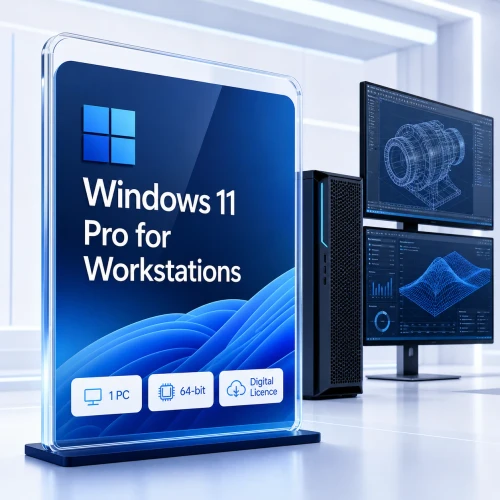
5. Windows 11 Pro for Workstations
- Target Audience: Power Users, High-Performance Workstations, and Professional Environments.
- Key Features:
- All features from Windows 11 Pro, plus support for high-end hardware.
- ReFS (Resilient File System) support for high-capacity and high-performance workloads.
- Persistent memory support for faster data access.
- Advanced hardware support, such as up to 4 CPUs and 6 TB of RAM.
- Optimized for heavy workloads, such as data processing, rendering, and large-scale simulations.
- Remote Direct Memory Access (RDMA) for faster network communication.
6. Windows 11 Pro Education
- Target Audience: Educational Institutions and Schools (Tailored for classroom environments).
- Key Features:
- All features from Windows 11 Pro, with optimizations for educational settings.
- Centrally managed devices for students and staff.
- Simplified UI for classroom use.
- Reduced bloatware to improve performance.
- Support for Windows Education features such as Assigned Access and School PC mode.
7. Windows 11 IoT (Internet of Things)
- Target Audience: IoT Devices (e.g., point-of-sale systems, industrial controllers).
- Key Features:
- Tailored for embedded devices and IoT solutions.
- Provides enterprise-level security and device management.
- Supports devices with low resources.
- Customizable for specific hardware configurations, such as kiosks, digital signage, and industrial PCs.
Comparison Table of Key Features
| Feature |
Home |
Pro |
Enterprise |
Education |
Pro for Workstations |
Pro Education |
IoT |
| Core Windows 11 features |
✅ |
✅ |
✅ |
✅ |
✅ |
✅ |
✅ |
| BitLocker Encryption |
|
✅ |
✅ |
|
|
|
|
| Remote Desktop |
|
✅ |
✅ |
|
|
|
|
| Windows Defender Application Guard |
|
|
✅ |
|
|
|
|
| Windows Autopilot |
|
|
✅ |
|
|
|
|
| ReFS File System |
|
|
|
|
✅ |
|
|
| Windows Hello |
✅ |
✅ |
✅ |
✅ |
✅ |
✅ |
✅ |
| Android App Support |
✅ |
✅ |
✅ |
✅ |
✅ |
✅ |
✅ |
| Windows Subsystem for Linux (WSL) |
✅ |
✅ |
✅ |
✅ |
✅ |
✅ |
✅ |
| Assigned Access |
|
|
|
✅ |
|
✅ |
|
| Enterprise Management Tools |
|
|
✅ |
|
|
|
|
| Cortana Integration |
|
|
|
✅ |
|
|
|
| IoT Device Management |
|
|
|
|
|
|
✅ |
Summary of Editions
- Windows 11 Home: For personal use, with basic features for home computing.
- Windows 11 Pro: Includes additional business features like BitLocker, Group Policy, and support for remote work.
- Windows 11 Enterprise: Offers advanced security and management tools for large organizations.
- Windows 11 Education: Tailored for educational institutions with management tools.
- Windows 11 Pro for Workstations: High-performance edition for professional workstations with specialized hardware support.
- Windows 11 Pro Education: Similar to Windows 11 Pro but optimized for classroom environments.
- Windows 11 IoT: Designed for embedded and IoT devices, with customizable hardware configurations.
Full comparison of different Windows 11 editions:
Here’s a full comparison of the different editions of Windows 11, highlighting the key features, benefits, and differences. This table and description will help you understand which edition is most suitable for your needs.
1. Windows 11 Home
Target Audience: Home users, general consumers
| Feature |
Windows 11 Home |
| Core Features |
All standard features of Windows 11, including the redesigned Start Menu, centered Taskbar, and Snap Layouts. |
| Security Features |
Windows Defender Antivirus, Windows Firewall, Secure Boot, TPM 2.0 |
| BitLocker Encryption |
No |
| Windows Hello |
Yes, support for face recognition, fingerprint, or PIN. |
| Remote Desktop |
No (cannot host remote sessions) |
| Cortana |
Yes (limited to voice commands for productivity) |
| Task View and Virtual Desktops |
Yes, can create and switch between virtual desktops |
| Gaming Features |
DirectStorage, Auto HDR, Xbox Game Pass access, and support for advanced gaming features like Game Mode |
| Microsoft Store |
Yes, with access to a wide variety of apps, including Android apps via Windows Subsystem for Android (WSA) |
| Group Policy Management |
No |
| Enterprise Features |
No |
| Support for IoT Devices |
No |
| Maximum RAM Supported |
128 GB |
2. Windows 11 Pro
Target Audience: Small businesses, advanced home users, power users
| Feature |
Windows 11 Pro |
| Core Features |
All features of Windows 11 Home, plus additional business-focused features |
| Security Features |
All Home features, plus BitLocker encryption, Windows Information Protection (WIP), and more advanced security options |
| BitLocker Encryption |
Yes, to encrypt your hard drive for added data protection |
| Windows Hello |
Yes, support for face, fingerprint, or PIN login |
| Remote Desktop |
Yes, can host remote desktop connections |
| Cortana |
Yes, available as a voice assistant for tasks and productivity |
| Task View and Virtual Desktops |
Yes, with extended features for professional setups |
| Gaming Features |
Same as Windows 11 Home, including DirectStorage, Auto HDR, and support for Xbox Game Pass |
| Microsoft Store |
Yes, with access to Android apps and a wider range of software |
| Group Policy Management |
Yes, for advanced system management and configuration |
| Enterprise Features |
No |
| Support for IoT Devices |
No |
| Maximum RAM Supported |
2 TB |
3. Windows 11 Enterprise
Target Audience: Large organizations and enterprises
| Feature |
Windows 11 Enterprise |
| Core Features |
Includes all features of Windows 11 Pro with additional security, management, and deployment tools |
| Security Features |
Advanced security features like Windows Defender Application Guard, Windows Defender Credential Guard, and System Guard |
| BitLocker Encryption |
Yes, with additional management tools |
| Windows Hello |
Yes, with enhanced enterprise-level management and security |
| Remote Desktop |
Yes, with more advanced enterprise-level deployment and management options |
| Cortana |
Yes, with enhanced enterprise features for business needs |
| Task View and Virtual Desktops |
Yes, with additional enterprise-focused customization |
| Gaming Features |
Same as Windows 11 Pro, optimized for business use |
| Microsoft Store |
Yes, with enterprise-specific apps and tools, along with access to Android apps |
| Group Policy Management |
Yes, advanced controls for managing group policies |
| Enterprise Features |
Yes, including Windows Autopilot, Windows Virtual Desktop, and more |
| Support for IoT Devices |
No |
| Maximum RAM Supported |
6 TB |
4. Windows 11 Education
Target Audience: Educational institutions (schools, universities)
| Feature |
Windows 11 Education |
| Core Features |
Based on Windows 11 Enterprise with features tailored for education |
| Security Features |
All enterprise security features, with enhanced privacy controls for students |
| BitLocker Encryption |
Yes |
| Windows Hello |
Yes, for easy login options (face, fingerprint, PIN) |
| Remote Desktop |
Yes, for remote classroom or administrative access |
| Cortana |
Yes, integrated for educational purposes |
| Task View and Virtual Desktops |
Yes, with specific features for learning environments |
| Gaming Features |
Same as Windows 11 Pro, but optimized for use in educational settings |
| Microsoft Store |
Yes, with access to educational tools and apps |
| Group Policy Management |
Yes, tailored for educational environments |
| Enterprise Features |
Yes, with specific tools for managing student devices |
| Support for IoT Devices |
No |
| Maximum RAM Supported |
2 TB |
5. Windows 11 Pro for Workstations
Target Audience: Power users, creative professionals, high-performance workstation environments
| Feature |
Windows 11 Pro for Workstations |
| Core Features |
All features of Windows 11 Pro, with optimizations for high-performance hardware |
| Security Features |
All standard security features, plus options for managing large data sets |
| BitLocker Encryption |
Yes |
| Windows Hello |
Yes |
| Remote Desktop |
Yes |
| Cortana |
Yes |
| Task View and Virtual Desktops |
Yes, with support for heavy-duty workloads |
| Gaming Features |
Same as Windows 11 Pro, with optimized graphics and performance |
| Microsoft Store |
Yes, with access to high-performance apps |
| Group Policy Management |
Yes |
| Enterprise Features |
No |
| Support for IoT Devices |
No |
| Maximum RAM Supported |
6 TB |
| Advanced Storage Support |
Yes, including ReFS (Resilient File System) and Persistent Memory support |
6. Windows 11 Pro Education
Target Audience: Educational institutions (specifically for classroom use)
| Feature |
Windows 11 Pro Education |
| Core Features |
Similar to Windows 11 Pro, but tailored for education |
| Security Features |
Same as Pro, with additional options for privacy and classroom control |
| BitLocker Encryption |
Yes |
| Windows Hello |
Yes, for easy student and teacher login options |
| Remote Desktop |
Yes, with a focus on classroom use |
| Cortana |
Yes, designed for educational settings |
| Task View and Virtual Desktops |
Yes |
| Gaming Features |
Same as Windows 11 Pro, but focused on education and learning tools |
| Microsoft Store |
Yes, with apps for classrooms and educational tools |
| Group Policy Management |
Yes |
| Enterprise Features |
Yes, for managing student and teacher devices |
| Support for IoT Devices |
No |
| Maximum RAM Supported |
2 TB |
7. Windows 11 IoT
Target Audience: Devices embedded for IoT (point-of-sale systems, digital signage, industrial PCs)
| Feature |
Windows 11 IoT |
| Core Features |
Tailored for Internet of Things (IoT) devices, with Windows 11 core functionality |
| Security Features |
Includes security tools like BitLocker, Windows Defender, and other enterprise-grade security features |
| BitLocker Encryption |
Yes |
| Windows Hello |
Yes |
| Remote Desktop |
Yes, with support for device management remotely |
| Cortana |
No |
| Task View and Virtual Desktops |
Yes |
| Gaming Features |
No (focus on embedded devices and industrial systems) |
| Microsoft Store |
Yes, but tailored for IoT device management apps |
| Group Policy Management |
Yes |
| Enterprise Features |
Yes, tailored for embedded systems and device management |
| Support for IoT Devices |
Yes, designed specifically for IoT environments |
| Maximum RAM Supported |
Dependent on the hardware used |
Summary of Editions
- Windows 11 Home: For personal use with basic features and essential security.
- Windows 11 Pro: Adds business features like BitLocker, remote desktop, and group policy management.
- Windows 11 Enterprise: For large enterprises, offering advanced security and management tools.
- Windows 11 Education: For educational institutions with specific features designed for schools and universities.
- Windows 11 Pro for Workstations: For high-end workstations with support for advanced hardware.
- Windows 11 Pro Education: A classroom
Here's a full comparison of the Windows 11 Home, Professional (Pro), and Enterprise editions, outlining key differences in features, security, management, and target audiences. This detailed breakdown will help you decide which edition best fits your needs.
1. Windows 11 Home
Target Audience: General consumers and home users.
| Feature |
Windows 11 Home |
| Core Features |
Redesigned Start Menu, centered Taskbar, Snap Layouts, Virtual Desktops, Widgets, and new features like DirectStorage and Auto HDR for gaming. |
| Security Features |
Built-in Windows Defender, Secure Boot, TPM 2.0 (trusted platform module), Windows Hello for biometric login (facial recognition, fingerprint), BitLocker (limited in Home edition, no management options) |
| Windows Hello |
Yes, supports facial recognition, fingerprint, and PIN login |
| BitLocker |
No (BitLocker is not included, but Windows Defender is available) |
| Windows Defender |
Yes, built-in antivirus and firewall protection |
| Remote Desktop |
No (can only connect to remote desktops, but cannot host connections) |
| Cortana |
Yes, for voice-activated tasks (with limitations for personal use) |
| Microsoft Store |
Yes, access to apps, games, movies, and Android apps (via Windows Subsystem for Android) |
| Task View/Virtual Desktops |
Yes, allows users to manage multiple desktops for different tasks |
| Gaming Features |
Auto HDR, DirectStorage, Xbox Game Pass, Game Mode for gaming |
| Group Policy Management |
No (cannot configure detailed group policy settings) |
| Enterprise Features |
No (not designed for large business or enterprise environments) |
| Support for IoT Devices |
No |
| Maximum RAM Supported |
128 GB |
| Price |
Typically lower cost, ideal for home users |
2. Windows 11 Professional (Pro)
Target Audience: Small businesses, advanced home users, and professional users.
| Feature |
Windows 11 Pro |
| Core Features |
All features of Windows 11 Home, with additional business and advanced tools for professional use |
| Security Features |
BitLocker (full disk encryption), Windows Information Protection (WIP), Windows Defender Antivirus, Secure Boot, TPM 2.0 |
| Windows Hello |
Yes, supports facial recognition, fingerprint, and PIN login |
| BitLocker |
Yes, full disk encryption with management options |
| Windows Defender |
Yes, with enhanced enterprise-level security protection |
| Remote Desktop |
Yes, can both host and connect to remote desktops (ideal for remote work) |
| Cortana |
Yes, with full voice-activated productivity features |
| Microsoft Store |
Yes, with access to apps, games, and Android apps via Windows Subsystem for Android |
| Task View/Virtual Desktops |
Yes, includes extended features like app grouping for productivity |
| Gaming Features |
Auto HDR, DirectStorage, Xbox Game Pass, Game Mode for gaming, similar to Home edition |
| Group Policy Management |
Yes, allows IT admins to manage and configure group policies for device settings |
| Enterprise Features |
Limited (no advanced enterprise features like AppLocker or Windows Autopilot) |
| Support for IoT Devices |
No |
| Maximum RAM Supported |
2 TB |
| Azure Active Directory |
Yes, for cloud-based enterprise management |
| Assigned Access |
Yes, restrict user access to a specific app or kiosk mode |
| Price |
Higher than Home, targeted at professionals and small businesses |
3. Windows 11 Enterprise
Target Audience: Large enterprises, organizations requiring advanced management, security, and device control.
| Feature |
Windows 11 Enterprise |
| Core Features |
All features of Windows 11 Pro, with additional enterprise-grade tools for large-scale organizations |
| Security Features |
Advanced security such as Windows Defender Application Guard, Credential Guard, Device Guard, Windows Defender Advanced Threat Protection (ATP) |
| Windows Hello |
Yes, with enhanced security features for enterprise use |
| BitLocker |
Yes, along with advanced BitLocker management tools for enterprise environments |
| Windows Defender |
Yes, with additional enterprise-level security controls |
| Remote Desktop |
Yes, with enhanced management tools for remote access and troubleshooting |
| Cortana |
Yes, for productivity, available across business and enterprise environments |
| Microsoft Store |
Yes, but managed with restrictions for enterprise needs |
| Task View/Virtual Desktops |
Yes, with advanced customization for business use |
| Gaming Features |
Similar to Pro and Home, but Windows 11 Enterprise is optimized for business rather than gaming |
| Group Policy Management |
Yes, with advanced control over system configurations and device security across large organizations |
| Enterprise Features |
Yes, includes Windows Autopilot, AppLocker, Windows Virtual Desktop, Azure Active Directory, Enterprise State Roaming, Advanced Device Management |
| Support for IoT Devices |
Yes, with enterprise-level IoT management capabilities |
| Maximum RAM Supported |
6 TB |
| Azure Active Directory |
Yes, for fully integrated cloud-based identity management |
| App Virtualization |
Yes, for running apps in isolated environments without affecting the OS |
| Long-Term Servicing Channel (LTSC) |
Yes, for organizations that require a stable version of Windows with less frequent feature updates (ideal for critical systems and devices that require stability) |
| Price |
Highest cost, designed for large businesses and enterprise environments |
Comparison Summary
| Feature |
Windows 11 Home |
Windows 11 Pro |
Windows 11 Enterprise |
| Target Audience |
Home users, general consumers |
Small businesses, professionals |
Large businesses, enterprises |
| Core Features |
Basic Windows 11 features |
All Home features + advanced tools |
All Pro features + enterprise tools |
| Security |
Windows Defender, TPM 2.0, Secure Boot |
BitLocker, Windows Defender, WIP |
Advanced security tools (ATP, Guard, etc.) |
| Remote Desktop |
No |
Yes (host and connect) |
Yes (with management features) |
| BitLocker Encryption |
No |
Yes |
Yes |
| Windows Hello |
Yes |
Yes |
Yes |
| Cortana |
Yes |
Yes |
Yes |
| Microsoft Store |
Yes |
Yes |
Yes |
| Task View/Virtual Desktops |
Yes |
Yes |
Yes |
| Gaming Features |
DirectStorage, Auto HDR |
Same as Home + extra productivity tools |
Same as Pro, but optimized for enterprise |
| Group Policy Management |
No |
Yes |
Yes |
| Enterprise Features |
No |
Limited |
Full enterprise management & tools |
| Support for IoT Devices |
No |
No |
Yes |
| Maximum RAM Supported |
128 GB |
2 TB |
6 TB |
| Azure Active Directory |
No |
Yes |
Yes |
| Price |
Affordable |
Moderate cost |
Premium cost |
Summary
- Windows 11 Home: Ideal for personal use, offering basic features and security suitable for home environments.
- Windows 11 Pro: Best for professionals, small businesses, and power users. Includes business features like BitLocker, Remote Desktop, and group policy management.
- Windows 11 Enterprise: Tailored for large organizations with advanced security, management, and deployment tools such as Windows Autopilot, AppLocker, and Azure Active Directory.
For home users, Windows 11 Home is sufficient, while professionals and small businesses will benefit from the added security and management tools in Windows 11 Pro. Enterprises with larger IT infrastructures should consider Windows 11 Enterprise for more advanced control and security.
Here is a side-by-side comparison of the key features and differences between Windows 11 Home, Windows 11 Pro, and Windows 11 Enterprise:
| Feature |
Windows 11 Home |
Windows 11 Pro |
Windows 11 Enterprise |
| Target Audience |
Home users, general consumers |
Small businesses, power users, professionals |
Large businesses, enterprises |
| Core Features |
Redesigned Start Menu, centered Taskbar, Snap Layouts, Virtual Desktops, Widgets |
All features of Home + advanced tools for business and professional use |
All Pro features + enterprise-specific tools and management |
| Security |
Windows Defender, Secure Boot, TPM 2.0 |
BitLocker, Windows Defender, Windows Information Protection (WIP), TPM 2.0 |
Advanced security features (ATP, Application Guard, Credential Guard) |
| Windows Hello |
Yes, supports facial recognition, PIN, fingerprint login |
Yes, supports biometric login options (face, fingerprint, PIN) |
Yes, with additional enterprise-grade security for login |
| BitLocker Encryption |
No |
Yes, for full disk encryption |
Yes, with advanced management options |
| Windows Defender |
Yes, includes antivirus protection |
Yes, includes antivirus and firewall |
Yes, with advanced security management for enterprises |
| Remote Desktop |
No |
Yes, can both host and connect |
Yes, with enhanced management and remote access tools |
| Cortana |
Yes, voice-activated assistant for tasks |
Yes, full voice-activated assistant |
Yes, voice-activated assistant with enterprise features |
| Microsoft Store |
Yes, access to apps, games, movies, Android apps |
Yes, access to apps, games, and Android apps |
Yes, apps for enterprise management and control |
| Task View/Virtual Desktops |
Yes, allows managing multiple desktops |
Yes, supports task grouping and virtual desktops |
Yes, with enterprise-specific customization and management |
| Gaming Features |
DirectStorage, Auto HDR, Xbox Game Pass, Game Mode |
Same as Home + additional productivity tools |
Same as Pro, but with focus on enterprise use (no gaming optimization) |
| Group Policy Management |
No |
Yes, for advanced system configurations and device management |
Yes, with full control over system configurations and device security |
| Enterprise Features |
No |
Limited (no enterprise-specific tools) |
Yes, includes AppLocker, Windows Autopilot, Enterprise State Roaming |
| Support for IoT Devices |
No |
No |
Yes, with full IoT device management capabilities |
| Maximum RAM Supported |
128 GB |
2 TB |
6 TB |
| Azure Active Directory |
No |
Yes, for cloud-based identity management |
Yes, for cloud-based identity and access management |
| App Virtualization |
No |
No |
Yes, allows apps to run in isolated virtual environments |
| Assigned Access (Kiosk Mode) |
No |
Yes, restricts device access to specific apps |
Yes, with more granular control over app access and usage |
| Long-Term Servicing Channel (LTSC) |
No |
No |
Yes, ideal for mission-critical systems requiring fewer updates |
| Support for Hyper-V |
No |
Yes, for virtualization of environments |
Yes, with enterprise-grade virtualization tools |
| Price |
Affordable for home users |
Moderate cost for professionals and small businesses |
Premium pricing for enterprise environments |
Key Differences:
-
Target Audience:
- Home: Designed for everyday users with basic needs.
- Pro: For business professionals and power users who need advanced features.
- Enterprise: Tailored for large organizations with advanced security, management, and deployment features.
-
Security:
- Home offers basic security through Windows Defender.
- Pro adds BitLocker for full disk encryption and other security features like WIP.
- Enterprise includes advanced security features like Application Guard, Credential Guard, and Advanced Threat Protection (ATP).
-
Remote Desktop:
- Home lacks remote desktop hosting.
- Pro allows both hosting and connecting to remote desktops.
- Enterprise has advanced management options for remote desktop and more enterprise tools for handling large teams.
-
Management Tools:
- Home provides basic management tools.
- Pro adds Group Policy Management and Azure Active Directory for small-scale management.
- Enterprise offers full management with tools like Windows Autopilot, AppLocker, and Enterprise State Roaming.
-
Support for Virtualization:
- Home lacks advanced virtualization features.
- Pro includes Hyper-V for personal and small business virtualization.
- Enterprise provides full virtualization with enhanced management tools for large-scale environments.
-
Gaming Features:
- Home offers gaming features like DirectStorage and Auto HDR.
- Pro has the same gaming capabilities but adds tools for productivity.
- Enterprise is optimized for business use and does not prioritize gaming features.
-
Price:
- Home is the most affordable option.
- Pro is moderately priced for businesses and professionals.
- Enterprise is the most expensive, targeted at large enterprises with complex IT needs.
Summary:
- Windows 11 Home is ideal for home users who need basic features, gaming options, and security.
- Windows 11 Pro is suited for small businesses or advanced users who need enhanced security, remote desktop, and device management.
- Windows 11 Enterprise is tailored for large enterprises that require advanced security, management tools, and customized business solutions.
Here’s a comparison of the main features and differences between Windows 11 Home, Professional, and Enterprise:
Windows 11 Home
- Target Audience: General consumers and home users.
- Key Features:
- Start Menu: Redesigned with a centered layout.
- Snap Layouts: Easily organize open windows into different layouts.
- Widgets: Personalized news, weather, and other information.
- Microsoft Store: Access to a wide range of apps.
- Gaming Features: DirectStorage and Auto HDR for enhanced gaming performance.
- Security: Basic security features like Windows Hello and device encryption.
|
Windows 11 Professional
- Target Audience: Small businesses and advanced users.
- Key Features (in addition to Home features):
- BitLocker: Advanced encryption for protecting data.
- Remote Desktop: Full support for remote desktop connections.
- Hyper-V: Virtualization technology for running multiple operating systems.
- Windows Information Protection (WIP): Protects against potential data leaks.
- Group Policy Management: Control over user and computer settings.
- Assigned Access: Restrict user access to specific apps.
|
Windows 11 Enterprise
- Target Audience: Medium to large businesses and enterprises.
- Key Features (in addition to Professional features):
- Windows To Go: Run Windows from a USB drive.
- DirectAccess: Seamless, secure remote access to corporate networks.
- AppLocker: Control which apps can run on the network.
- Device Guard: Advanced security feature to lock down devices.
- BranchCache: Optimizes bandwidth usage for branch offices.
- Long-Term Servicing Channel (LTSC): Provides long-term support and stability for critical systems.
- Advanced Threat Protection: Enhanced security against sophisticated threats.
|
Comparison Summary
- Windows 11 Home: Best for general consumers and home use.
- Windows 11 Professional: Suitable for small businesses and power users needing advanced features.
- Windows 11 Enterprise: Ideal for larger organizations requiring robust security and management tools.
Windows 11 Home or Pro (Which one beter)
|
 |
 |
 |
 |
System Requirements
- Processor: 1 GHz or faster with 2 or more cores on a compatible 64-bit processor or System on a Chip (SoC).
- RAM: 4 GB or more.
- Storage: 64 GB or larger storage device.
- System Firmware: UEFI, Secure Boot capable.
- TPM: Trusted Platform Module (TPM) version 2.0.
- Graphics Card: Compatible with DirectX 12 or later with WDDM 2.0 driver.
- Display: High definition (720p) display that is greater than 9” diagonally2.
Additional Features
- Microsoft Teams Integration: Built into the taskbar for quick access to chat and video calls.
- New Microsoft Store: Redesigned with a more user-friendly interface and support for a wider range of apps, including Android apps via the Amazon Appstore.
Windows 11 aims to provide a more cohesive and efficient user experience, with a focus on productivity, security, and gaming