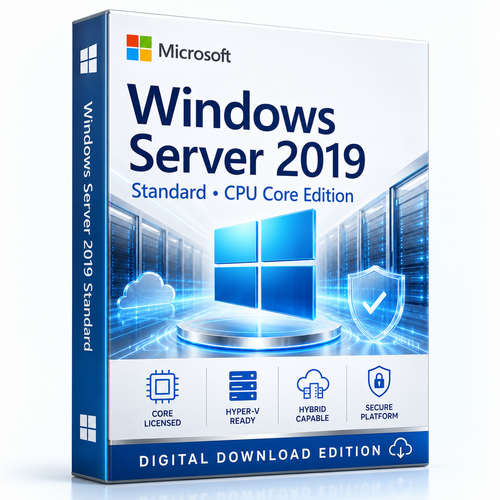
Stable infrastructure. Precisely licensed.
Microsoft Windows Server 2019 Standard CPU Core Edition
Build a dependable platform for identity, files, applications and light virtualisation—while matching the licence to the physical cores that actually power your server.
Choose your core option Check the core rules- ✓ 16-core minimum per server
- ✓ Two Windows Server OSE rights when fully licensed
- ✓ Extended support to 9 January 2029
 Best forPhysical or lightly virtualised servers
 EditionWindows Server 2019 Standard LTSC
 LifecycleExtended support ends 9 January 2029
 Buy confidentlyCore-count guidance before ordering
Decision first
A strong fit when stability matters more than maximum VM density
Windows Server 2019 Standard is the pragmatic choice for organisations consolidating a modest number of Windows workloads, maintaining a vendor-certified application or modernising file, identity and web services without paying for unlimited virtualisation.
Choose Standard when…
- You run a physical server or a lightly virtualised host.
- You need established application compatibility with Windows Server 2019.
- Two Windows Server VMs per fully licensed host are enough.
- You do not need Storage Spaces Direct or software-defined networking.
Operational capability
Keep proven workloads productive. Prepare the estate for what comes next.
Eight reasons Windows Server 2019 Standard remains relevant for compatibility-led and lightly virtualised environments.

Layered server security
Use built-in Microsoft Defender Antivirus and exploit protection capabilities to harden established Windows Server workloads.

Hyper-V virtualisation
Run up to two Windows Server virtual OSEs when every physical core is fully licensed. Re-license the full footprint for each additional pair.

Hybrid-ready operations
Connect selected on-premises services with Azure Backup, Azure Site Recovery and related services where separately configured.

Storage Migration Service
Inventory legacy file servers and transfer data, identity and configuration details to reduce migration friction.

System Insights
Bring local predictive analytics to Windows Server and examine useful capacity trends without sending analysed data to the cloud.

Windows containers
Support modern application packaging with improved container image size, start-up performance and management visibility.

Flexible administration
Choose Server Core for a smaller footprint or Desktop Experience when a local graphical interface is operationally important.
Business infrastructure roles
Build around Active Directory, DNS, DHCP, file and print services, IIS, Hyper-V and other familiar Windows Server roles.
A platform between eras
Modernise around the application—not at the expense of it
A line-of-business application may be validated only on Windows Server 2019. A branch server may need a measured migration. A manufacturing system may value predictable change above novelty.
Windows Server 2019 Standard provides the bridge: familiar Windows administration, Hyper-V, practical hybrid integrations and migration tooling within a lifecycle that continues through January 2029 extended support.
Core licensing made visible
Start with the physical server—then count virtualisation rights
Apply both core minimums, license every installed physical core, then add the access licences your users or devices require.
Count every physical core
Count the cores in each processor installed in the server.
Respect both minimums
At least 8 core licences per processor and 16 per physical server.
Count Windows OSEs
One complete core licence set grants up to two Windows Server virtual OSE rights.
Add access licences
Windows Server CALs—and RDS CALs where applicable—are separate.
Example: one 12-core processor
Edition comparison
Standard or Datacenter? Let VM density decide.
Both editions license physical cores. The practical difference is usually driven by virtualisation density and advanced datacentre requirements.
| Decision factor | Windows Server 2019 Standard | Windows Server 2019 Datacenter |
|---|---|---|
| Best fit | Physical or lightly virtualised environments | Highly virtualised and software-defined datacentres |
| Virtual OSE rights | 2 per fully licensed server | Unlimited on a fully licensed server |
| Windows Server containers | Unlimited process-isolated; 2 Hyper-V isolated | Unlimited process-isolated and Hyper-V isolated |
| Storage Replica | 1 partnership, 1 resource group, single volume up to 2 TB | Unlimited |
| Storage Spaces Direct | ✕ Not included | ✓ Included |
| Software-defined networking | ✕ Not included | ✓ Included |
| CAL requirement | Windows Server CALs generally required | Windows Server CALs generally required |
Avoid a costly naming mistake
CPU Core licensing and Server Core are different decisions
They sound similar, but one measures the licence and the other changes the installation experience.

CPU Core licensing
Determines how many core licences must be assigned to the physical server. It does not mean the graphical interface is excluded.
Server Core installation
A minimal installation option without the traditional desktop shell. It offers a smaller footprint and is commonly managed remotely.

Plan above the minimum
Security runway through January 2029
Mainstream support ended on 9 January 2024. Microsoft lists extended support through 9 January 2029. Buy Windows Server 2019 because your application or estate needs it—and keep an upgrade path visible from day one.
Start9 Jan 2024
Mainstream ended9 Jan 2029
Extended support ends
Software Mart Australia
Buy the correct core count—not simply the nearest product name
A Windows Server order is an infrastructure decision. The purchasing experience should reflect that.

Clear edition guidance
Understand Standard, Datacenter, core licensing and access licensing before committing.
Core-count clarity
Match the order to processor count, installed cores and the required 16-core server minimum.
Human support
Get practical assistance with product selection, download guidance and activation questions.
Australian business
Purchase from an Australian software retailer serving organisations and professionals.
Technical buying FAQ
Answers before the licence reaches the server room
Use these answers to frame your deployment, then validate complex scenarios against the specific licence channel and current Microsoft Product Terms.
Is this licence based on CPU cores?
Yes. License every physical core, subject to at least eight core licences per physical processor and at least sixteen per server.
Can I license a four-core server with only four core licences?
No. The per-server minimum is sixteen core licences, even when the physical server contains fewer than sixteen cores.
How many virtual machines may I run?
After every physical core is fully licensed, Standard edition grants rights for up to two Windows Server OSEs. The physical instance may be used in addition only when it is used solely to host and manage the virtual OSEs.
How do I license more than two Windows Server VMs?
Assign another complete set of core licences for each additional pair of Windows Server OSEs. At higher VM density, compare the economics with Datacenter.
Are Windows Server CALs included?
Do not assume so. Users or devices accessing Windows Server generally require an appropriate Windows Server CAL unless an exception applies. Confirm the product option before ordering.
Do Remote Desktop users need an additional licence?
Yes for Remote Desktop Services beyond administration. Each user or device generally needs both a Windows Server CAL and the appropriate RDS CAL.
Does CPU Core Edition mean Server Core without a GUI?
No. CPU-core licensing describes how the licence is measured. Server Core is an installation option. Standard can also use Desktop Experience, subject to the supplied media and licence terms.
Is Windows Server 2019 still supported?
Mainstream support ended on 9 January 2024. Microsoft lists extended support through 9 January 2029, when the lifecycle focus is security updates rather than new features.
Is Standard or Datacenter better for virtualisation?
Standard is usually the value choice for physical or lightly virtualised environments. Datacenter is designed for dense virtualisation and advanced software-defined datacentre capabilities.
What is the minimum hardware baseline?
Microsoft lists a 1.4 GHz 64-bit processor, 512 MB RAM for Server Core or 2 GB for Desktop Experience, and a 32 GB system partition. Production sizing should be substantially higher.
Can I move this licence between physical servers?
Licence reassignment and mobility depend on the licence channel, applicable Product Terms and whether Software Assurance or subscription rights apply. Confirm the exact licence type first.
Should I buy Windows Server 2019 for a new deployment?
Choose 2019 when a validated application, vendor support matrix or existing estate requires it. For an unconstrained deployment, compare Windows Server 2022 and 2025 for longer remaining lifecycle.
Ready to configure the order?
Licence the cores. Protect the workload. Keep the path forward open.
Choose the required core option for Microsoft Windows Server 2019 Standard and confirm CAL coverage before checkout.
View Windows Server 2019 Standard options