Dense virtualisation with deliberately sized access
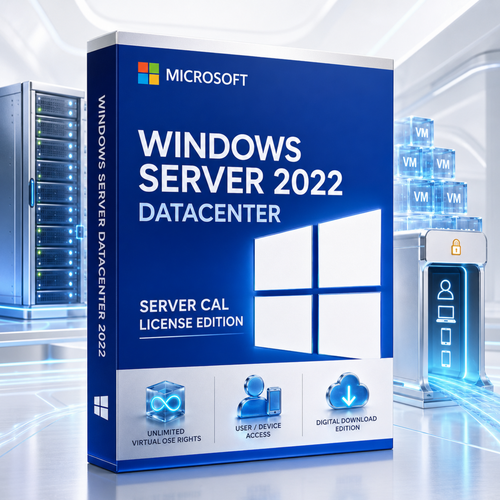
Microsoft Windows Server 2022 Datacenter + Server CALs
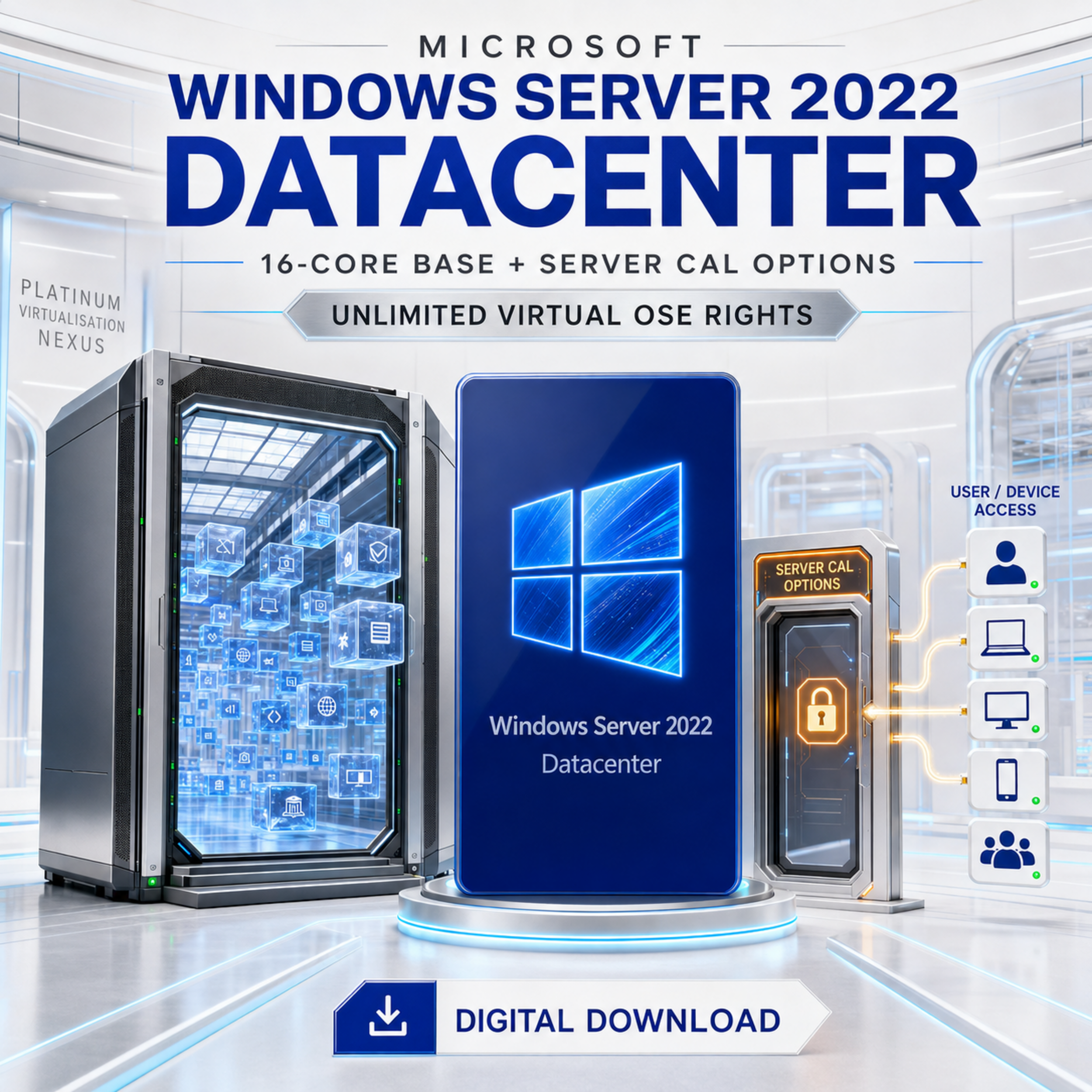
Build a software-defined server platform with Datacenter’s unlimited virtual OSE rights, then select the Windows Server CAL quantity that matches the users or devices accessing it.
The live selector currently presents a base 16-core Datacenter pack with 1, 2, 5, 10, 50, 100, 200, 500 or 1,000 Server CALs. Core licences create the server and virtualisation rights; CALs separately authorise access.
Understand the offer before checkout
“Server CAL License Edition” is a seller bundle—not a separate Microsoft technical edition
The Microsoft edition is Windows Server 2022 Datacenter. Microsoft does not publish a Datacenter-specific base CAL: a Windows Server CAL can access appropriately licensed Standard or Datacenter servers of the corresponding or an earlier version.
Server base
All physical cores must be covered, subject to Microsoft’s minimums of eight per processor and sixteen per server.
Access quantity
Size CALs to assigned users or devices—not simultaneous logins—and confirm which CAL type is supplied.
User or Device
User CALs follow a person across devices; Device CALs cover one device used by people.

Evidence pack
Retain the invoice, product identifier, licence terms, CAL assignments, core calculation and activation records.
Resolve the live-page contradiction
The current selector describes a “Base 16 Core License Pack +” CAL quantity, but an “Access License Only” paragraph says the CAL does not include a Windows Server licence. Obtain written confirmation that the exact option in your cart includes the 16-core Windows Server 2022 Datacenter server licence, the stated CAL type and the selected quantity.
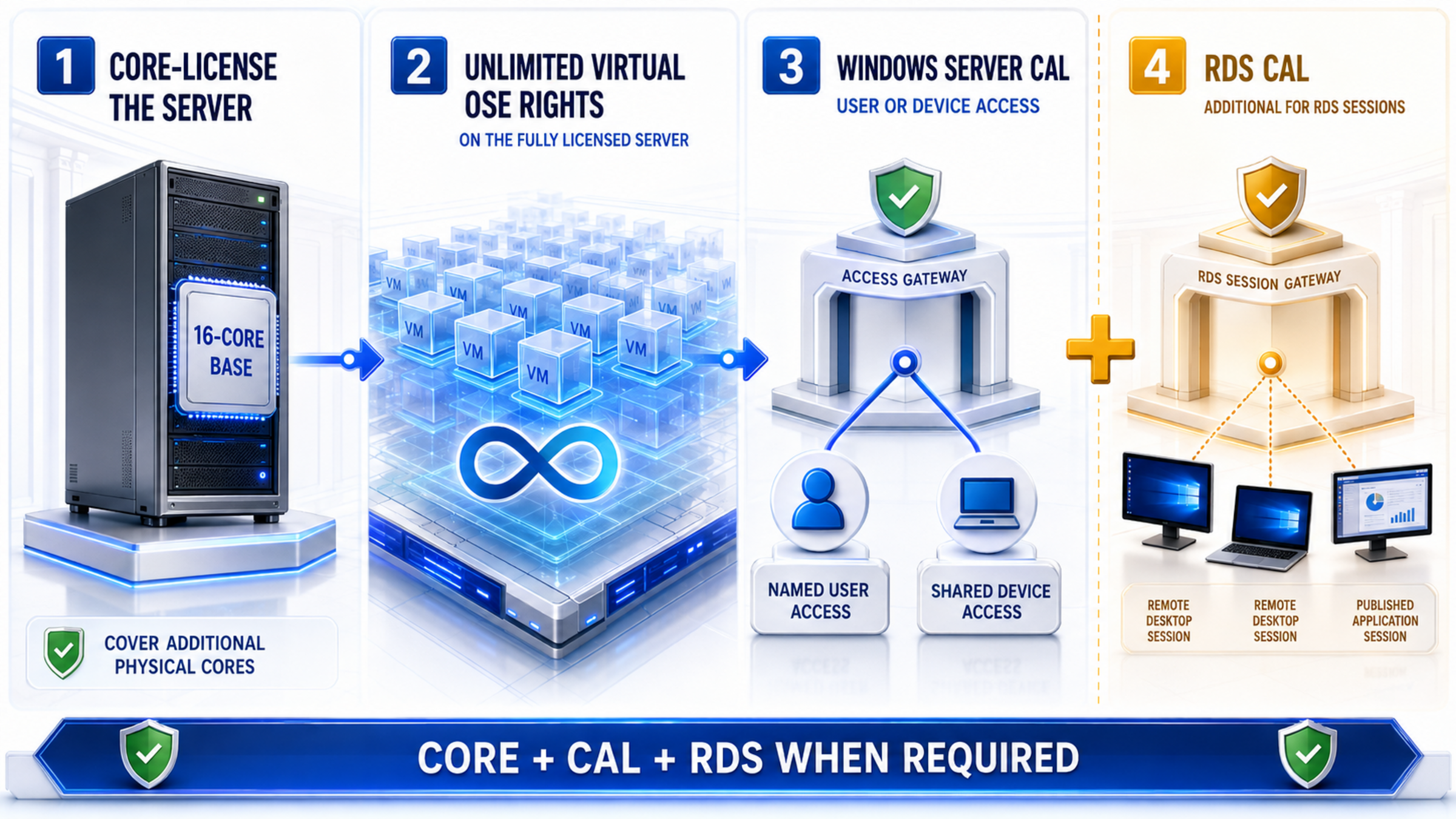
Four layers, four questions
Licence the server, virtualisation, access and remote sessions correctly
- Physical server: cover every physical core and apply licensing minimums.
- Virtual OSEs: Datacenter permits any number on that fully licensed server.
- Normal access: assign Windows Server User or Device CALs where required.
- RDS sessions: add the corresponding RDS CAL for Session Host access.

Core rights
CALs do not replace the Datacenter core entitlement for the host.
OSE rights
Unlimited virtual OSE rights attach to a fully licensed physical server—not to a CAL.
RDS is additive
A base Windows Server CAL does not include RDS Session Host rights for business desktops or applications.
Make the access count defensible
Choose the CAL type before choosing the quantity
The selector says “User/Device.” Ask the seller to confirm in writing whether you are choosing between types or receiving a specific type.

User CAL
Best when one person accesses Windows Server from several devices. Count assigned people, not concurrent connections.

Device CAL
Best when several people share fewer workstations, kiosks or shift terminals. Count assigned devices.
| Decision | User CAL | Device CAL |
|---|---|---|
| Assigned to | One named user | One specific device |
| Best pattern | More devices than users; mobile or hybrid staff | More users than devices; shifts or shared terminals |
| Version scope | Corresponding Windows Server version or earlier | Corresponding Windows Server version or earlier |
| Do not count | Peak concurrent people | IP addresses or active sessions |
| Before checkout | Confirm type, version, quantity, assignment rules and proof of entitlement. | |
Current retailer choices
Nine listed bundle sizes, one Datacenter feature set
The selector changes access quantity; it does not change Datacenter’s capabilities or physical-core rules.
| Listed selector option | Access-planning pattern | Mandatory check |
|---|---|---|
| Base 16 Core + 1 CAL | Very small named-user or shared-device scope | Confirm the exact Server CAL type and quantity, that the 16-core Datacenter base is included, whether more physical-core coverage is needed, and whether RDS CALs are required. |
| Base 16 Core + 2 CALs | Two assigned users or devices | |
| Base 16 Core + 5 CALs | Small administration or application team | |
| Base 16 Core + 10 CALs | Compact business team | |
| Base 16 Core + 50 CALs | Departmental access estate | |
| Base 16 Core + 100 CALs | Mid-sized organisation | |
| Base 16 Core + 200 CALs | Broad workforce or device fleet | |
| Base 16 Core + 500 CALs | Large enterprise access population | |
| Base 16 Core + 1,000 CALs | Large-scale assignment programme |
Live offer snapshot, 3 August 2026: starting price AU$1,152.00, SKU WINSER2022DATA1USERCALS and displayed UPC 889842425651. Price, availability, identifiers and selector wording can change; recheck immediately before publication or purchase.
The 16-core base is a starting point
Cover the actual physical server
Microsoft requires every physical core to be licensed, with at least eight core licences per physical processor and sixteen per server. A 24-core server therefore needs 24 core licences—not just the listed base.
Apply both minimums
Count physical cores, then apply eight per processor and sixteen per server. Do not count threads.
Mobility matters
If a VM can move between cluster nodes, each destination host needs sufficient Datacenter core coverage before it runs there. CALs do not license cluster hosts.
| Physical server | Required core licences | Does a 16-core base cover it? |
|---|---|---|
| 1 × 8-core processor | 16, due to server minimum | Yes |
| 2 × 8-core processors | 16 | Yes |
| 1 × 24-core processor | 24 | No—add 8 |
| 2 × 16-core processors | 32 | No—add 16 |
| Four-node 24-core cluster | 24 per physical node | No—size every node |
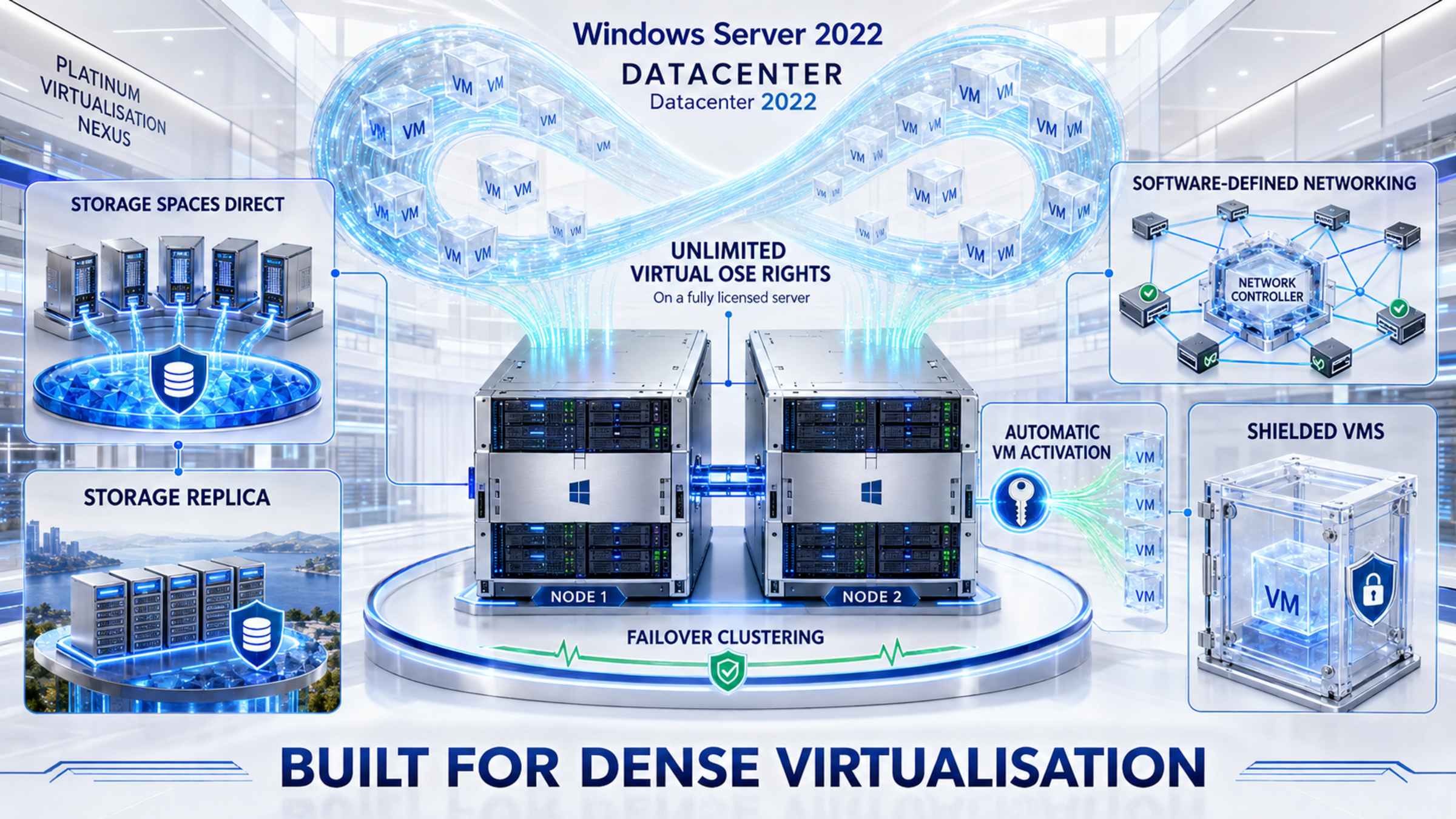
Scale the platform, not the licence stack
Datacenter is built for dense virtualisation
Once every physical core on the server is licensed with Datacenter, Microsoft permits any number of virtual OSEs on that server. That simplifies rights for high-density Hyper-V estates, but infrastructure capacity, guest operations, CALs and application licensing still require planning.
Container distinction: Datacenter permits unlimited Windows Server containers, including Hyper-V-isolated containers; Standard limits Hyper-V-isolated containers.
Storage Spaces Direct
Pool local storage across supported cluster nodes into resilient software-defined storage.

Network Controller
Centrally program and manage supported virtual network infrastructure.
Shielded VMs
Help protect sensitive generation-2 VMs from compromised fabric administrators.
Guarded fabric
Use Host Guardian Service and guarded hosts in a correctly designed protected fabric.
AVMA
Activate supported Windows Server guests against a properly activated Datacenter host.
Storage Replica
Datacenter removes Standard’s one-partnership, one-volume, 2-TB restriction.
Failover clustering
Build resilient supported clusters with deliberate quorum, networking and storage design.
Hyper-V
Run supported Windows and Linux guests with hardware-assisted virtualisation.
Edition decision
Standard vs Datacenter: density and software-defined infrastructure decide
| Capability | Standard | Datacenter |
|---|---|---|
| Virtual OSEs per complete core layer | Two | Unlimited on the licensed server |
| Hyper-V-isolated containers | Two | Unlimited |
| Storage Spaces Direct | No | Yes |
| Network Controller / SDN | No | Yes |
| Shielded VMs / Host Guardian Hyper-V support | No | Yes |
| AVMA | No | Yes |
| Storage Replica | One partnership/resource group; one volume up to 2 TB | Unlimited |
| CAL requirement | Windows Server CALs generally required | Same Windows Server CAL framework |
Do not merge Microsoft’s two Datacenter variants
Base Datacenter is not Datacenter: Azure Edition
Windows Server 2022 Datacenter: Azure Edition adds Azure-specific capabilities. Do not promise those features with ordinary Datacenter.
| Capability | Datacenter | Datacenter: Azure Edition |
|---|---|---|
| Unlimited virtual OSE rights | Yes, on a fully licensed server | Yes, subject to its deployment model |
| Storage Spaces Direct / SDN / shielded VMs | Yes | Yes |
| SMB over QUIC in Server 2022 comparison | No | Yes |
| Hotpatching in Server 2022 comparison | No | Yes, within Microsoft’s Azure Edition conditions |
| Use this retailer bundle to claim Azure Edition rights? | No | Requires the correct Azure Edition entitlement and deployment |
Generation decision
Windows Server 2022 Datacenter vs Windows Server 2025 Datacenter
Choose 2022 when the application estate, vendor certification or operating model is validated on it. Evaluate 2025 for greenfield deployments needing a longer published lifecycle and newer platform capabilities.
| Planning area | Windows Server 2022 | Windows Server 2025 |
|---|---|---|
| Lifecycle start | 18 August 2021 | 1 November 2024 |
| Mainstream support ends | 13 October 2026 | 13 November 2029 |
| Extended support ends | 14 October 2031 | 14 November 2034 |
| CAL version rule | 2022 CALs access 2022 or earlier | 2025 CALs access 2025 or earlier |
| Decision trigger | Compatibility, certification and established operations | Longer runway and newer platform baseline |
Platform depth
Secure, automate and integrate the server estate
Containers
Modernise suitable workloads with Windows Server and Hyper-V-isolated containers.

Secured-core
Use compatible hardware to combine firmware, hardware and OS protections.

TPM + Secure Boot
Establish trusted boot and key-protection foundations on supported systems.
TLS 1.3
Use modern encrypted transport where application and client stacks support it.
SMB encryption
Protect supported file traffic with AES-256-class SMB encryption.

SMB compression
Reduce network transfer volume for compressible files in supported workflows.

Active Directory
Centralise identity, authentication, Group Policy and directory services.

File services
Deliver managed SMB shares, quotas, classification and supported storage roles.
DNS + DHCP
Run foundational naming and address services with auditable configuration.
Hybrid management
Connect supported servers to Azure Arc and related services where separately configured.

Admin Center
Use Microsoft’s browser-based management console for supported workflows.

PowerShell
Automate deployment, configuration, reporting and licence inventory.
Server Core
Choose a smaller installation footprint suited to remote administration.

Desktop Experience
Choose a familiar graphical shell when the role or operational model needs it.
Infrastructure baseline
Size for the workload, not the installation minimum
| Component | Microsoft baseline | Production planning |
|---|---|---|
| Processor | 1.4 GHz 64-bit x64 with required instruction-set capabilities | Verify vendor support, firmware, NUMA and virtualisation extensions. |
| Memory | Role and installation-option dependent; Microsoft documents 2 GB baselines in consolidated guidance | Size host memory for guests, failover, agents and headroom; use ECC-class memory. |
| System storage | 32 GB absolute minimum | Provide substantially more for updates, paging, logs, roles and dumps. |
| Network | PCIe-compatible Ethernet capable of at least 1 Gbps | Separate and protect management, cluster, storage, migration and tenant traffic. |
| Secured-core | Compatible IOMMU, Kernel DMA Protection, DRTM, TPM 2.0, Secure Boot and VBS capabilities | Select validated hardware and enable the complete chain. |
Fixed lifecycle
Mainstream support ends soon; Extended Support continues to 2031
Windows Server 2022 started on 18 August 2021. Mainstream support ends 13 October 2026 and Extended Support ends 14 October 2031. Compare the remaining runway with application certification, migration effort and Windows Server 2025.

Lifecycle checkpoints
- Start: 18 August 2021
- Mainstream end: 13 October 2026
- Extended end: 14 October 2031
Order workflow
Turn a server design into a verifiable entitlement
Inventory
Record hosts, processors, physical cores, VM mobility, users, devices and RDS use.
Size
Cover every host core, then choose User or Device CAL assignments and quantity.
Confirm
Resolve the bundle contradiction and verify licence channel, media and activation.
Preserve
Keep entitlement, assignments, core calculations and activation records together.

Electronic fulfilment
The seller advertises email delivery and an official download link. Confirm exact timing, region, media and redemption process.
Support context
The seller advertises remote installation support. Confirm whether scope includes only download, installation and activation or also migration and role configuration.
Frequently asked questions
Windows Server 2022 Datacenter Server CAL bundle: 30 practical answers
1. Is “Server CAL License Edition” a Microsoft edition?
No. The technical edition is Windows Server 2022 Datacenter; the phrase labels this retailer’s server-and-access bundle.
2. Does the offer include a server licence?
The selector says base 16-core licence plus CALs, but another paragraph says access licence only. Obtain written confirmation for the cart option.
3. What does the 16-core base do?
It starts the physical-server licensing layer. Servers with more than sixteen physical cores need additional core licences.
4. What does a Windows Server CAL do?
It grants an assigned user or device access to corresponding or earlier Windows Server software, subject to the Product Terms.
5. Is there a Datacenter-specific Server CAL?
No. Microsoft’s Windows Server CAL framework applies to access to appropriately licensed Standard or Datacenter servers.
6. Which CAL quantities are listed?
The live selector shows 1, 2, 5, 10, 50, 100, 200, 500 and 1,000 options with the base 16-core description.
7. Is a User CAL concurrent?
No. It is assigned to one user. Do not buy only for peak simultaneous sessions.
8. When should I choose a User CAL?
When one person uses several devices and the number of people is lower than the number of devices.
9. When should I choose a Device CAL?
When several people share a smaller pool of workstations, kiosks or shift terminals.
10. Can I mix User and Device CALs?
Yes, when each assignment is counted and recorded correctly. Confirm which type or choice this bundle supplies.
11. Can a 2022 CAL access Server 2019?
Yes. A corresponding CAL can access that Windows Server version or an earlier version.
12. Can a 2022 CAL access Server 2025?
No. A Windows Server 2022 CAL does not grant access to a later Windows Server version.
13. Do I also need RDS CALs?
Yes for users or devices connecting to an RDS Session Host for desktops or applications. RDS CALs are additive.
14. Are two administrative RDP connections RDS rights?
No. Administrative connections manage the server; delivering business desktops or RemoteApp is an RDS workload.
15. Does a CAL activate the server?
No. CAL assignment, product activation and server core entitlement are separate.
16. Do I count CPU threads?
No. Count physical cores and then apply the eight-core-per-processor and sixteen-core-per-server minimums.
17. What if the server has 24 physical cores?
The 16-core base is short by eight core licences. Add sufficient core packs before deployment.
18. How many virtual OSEs does Datacenter permit?
Any number on a server whose physical cores are fully licensed with Datacenter.
19. Do unlimited OSE rights mean unlimited users?
No. User/device access still needs appropriate CALs, and some workloads require additive licences.
20. Are cluster nodes automatically covered?
No. Each physical host that can run the workloads needs sufficient core licensing.
21. Does Datacenter include Storage Spaces Direct?
Yes. It supports software-defined storage using validated hardware and architecture.
22. Does Datacenter include Network Controller?
Yes. Microsoft lists Network Controller among Datacenter capabilities for software-defined networking.
23. Does Datacenter include Shielded VMs?
Yes, with Host Guardian Hyper-V support. A secure deployment still requires deliberate guarded-fabric design.
24. What is Automatic Virtual Machine Activation?
AVMA lets supported guest editions activate against a properly activated Datacenter Hyper-V host.
25. Is Storage Replica unlimited?
Microsoft’s comparison lists Storage Replica as unlimited in Datacenter, unlike Standard’s restricted implementation.
26. Does ordinary Datacenter include SMB over QUIC?
No. In Windows Server 2022, Microsoft lists SMB over QUIC for Datacenter: Azure Edition.
27. Does ordinary Datacenter include hotpatching?
No. The 2022 edition comparison associates hotpatching with Datacenter: Azure Edition, not base Datacenter.
28. Can I choose Server Core or Desktop Experience?
Yes. Choose during setup; moving between those installation options later requires a clean installation.
29. What is the support lifecycle?
Mainstream support ends 13 October 2026 and Extended Support ends 14 October 2031.
30. What should I retain?
Keep the invoice, product identity, licence terms, CAL assignments, hardware inventory, core calculations and activation records.
Licence every core. Size every access path. Keep every record.
Build a Datacenter entitlement that matches the real infrastructure
Confirm the 16-core base, cover additional cores, choose User or Device CALs, add RDS CALs where required and preserve written evidence.