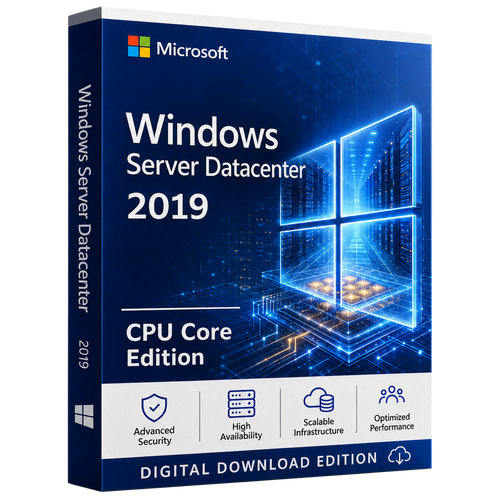
Windows Server 2025 | Datacenter | Per core
Turn every licensed core into a private-cloud foundation.
Microsoft Windows Server 2025 Datacenter CPU Core Edition is built for highly virtualised infrastructure, mission-critical clusters and software-defined datacentres. Plan the physical cores once, then design for the virtual estate you intend to operate.
*Unlimited virtual OSE rights apply only after all physical cores on the server are correctly licensed under Microsoft's minimums and Product Terms.
 Windows Server 2025 DatacenterCPU Core Edition | Enterprise virtualisation
Compatibility and licensing first
Do not choose a core pack until the physical host is known.
License every physical core, with at least eight core licences per physical processor and sixteen per server. Windows Server CALs and RDS CALs are separate.
The Datacenter difference
Designed for infrastructure that must scale, move and recover.
Datacenter changes the virtualisation rights and adds the software-defined building blocks required for a modern private cloud.

Unlimited virtual OSE rights
Run any number of Windows Server OSEs after every physical core on the licensed server is correctly covered.

Software-defined storage
Build converged or hyperconverged storage with Storage Spaces Direct, ReFS and cluster-aware resilience.

Software-defined networking
Apply programmable network services, segmentation and policy patterns to private-cloud workloads.

Security by stronger defaults
Credential Guard, SMB hardening, modern LDAP protection and an extensive baseline reduce avoidable configuration debt.
Enterprise investment case
Why businesses invest in Windows Server 2025 Datacenter.
The return is created by consolidation, resilience, operating consistency and a support horizon long enough to execute a real infrastructure roadmap.

Consolidate more workloads
Unlimited virtualisation rights remove the two-VM rhythm of Standard edition from a fully licensed host.

Engineer for continuity
Build resilient clusters, replicated storage and protected virtual infrastructure on one platform.

Keep placement choice
Operate on-premises or at the edge while extending selected management and governance through Azure Arc.

Gain a long support runway
Microsoft lists mainstream support to November 2029 and extended support to November 2034.
Datacenter core planner
Count the metal before pricing the virtual estate.

1 CPU x 12 cores
Server minimum controls.
License 16 cores2 CPUs x 8 cores
Both minimums are met.
License 16 cores2 CPUs x 12 cores
Every installed core counts.
License 24 cores4 CPUs x 6 cores
Processor minimum controls.
License 32 coresPack sizes are purchasing units, not independent rights to license any server. Confirm the licensing programme and complete requirement before ordering.
Edition decision room
Standard and Datacenter solve different density problems.
Choose Datacenter when VM density or software-defined infrastructure justifies the higher edition.
| Decision point | Windows Server 2025 Standard | Windows Server 2025 Datacenter |
|---|---|---|
| Best fit | Physical or minimally virtualised | Highly virtualised datacentres and cloud environments |
| Virtual OSE rights | Two per complete core set | Unlimited after complete physical-core licensing |
| Hyper-V-isolated containers | Two per complete core set | Unlimited |
| Storage Replica | One partnership and resource group; one 2 TB volume | Unlimited within technical limits |
| Storage Spaces Direct | Not included | Included |
| Advanced software-defined networking | Not the advanced SDN edition | Included |
| Windows Server CALs | Required separately | Required separately |
Datacenter capability map
Virtualisation is the headline. The infrastructure fabric is the story.

Unlimited virtualisation
Once the host is fully licensed, hardware capacity becomes the immediate VM-density constraint.
Storage Spaces Direct
Pool internal drives across clustered servers with caching, tiering, resiliency and rebalancing.

Full Storage Replica
Replicate supported volumes without Standard edition's single-partnership and 2 TB restriction.

Advanced SDN
Use programmable networks, policy-driven segmentation and software load-balancing patterns.
Shielded virtual machines
Help protect sensitive generation 2 VMs from compromised or malicious fabric administrators.

Unlimited Hyper-V containers
Remove Standard's two Hyper-V-isolated-container limit per fully licensed core set.

GPU partitioning
Share supported GPUs across VMs with high availability and live migration on qualifying clusters.

Large Hyper-V headroom
Scale to published limits of 4 PB host memory, 2,048 logical processors and 1,024 running VMs per host.

Cluster-aware operations
Network ATC, dynamic processor compatibility and modern tools improve repeatability and mobility.

Software-defined by design
Make compute, storage and network one resilient system.
Storage Spaces Direct can pool internal drives across clustered servers. SDN can abstract policy from individual devices. Failover clustering can move supported workloads as infrastructure changes.
- Converged or hyperconverged storage
- ReFS, caching, tiering and resilient volumes
- Network Controller and policy segmentation
- Clustered compute, live migration and failover
Hyper-V scale
Build for larger hosts, larger VMs and specialised workloads.
CPU generation, NUMA, storage latency, backup windows, failure domains, application support and recovery objectives determine a safe production design.
Advanced multilayer security
Reduce risk from firmware to identity, file services and VMs.
Windows Server 2025 strengthens defaults. Configuration, monitoring, patching and recovery still determine the outcome.

Credential Guard by default
Eligible systems enable Credential Guard by default to make credential theft more difficult.
350+ baseline settings
OSConfig can help apply Microsoft's recommended security posture consistently by server role.

Hardened SMB
Signing, encryption, authentication rate limiting, NTLM controls and restrictive firewall defaults strengthen file services.

VBS key protection
Virtualisation-based security can isolate cryptographic operations from the normal OS environment.
Shielded VM fabric
Datacenter can protect sensitive VMs from fabric-level threats when Guarded Fabric is correctly designed.

Eligible Hotpatch servicing
Azure Arc-enabled Hotpatch can reduce reboot frequency for eligible security updates.
Hybrid on your terms
Keep the workload close. Extend the management plane.
Azure Arc can project on-premises and edge servers into a unified inventory and selected management services. Retain explicit ownership for data, identity, backup, patching and recovery.
- Simplified Azure Arc onboarding
- Windows Admin Center integration options
- Best-practice assessment and Site Recovery configuration may be available
- Azure services and consumption are not automatically included

Workload fit
Where Datacenter creates practical value.
Private cloud clusters
Standardise dense Hyper-V estates with migration, failover and consistent policy.
Enterprise databases and ERP
Host critical data platforms on resilient compute and storage architecture.

Virtual desktop infrastructure
Support large VM or session pools while planning Windows Server and RDS CALs separately.

Development and test
Create many isolated Windows Server environments without repeatedly stacking Standard sets.
Multi-site resilience
Combine clustering, full Storage Replica rights and tested recovery procedures.

Container platforms
Run unlimited Windows Server and Hyper-V-isolated containers within supported designs.

Edge infrastructure
Keep workloads near operations while extending selected governance through Azure Arc.
Software-defined datacentres
Build programmable network and storage fabrics for capable engineering teams.
Two licensing planes
Core licences cover the server. CALs cover access.
Unlimited VMs do not remove access licensing. Keep server, user/device and Remote Desktop layers separate.
Datacenter core licences
Cover all physical cores with at least eight per processor and sixteen per server.
Windows Server CALs
Assign User or Device CALs according to who or what accesses server services.

RDS CALs
Add Remote Desktop Services CALs for users or devices accessing RDS functionality.
Compatibility first
Minimum hardware is an installation threshold, not a production design.
Size for roles, VMs, failure domains, security tooling, backup, replication and recovery.
Server Core
Smaller attack surface and servicing footprint. Recommended unless a workload requires the desktop shell.
Desktop Experience
Full graphical shell for local GUI tools, applications and administration scenarios that require it.
Processor
1.4 GHz x64 with NX/DEP, SLAT, SSE4.2, POPCNT and required instruction support.
Memory
2 GB minimum; 4 GB recommended for Desktop Experience. ECC-class memory is recommended for physical hosts.

System storage
32 GB absolute minimum. Allow more for paging, dumps, updates, roles, logs and recovery tools.

Network
PCIe Ethernet adapter capable of at least 1 Gbps. Cluster and storage fabrics normally require more.
Secured-core hardware
Plan TPM 2.0, Secure Boot, VBS, IOMMU, Kernel DMA Protection and DRTM.

Platform validation
Confirm server certification, firmware, drivers, storage, networking, GPU and application support.
Choose Server Core or Desktop Experience during setup. Switching later requires a clean installation.
Deployment flight plan
A licence starts the project. Evidence makes it production-ready.
Discover
Inventory processors, cores, firmware, roles, applications and existing licences.
Classify
Map workloads to recovery, security, mobility, data residency and performance needs.
Validate
Confirm hardware, drivers, applications, CAL strategy and upgrade eligibility.
Design
Define clusters, storage, network, identity, backup, monitoring and rollback.
Pilot
Rehearse installation or upgrade with measurable acceptance criteria.
Operate
Record activation evidence, baselines, patching, alerting and recovery tests.
Microsoft documents in-place upgrade support from Windows Server 2012 R2 and later, up to four versions at a time. Validate edition, language, roles, applications, drivers, backup and rollback before approval.
Fixed Lifecycle Policy
Build with a visible ten-year support runway.
Use these dates for application support, hardware refresh, migration and risk planning.
Why Software Mart Australia
Confidence for a purchase that deserves technical clarity.
Match the licence to the host, virtual estate and access model, then move from selection to digital fulfilment with a clear support pathway.
Architecture-aware guidance
Core minimums, VM rights, CALs and edition trade-offs are explained before the call to action.

Digital-first fulfilment
The live listing provides current delivery, product-option and order information.

Practical support pathway
Installation and activation guidance, including remote support, is available under current store terms.

Evidence-minded purchase
Preserve the hardware count, selected options, invoice and supplied order documentation.
Ready to specify the licence?
Take your core calculation and access plan to the live product.
Expert buyer answers
Windows Server 2025 Datacenter FAQ.
Clear answers for architects, administrators, procurement teams and business owners.
What does Windows Server 2025 Datacenter CPU Core Edition mean?+
CPU Core Edition is commercial shorthand for the per-core licensing model. The Microsoft product edition is Windows Server 2025 Datacenter.
How many physical cores must be licensed?+
License every physical core, with at least eight core licences per physical processor and sixteen core licences per server. The higher result controls.
Does a 2-core or 4-core pack license a complete server?+
Normally no. Small packs are commonly top-ups used after the server minimum or another complete requirement has been covered.
What does unlimited virtualisation mean?+
After every physical core on a server is correctly licensed for Datacenter, Microsoft permits Windows Server software in any number of operating system environments on that licensed server. Hardware, application licences, CALs and other physical servers remain separate.
Are Windows Server CALs included?+
Core licences and access licences are separate. Users or devices accessing Windows Server services generally need an appropriate Windows Server CAL unless a Product Terms exception applies.
Are RDS CALs also required?+
Remote Desktop Services access normally requires an RDS User or Device CAL in addition to the underlying Windows Server CAL.
When is Datacenter better value than Standard?+
Datacenter becomes compelling when VM density is high or growing, repeated Standard core-set stacking becomes inefficient, or the design needs Datacenter-only capabilities such as Storage Spaces Direct, advanced SDN or shielded VMs.
Does Datacenter include Storage Spaces Direct?+
Yes. Storage Spaces Direct is a Datacenter capability for building software-defined storage from validated clustered servers and internal drives.
What are the Datacenter Storage Replica rights?+
Microsoft lists Storage Replica as unlimited for Datacenter, subject to supported topology and the product's technical limits.
Does Windows Server 2025 include SMB over QUIC?+
Yes. SMB over QUIC is available in both Standard and Datacenter editions of Windows Server 2025 for supported encrypted file-access designs.
Is Credential Guard enabled by default?+
Microsoft states that Credential Guard is enabled by default on Windows Server 2025 devices that meet its requirements.
Can Windows Server 2025 use Hotpatch?+
Eligible Azure Arc-connected systems can use Hotpatch when service, licensing and technical prerequisites are met. Hotpatch reduces some reboots; it does not remove every restart.
Does the licence include Azure services?+
Do not assume blanket inclusion. Azure Arc, Backup, Site Recovery, Monitor, Update Manager and other services can have separate subscriptions, prerequisites or consumption charges.
Which installation options are available?+
Server Core and Server with Desktop Experience are available. Select during setup; switching later requires a clean installation.
Can I upgrade directly from Windows Server 2012 R2?+
Microsoft documents in-place upgrade support from Windows Server 2012 R2 and later, up to four versions at a time. Validate applications, drivers, roles, edition, language, backup and rollback first.
What are the minimum hardware requirements?+
Microsoft lists a compatible 1.4 GHz x64 processor, 2 GB RAM, 32 GB storage and a PCIe network adapter capable of at least 1 Gbps. Production designs usually need substantially more.
Does Windows Server 2025 require TPM 2.0?+
TPM 2.0, Secure Boot and VBS-capable hardware are required for Secured-core designs and certain security features. Validate the intended feature set and hardware certification.
What is the Windows Server 2025 lifecycle?+
Microsoft lists lifecycle start on 1 November 2024, mainstream support ending 13 November 2029 and extended support ending 14 November 2034.
Is Datacenter the same as Datacenter: Azure Edition?+
No. They are distinct editions with different deployment and servicing contexts.
What should be documented before ordering?+
Record the physical server, processor count, cores per processor, VM forecast, Datacenter-only features, CAL strategy, RDS use, installation option, upgrade path and support dependencies.
Ready when the architecture is
Licence the physical host. Unlock the virtual datacenter.
Confirm processors, cores, VM density, Datacenter-only features, CALs, RDS access and hardware support, then choose the core-pack combination with confidence.
Buy Windows Server 2025 DatacenterVerified reference links
Official Microsoft resources
Check current product, system, lifecycle and licensing information directly with Microsoft before deployment.
Microsoft documentation and lifecycle information may change. Review the current source for your environment and purchasing requirements.