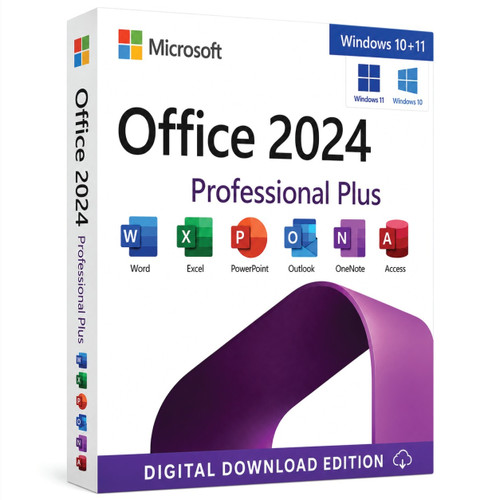
Office LTSC Professional Plus 2024 · Windows · perpetual licence
Professional desktop productivity with a predictable 2024 feature set.
Bring Word, Excel, PowerPoint, Outlook, OneNote and Access together for business documents, analysis, presentations, communication, notes and relational database workflows.
Digital product. Confirm the exact licence entitlement, device quantity, activation method and deployment rights before ordering.

 Perpetual releaseUse the licensed 2024 version without a recurring Office fee
 Fixed feature setPredictable LTSC servicing for controlled environments
 Supported servicingSecurity and quality updates through the support lifecycle
 Installation assistancePractical help with download, setup and activation
Microsoft positions Office LTSC 2024 for organisations through volume licensing. It does not include Copilot, AI-driven automation, Publisher, preinstalled Teams, real-time co-authoring or the newest Microsoft 365 cloud features. The supplied licence agreement—not the activation key alone—defines the customer’s rights.
Six desktop applications
One business-ready productivity environment.
Create, analyse, present, communicate, organise and manage structured desktop data with familiar Microsoft applications.

Word 2024
Produce polished contracts, reports, proposals and accessible business documents.

Excel 2024
Analyse changing data with dynamic arrays, modern functions and responsive charts.

PowerPoint 2024
Create persuasive presentations with recording, cameo and media-caption tools.

Outlook 2024
Manage email, calendars and contacts with improved search and meeting controls.

OneNote 2024
Capture working knowledge with refreshed navigation and improved inking tools.

Access 2024
Build Windows desktop databases with tables, queries, forms and reports.



The Professional Plus advantage
Turn structured records into everyday business action.
Access is the defining application in Office LTSC Professional Plus 2024. It helps Windows teams organise related information, standardise data entry, answer operational questions and produce repeatable reports.
- Relational tables reduce repeated data and improve consistency.
- Queries join and filter records around practical business rules.
- Forms guide structured data entry for everyday users.
- Reports turn stored records into clear, printable outputs.
- VBA and trusted add-ins can support established workflows after compatibility testing.
- The Dataverse connector can extend suitable solutions when separately licensed Power Platform services are available.
What is new in the 2024 fixed release
Practical improvements across analysis, recovery, presentation and accessibility.
Office LTSC 2024 preserves a fixed feature baseline while introducing selected improvements from the 2024 release.
Dynamic Excel charts
Charts can expand or contract as referenced dynamic arrays recalculate.
14 text and array functions
Split, combine, reshape, resize and select data with modern functions.
Images inside cells
Use the IMAGE function and in-cell pictures that move with table data.
Word session recovery
Reopen documents that were active if Word closes unexpectedly.
Improved Outlook search
Surface more relevant messages, attachments, contacts and calendar entries.
Cameo and Recording Studio
Present with a camera feed, record narration and ink, then export video.

Accessibility ribbon
Find and address common accessibility issues through dedicated tools.
ODF 1.4 support
Work with the updated OpenDocument standard in Word, Excel and PowerPoint.
Choose the correct Office model
Professional Plus, Standard or Microsoft 365?
Choose Professional Plus when Access and a predictable desktop feature set are essential. Choose Microsoft 365 when cloud collaboration and continuous feature delivery are the priority.
| Decision factor | Office LTSC Professional Plus 2024 | Office LTSC Standard 2024 | Microsoft 365 Apps |
|---|---|---|---|
| Desktop applications | Word, Excel, PowerPoint, Outlook, OneNote and Access | Word, Excel, PowerPoint, Outlook and OneNote | Plan-dependent desktop, mobile and cloud apps |
| Access for Windows | Included | Not included | Included in eligible Windows plans |
| Payment model | Perpetual, device-based commercial licensing | Perpetual, device-based commercial licensing | Recurring subscription |
| Feature servicing | Fixed feature set; security and quality updates | Fixed feature set; security and quality updates | Ongoing feature updates |
| Copilot and AI automation | Not included | Not included | Requires eligible Microsoft 365 and Copilot licensing |
| Real-time cloud collaboration | Not a core LTSC capability | Not a core LTSC capability | Available with eligible services |
| Best fit | Access-led desktop workflows and predictable managed deployment | Core desktop productivity without Access | Cloud collaboration and continuous innovation |
Compatibility first
Check Windows, architecture and deployment before purchase.
Microsoft’s current Office LTSC 2024 requirements are more specific than a generic “Windows 10 or 11” claim.

Supported Windows
Windows 11, Windows 11 LTSC 2024, Windows 10 LTSC 2021 or 2019, Windows Server 2025 or 2022. Arm devices require Windows 11.

Processor
1.1 GHz or faster, two-core processor. Confirm x86, x64 or Arm compatibility for the intended deployment.

Memory
4 GB RAM. Microsoft recommends 64-bit Office on devices with 4 GB or more unless a legacy dependency requires 32-bit.

Storage
4 GB of available disk space on the system drive, plus room for updates, templates and working files.

Display
1280 × 768 minimum. A 64-bit Office installation is required for 4K and higher resolutions.

32-bit or 64-bit
Office components on the same device must use one architecture. Check Project, Visio, add-ins, controls and existing Office products.
Microsoft’s published Office LTSC 2024 requirements currently identify Windows 10 LTSC 2019 and 2021. Confirm the exact operating-system edition before ordering.
Licensing and deployment
Match the entitlement to the real environment.
Device quantity alone does not define activation, reassignment, RDS or shared-use rights.
Device-based entitlement
Confirm covered devices and whether the agreement permits reassignment or replacement.

MAK or KMS activation
Multiple Activation Key and Key Management Service serve different deployment sizes and network conditions.

Managed deployment
IT teams can plan architecture, language, update channel and excluded applications with supported tools.

RDS and shared environments
Remote Desktop Services and shared-use scenarios require explicit licensing and deployment rights.
Legacy compatibility
Inventory Access databases, VBA, ActiveX controls and business-critical add-ins before rollout.
Remove conflicts first
Uninstall incompatible earlier Office components before a controlled production installation.
From order to productive
A clear digital fulfilment path.
Installation and activation details vary with the selected licence option.
Confirm the licence
Match edition, device quantity, activation method, Windows edition and deployment rights.
Receive fulfilment
Receive your product licence key, download link and installation instructions by email, typically within 1–10 minutes after successful payment and any required order checks.
Prepare Windows
Remove conflicts and choose the architecture required by existing integrations.
Install and verify
Follow the supplied method, activate, apply updates and confirm every required application.
Why Software Mart Australia
Clarity and practical support around the purchase.
Buy from an Australian software retailer with product guidance, digital fulfilment and installation assistance.

Australian business
Software Mart Australia · ABN 43 657 323 491 · Truganina, Victoria.

Protected checkout
Complete payment through the store’s encrypted online checkout process.

Digital fulfilment
Your delivery email includes the product licence key, download link and installation instructions. It is typically sent within 1–10 minutes after payment and any required order verification.
Installation assistance
Installation support is available through remote assistance, live chat, email and phone for download, installation and activation.

Published purchase terms
If activation cannot be completed after troubleshooting, Software Mart Australia will provide a replacement key first. If the replacement also cannot be activated, a 100% refund will be issued.
Pre-purchase guidance
Contact +61 3 8104 9693 when licence type, compatibility or RDS requirements are unclear.
Frequently asked questions
Answers before checkout.
Is Office LTSC Professional Plus 2024 a subscription?
No. It is a perpetual, device-based commercial release. It does not include automatic rights to a future major Office version.
Which applications are included?
Word, Excel, PowerPoint, Outlook, OneNote and Access. Skype for Business can be optionally installed in supported deployments.
What is the main difference between Professional Plus and Standard?
Access is included with Professional Plus and is not included with Office LTSC Standard 2024.
Does it include Microsoft Copilot or AI automation?
No. Microsoft states that Office LTSC 2024 does not include AI-driven automation. Copilot requires separate eligible Microsoft 365 and Copilot licensing.
Does it include Microsoft Teams?
No. Teams is not preinstalled with Office LTSC 2024 and requires a separate download and appropriate service entitlement.
Does it include Microsoft Publisher?
No. Publisher is not included. Do not select this product when Publisher is an essential requirement.
Can this Professional Plus edition be installed on Mac?
No. Access is a Windows desktop application and this Professional Plus listing is intended for supported Windows environments.
Can 32-bit and 64-bit Office components be mixed?
No. Office products on one device must use the same architecture. Check Project, Visio, add-ins and existing Office products before installation.
Does Office LTSC 2024 receive updates?
Yes. It receives security and quality updates, but it does not receive new post-release features.
How long is Office LTSC 2024 supported?
Microsoft lists support through 9 October 2029, with no Extended Support period.
Can the applications work without continuous internet access?
Yes. Continuous connectivity is not required for normal desktop use. Internet access is used for download, MAK activation, updates and separately licensed online services.
Can it be deployed on Windows Server or Remote Desktop Services?
Microsoft lists Windows Server 2022 and 2025 as supported operating systems, but RDS and shared-use rights depend on the exact supplied licence agreement and deployment model.
Can the licence be transferred to another device?
Transfer and reassignment rights depend on the exact entitlement supplied. Do not assume retail-style transfer rights.
Can it be installed beside an older version of Office?
Mixed installations can conflict. Inventory the device and remove incompatible earlier Office components before production deployment.
What should be checked before buying?
Confirm edition, device count, activation type, Windows edition, architecture, language, RDS requirements, transfer rights and every essential Access database, macro or add-in dependency.
Product details were checked against Microsoft’s official Office LTSC 2024 overview, Office 2024 feature guide and lifecycle record. The selected product option and supplied licence terms remain authoritative.
Ready for predictable professional productivity?
Choose Microsoft Office LTSC Professional Plus 2024 with clarity.
Confirm compatibility, select the correct entitlement and bring six essential desktop applications together on supported Windows devices.