Standard server licence · User CAL bundle
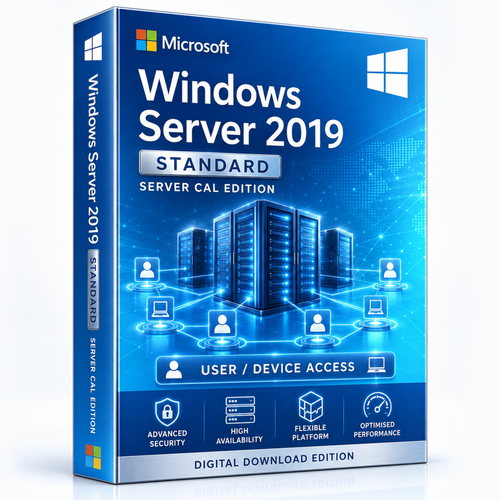
Windows Server 2019 Standard — User CAL Bundle
A 16-core Windows Server 2019 Standard base licence paired with the User CAL quantity selected above. It suits physical or lightly virtualised infrastructure when both server cores and access rights are counted correctly.




Who this product is for
Use the product when its edition, lifecycle and licence model match the real deployment—not simply because the version name is familiar.
Business infrastructure
Identity, file, print and compatible application services.
Light virtualisation
A strong fit when only a limited number of Windows Server VMs are required.
Defined access count
The organisation can choose the appropriate User CAL quantity.
Check these points before checkout
- Confirm that the 16-core base fully licenses the physical server.
- Add core licences when the server contains more than 16 physical cores.
- Select the correct User CAL quantity and assignment model.
- Add RDS CALs separately when Remote Desktop Services is used.
- Compare Datacenter when VM density makes repeated Standard licensing uneconomical.
What the licence supports
16-core starting point
Provides the stated base core entitlement.
Standard virtualisation rights
A fully licensed server generally permits up to two Windows Server OSEs or VMs, subject to Microsoft terms.
Selectable access count
Choose the User CAL quantity required by the environment.
Perpetual licence
One-time licensing for the selected server and access configuration.
Keep the licence layers clear
| Component | Purpose |
|---|---|
| 16-core Standard base | Licences the physical-server foundation |
| Additional core packs | Complete licensing when the host exceeds 16 cores |
| User CAL | Authorises one named user to access Windows Server |
| RDS CAL | Additional right for Remote Desktop Services |
| Standard edition | Best for physical or lightly virtualised workloads |
Digital delivery and installation support
Place the order using the selected product option.
Orders are checked before digital fulfilment.
Receive the purchased licence information and relevant installation guidance, typically within 1–10 minutes after verification.
Remote assistance, live chat, email and phone support are available.
Frequently asked questions
Are User CALs and Device CALs the same?
No. User CALs follow a person; Device CALs follow a device. This bundle contains User CALs; choose a separate Device CAL product when licensing shared devices.
Are RDS CALs included?
No. RDS CALs are additional to Windows User CALs.
How many VMs can I run?
Standard generally provides rights for up to two Windows Server OSEs or VMs when the host is fully licensed. Additional sets require re-licensing all physical cores.
Does the selected CAL quantity change the server core count?
No. The page combines a 16-core base with the selected access count. They are separate licence measurements.
Choose the User CAL quantity above
If the environment has shared devices, remote sessions or more than two VMs, request a licence check before checkout.
Choose a User CAL quantity aboveNeed help after purchase? Software Mart will troubleshoot fulfilment and activation issues and apply the documented replacement or refund process where appropriate.