

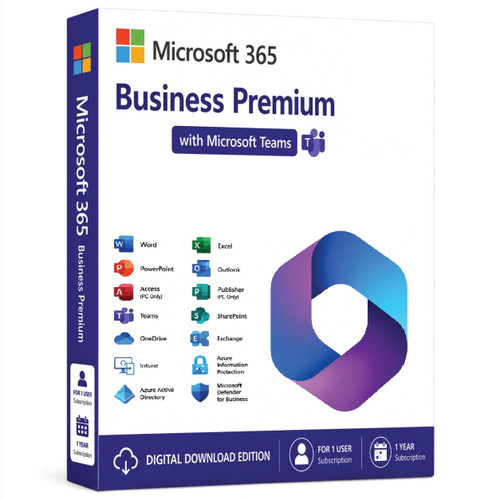
Microsoft 365 Business Premium with Microsoft Teams
Microsoft 365 Business Premium is Microsoft's most comprehensive subscription for small and medium-sized businesses (up to 300 users). It combines Microsoft 365 Apps, professional email, collaboration tools, advanced cybersecurity, and device management into a single per-user subscription. It is ideal for businesses that need enterprise-grade security without the cost and complexity of Microsoft 365 Enterprise plans.
Key Highlights
- Complete Office Applications
- Desktop, web, and mobile versions of:
- Word
- Excel
- PowerPoint
- Outlook
- OneNote
- Access (PC only)
- Publisher (PC only, where available)
- Automatic feature and security updates.
- Desktop, web, and mobile versions of:
- Professional Email & Collaboration
- Exchange Online with a 100 GB mailbox per user
- Custom business email domain
- Microsoft Teams (where included or purchased separately, depending on region)
- SharePoint Online
- OneDrive for Business
- Microsoft Planner
- Microsoft Forms
- Microsoft Bookings
- Microsoft Loop and other collaboration tools.
- Cloud Storage
- 1 TB of OneDrive storage per user, with expansion options for eligible organizations.
- Advanced Security
- Microsoft Defender for Business
- Microsoft Defender for Office 365 Plan 1
- Anti-phishing protection
- Anti-malware protection
- Safe Links and Safe Attachments
- Ransomware protection
- Multi-Factor Authentication (MFA)
- Conditional Access using Microsoft Entra ID P1.
- Device Management
- Microsoft Intune
- Mobile Device Management (MDM)
- Mobile Application Management (MAM)
- Windows Autopilot support
- Remote device configuration, compliance, and security policies.
- Identity & Access Management
- Microsoft Entra ID Premium P1
- Single Sign-On (SSO)
- Self-service password reset
- Conditional Access policies
- Identity protection features.
- Data Protection & Compliance
- Data Loss Prevention (DLP)
- Sensitivity labels
- Retention policies
- Basic eDiscovery
- Information protection and governance features.
Licensing
- Licensed per user.
- Supports up to 300 licensed users.
- Each licensed user can install Microsoft 365 Apps on:
- Up to 5 PCs or Macs
- Up to 5 tablets
- Up to 5 smartphones.
Best Suited For
- Small and medium-sized businesses (SMBs)
- Professional services firms
- Retail businesses
- Healthcare practices
- Accounting and legal firms
- Organizations with hybrid or remote employees
- Businesses that need centralized device management and strong built-in security
Typical Use Cases
- Business email and calendaring
- Team collaboration
- Secure document sharing
- Remote and hybrid work
- Device management
- Endpoint protection
- Identity and access management
- Data protection and compliance
Comparison with Microsoft 365 Business Standard
| Feature | Business Standard | Business Premium |
|---|---|---|
| Office Apps | ✔ | ✔ |
| Exchange Online | ✔ | ✔ |
| Teams | ✔ (market-dependent) | ✔ (market-dependent) |
| OneDrive | ✔ | ✔ |
| Microsoft Intune | ✖ | ✔ |
| Microsoft Defender for Business | ✖ | ✔ |
| Microsoft Defender for Office 365 P1 | ✖ | ✔ |
| Microsoft Entra ID P1 | ✖ | ✔ |
| Conditional Access | ✖ | ✔ |
| Device Management | ✖ | ✔ |
Bottom Line
Microsoft 365 Business Premium is Microsoft's flagship solution for organizations with up to 300 users that want far more than just Office apps. It combines productivity tools with enterprise-grade security, Microsoft Intune device management, Microsoft Defender for Business, and Microsoft Entra ID Premium P1, making it one of the best-value subscriptions for businesses that need to protect users, devices, and data while supporting hybrid work. For organizations with more than 300 users or those requiring advanced compliance and Windows Enterprise licensing, Microsoft 365 E3 or Microsoft 365 E5 are typically the next step.
- Identity, access, and user management for up to 300 employees
- Custom business email (you@yourbusiness.com)
- Web and mobile versions of Word, Excel, PowerPoint, and Outlook
- Chat, call, and video conference with Microsoft Teams
- 1 TB of cloud storage per employee
- 10+ additional apps for your business needs (Microsoft Bookings, Planner, Forms, and others)
- Automatic spam and malware filtering
- Anytime phone and web support
- AI chat experience with web grounding, writing assistance, data analysis, and access to agents
- Microsoft 365 Copilot, available as an add-on
- Desktop versions of Word, Excel, PowerPoint, and Outlook
- Webinars with attendee registration and reporting
- Collaborative workspaces to co-create using Microsoft Loop
- Video editing and design tools with Microsoft Clip champ
- Microsoft 365 Copilot, available as an add-on
- Advanced identity and access management
- Enhanced cyberthreat protection against viruses and phishing attacks
- Enterprise-grade device and endpoint protection
- Discover, classify, and protect sensitive information
- Microsoft 365 Copilot, available as an add-on
Microsoft 365 Business Premium is an all-in-one productivity and security suite designed for small and medium-sized businesses (up to 300 users).
It combines:
-
Office 365 productivity apps
-
Advanced security features
-
Device and data management tools (via Intune and Azure AD)
It’s ideal for businesses that want both collaboration and enterprise-grade protection.
Key Components
1. Productivity Tools
Includes full desktop versions and web/mobile versions of:
-
Word
-
Excel
-
PowerPoint
-
Outlook
-
Access (PC only)
-
Publisher (PC only)
-
OneNote
You get all the latest updates automatically.
2. Cloud Services
-
Exchange Online – 50 GB mailbox per user + custom domain email
-
OneDrive for Business – 1 TB secure cloud storage per user
-
SharePoint Online – team collaboration and document management
-
Microsoft Teams – chat, video conferencing, and collaboration hub
-
Microsoft Loop and Planner – project and task management tools
-
Bookings – online appointment scheduling
3. Security and Compliance
-
Microsoft Defender for Business – endpoint protection against malware and ransomware
-
Conditional Access – control access based on user, location, and device
-
Azure AD Premium P1 – includes advanced identity management and MFA
-
Information Protection – classify and encrypt sensitive data
-
Data Loss Prevention (DLP) – prevent accidental data leaks
-
Intune Device Management – manage PCs and mobile devices remotely
-
BitLocker and Windows Defender Firewall integration
4. Device & App Management
-
Manage Windows, macOS, iOS, and Android devices
-
Deploy and manage apps via Microsoft Intune
-
Enforce policies such as device encryption, password strength, etc.
-
Autopilot support for setting up new PCs remotely
Security Highlights
| Feature | Description |
|---|---|
| Microsoft Defender for Business | Enterprise-grade endpoint protection |
| Conditional Access | Grant or deny access based on conditions |
| Intune | Centralized device and app management |
| Information Protection | Prevent sensitive data leaks |
| Anti-phishing & Anti-spam | Built-in protection for emails |
| Ransomware Protection | Automatic backup and restore in OneDrive |
| Remote Wipe | Remotely delete data from lost/stolen devices |
Licensing & Pricing
| Type | Detail |
|---|---|
| User limit | Up to 300 users |
| License type | Per-user subscription |
| Estimated price | Around $22 per user/month (may vary by region) |
| Billing | Monthly or annual options |
| Includes | Office apps, cloud storage, Teams, Intune, Azure AD P1, Defender for Business |
⚙️ System Requirements
Operating Systems:
-
Windows 11, 10 (current or 2 most recent versions)
-
macOS (3 most recent versions)
-
iOS and Android (latest 2 versions)
Hardware (minimum for Office apps):
-
1.6 GHz or faster CPU, 2-core
-
4 GB RAM (64-bit) / 2 GB RAM (32-bit)
-
4 GB available disk space
-
1280×768 display
Internet:
Always required for activation, cloud sync, and updates.
Comparison with Other Microsoft 365 Plans
| Feature | Business Basic | Business Standard | Business Premium | Enterprise E3 |
|---|---|---|---|---|
| Office desktop apps | ❌ | ✅ | ✅ | ✅ |
| Email hosting | ✅ | ✅ | ✅ | ✅ |
| 1 TB OneDrive | ✅ | ✅ | ✅ | ✅ |
| Microsoft Teams | ✅ | ✅ | ✅ | ✅ |
| Device Management (Intune) | ❌ | ❌ | ✅ | ✅ |
| Microsoft Defender for Business | ❌ | ❌ | ✅ | ✅ |
| Azure AD Premium P1 | ❌ | ❌ | ✅ | ✅ |
| Max users | 300 | 300 | 300 | Unlimited |
In short:
Business Premium = Business Standard + Advanced Security + Device Management.
Why Choose Microsoft 365 Business Premium
✅ Unified productivity and security in one plan
✅ Protects against modern cyber threats
✅ Simplifies device and user management
✅ Enhances remote and hybrid work
✅ Regular updates and 24/7 Microsoft support
Complete, side-by-side technical comparison between Microsoft 365 Business Basic, Business Standard, and Business Premium — covering apps, cloud services, collaboration, management, and security.
Overview
| Feature | Business Basic | Business Standard | Business Premium |
|---|---|---|---|
| Target users | Cloud-first teams needing online tools | Businesses needing full Office desktop apps | Businesses needing full Office apps + advanced security & device management |
| User limit | Up to 300 users | Up to 300 users | Up to 300 users |
| License type | Per-user subscription | Per-user subscription | Per-user subscription |
Office Applications
| Application | Basic | Standard | Premium |
|---|---|---|---|
| Web & mobile versions of Word, Excel, PowerPoint, Outlook | ✅ | ✅ | ✅ |
| Full desktop versions (PC & Mac) | ❌ | ✅ | ✅ |
| Access (PC only) | ❌ | ✅ | ✅ |
| Publisher (PC only) | ❌ | ✅ | ✅ |
| Outlook desktop app | ❌ | ✅ | ✅ |
| Always-up-to-date versions | ✅ | ✅ | ✅ |
| Install on multiple devices (PC/Mac/tablet/phone) | ❌ | ✅ | ✅ |
☁️ Cloud Services & Collaboration
| Service | Basic | Standard | Premium |
|---|---|---|---|
| Exchange Online (business-class email) | ✅ 50 GB mailbox | ✅ 50 GB mailbox | ✅ 50 GB mailbox |
| Custom email domain | ✅ | ✅ | ✅ |
| OneDrive for Business (per-user storage) | 1 TB | 1 TB | 1 TB |
| SharePoint Online | ✅ | ✅ | ✅ |
| Microsoft Teams (chat, meetings, calling) | ✅ | ✅ | ✅ |
| Microsoft Loop / Planner / To Do | ✅ | ✅ | ✅ |
| Microsoft Bookings | ✅ | ✅ | ✅ |
| Yammer / Viva Engage | ✅ | ✅ | ✅ |
| Webinars & meeting registration | ✅ | ✅ | ✅ |
| Teams Phone (add-on) | Optional | Optional | Optional |
Security & Compliance
| Security Feature | Basic | Standard | Premium |
|---|---|---|---|
| Basic email security (anti-spam, anti-malware) | ✅ | ✅ | ✅ |
| Multifactor Authentication (MFA) | ✅ | ✅ | ✅ |
| Advanced Threat Protection / Microsoft Defender for Business | ❌ | ❌ | ✅ |
| Microsoft Intune (device & app management) | ❌ | ❌ | ✅ |
| Azure AD Premium P1 (Conditional Access, self-service password reset) | ❌ | ❌ | ✅ |
| Information Protection (email & file encryption, sensitivity labels) | ❌ | ❌ | ✅ |
| Data Loss Prevention (DLP) for email & files | ❌ | ❌ | ✅ |
| BitLocker & Device encryption enforcement | ❌ | ❌ | ✅ |
| Remote Wipe (via Intune) | ❌ | ❌ | ✅ |
| Endpoint detection & response | ❌ | ❌ | ✅ |
| Ransomware recovery (OneDrive version history) | ✅ | ✅ | ✅ |
⚙️ Device & App Management
| Management Capability | Basic | Standard | Premium |
|---|---|---|---|
| Centralized admin console | ✅ | ✅ | ✅ |
| PC/Mac device management | ❌ | ❌ | ✅ |
| Mobile device & app management (MDM/MAM) | ❌ | ❌ | ✅ |
| Windows Autopilot (zero-touch deployment) | ❌ | ❌ | ✅ |
| Apply security/compliance policies | ❌ | ❌ | ✅ |
| Remote app deployment | ❌ | ❌ | ✅ |
Compliance & Identity
| Feature | Basic | Standard | Premium |
|---|---|---|---|
| Identity & access via Azure AD Free | ✅ | ✅ | ✅ |
| Conditional Access | ❌ | ❌ | ✅ |
| Self-service password reset with write-back | ❌ | ❌ | ✅ |
| SSO for SaaS apps | ✅ | ✅ | ✅ |
| Data governance tools | Basic | Basic | Advanced |
Pricing (Approx., per user / month)
| Plan | Estimated Price (USD)* |
|---|---|
| Business Basic | ~$6 / user / month |
| Business Standard | ~$12.50 / user / month |
| Business Premium | ~$22 / user / month |
*Prices vary by region and billing cycle (monthly vs annual).
Summary – Which Should You Choose?
| Need | Best Plan |
|---|---|
| Basic email, Teams, and cloud apps only | Business Basic |
| Full Office desktop suite + collaboration tools | Business Standard |
| Advanced security, device management, and threat protection | Business Premium |
Quick Verdict
| Area | Basic | Standard | Premium |
|---|---|---|---|
| Productivity | ⭐⭐ | ⭐⭐⭐⭐ | ⭐⭐⭐⭐ |
| Collaboration | ⭐⭐⭐ | ⭐⭐⭐⭐ | ⭐⭐⭐⭐ |
| Security | ⭐ | ⭐⭐ | ⭐⭐⭐⭐⭐ |
| Device Management | ❌ | ❌ | ✅ |
| Value for IT-managed environments | ⭐ | ⭐⭐ | ⭐⭐⭐⭐⭐ |