

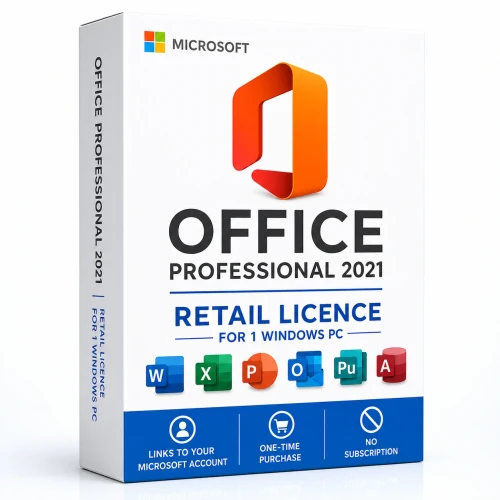
Retail Office for one Windows PC
Own the classic Office apps—and keep them connected to your Microsoft account
Microsoft Office Professional Plus 2021 is a one-time retail purchase for one person on one Windows PC. Redeem the supplied key once with the Microsoft account you want to keep, then use that account to install or reinstall Office from Microsoft.
A simpler retail experience
Buy once, redeem carefully, reinstall from your account
This is the consumer and small-business retail edition—not Office LTSC, not a MAK deployment and not a Microsoft 365 subscription. It is designed for a person who wants the classic 2021 desktop applications on one Windows PC and prefers account-based ownership records.
Linked to your account
Redeeming the key associates this copy of Office with the Microsoft account you choose. That account becomes your route to future downloads and reinstalls.
Licensed for one PC
The retail offer is for one person using one licensed Windows PC. Additional PCs require separate qualifying licences.
No recurring subscription
Pay once for the 2021 release. It has a fixed feature set and does not include future major-version upgrades or Microsoft 365 subscription services.
A good fit if you…
Want the full classic 2021 desktop suite
- Need Word, Excel, PowerPoint and Outlook
- Also need Publisher and Access on Windows
- Prefer a one-time purchase over a subscription
- Want the licence associated with your Microsoft account
Consider a newer option if you…
Are planning a fresh long-term deployment
- Need Microsoft security updates beyond October 2026
- Want the newest perpetual Office generation
- Need multiple-device use or ongoing feature updates
- Prefer current Microsoft 365 cloud services
Classic apps for home and work
Six familiar tools in one Windows suite
Microsoft identifies Office Professional 2021 as the retail edition for families and small businesses that want classic Office applications plus email, publishing and database tools installed on one PC.
From email to installation
A clear four-step Microsoft account journey
Receive your order
After payment verification, receive the digital product information, redemption guidance and GST invoice by email.
Choose your account
Sign in at Microsoft’s setup page with the Microsoft account you intend to retain. Check the email address before continuing.
Redeem once
Enter the supplied key when prompted. Redemption links the Office entitlement to that Microsoft account.
Install and retain access
Download Office from your Microsoft account dashboard. Use the same account for future reinstalls and licence management.
What arrives with your order
Digital fulfilment with human setup assistance
Digital delivery
Product information, Microsoft redemption link, activation guidance and order details delivered by email after payment verification.
Australian GST invoice
Receive a GST invoice for your records, whether you are buying for home, a sole trader or a small business.
Setup support
Chat and phone assistance, installation and activation guidance, plus free remote setup support when required.
Compare before you commit
Retail Office 2021 versus other Office choices
| Consideration | Professional 2021 Retail | LTSC Professional Plus 2021 | Office 2024 / Microsoft 365 |
|---|---|---|---|
| Best for | One person, one PC, account-linked retail ownership | Managed commercial deployments with documented 2021 requirements | Newer supported deployments or subscription flexibility |
| Account model | Redeemed to a Microsoft account | Commercial deployment and volume activation model | Depends on selected 2024 retail or Microsoft 365 offer |
| Applications | Word, Excel, PowerPoint, Outlook, Publisher, Access | Commercial Professional Plus application set | Varies by edition or subscription |
| Devices | One Windows PC | Licensed per qualifying device | Varies by product |
| Feature model | Fixed 2021 features | Fixed 2021 features | Fixed 2024 features or ongoing Microsoft 365 updates |
Check your PC first
Current Microsoft system requirements
Microsoft’s current consumer requirements list Windows 11 for Office Professional 2021. Confirm your device and any essential add-ins before redemption.
Answers before purchase
Frequently asked questions
What does “linked to a Microsoft account” mean?
When you redeem the retail key at Microsoft’s setup site, Office is associated with the Microsoft account you use. That account becomes the place to download or reinstall the product later.
Can I use this licence on two PCs?
No. Microsoft describes Office Professional 2021 as a one-time purchase for one person on one PC. A separate qualifying licence is required for another PC.
Can I change the Microsoft account after redemption?
Choose carefully before redeeming. Microsoft states that a retail product key is redeemed once and the associated account is then used for installation and reinstallation. Account or transfer exceptions are governed by Microsoft’s licence terms and support processes.
Is this Microsoft 365?
No. This is a fixed-feature Office 2021 desktop release. It does not include an ongoing Microsoft 365 subscription, future major upgrades or bundled Microsoft 365 cloud-storage benefits.
Does it work on Mac?
No. Office Professional 2021 is a Windows PC edition. Do not purchase it for macOS.
Do I need internet access?
Yes. Microsoft requires internet access to redeem and associate Office with your account and to activate the apps. Periodic internet access may also be required to keep them activated.
What happens after 13 October 2026?
The applications do not automatically stop opening, but Microsoft will no longer supply security updates, bug fixes or Microsoft technical support. Consider a newer supported Office release for a fresh long-term deployment.
Ready for one Windows PC?
Choose the Microsoft account you intend to keep—then redeem with confidence
Select the product above, complete checkout and follow the supplied Microsoft redemption guidance. Need help? Software Mart can assist with installation and activation.


