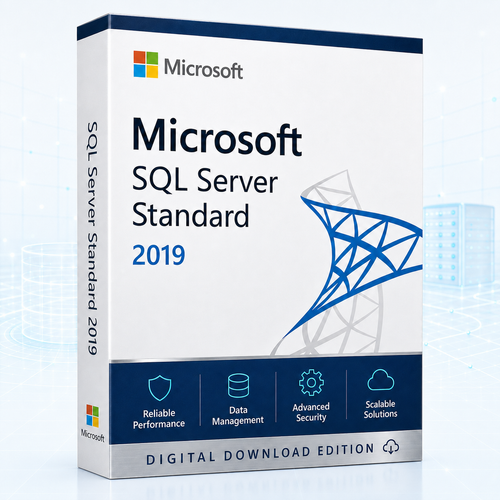
Microsoft SQL Server 2019 Standard
Perpetual Per Core licensing for dependable production databases
Buy Microsoft SQL Server 2019 Standard Per Core licensing for a physical server or virtual machine deployment. Select the core quantity that matches the workload, complete secure checkout and receive electronic fulfilment after payment and order verification. Australian assistance is available for download, installation and activation.
- Perpetual licence
- Per Core model
- No separate SQL Server CALs required
- Digital delivery
A two-core pack is not normally sufficient for a new deployment
Microsoft sells SQL Server core licences in two-core packs, but physical deployments require every physical core to be licensed, subject to at least four core licences per physical processor. Virtual-machine rules depend on the supplied agreement and deployment model. Contact us before ordering if you are unsure.
Licensing decision centre
Count the deployment before selecting the pack
Begin with where SQL Server will run. The correct calculation is based on processing capacity, not the number of people using the application.
Physical server
Count every physical core in every physical processor assigned to the server. Apply Microsoft’s minimum of four core licences for each physical processor, even if a processor contains fewer than four cores.
Check: processor count, cores per processor and whether SQL Server will run in the physical operating-system environment.
Virtual machine
Count the virtual cores allocated to the virtual machine and apply the minimum and reassignment rules in the supplied licence agreement.
Check: vCPU allocation, host mobility, clustering, outsourcing and whether Software Assurance or subscription rights are required.

What “no CALs required” means
Users and devices can access a correctly licensed Per Core deployment without each needing a separate SQL Server CAL. It does not mean that an unlimited collection of CAL certificates is supplied.
Electronic fulfilment
What to expect after ordering
Order verification
Payment and order checks are completed before digital fulfilment.
Digital materials
Order documentation, download guidance and installation instructions are delivered electronically.
Prepare the server
Confirm operating-system support, administrator access, storage, memory, networking and backups.
Install and activate
Follow the supplied process and contact Software Mart if assistance is needed within the applicable support terms.
Confirm procurement details before purchase
The exact licence channel, key type, entitlement evidence, Software Assurance status, downgrade rights, reassignment rights and virtualisation rights must be confirmed from the supplied offer or agreement. Do not assume that Software Assurance or its related benefits are included unless expressly documented.
Standard edition capabilities
Built for established business applications and data workloads
SQL Server 2019 Standard balances production database features with defined compute, memory and high-availability limits.
Intelligent query processing
Standard supports scalar UDF inlining, table-variable deferred compilation, interleaved execution and approximate count distinct. Benefits depend on query patterns and compatibility settings.
Accelerated recovery
Accelerated Database Recovery can improve recovery behaviour after restarts and long-running transaction rollbacks.
Layered security
TDE, encrypted backups, Always Encrypted, row-level security, masking and auditing support a broader security architecture.
Basic high availability
Basic Availability Groups support two replicas and one database. The secondary is not readable and cannot host backups.
Modern data development
Use relational data alongside JSON, XML, graph, temporal tables, Query Store and full-text search.
Windows and Linux options
SQL Server 2019 supports qualifying Windows and Linux environments, although services and features differ by platform.

Security + resilience
Build protection around the entire data path
Use SQL Server controls as part of a broader operating model that includes least-privilege access, tested backups, recovery objectives, monitoring and disciplined patching.
- Encrypt sensitive data and backup media where appropriate.
- Test restoration and failover procedures before they are needed.
- Match availability design to business recovery requirements.
Know the boundaries
SQL Server 2019 Standard scale limits
These are edition ceilings, not practical sizing recommendations. Production capacity also depends on storage, backup windows, recovery objectives, concurrency and database design.
Buyer fit
Choose Standard for the right workload
A strong fit when
- An ERP, CRM or vendor application is certified for SQL Server 2019.
- The workload fits the 24-core and Standard memory limits.
- Basic high availability is sufficient.
- Users or devices are numerous or difficult to count.
- You are maintaining an established SQL Server 2019 estate.
Consider another edition or version when
- The environment is only for development or testing.
- A small production database fits SQL Server Express.
- You need more than 24 cores in one Database Engine instance.
- You require readable secondary replicas or advanced availability.
- You are planning a new strategic deployment with no 2019 dependency.
Edition comparison
Standard, Enterprise, Developer or Express?
| Edition | Production use | Best fit | Important boundary |
|---|---|---|---|
| Standard | Yes | Mid-tier business applications and data marts | Lesser of four sockets or 24 cores; 128 GB buffer pool |
| Enterprise | Yes | Mission-critical scale and advanced availability | Higher investment; licence the required cores |
| Developer | No | Development, demonstration and testing | Not licensed for production |
| Express | Yes | Small and lightweight production workloads | 10 GB database and much lower compute and memory limits |
Compatibility
Validate the target environment before purchase
Windows baseline
- x64 processor; 1.4 GHz minimum
- 2.0 GHz or faster recommended
- At least 1 GB memory; 4 GB or more recommended
- At least 6 GB installation storage
- Windows Server 2016 or a later supported release
Linux baseline
- x64-compatible processor with two cores
- 2 GHz processor speed
- 2 GB memory and 6 GB storage
- XFS or ext4 file system
- Supported RHEL, SLES or Ubuntu release
Minimum installation specifications are not production-sizing recommendations. Validate application certification, component availability, storage architecture, backups and recovery requirements.
Lifecycle clarity
Extended Support continues through 8 January 2030
SQL Server 2019 left Mainstream Support on 28 February 2025. It remains a practical choice for established compatible workloads, but new strategic deployments should compare the longer support runway of newer releases.
View Microsoft Lifecycle information60-second deployment brief
Know these three answers before checkout
A short infrastructure check reduces the risk of buying too few core licences or assuming rights that are not included.
What will run SQL Server?
Record the number of physical processors and physical cores, or the virtual cores assigned to each VM.
Will the workload move?
Identify clustering, failover, outsourcing, host mobility or frequent reassignment before assuming VM rights.
Which entitlement is supplied?
Confirm the licence channel, Software Assurance status, entitlement evidence and product-specific use rights.
Software Mart Australia
Local assistance for a considered purchase
Australian business
Local contact channels and prices displayed in Australian dollars.
Electronic delivery
Digital fulfilment follows payment and order verification.
Installation assistance
Help is available for download, installation and activation under the applicable support terms.
Published policies
Review delivery and refund conditions before ordering.
Frequently asked questions
Answers before you select a licence
Is this a perpetual licence?
The product is sold for perpetual use of the licensed SQL Server 2019 version and scope. Exact transfer, reassignment and virtualisation rights depend on the supplied agreement.
Are SQL Server CALs included or required?
No CALs should be represented as included with a Per Core licence. Separate SQL Server CALs are not required for users or devices accessing a correctly licensed Per Core deployment.
Is a two-core option sufficient for a new server or VM?
Normally, no. Core licences are sold in two-core packs, but Microsoft minimums ordinarily require at least four core licences for a new physical-processor or individual-VM deployment. A two-core pack can be useful when supplementing an existing licence position.
How many core licences do I need?
For a physical deployment, count physical cores and apply the minimum per processor. For a VM, count allocated virtual cores and apply the supplied agreement’s minimum and mobility rules. Ask for assistance if the system is clustered, outsourced or frequently reassigned.
Can SQL Server 2019 Standard run on Linux?
SQL Server 2019 supports qualifying Linux distributions, but services and features differ from Windows. Confirm every required component and the supplied entitlement before purchase.
Can Developer edition be used in production?
No. Developer edition is free but licensed for development, demonstration and testing rather than production workloads.
Is SQL Server 2019 still supported?
Yes, under Extended Support. Microsoft lists 8 January 2030 as the end of Extended Support.
Is Software Assurance included?
Do not assume Software Assurance, upgrade rights, cloud mobility or additional failover rights are included unless they are expressly documented with the supplied offer.
How is the order delivered?
Fulfilment is electronic after payment and order verification. Review the delivery policy or contact Software Mart to confirm the exact materials and expected timeframe for this product.
What assistance is included?
Software Mart’s current general terms describe complimentary remote support for recent purchasers, subject to time, machine and session limits. Confirm the product-specific scope before ordering a multi-server deployment.
Ready to proceed?
Choose the licensed core quantity—not merely the smallest pack
Confirm the deployment, select the required quantity and complete secure checkout. If the core count is uncertain, ask for licensing assistance before ordering.