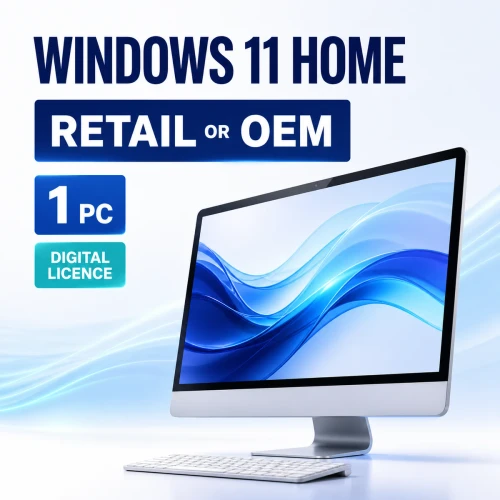
Windows 11 Home licence for one PC
Choose the licence that matches your PC
Get Windows 11 Home for one compatible PC, delivered electronically after payment verification. Choose Retail for transfer flexibility or OEM/System Builder for the first PC on which the licence is installed.
Retail or OEM/System Builder?
The Windows edition is the same, but the licence rights are different. Select the licence type in the purchase options before adding the product to your cart.
Recommended for most buyers
Retail — 1 PC
- For one PC at a time.
- May be transferred to another PC you own after removal from the previous device, subject to Microsoft’s licence terms.
- Better suited to buyers who may replace or substantially rebuild their PC.
Device-bound option
OEM/System Builder — 1 PC
- For the first PC on which it is installed and activated.
- Remains with that original PC and is not intended to move to a replacement device.
- Best suited to a new system build that will keep the same licence for the life of the PC.
Both choices are AU$80 including GST. If you may replace the PC later, Retail is normally the more flexible choice. Choose OEM/System Builder only when its device-bound terms suit your build.
Windows 11 system requirements
These are Microsoft’s minimum requirements. Individual features, applications and games can require additional hardware.
| Component | Minimum requirement |
|---|---|
| Processor | 1 GHz or faster, two or more cores, on a compatible 64-bit processor or system on a chip |
| Memory | 4 GB RAM |
| Storage | 64 GB or more; updates and features may require additional space |
| Firmware | UEFI with Secure Boot capability |
| Security processor | Trusted Platform Module (TPM) version 2.0 |
| Graphics | DirectX 12-compatible graphics with a WDDM 2.0 driver |
| Display | High-definition 720p display, more than 9 inches diagonally, 8 bits per colour channel |
| Initial setup | Internet connection and a Microsoft account are required for Windows 11 Home setup |
Windows 11 runs on 64-bit CPUs; there is no 32-bit edition. For the current requirements and supported processor guidance, see Microsoft’s Windows 11 requirements.
What you receive and how delivery works
- Check the PC. Confirm the hardware requirements, back up important files and choose the correct edition and licence type.
- Complete payment. Orders are reviewed and delivered after payment verification.
- Check your email. Digital orders are typically delivered within 1–10 minutes, although some orders can require additional time. Check junk, spam and promotions folders.
- Follow the order instructions. Use the fulfilment and activation information supplied for the licence you selected. No physical box, disc or USB drive is shipped.
- Install and activate Windows 11 Home. Make sure the installed edition is Home. Windows can be activated from Settings > System > Activation.
Use Microsoft’s official Windows 11 download page when installation media is needed. Microsoft explains the supported activation methods on its Activate Windows page.
If the order email has not arrived after the expected processing period, contact Software Mart Australia support before placing another order.
What Windows 11 Home is designed for
Everyday productivity
Use Snap layouts, multiple desktops, File Explorer and a streamlined Start experience to organise study, personal projects and everyday tasks.
Built-in protection
Windows Security, Secure Boot, TPM 2.0 and Windows Hello capabilities help protect a compatible device. Some security features depend on the PC’s hardware and configuration.
Apps and entertainment
Access Microsoft Store apps, Microsoft Edge and Windows media tools. Gaming features such as Auto HDR and DirectStorage require supported games and hardware.
Ongoing Windows updates
Windows 11 receives cumulative security and quality updates. Keep the PC on a supported feature release to remain within Microsoft’s servicing lifecycle.
Not included: Microsoft 365 or Office applications, cloud-storage subscriptions, a computer, physical installation media or licences for additional PCs.
Who should choose Windows 11 Home?
A good fit for
- Home and family PCs
- Students and everyday productivity
- Personal gaming and entertainment PCs
- Independent users who do not need centrally managed business features
- A compatible custom-built PC using the appropriate licence channel
Choose another option if
- You need to license more than one PC
- The device fails Microsoft’s Windows 11 compatibility check
- You need Microsoft Entra/domain join, Group Policy, Hyper-V, BitLocker management or a Remote Desktop host
- You need a Windows 11 Home-to-Pro upgrade rather than a Home licence
- You are installing on a Mac or in a virtual machine and have not confirmed the platform and licensing requirements
Windows 11 Home versus Windows 11 Pro
| Capability | Home | Pro |
|---|---|---|
| Everyday apps, gaming and personal use | Yes | Yes |
| TPM 2.0, Secure Boot and Windows Security | Yes | Yes |
| Device encryption | On supported hardware | On supported hardware |
| BitLocker Drive Encryption management | No | Yes |
| Remote Desktop host | No; client use is available | Yes |
| Microsoft Entra ID or on-premises domain join | No | Yes |
| Group Policy and Hyper-V | No | Yes |
For a managed work PC or advanced professional features, compare the Windows 11 Pro Retail licence and Windows 11 Pro OEM licence. If Windows 11 Home is already activated and you only need Pro features, review the Windows 11 Home-to-Pro upgrade.
Updates and lifecycle information
Windows 11 Home follows Microsoft’s Modern Lifecycle Policy. Home feature releases receive 24 months of servicing, with monthly cumulative updates during the supported period. Keep Windows updated and move to a supported release before the installed release reaches end of servicing.
The Microsoft product lifecycle is separate from the scope or duration of retailer support. Check the current Windows 11 Home and Pro lifecycle for release-specific dates.
Why purchase from Software Mart Australia?
- AU$80 price including GST for either one-PC licence option
- Electronic delivery after payment verification
- Most digital orders are emailed within 1–10 minutes; some require longer
- Australian contact details and support available for order, delivery and activation questions
- Clear links to the store’s delivery policy and refund policy
Your rights under the Australian Consumer Law are not excluded by store policies. Please read the complete policies before purchase and contact the store if you need help selecting the correct licence.
Frequently asked questions
Is this licence for one PC?
Yes. Each purchase licenses one compatible PC. A separate licence is required for each additional PC.
What is the difference between Retail and OEM/System Builder?
Retail is for one PC at a time and may be transferred to another PC after removal from the previous device, subject to Microsoft’s terms. OEM/System Builder remains with the first PC on which it is installed and activated.
Which option should I choose if both cost AU$80?
Retail is normally the more flexible choice if you might replace or substantially rebuild the PC. Choose OEM/System Builder when you specifically need and understand its device-bound terms.
Do I need to buy a licence if my PC already has Windows 10?
An eligible PC running a genuine, activated copy of Windows 10 may be able to upgrade to the corresponding Windows 11 edition without purchasing another licence. Run PC Health Check and review Windows Update before ordering.
Does Windows 11 Home require a Microsoft account?
Yes. Microsoft requires internet connectivity and a Microsoft account to complete the initial setup of Windows 11 Home.
Will I receive a box, DVD or USB drive?
No. This is an electronically delivered product. Follow the fulfilment and activation instructions in the order email.
Can Windows 11 Home host a Remote Desktop connection?
No. Home can be used as a Remote Desktop client, but it cannot act as the host for incoming Microsoft Remote Desktop connections. Choose Pro if the PC must be a Remote Desktop host.
What if I need help with delivery or activation?
Contact Software Mart Australia with the order details and a description of the issue. Do not publish or send a complete product key through an unsecured public channel.
Can I return a digital software order?
Eligibility depends on the circumstances and the store’s refund policy. Your statutory rights under the Australian Consumer Law continue to apply. Review the refund policy before purchase or contact the store if you are unsure.
Ready to choose?
Confirm the PC is compatible, select Retail or OEM/System Builder in the purchase options, and add the one-PC licence to your cart.