Current Windows Server · 16-core base + Server CALs
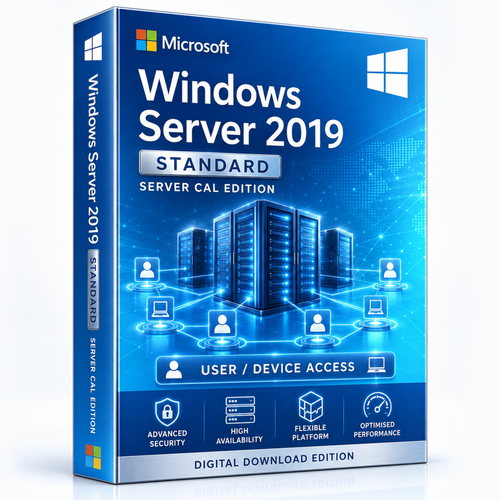
Windows Server 2025 Standard — 16 Core + Server CAL Bundle
A 16-core Windows Server 2025 Standard base licence paired with the Server CAL quantity selected above. Count the server cores and the authorised users or devices as separate licence requirements.



Who this product is for
Use the product when its edition, lifecycle and licence model match the real deployment—not simply because the version name is familiar.
Current business infrastructure
Identity, file, print, application and management services on a current release.
Light virtualisation
Standard edition suits physical or moderately virtualised server designs.
Defined access population
The organisation can select the correct Server CAL quantity.
Check these points before checkout
- Confirm that 16 cores fully license the physical server; add cores when required.
- Count users or devices that will access Windows Server services.
- Choose the Server CAL quantity matching that access map.
- Add RDS CALs separately for Remote Desktop Services.
- Compare Datacenter if the design requires dense virtualisation or Datacenter-only features.
What the licence supports
Current LTSC platform
Windows Server 2025 provides a current long-term server foundation.
16-core base
Provides the stated starting entitlement for the physical server.
Selectable Server CALs
Choose the access quantity required by the organisation.
Long lifecycle runway
Extended support is scheduled through November 2034.
Map each technical layer to its licence
| Technical layer | Licence requirement |
|---|---|
| Physical server | Windows Server core licences; this bundle starts with 16 cores |
| Users or devices | Windows Server CALs; choose the required quantity |
| Remote Desktop Services | Additional RDS User or Device CALs |
| Virtual machines | Standard-edition virtualisation rights; compare Datacenter for dense estates |
Digital delivery and installation support
Place the order using the selected product option.
Orders are checked before digital fulfilment.
Receive the purchased licence information and relevant installation guidance, typically within 1–10 minutes after verification.
Remote assistance, live chat, email and phone support are available.
Frequently asked questions
Does the selected CAL quantity change the 16-core base?
No. Core licensing and access licensing are separate counts.
Are RDS CALs included?
No. RDS CALs are additional when Remote Desktop Services is used.
Should I assign CALs to users or devices?
User CALs fit people using several devices; Device CALs fit shared-device environments. Confirm the assignment model for the supplied option.
Is Standard suitable for many virtual machines?
Datacenter can be more appropriate for dense virtualisation. Compare editions before committing to the host design.
Choose the Server CAL quantity above
Ask for a licence review if the host has more than 16 cores, uses RDS or will run several Windows Server VMs.
Choose a Server CAL quantity aboveNeed help after purchase? Software Mart will troubleshoot fulfilment and activation issues and apply the documented replacement or refund process where appropriate.