MS

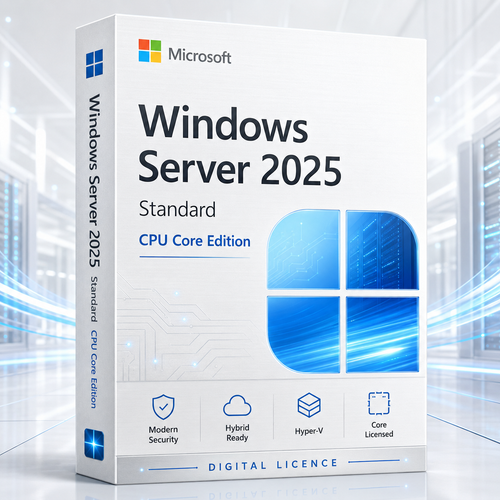
Microsoft Windows Server 2025 Standard - 16 Core + Server CAL Bundle

(No reviews yet) Write a Review
$500.00

Adding to cart… The item has been added
SKU:
WINSERV2025STD1USER
UPC:
4050118029291
Bright Windows Server 2025 data centre with connected user and device access nodes

Windows Server 2025 Standard | 16-core base + CAL options

License the server. Authorise the access.

Build a defensible Windows Server 2025 Standard deployment with a base 16-core licence and the right number of User or Device CALs for the people and endpoints that reach your server resources.

Standard editionBase 16-core packUser or Device CAL choicesDigital fulfilment
Explore bundle options

CALs are access rights, not server software. This listing's choices pair a base 16-core Windows Server 2025 Standard licence with a selected CAL quantity. Remote Desktop Services normally requires an additional RDS CAL.

Platform16-core base
Base accessUser or Device CAL
Remote sessionsRDS CAL separately

Get the architecture right first

Three licence planes. Three different jobs.

Separate the operating system, ordinary server access and Remote Desktop Services access before choosing a quantity.

Core licences

Cover the physical server and Standard operating-system environment rights. License every physical core with at least eight per processor and sixteen per server.

Windows Server CALs

Authorise an assigned user or device to access the licensed Windows Server version and earlier versions, subject to the applicable terms.

RDS CALs

Add Remote Desktop Services access rights when the user or device connects through RDS. The RDS CAL normally sits on top of the base CAL.

Typical licensed deploymentCore licence+Windows Server CAL+RDS CAL when applicable

Decode the live selector

A 16-core foundation paired with the access count you select.

The bundle can simplify procurement when the host requires exactly sixteen licensed cores and the access population is known.

Base 16-core Standard pack

Count all physical cores and apply Microsoft's eight-per-processor and sixteen-per-server minimums. A larger host still needs additional core licences.

Listed CAL quantities

1CAL2CALs5CALs10CALs20CALs50CALs100CALs200CALs500CALs1000CALs

Use the live selector for current availability and exact User/Device wording.

A 16-core pack is a baseline, not a universal server licence.

A server with two 12-core processors requires 24 core licences. Choosing a larger CAL quantity does not change the core requirement.

User CAL and Device CAL access patterns represented by connected identities and devices

User CAL or Device CAL?

Follow the scarce side of the access pattern.

User CAL: one assigned person can access from multiple devices. This often suits named office, hybrid and field employees.

Device CAL: one assigned device can be used by multiple people. This often suits shift work, warehouses, retail counters, classrooms and shared clinical stations.

Count unique users and accessing devices. The smaller number is a useful signal, but assignment flexibility and operational reality decide the better model.

Layered Windows Server licensing architecture with server, base access and remote-session paths

A licence map you can operate

Keep platform, people, devices and sessions in separate registers.

The server licence follows the physical host. User and Device CALs follow the assigned identity or endpoint. RDS CALs follow the selected RDS licensing mode.

  • Inventory physical processors and physical cores.
  • List unique internal users reaching Windows Server resources.
  • List direct and indirect accessing devices.
  • Identify shared terminals and shift endpoints.
  • Separate RDS sessions from ordinary server access.
  • Model contractors and external users separately.

Multiplexing or pooling connections generally does not reduce the underlying CAL requirement.

Access the services the business depends on

One access model across a broad Windows Server foundation.

A CAL does not switch features on. It authorises access to appropriately licensed Windows Server resources.

Active Directory

Authentication, directory services, organisational units and policy.

File services

SMB shares, DFS namespaces, quotas and governed storage access.

Print services

Centralised queues, drivers and business printing workflows.

DNS and DHCP

Core name-resolution and network configuration services.

Internal applications

IIS-hosted and Windows-integrated business applications.

Management endpoints

PowerShell, remote management and administrative services.

Storage services

Volumes, replication and storage management within edition limits.

Identity-aware access

Kerberos, Group Policy and security controls around resources.

The Standard platform behind the CALs

Current capabilities with practical boundaries.

Server CALs are most valuable when people and devices connect to a well-designed, supported platform.

01

Active Directory foundations

AD DS, Group Policy, Kerberos, DNS integration and newer directory capabilities support central identity and policy across locations.

High value where on-premises identity remains an operating anchor.
02

Security closer to default

Credential Guard is enabled by default on eligible domain-joined, non-DC systems, while Server 2025 strengthens LDAP, SMB, Kerberos and platform choices.

A better baseline still requires deliberate hardening.
03

Modern file services

Build governed SMB, DFS, quota and storage services. SMB over QUIC supports encrypted file access across untrusted networks in supported designs.

Practical for distributed teams using Windows file semantics.
04

Light virtualisation

A complete Standard core-licence set grants two operating-system environment rights, with additional complete sets adding two more.

Aligned to physical or minimally virtualised infrastructure.
05

Application containers

Standard supports unlimited Windows Server containers and up to two Hyper-V-isolated containers per complete licence set.

Modernisation room without assuming Datacenter density.
06

Hybrid management options

Azure Arc can extend inventory, governance, monitoring, update and selected service integrations to eligible on-premises and edge servers.

Keep placement choice while adding selected cloud operations.
07

Administrator toolchain

PowerShell, Windows Terminal, OpenSSH Server and WinGet support repeatable administration and remote operating workflows.

A familiar toolchain for infrastructure teams.
08

Bounded Storage Replica

Standard provides one Storage Replica partnership, one resource group and one replicated volume up to 2 TB.

Useful for a focused case; compare Datacenter for broader rights.
09

Visible lifecycle runway

Microsoft lists mainstream support through 13 November 2029 and extended support through 14 November 2034.

A defined runway for infrastructure planning.

Compare the buying paths

Choose the product structure that matches the architecture.

Decision point 16-core + CAL bundle Standard core-only Datacenter CAL-only / RDS CAL
Best aligned to Known 16-core host and countable internal access Custom core count or existing CAL estate High VM density or advanced features Expanding access to an already licensed server
Server software Live selector presents base 16-core Standard pack Included in selected core quantity Included in selected Datacenter core quantity No for a CAL-only purchase
Base CALs Selected quantity in bundle Plan separately Plan separately The purpose of a base CAL purchase
RDS CALs Normally separate Normally separate Normally separate Additive to base CAL
VM rights Two OSEs per complete Standard core set Two OSEs per complete Standard core set Unlimited after full Datacenter core licensing No VM rights
Main risk Assuming the bundle fits a larger host Forgetting CALs or VM stacking Overbuying for low density Mistaking access rights for server software

Security needs architecture, not adjectives

Protect the identity path from device to service.

A CAL is not a security control. Outcomes come from secure hardware, hardened identity, least privilege, protected protocols, monitoring, backup and rehearsed recovery.

Identity

Design AD tiers, privileged access, service identities, Kerberos policy and recovery ownership.

Platform

Plan TPM 2.0, UEFI, Secure Boot, VBS, Credential Guard and secured-core hardware.

Protocol

Harden SMB, LDAP, TLS, firewall rules and certificate lifecycle.

Resilience

Use tested backups, recovery options, monitoring, servicing and incident runbooks.

Where CAL economics diverge

Match the assignment to the operating environment.

Professional office

User CAL signal: named employees use desktops, laptops and remote devices.

Warehouse or factory

Device CAL signal: shift workers share a smaller pool of fixed terminals.

Retail counter

Device CAL signal: staff rotate through designated workstations.

School laboratory

Device CAL signal: many learners use the same managed lab devices.

Hybrid workforce

User CAL signal: one person reaches resources from several endpoints.

Clinical station

Device CAL signal: authorised staff share fixed endpoints.

Field team

User CAL signal: a smaller group uses mobile, branch and home devices.

Mixed enterprise

Model carefully: office, shared, service and RDS populations can differ.

Prepare the host

Minimum requirements are an installer threshold, not a design.

Size for directory services, applications, virtual machines, security tooling, backup, recovery and growth.

Processor

Compatible 1.4 GHz 64-bit x64 baseline with required instruction support.

Memory

2 GB minimum; production capacity depends on roles and VM density.

Storage

32 GB minimum; allow substantially more for apps, logs and recovery.

Network

PCIe adapter capable of at least 1 Gbps throughput.

Security

Plan TPM 2.0, UEFI, Secure Boot, VBS and IOMMU where required.

Reliability

Use server-grade storage, ECC-class memory and supported components.

Server Core

Smaller installation without the traditional desktop shell. Recommended unless a workload requires the GUI.

Desktop Experience

Full graphical shell. Choose during setup; changing installation options later requires a clean installation.

Deployment flight plan

Turn a bundle into an operationally complete server.

01

Discover

Inventory hardware, cores, users, devices, roles, applications and indirect access.

02

Model

Choose User, Device or mixed assignment and separate RDS/external populations.

03

Validate

Confirm firmware, drivers, applications, upgrade path, language and edition.

04

Protect

Create tested backups, recovery media, rollback criteria and privileged controls.

05

Pilot

Rehearse installation, identity, access, applications, performance and recovery.

06

Operate

Record licence assignment, activation evidence, servicing and change ownership.

Fixed Lifecycle Policy

Build with a visible support runway.

Microsoft currently lists these Windows Server 2025 milestones.

1 Nov 2024Lifecycle start13 Nov 2029Mainstream support ends14 Nov 2034Extended support ends

Fit room

Buy the bundle when the architecture, not the label, fits.

Strong fit

  • Calculated host requirement is sixteen cores.
  • Standard's VM rights match the forecast.
  • Internal users or devices are countable.
  • User/Device assignment is understood.
  • RDS and external access are separate.

Pause and compare

  • Host has more than sixteen physical cores.
  • VM density favours Datacenter.
  • Datacenter-only features are required.
  • External or multiplexed access is unclear.
  • The required CAL assignment is not stated.

Why Software Mart Australia

Confidence starts with a clearer buying decision.

This guide brings core coverage, CAL assignment, RDS separation, edition fit and deployment checks together around the product selector.

Decision-ready detail

Understand what the bundle covers and where another licence layer may apply.

Evidence-minded

Keep hardware, access counts, selected options and order documents together.

A practical route

Move from research to selection with a deployment checklist.

Digital-first

Use the live listing for current variants, fulfilment and support details.

Expert buyer answers

Windows Server 2025 Standard Server CAL FAQ.

What is Windows Server 2025 Standard Server CAL Edition?+

It is the store's bundle description for Windows Server 2025 Standard with a base 16-core licence pack and a selectable quantity of Windows Server CALs. The Microsoft server edition is Windows Server 2025 Standard.

Does this bundle include the server operating system?+

The live listing currently presents options combining a base 16-core Windows Server 2025 Standard licence pack with selected Server CAL quantities. Confirm the exact selected option and supplied documentation before ordering.

What does a Windows Server CAL do?+

A CAL grants an assigned user or device the right to access appropriately licensed Windows Server software. It is a licensing entitlement, not software installed on the user's computer.

Is a CAL a product key?+

No. A CAL is an access right. It does not activate Windows Server, install software or replace the server's core licences.

What is a User CAL?+

A User CAL is assigned to one user and permits that user to access the corresponding Windows Server version and earlier versions from multiple devices.

What is a Device CAL?+

A Device CAL is assigned to one device and permits multiple users to access the corresponding Windows Server version and earlier versions from that device.

How do I choose User or Device CALs?+

User CALs often suit fewer people using several devices. Device CALs often suit a larger workforce sharing fewer terminals. Count both populations and consider assignment flexibility.

Can User and Device CALs be mixed?+

Assignment may be by user or device as appropriate. A considered mix can suit different access populations, but each accessing user or device must be appropriately covered.

Are CALs concurrent seats?+

User and Device CALs are normally assigned access licences, not floating concurrent seats. Confirm any alternative per-server mode against the applicable Microsoft terms and agreement.

Does indirect access require CALs?+

Generally, multiplexing or pooling connections does not reduce the underlying CAL requirement. Count the users or devices that ultimately access the server unless a documented exception applies.

Do service accounts require CALs?+

Licensing depends on users, devices, workloads, access and documented exceptions rather than the account label alone. Include automated and indirect access in the design review.

Are RDS CALs included?+

Do not assume so. Remote Desktop Services access normally requires an RDS CAL in addition to the base Windows Server CAL.

Does a base Server CAL include RDS access?+

The base CAL covers ordinary Windows Server access rights. Remote Desktop Services session-host access normally needs the additional RDS CAL.

Can a 2025 CAL access Server 2022 or 2019?+

Microsoft Product Terms state that a CAL for the corresponding version can access that version or earlier versions. Check agreement-specific rights.

Can a Server 2022 CAL access Server 2025?+

Normally no. An older CAL does not grant access to a later Windows Server version unless qualifying rights or another documented entitlement applies.

Are CALs specific to Standard or Datacenter?+

Windows Server base CALs authorise access to corresponding Windows Server software rather than being separate Standard-only and Datacenter-only CAL products. Both editions require appropriate access licensing.

What is the minimum core requirement?+

License every physical core, with at least eight core licences per physical processor and sixteen per server. A 16-core base covers only a server whose calculated requirement is sixteen.

What if the server has more than 16 cores?+

Add enough core licences to cover every physical core after Microsoft minimums are applied. A larger CAL quantity does not change the required core coverage.

How many VMs does Standard include?+

One complete core-coverage set grants rights for two Standard operating-system environments. Additional complete sets can add two more OSE rights each.

When should I compare Datacenter?+

Compare Datacenter when VM density is high or growing, or when Storage Spaces Direct, shielded VMs or broader Storage Replica rights are required.

Do external customers need CALs?+

External access may require CALs for each external user or device or an appropriate External Connector for each accessed server. Workload-specific exceptions must be verified.

Does the licence include Azure services?+

No. Azure services can have separate prerequisites, subscriptions and consumption charges. Windows Server licensing does not automatically include every connected service.

What is the minimum hardware baseline?+

Microsoft lists a compatible 1.4 GHz x64 processor, 2 GB RAM, 32 GB storage and a PCIe network adapter capable of at least 1 Gbps. Production sizing is usually much higher.

How long is Windows Server 2025 supported?+

Microsoft lists lifecycle start on 1 November 2024, mainstream support ending 13 November 2029 and extended support ending 14 November 2034.

Which CAL quantities are listed?+

The live selector currently shows the base 16-core pack paired with 1, 2, 5, 10, 20, 50, 100, 200, 500 or 1000 Server CAL choices.

What should I document before buying?+

Record physical cores, VM count, unique users, accessing devices, shared endpoints, RDS use, external access, indirect access and the selected User/Device assignment model.

Buy with a documented access model

Count the host. Count the people. Count the devices. Then select.

Confirm the sixteen-core baseline, choose User or Device CALs, separate RDS and external access, and preserve the assignment record.

Explore Windows Server 2025 Standard bundle options

Related Products

An exceptionally experience