MS

Microsoft Windows 11 Professional – 64-bit Full Edition

(No reviews yet) Write a Review
SG$77.44

Adding to cart… The item has been added
SKU:
WIN11PRO1PC
UPC:
889842905908
Condition:
New

Professional digital licence

Microsoft Windows 11 Professional License

Professional security, focused productivity and business-ready control for the modern PC.

  • BitLocker drive encryptionHelp secure eligible internal and removable drives.
  • Remote Desktop & Hyper-VConnect, test and virtualise on compatible hardware.
  • Digital fulfilment with supportClear purchase guidance for the selected device count.
Secure checkout Digital delivery Expert support
Luminous glass Windows design representing Windows 11 Professional security and productivity
Starting fromAU$85.00Current 1-PC price shown on source page; confirm live price.
Device options1–130 PCsSKU WIN11PRO1PC · New condition
DeliveryDigitalAfter payment and any required verification.
View purchase options

Windows built for serious work

Move beyond the everyday PC

Microsoft Windows 11 Professional combines the modern Windows experience with the security, virtualisation, remote-access and management capabilities professionals expect. It is designed for people who need more than browsing and basic productivity: business owners protecting mobile devices, developers testing environments, remote workers reaching office PCs and administrators applying consistent settings across a team.

The Pro difference

Professional features with practical value

Every capability below addresses a concrete business problem—from lost-device risk to remote access and consistent endpoint settings.

BitLocker

Encrypt compatible internal and removable drives to help protect business data if a device is lost or stolen.

Remote Desktop host

Reach your work PC from another device when Remote Desktop is securely configured on the network.

Hyper-V

Create virtual machines for development, evaluation, training and isolated application testing on supported hardware.

Group Policy

Apply detailed user, security, network and device settings with repeatable administrative control.

Domain & Entra join

Connect eligible PCs to organisational identities, resources and management services.

Windows Sandbox

Open a temporary isolated Windows environment for short-lived testing on compatible configurations.

Productivity by design

Give every task a clearer place

Windows 11 is not simply a visual refresh. Its strongest everyday improvements reduce window clutter, make repeated layouts easier to restore and help people move between focused workspaces.

Snap layouts Multi-display Hybrid work
Professional Windows 11 workstation with multiple displays and organised productivity layouts

Snap Layouts & Groups

Arrange compatible applications into useful patterns, then return to the group after switching tasks. It is especially valuable on large or ultrawide displays.

Multiple desktops

Separate client work, administration, meetings and personal tasks without maintaining a single overcrowded desktop.

Tabbed File Explorer

Move between folders in one window, pin important locations and simplify repetitive file-management work.

Focus & accessibility

Use notification controls, Focus sessions, Voice Access, Live Captions, Narrator, Magnifier and contrast options according to individual needs.

Windows 11 Professional laptop protected by layered encryption and security shields

Security & resilience

Layer protection across the device, identity and data

Security is strongest when hardware, configuration, user behaviour and recovery planning work together. Windows 11 Pro provides a capable foundation—but no operating system removes the need for current updates, least-privilege access and tested backups.

Hardware-backed Identity-ready Data protection

Hardware foundation

TPM 2.0, UEFI and Secure Boot capability help establish a modern security baseline before Windows starts.

Identity

Windows Hello supports a PIN or compatible biometric sign-in, reducing everyday dependence on reusable passwords.

Data

BitLocker and BitLocker To Go provide encryption controls for eligible system and removable drives.

Applications

Windows Security, reputation-based protection and SmartScreen help evaluate files, sites and applications.

Network

Windows Defender Firewall helps control inbound and outbound traffic across public, private and domain profiles.

Recovery

Windows recovery tools, careful key storage and a tested backup plan create a stronger route back after disruption.

Responsible security guidance: BitLocker recovery keys should be stored separately from the protected device. Encryption protects confidentiality; it is not a substitute for backup, patching or endpoint monitoring.

AI without the confusion

Windows 11 Pro, Copilot and Copilot+ PCs are not the same thing

The Copilot app can provide conversational assistance depending on account, region, service and Windows version. Some capabilities may require sign-in, internet access or a separate subscription.

A Copilot+ PC is a specialised hardware class. Installing Windows 11 Pro on an ordinary computer does not add the neural processor required for exclusive on-device experiences.

Check Microsoft’s current AI PC requirements →
AI-ready Windows 11 laptop with illuminated neural processing hardware
Copilot+ hardware baseline
NPU40+ TOPS
Memory16 GB DDR5/LPDDR5
Storage256 GB SSD/UFS
SoftwareSupported Windows release

Feature availability varies by processor, device, language, market and rollout status.

Made for your work

One professional platform, many real-world roles

Small business owners

Protect mobile devices, host Remote Desktop sessions and prepare PCs for central management as the team grows.

Remote professionals

Build a focused multi-display workspace and reach an office PC through an appropriately secured remote connection.

Developers & testers

Use Hyper-V, Windows Sandbox, Windows Terminal and WSL-compatible workflows where the required components are enabled.

Creative specialists

Work with modern displays, pen or touch hardware and current creative applications, subject to publisher requirements.

IT administrators

Use Group Policy, domain join, provisioning and business update controls to create more consistent endpoints.

Consultants & power users

Gain encryption, virtualisation and administrative tools without moving to an enterprise-only edition.

Edition clarity

Windows 11 Home vs Pro vs Enterprise

Choose the edition by required capabilities and licensing route—not by the longest feature list.

Capability Home Professional Enterprise
Best for Personal and household use Professionals and small-to-medium organisations Large or highly managed organisations
BitLocker management Limited by device/configuration Included Included with broader management
Remote Desktop host Included Included
Hyper-V Included Included
Group Policy Included Included
Domain / Entra ID join Included Included
Windows Sandbox Included where supported Included where supported
Enterprise-only controls Broader application, identity and deployment controls
Typical purchase route Consumer/OEM/Retail OEM/Retail/commercial options Commercial volume or subscription programmes

Move from Windows 11 Home

Upgrade when you need encryption management, hosting for Remote Desktop, virtualisation, Group Policy or organisational identity join.

Move from Windows 10 Pro

Windows 10 standard support ended on 14 October 2025. Eligible modern hardware should move to a supported Windows 11 release after compatibility testing.

Consider Enterprise

Large estates with advanced application control, identity protection and deployment requirements should assess Enterprise licensing with their IT adviser.

Compatibility first

Check the PC before buying the licence

Activation and compatibility are different. A valid key cannot add TPM 2.0, create missing drivers or make an unsupported processor eligible.

Component Microsoft minimum Practical store guidance
Processor Compatible 64-bit 1 GHz+ CPU/SoC with 2+ cores Current supported multi-core processor verified against Microsoft’s list
Memory 4 GB RAM 8 GB for light work; 16 GB+ for professional multitasking
Storage 64 GB or larger 256 GB+ SSD with ample free space for updates and applications
Firmware UEFI, Secure Boot capable UEFI current and Secure Boot correctly enabled
Security TPM version 2.0 TPM enabled with a documented BitLocker recovery-key plan
Graphics DirectX 12 compatible, WDDM 2.0 driver Current manufacturer-supported driver
Display 720p, over 9 inches, 8 bits per colour channel Full HD or higher for a comfortable professional workspace
Connection Internet and account requirements apply Reliable broadband for setup, activation, updates and services

Run PC Health Check

Use Microsoft’s utility to identify common eligibility issues.

Verify applications

Check exact software versions with each publisher.

Confirm drivers

Review the PC and peripheral manufacturers’ support pages.

Match the licence

Choose the correct edition, channel and device count.

Back up & test

Verify recovery media and a restorable copy of important data.

Buy the right, not merely a key

Windows 11 Professional licensing explained

A product key is an activation mechanism. The licence terms determine where and how the software may be used, whether it can move to another device and what installation scenario is permitted.

Retail

Flexible personal or business purchase

Retail rights can differ from OEM rights and may permit transfer subject to Microsoft’s terms and removal from the previous device. Confirm that the live offer is actually Retail before advertising these benefits.

OEM / System Builder

Generally tied to the first device

OEM-style rights are commonly associated with the device on which the software is first installed. Major hardware replacement and transfer can be restricted.

Commercial deployment

For larger fleets

Organisations equipping many PCs should confirm whether a commercial licensing programme, qualifying base licence or management subscription is required.

Important correction: Windows 11 is 64-bit only. The current product title should not imply that a 32-bit Windows 11 operating system is supplied. If “32/64-bit” refers to application compatibility, explain that separately.

Digital fulfilment

From checkout to an activated professional desktop

  1. Place the orderSelect the correct device quantity and review the licence details.
  2. Complete verificationPayment and risk checks help protect the buyer and store.
  3. Receive fulfilmentFollow the delivered licence and official download instructions.
  4. Install carefullyBack up data, select Windows 11 Pro and avoid unofficial media.
  5. Activate & secureConfirm activation, updates, drivers, encryption and recovery keys.

Installation & activation

A safer upgrade starts before setup

Before installation

  • Verify the processor, TPM 2.0 and Secure Boot
  • Back up important files and test recovery
  • Save BitLocker recovery information
  • Confirm application and peripheral support
  • Download critical network and storage drivers

During installation

  • Use official Microsoft installation media
  • Select Windows 11 Professional
  • Confirm the correct target drive
  • Do not bypass requirements on an unsupported PC
  • Keep the device connected to power

After installation

  • Open Settings → System → Activation
  • Install current Windows and driver updates
  • Check Device Manager for missing components
  • Configure security, backup and recovery
  • Restore applications and data selectively

Updates & lifecycle

Windows 11 is serviced by release—not by one endless date

Home and Pro feature releases generally receive 24 months of support. Keep the installed release current, monitor Windows release health and test important applications before broad business deployment.

Maintain a supported PC
  • Check the installed version with winver
  • Install security and quality updates
  • Review compatibility safeguards
  • Plan feature updates before end of servicing

Why Software Mart Australia

Software purchasing made clear, secure and supported

Buying a Windows licence should feel straightforward. Software Mart Australia combines clear product information, compatibility guidance, secure online checkout, digital fulfilment and practical after-sales assistance—so you can order with confidence and get your PC ready sooner.

Choose with confidence

Review the edition, device quantity and compatibility details before ordering, with guidance available if you need help selecting the right option.

Fast digital fulfilment

Receive your order electronically after successful payment and any required verification, without waiting for physical delivery.

Practical human support

Get help with common installation and activation questions, with remote assistance available where appropriate and within the support scope.

Secure online checkout

Complete your purchase through an encrypted checkout, with clear order communication from payment through to fulfilment.

Buyer answers

Windows 11 Professional FAQs

Direct answers to compatibility, licensing, delivery, installation and activation questions.

What is Microsoft Windows 11 Professional?+

Windows 11 Professional is the Pro edition of Microsoft’s client operating system. It includes the core Windows 11 experience plus business-oriented capabilities such as BitLocker management, Remote Desktop hosting, Hyper-V, Group Policy, domain join and Microsoft Entra ID join.

Who should buy Windows 11 Pro?+

It is a strong fit for professionals, small businesses, developers, IT administrators, remote workers and advanced home users who need encryption, remote hosting, virtualisation or organisational management features not provided in the same way by Home.

What is the main difference between Windows 11 Home and Pro?+

Both editions provide the modern Windows interface and everyday security foundation. Pro adds advanced business capabilities, most notably BitLocker management, Remote Desktop hosting, Hyper-V, Group Policy and domain or Microsoft Entra ID join.

Does Windows 11 Pro include Microsoft Office?+

No. Word, Excel, Outlook, PowerPoint and other Microsoft 365 or Office applications are separate products. Existing compatible Office licences may be installed according to their own terms.

Is this a subscription?+

The Windows licence option shown on the store is described as a one-time purchase rather than a recurring Windows subscription. Microsoft 365, cloud storage, security services and some management products may still require separate subscriptions.

Does a one-time purchase mean support lasts forever?+

No. A continuing right to use software under its licence terms is different from a promise of perpetual updates, support, hardware compatibility or online services. Windows 11 feature releases have their own servicing periods.

How many PCs can I activate?+

Choose the device quantity displayed on the live product page. The current offer lists options from one PC through larger multi-PC quantities. Confirm that the selected licensing channel and device rights match your deployment before purchase.

Is the licence transferable?+

Transfer rights depend on the exact licence channel and Microsoft terms. Retail and OEM-style licences can have materially different rights. Confirm the channel in the final product specification before ordering.

Will it work worldwide?+

Do not assume worldwide activation merely from the product name. Confirm the region, language, activation method and any geographic restrictions stated in the selected offer.

Is Windows 11 available in 32-bit?+

Windows 11 is a 64-bit operating system. The existing product title’s “32/64 Bit” wording should be corrected or carefully clarified before publication; eligible 32-bit applications can often run on 64-bit Windows, but there is no 32-bit Windows 11 edition.

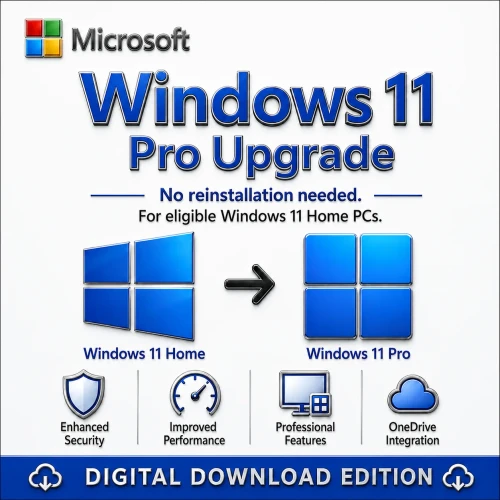
Can I upgrade Windows 11 Home to Pro?+

Yes, an eligible activated Home installation can be upgraded to Pro using a valid Pro upgrade pathway. Match the product licence type to that scenario and back up important data first.

Can I upgrade from Windows 10 Pro?+

Eligible PCs running a qualifying Windows 10 Pro installation may upgrade to Windows 11 Pro. The device must satisfy Windows 11 requirements, and application, driver and firmware compatibility should be checked first.

Can I install it on a new PC?+

That depends on whether the selected licence grants a full new-device installation right. Confirm the licence channel, device allowance and transfer position rather than relying only on the presence of a product key.

Can I use it in a virtual machine?+

Windows 11 can run in a properly configured eligible virtual machine, but the virtual instance requires its own appropriate licence. Hyper-V VMs also need supported virtual hardware including Secure Boot and virtual TPM.

Does Windows 11 Pro include Hyper-V?+

Yes, Pro includes Hyper-V capability. It requires compatible 64-bit hardware, firmware virtualisation support, second-level address translation and sufficient memory and storage.

What does Windows Sandbox do?+

Sandbox creates a temporary isolated desktop for short tests. Its contents are discarded when it closes. It is useful for evaluation but does not replace professional malware analysis, endpoint protection or backups.

Can Windows 11 Pro host Remote Desktop?+

Yes. Pro can host supported Remote Desktop connections. Configure it behind secure network controls, use strong identity protection and avoid exposing Remote Desktop directly to the public internet.

Does BitLocker automatically protect every drive?+

Not necessarily. Availability, configuration and automatic enablement vary by hardware, account and organisational policy. Store recovery keys safely and verify encryption status before relying on it.

Does Windows 11 Pro include antivirus?+

Windows Security includes Microsoft Defender Antivirus and firewall capabilities. Effective protection still depends on current updates, correct configuration, safe behaviour and any additional controls required by the organisation.

What is TPM 2.0?+

A Trusted Platform Module is a security component used for functions such as key protection and measured startup. Windows 11 requires TPM 2.0 for supported installations.

What is Secure Boot?+

Secure Boot is a UEFI capability that helps prevent untrusted boot software from loading. The device must be Secure Boot capable, and some security benefits depend on it being correctly enabled.

What processor is required?+

Microsoft requires a compatible 64-bit processor or system on a chip running at 1 GHz or faster with at least two cores. The exact processor must also appear on Microsoft’s supported processor list for the relevant Windows release.

Is 4 GB RAM enough?+

Four gigabytes is the stated minimum, not a comfortable recommendation for most professional work. Eight gigabytes is a more practical starting point, while 16 GB or more suits heavier multitasking, creative work and virtual machines.

Is an SSD required?+

Microsoft specifies at least 64 GB of storage rather than requiring a particular drive type. An SSD with substantially more capacity is strongly recommended for responsive daily work, updates and applications.

How can I check my PC?+

Run Microsoft PC Health Check, review System Information and the TPM management console, then confirm the exact device model, processor, firmware and drivers on the manufacturer’s support site.

Can I install Windows 11 on unsupported hardware?+

Microsoft does not recommend it. An ineligible device is outside the supported configuration and may encounter compatibility problems or lose entitlement to updates. A product key does not override hardware requirements.

Will my printer and applications work?+

Many current products support Windows 11, but compatibility is determined by each hardware maker and software publisher. Check the exact version, driver and architecture before changing operating systems.

Does Windows 11 Pro include Copilot?+

The Copilot app and capabilities vary by Windows version, account, market and service availability. Some features require internet access, sign-in or a separate subscription.

Does this make my PC a Copilot+ PC?+

No. Windows 11 Pro alone cannot add Copilot+ hardware. Copilot+ PCs require a qualifying NPU capable of more than 40 TOPS, at least 16 GB memory, 256 GB storage and a supported Windows release.

Can I use a local account?+

Account requirements vary by setup route, device use and Microsoft’s current policies. Windows 11 Pro for personal use requires internet connectivity and a Microsoft account during initial device setup according to Microsoft’s published specifications.

Where should I download Windows 11?+

Use Microsoft’s official software download and installation-media resources. Avoid modified images, key generators and unofficial ISO archives.

Will a clean installation erase my files?+

It can. A clean installation may remove applications, settings, accounts and data. Create and verify a full backup before changing partitions, formatting a drive or starting installation.

Can I keep my applications during an upgrade?+

An eligible in-place upgrade may preserve compatible applications, data and settings, but this is not guaranteed. Compatibility blocks, edition changes or a clean installation can require reinstallation.

How do I activate Windows 11 Pro?+

Enter the eligible key during setup or open Settings, System, Activation and follow the change-product-key process. The installed edition must match the licence.

What if activation fails?+

Check that Pro—not Home or Enterprise—is installed, confirm the key was entered accurately, verify internet access and record the exact error. Then contact the seller without posting the complete key publicly.

Can I reactivate after replacing hardware?+

A major hardware change can affect the device identity used for activation. Whether reactivation or transfer is allowed depends on the licence channel, account linkage and Microsoft’s activation rules.

How are updates delivered?+

Supported Windows 11 releases receive security and quality updates through Windows Update. Feature updates follow Microsoft’s servicing cadence and may be offered gradually depending on compatibility safeguards.

How long is Windows 11 Pro supported?+

Windows 11 does not have one universal end date. Home and Pro feature releases generally receive 24 months of support, so the installed release must be kept current.

Is Windows 11 Pro suitable for gaming?+

It supports the same core gaming platform as Home, including features such as Auto HDR and DirectStorage on compatible hardware. Buy Pro for its professional capabilities, not because it guarantees higher game performance.

Can I join a business domain?+

Yes. Windows 11 Pro supports Active Directory domain join and Microsoft Entra ID join. The organisation must have the required identity, network, server or cloud services.

Does it include Microsoft Intune?+

No. Windows 11 Pro can participate in supported device-management scenarios, but Microsoft Intune and related services require separate licensing.

Is installation support included?+

Software Mart Australia advertises professional support. The final live offer should state the exact scope, hours, appointment process, remote-access method and exclusions before purchase.

How quickly will I receive it?+

The current page advertises digital delivery. A safer promise is delivery after successful payment and any required order verification, within the timeframe displayed at checkout.

What is the refund policy?+

Digital-product eligibility depends on whether fulfilment or activation has occurred, the reason for the request, the store policy and applicable Australian Consumer Law. Read the published policy before ordering.

Is this suitable for several business PCs?+

The store lists multi-PC options, but larger deployments should be checked for the appropriate licensing programme, management method and documented rights. Device count alone does not define the licence channel.

Why buy from Software Mart Australia?+

The value should come from clear product information, compatibility guidance, secure checkout, documented digital fulfilment and practical assistance. Any reseller or partner status should be claimed only when current evidence supports it.

Ready when your PC is

Buy Microsoft Windows 11 Professional with confidence

Confirm compatibility, select the correct device quantity and review the licence channel and delivery terms before checkout.

Related Products

An exceptionally experience