Perpetual retail licence · Digital delivery
A production database platform with a clearer path to the right core count
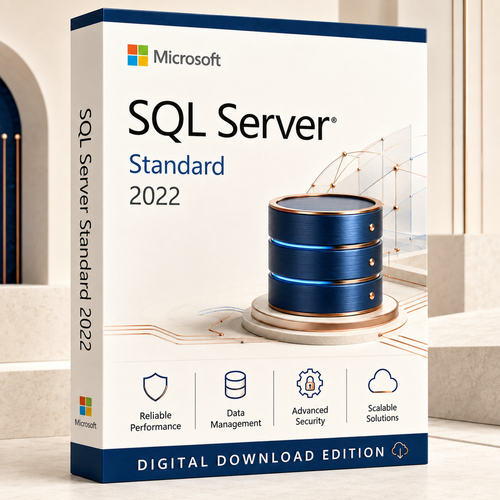
Microsoft SQL Server 2022 Standard is built for business applications, reporting, data marts and mid-tier workloads that need mature security, performance and management tools. This offer uses the Per Core model, so access does not require separate SQL Server user or device CALs.
Microsoft requires every physical core on the licensed server to be covered, with a minimum of four core licences per physical processor. The 2-core choice is an add-on pack, not a complete licence for a new physical server.
Purchase snapshot
Know what you are buying
This is software licensing only. Windows Server, hardware and SQL Server CAL bundles are not supplied.
Digital fulfilment
What you receive by email
Access to the software download specified in your order email.
The key required for the supplied retail edition.
Clear installation and activation guidance for the supplied licence.
Australian tax documentation for business records and procurement.
Most orders are delivered within 1–10 minutes after payment and order checks. Some orders require additional verification and can take longer. Check your inbox, spam and promotions folders, then contact Software Mart if the email has not arrived.
Licence before installation
Choose the core quantity with confidence
Core licensing is based on the compute that runs SQL Server—not the number of employees, devices, database users or applications connecting to it.
Count every physical core
- Count the physical cores in each processor.
- Apply Microsoft’s minimum of four core licences per processor.
- Purchase enough 2-core increments to cover the resulting total.
Example: one 8-core processor requires eight core licences. One 2-core pack alone is not enough for a new server.
Confirm virtual deployment rights
This retail offer is positioned for physical-core licensing. Virtual machines, clusters, hosted infrastructure, reassignment and failover can have different licensing requirements.
Contact sales before purchasing for any virtualised or hosted deployment.
Ask for licensing guidanceUnder the Per Core model, users and devices can access the correctly licensed SQL Server instances without separate SQL Server CAL purchases. It does not mean that “unlimited CALs” are included, and it never removes the requirement to license the relevant cores.

Verified Standard Edition capabilities
Built for serious mid-tier workloads
Protect sensitive data
Use Transparent Data Encryption, encrypted backups, Always Encrypted, auditing, row-level security and dynamic data masking.
Improve plan stability
Use Query Store, Query Store hints, Parameter Sensitive Plan optimisation and optimised plan forcing to understand and manage query behaviour.
Plan basic availability
Standard supports a two-node failover cluster instance and Basic Availability Groups with two replicas and one database per group.
Work across data types
Use columnstore, In-Memory OLTP within edition limits, JSON, PolyBase, SQL Server Agent and supported S3-compatible backup and restore.
Capacity boundaries
Confirm Standard Edition fits the workload
These are SQL Server 2022 Standard edition limits, not hardware-sizing recommendations. Operating-system and application limits may also apply.
Fit check
A practical choice for growing organisations
SQL Server 2022 Standard is a strong fit when a business needs a supported production database for line-of-business applications, reporting, departmental analytics, data marts or vendor applications—and the workload remains inside Standard Edition limits.
- Business applications with predictable mid-tier compute needs
- Organisations that prefer perpetual licensing
- Environments where Per Core licensing is simpler than counting every user or device
- Teams that need mature security and management capabilities without Enterprise scale

Avoid the wrong edition
Who should not purchase this offer
Use SQL Server Developer for non-production development and testing where its licence conditions fit.
SQL Server Express may be enough when its database size, compute and feature limits are acceptable.
Choose Enterprise when you need capabilities or scale beyond Standard’s compute, memory or availability boundaries.
Do not purchase on the assumption that this retail licence grants individual-VM rights, licence mobility or unlimited virtualisation. Ask sales to verify the proposed architecture first.
Compatibility
Platform and system requirements
| Processor | x64-compatible processor; 1.4 GHz minimum, 2.0 GHz or faster recommended |
|---|---|
| Memory | 1 GB minimum for non-Express editions; at least 4 GB recommended, with more required for production workloads |
| Storage | At least 6 GB available for installation; databases, logs, backups and temp workloads require additional capacity |
| Windows | Qualifying 64-bit Windows Server 2016 or later, or supported Windows 10/11 editions; .NET Framework 4.7.2 |
| Linux | Supported Linux distributions and cumulative-update combinations listed by Microsoft |
Check the current Microsoft compatibility list and your application vendor’s certification before deployment. Windows Server and client operating-system licences are sold separately.
Edition decision
Standard, Enterprise, Developer or Express?
| Edition | Best suited to | Key buying consideration |
|---|---|---|
| Standard | Production business applications and mid-tier data workloads | Per Core or Server + CAL; edition compute, memory and availability limits apply |
| Enterprise | Tier-1, large-scale or advanced availability and performance workloads | Higher capability and cost; Per Core licensing |
| Developer | Development, testing and demonstration | Free, full-featured and not licensed for production |
| Express | Small applications and entry-level deployments | Free with strict database, compute, memory and feature limits |
From order to activation
Simple digital delivery with human help available
- 1
Order the verified core quantity
Select only after confirming the physical core requirement and intended deployment.
- 2
Payment and order checks
Software Mart validates the order. Manual verification can extend the delivery time.
- 3
Receive the email
Your download link, product key, activation method, instructions and GST invoice are sent digitally.
- 4
Install and activate
Follow the supplied guidance. Back up your data and run Microsoft’s upgrade checks before an in-place upgrade.
- 5
Request assistance
Use 24/7 live chat or phone support. Free remote help is available for installation and activation guidance.
Software Mart support covers order delivery plus installation and activation guidance. It is separate from Microsoft support and does not include database administration, application migration, architecture design, performance tuning, backup design or recovery services.
Buyer questions
Frequently asked questions
Is this a perpetual licence?
Yes. The supplied retail licence is perpetual for the licensed SQL Server 2022 version, subject to Microsoft’s licence terms. Automatic future-version rights are not included.
Does Per Core licensing include unlimited CALs?
No CAL pack is included. Correctly licensed SQL Server 2022 Standard Core instances do not require separate SQL Server user or device CALs for access.
Is a 2-core pack enough for a new server?
Normally no. Physical-server licensing requires all physical cores to be licensed, with at least four core licences per processor. Use 2-core packs as the increment used to reach the required total.
Can I use this licence for an individual virtual machine?
Contact sales before ordering. Virtual-machine licensing depends on the proposed architecture and the exact rights supplied; this retail offer must not be treated as an unlimited-virtualisation entitlement.
Is Windows Server included?
No. SQL Server licensing, Windows Server licensing, Windows Server CALs and hardware are separate products.
Does SQL Server 2022 Standard run on Linux?
SQL Server licences are platform agnostic, and SQL Server 2022 supports qualifying Linux distributions. Check Microsoft’s current distribution and cumulative-update matrix before installation.
Can I upgrade directly from SQL Server 2019?
Direct upgrades from qualifying SQL Server 2019 editions are supported, subject to edition, operating system, features and Microsoft’s pre-upgrade checks. Back up and test before production changes.
How long is SQL Server 2022 supported?
Microsoft lists mainstream support through 11 January 2028 and extended support through 11 January 2033. Lifecycle dates can change, so verify the current lifecycle page when planning long-term deployment.
How quickly will my order arrive?
Most digital orders arrive by email within 1–10 minutes. Some orders need extra verification and can take longer.
What help is included?
Software Mart provides 24/7 chat and phone assistance plus free remote installation and activation guidance. It does not replace Microsoft support or professional database services.
Verify before you deploy
Licensing and compatibility depend on the exact infrastructure. These official Microsoft resources support the technical statements above:
Purchase safely
Confirm the core count, then choose your licence
Already know the correctly licensed quantity? Select it in the product options above. Unsure about processors, physical cores, VMs or Standard Edition limits? Ask before you buy.