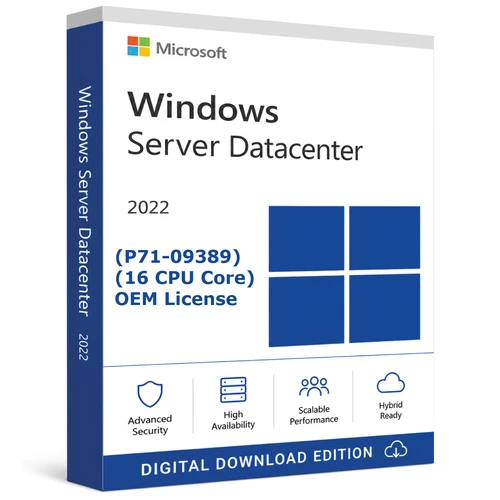
16-core Datacenter licence · Digital delivery · Assisted setup
Windows Server 2022 Datacenter for highly virtualised server environments
This purchase supplies one English Windows Server 2022 Datacenter standalone licence key covering 16 physical cores on one compatible x64 server. The key and download instructions are delivered by email after payment confirmation.
Exact supply
What you receive
Included
- One Windows Server 2022 Datacenter licence key
- Licence coverage for 16 physical cores on one server
- English, 64-bit Windows Server edition
- Download link and installation instructions by email
- Download, installation, remote-installation and activation assistance from Software Mart Australia
Not included
- Physical DVD, USB or Certificate of Authenticity shipment
- Windows Server User or Device CALs
- Remote Desktop Services User or Device CALs
- Additional core coverage above 16 physical cores
- Server hardware, third-party applications or Azure subscriptions
Licensing boundary
Licence the physical server before counting virtual machines
Windows Server 2022 Standard and Datacenter use Microsoft’s per-core/CAL licensing model. Every physical core in the server must be licensed, subject to the minimums of eight core licences per physical processor and sixteen core licences per server.
When all physical cores in the licensed server are covered with Datacenter core licences, Microsoft permits Windows Server Datacenter to be used in any number of operating system environments on that server. The virtualisation right applies to the fully licensed physical server; a 16-core purchase is not sufficient for a host that requires more than 16 core licences.
| Server configuration | Installed physical cores | Minimum core licences | Is this 16-core product sufficient? |
|---|---|---|---|
| 1 processor × 8 cores | 8 | 16 | Yes—the 16-core server minimum applies. |
| 1 processor × 16 cores | 16 | 16 | Yes. |
| 1 processor × 24 cores | 24 | 24 | No—eight more core licences are required. |
| 2 processors × 12 cores | 24 | 24 | No—eight more core licences are required. |
These examples explain the basic physical-core minimums only. Clusters, failover rights, reassignment, outsourcing, hosted environments and mixed-version deployments can introduce additional licensing considerations.
Access licensing
Core licences do not replace CALs
Windows Server CALs
Users or devices accessing Windows Server services normally require an appropriate Windows Server CAL. Choose User or Device CALs according to how people and devices access the server.
RDS CALs
Remote Desktop Services access normally requires an RDS User or Device CAL in addition to the underlying Windows Server CAL.
External access
External-user access may require CALs or a Windows Server External Connector. Confirm the correct model for customers, contractors or other external users.
Datacenter capabilities
Built for dense virtualisation and software-defined infrastructure
Virtualisation rights
Run any number of Windows Server operating system environments on the correctly licensed Datacenter server.
Software-defined storage
Storage Spaces Direct can combine eligible local server storage into resilient, scalable storage for converged or hyperconverged deployments.
Advanced networking
Software-defined networking capabilities support centrally controlled virtual networks and modern datacentre architectures.
Layered security
Windows Server 2022 includes secured connectivity and supports secured-core capabilities when the server hardware meets Microsoft’s requirements.
Specific features depend on compatible hardware, firmware, drivers, installed roles and deployment design. Azure-connected services can require separate accounts, subscriptions or charges.
Edition choice
Datacenter or Standard?
| Consideration | Datacenter | Standard |
|---|---|---|
| Best fit | Highly virtualised and software-defined datacentre environments | Physical or low-density virtualised environments |
| Windows Server OSE rights | Any number on the fully licensed server | Two per complete licensing of the server; additional sets of core licences add further rights |
| Storage Spaces Direct | Included | Not included |
| Core and CAL model | Required | Required |
If you need flexible core-pack sizes rather than this fixed 16-core listing, review the Windows Server 2022 Datacenter CPU Core Licence options.
Buyer suitability
Who should purchase this licence?
A suitable starting point for
- A single server requiring exactly 16 core licences
- Hyper-V or other highly virtualised server hosts
- Private-cloud and software-defined infrastructure
- Organisations needing Storage Spaces Direct or Datacenter virtualisation rights
- IT professionals who have already confirmed CAL and OEM requirements
Do not purchase without further advice if
- Your server requires more than 16 physical-core licences
- You need a licence that can be freely transferred between servers
- You require Server CALs or RDS CALs in the same purchase
- You are licensing a cluster, hosting provider or complex failover environment
- You need a Mac desktop operating system—this is an x64 server product, not macOS software
Important licence-channel information
Understand the OEM restriction before activation
Software Mart Australia supplies this listing as a standalone digitally delivered licence key. OEM licence rights are governed by the Microsoft licence terms accompanying the product and are generally associated with the first server on which the licence is assigned or activated. Do not assume the transfer rights available under a retail or commercial volume-licensing agreement.
Confirm the intended server and deployment before activation. If hardware transfer, licence mobility, Software Assurance, formal volume-licensing records or frequent reassignment is important to your organisation, contact Software Mart Australia before ordering and consider a different acquisition channel.
Compatibility
System and deployment requirements
Baseline hardware
- Compatible 1.4 GHz or faster 64-bit processor
- x64 instruction support and Microsoft-required processor extensions
- Memory appropriate for Server Core or Desktop Experience and all intended roles
- At least 32 GB for the system partition, with additional capacity for roles, updates, paging and data
- Compatible PCIe storage and at least gigabit Ethernet networking
Feature-dependent requirements
- UEFI and Secure Boot for relevant security features
- TPM 2.0, IOMMU and hardware virtualisation capabilities for secured-core deployments
- Compatible storage, networking and cluster hardware for Storage Spaces Direct
- Internet access may be needed for download, activation, updates and connected services
Microsoft states that practical requirements vary substantially by server role, application and workload. Validate hardware support and conduct a test deployment before placing production workloads on the server.
Fulfilment and assistance
Digital delivery and activation process
- 1
Complete the order
Place the order using an accurate email address. Payment and order checks must be completed before fulfilment.
- 2
Receive the email
Software Mart Australia sends the product key, download link and instructions electronically. No physical media is shipped.
- 3
Confirm edition and core coverage
Before installation, verify that the target is Windows Server 2022 Datacenter and that every required physical core is licensed.
- 4
Install and activate
Follow the supplied instructions. Contact Software Mart Australia before using unrelated media or activation procedures if you need assistance.
Support included with this purchase
Software Mart Australia can provide download instructions, installation guidance, remote-installation assistance and activation troubleshooting. Assistance depends on compatible hardware, a supported configuration, internet access where required and the customer granting appropriate access. Support is not a promise that every third-party application, network or server design can be installed or repaired remotely.
Lifecycle planning
Windows Server 2022 support dates
Microsoft applies the Fixed Lifecycle Policy to Windows Server 2022. Microsoft currently lists mainstream support ending on 14 October 2026 and extended support ending on 15 October 2031 in Pacific Time. Support dates and servicing requirements can change, so organisations should confirm the current Microsoft Lifecycle entry during procurement and migration planning.
Buyer questions
Frequently asked questions
Does this licence cover a server with more than 16 physical cores?
No. Every physical core must be licensed, subject to Microsoft’s per-processor and per-server minimums. A 24-core server, for example, requires 24 core licences.
How many Windows Server virtual machines can I run?
Datacenter permits any number of Windows Server operating system environments on the server after every required physical core is correctly licensed. CAL and application-licensing requirements still apply.
Are Windows Server CALs included?
No. This purchase contains the 16-core server licence only. User CALs, Device CALs, RDS CALs and External Connectors are separate access-licensing products.
Will anything be shipped?
No. The licence key, download link and instructions are delivered by email after payment confirmation.
Can I transfer this OEM licence to another server?
Do not assume retail-style transfer rights. OEM rights are governed by the accompanying Microsoft licence terms and are generally associated with the first server. Contact Software Mart Australia before ordering if transfer or reassignment is important.
Can Software Mart Australia help with installation?
Yes. Download instructions, installation guidance, remote-installation assistance and activation troubleshooting are included, subject to compatible hardware and a supported deployment.
Is this suitable for an Apple Mac?
No. This is a 64-bit Windows Server product for compatible x64 server hardware; it is not a Mac desktop operating system.
Primary references
Check Microsoft’s current documentation
- Windows Server 2022 Licensing Guide
- Windows Server hardware requirements
- Windows Server 2022 Lifecycle
- Storage Spaces Direct deployment requirements
Microsoft documentation and the licence terms supplied with the product control if they differ from this summary. Software Mart Australia can provide product guidance but does not replace Microsoft’s licence terms or your organisation’s professional licensing advice.
Confirm before checkout
Not certain about core counts, CALs or OEM suitability?
Send the processor count, physical cores per processor, planned virtual machines and access method to Software Mart Australia for pre-purchase guidance.