Built for one PC. Licensed to stay with it.
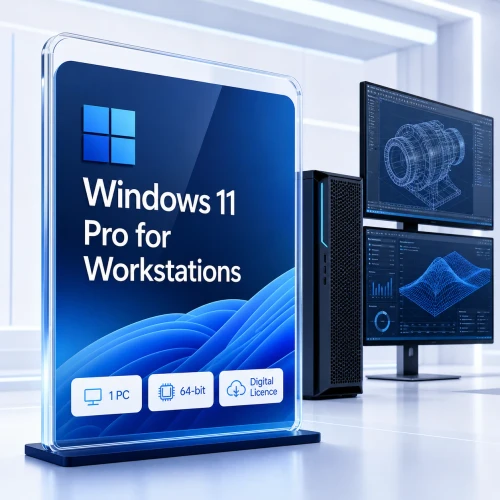
Give a compatible new build or dedicated workstation the complete Windows 11 Pro edition with a cost-effective OEM licence, fast digital fulfilment and practical activation guidance.
Important OEM condition: after activation, the licence is associated with the first licensed PC and is not transferable to another computer.
The full Pro edition for one dedicated computer.
This listing is deliberately specific: it is a Microsoft Windows 11 Pro OEM licence for one compatible PC. It delivers the same Windows 11 Pro edition features as a Retail licence, while using OEM device-binding rules.
OEM activation licence
One Windows 11 Pro installation for the first eligible PC on which the key is activated.
Digital fulfilment
The licence information and clear installation guidance are delivered electronically after order verification.
Practical assistance
Software Mart Australia can help with common installation and activation questions after purchase.

Protect the PC, identity and business data in layers.
Windows 11 Pro combines a modern hardware-security baseline with professional controls. BitLocker can help protect eligible drives, Windows Hello supports secure sign-in, and built-in Windows security services help defend everyday work.
- BitLocker and BitLocker To Go management
- Windows Security and Microsoft Defender Antivirus
- Windows Defender Firewall and SmartScreen
- Secure Boot, TPM 2.0 and Windows Hello support
Plan before enabling encryption. Store recovery information away from the PC and maintain tested backups, updates and strong account protection.
OEM changes the licence route—not the Pro feature set.
Use professional security, remote-access, virtualisation and management capabilities on the licensed PC without a recurring Windows subscription.
BitLocker
Encrypt compatible internal and removable drives to help protect data if the PC or a storage drive is lost.
Remote Desktop host
Connect to the licensed PC remotely when Remote Desktop and the surrounding network are securely configured.
Hyper-V
Create virtual machines for development, training, evaluation and isolated testing on supported hardware.
Group Policy
Apply detailed account, security, network and device settings with repeatable administrative control.
Domain and Entra join
Connect eligible PCs to organisational identities, supported management services and business resources.
Windows Sandbox
Open a temporary isolated Windows environment for short-lived testing on compatible configurations.

Give demanding work a clearer place.
Arrange compatible applications with Snap Layouts, separate work across multiple desktops and return to organised window groups with less screen clutter. The familiar Windows foundation is refined for focused modern work.
One licence, one original PC, one clear decision.
This offer licenses one Windows 11 Pro instance on one eligible PC. When first activated, the OEM licence becomes associated with that device and cannot be transferred to a different computer. A significant hardware change—especially replacing the motherboard—may trigger reactivation or require a new licence.
OEM · One PC · Device-bound
A cost-effective one-time Windows purchase for a compatible PC intended to remain the licensed device.
| Licence route | Best for | One-time purchase | Move to another PC |
|---|---|---|---|
| This OEM licence | A new build or dedicated PC that will keep its licence | Yes | No—associated with the first licensed device |
| Full Retail licence | One PC where future transfer flexibility matters | Yes | Retail terms may permit transfer after removal from the previous PC |
| Home-to-Pro upgrade | A compatible PC already activated with qualifying Windows Home | Yes | Depends on the underlying licence and upgrade terms |
| Commercial Volume upgrade | Organisations with qualifying base licences and programme rights | Agreement-dependent | Governed by the organisation's agreement |
Motherboard changes matter. Microsoft associates activation with device hardware. Replacing the motherboard can be treated as creating a different device unless Microsoft or the original equipment manufacturer recognises an eligible repair scenario.
Check the target PC before assigning the OEM licence.
A valid product key cannot add TPM 2.0, Secure Boot, a supported processor or missing manufacturer drivers to incompatible hardware. Confirm the final hardware configuration before activation.
Practical recommendation: complete major hardware choices before activation. For comfortable professional use, consider at least 8 GB RAM and SSD storage with sufficient free space.
From checkout to one correctly licensed PC.
Most verified orders are delivered electronically within 1–10 minutes. Payment or risk verification can require additional processing time.
-
Choose the target PC
Confirm this is the one compatible computer that will keep the OEM licence.
-
Check the hardware
Verify Windows 11 support and finish planned motherboard or major component choices.
-
Receive fulfilment
Check the inbox, promotions and spam folders for the key and installation guidance.
-
Install Windows 11 Pro
Use official Microsoft media, select the Pro edition and enter the 25-character key.
-
Activate and record
Confirm activation, record which PC owns the licence, then update, secure and back up the system.
No physical box, disc or USB is shipped. Review Software Mart Australia's complete digital delivery policy before ordering.
A clear licence deserves clear guidance.
Software Mart Australia includes practical assistance with standard installation and activation questions. Support cannot convert an OEM licence into a transferable Retail licence, so confirm the target PC before activation.
Contact Software MartFast digital delivery
Most verified orders arrive electronically within 1–10 minutes.
Practical assistance
Get help with common installation and activation questions.
Clear device assignment
Know exactly which PC the OEM licence is intended to cover.
Clear fault remedy
Confirmed invalid or already-redeemed supplied keys are handled under the published policy.
Windows 11 Pro OEM licence FAQs.
Straight answers about device binding, activation, hardware changes and the difference between OEM and Retail.
Is this definitely the OEM one-PC version?
Yes. This is a Windows 11 Pro OEM licence for one compatible PC. It is not a Retail, Volume, subscription or multi-device licence.
What is the main benefit of an OEM licence?
OEM is a cost-effective one-time licence route for a dedicated PC that does not need future transfer rights. The Windows 11 Pro feature set is not reduced.
Can I move the licence to another computer?
No. The OEM licence becomes associated with the first activated PC and cannot be transferred to a different computer. Choose Retail if movement rights matter.
What happens if I replace the motherboard?
A motherboard replacement is a significant hardware change and can cause activation to treat the PC as a different device. An eligible manufacturer repair may be handled differently, but a new licence can be required.
Can I reinstall Windows on the same PC?
Reinstallation on the same licensed device is generally possible, but activation depends on the hardware identity, installed edition and Microsoft's activation service. Keep purchase and device records.
Can I activate two computers?
No. The entitlement is one PC only. A second physical or virtual computer needs its own appropriate licence.
Is this a Windows Home-to-Pro upgrade?
No. A Home-to-Pro upgrade assumes the PC already has a qualifying activated Windows Home licence. This listing is a full OEM licence for Windows 11 Pro.
Is Windows 11 available in 32-bit?
No. Windows 11 is a 64-bit operating system and requires a compatible 64-bit processor.
Does Windows 11 Pro include Microsoft Office?
No. Microsoft 365 and perpetual Office applications such as Word, Excel, Outlook and PowerPoint are licensed separately.
Is this a subscription?
No. It is a one-time OEM licence purchase for one licensed PC. Optional apps, cloud services and support subscriptions are separate.
How quickly will the order arrive?
Most verified orders are delivered electronically within 1–10 minutes. Payment, fraud-prevention or manual verification can add time.
What if the supplied key is invalid?
Contact Software Mart promptly and allow the support team to complete the required checks. Confirmed invalid or already-redeemed supplied keys are handled under the published software policy.
Buy Windows 11 Pro OEM for one compatible computer.
Get the complete Windows 11 Pro edition through a clear OEM one-PC licence route, with digital fulfilment and practical activation assistance.
One licensed PC only. Non-transferable to another computer. Check Windows 11 compatibility before purchase.